Why Facebook Ads Are Indispensable for Small Businesses in 2026
The digital landscape has evolved dramatically, and with over 3 billion active users across its family of apps (Facebook, Instagram, Messenger, WhatsApp), Meta’s advertising platform offers an audience pool unmatched by any other. For small businesses, this translates into an incredible opportunity to connect directly with potential customers, build brand awareness, drive website traffic, and ultimately, boost sales. In 2026, relying solely on organic reach is no longer a viable strategy; the algorithms prioritize paid content, making a well-executed Facebook Ads strategy critical.
One of the primary reasons for Facebook Ads’ indispensability is its granular targeting capabilities. Unlike traditional advertising methods, which cast a wide net and hope for the best, Facebook allows businesses to pinpoint their ideal customer with remarkable precision. You can target users based on demographics (age, gender, location, language), interests (hobbies, pages liked, groups joined), behaviors (purchase history, device usage), and even connections (people who like your page, friends of people who like your page). This level of specificity ensures that your advertising budget is spent on reaching individuals most likely to be interested in your products or services, maximizing your return on investment (ROI).
Furthermore, Facebook Ads are inherently cost-effective, especially when compared to traditional media like television, radio, or print. Small businesses can start with a modest budget and scale up as their campaigns prove successful. The flexibility in budget setting, coupled with the ability to optimize campaigns in real-time, means that every dollar spent can be strategically allocated for maximum impact. This agile approach is particularly beneficial for startups and small businesses that need to be nimble with their resources.
Beyond direct sales, Facebook Ads serve multiple strategic purposes. They can be instrumental in building brand recognition, generating leads, promoting content, and even driving app installs. The platform also offers robust analytics tools, allowing businesses to track campaign performance, understand audience behavior, and make data-driven decisions. This feedback loop is invaluable for refining marketing strategies and ensuring continuous improvement. In an increasingly competitive market, the ability to adapt and optimize quickly is a hallmark of successful businesses, and Facebook Ads provides the infrastructure to do just that.
Setting the Foundation: Before You Launch Your First Campaign
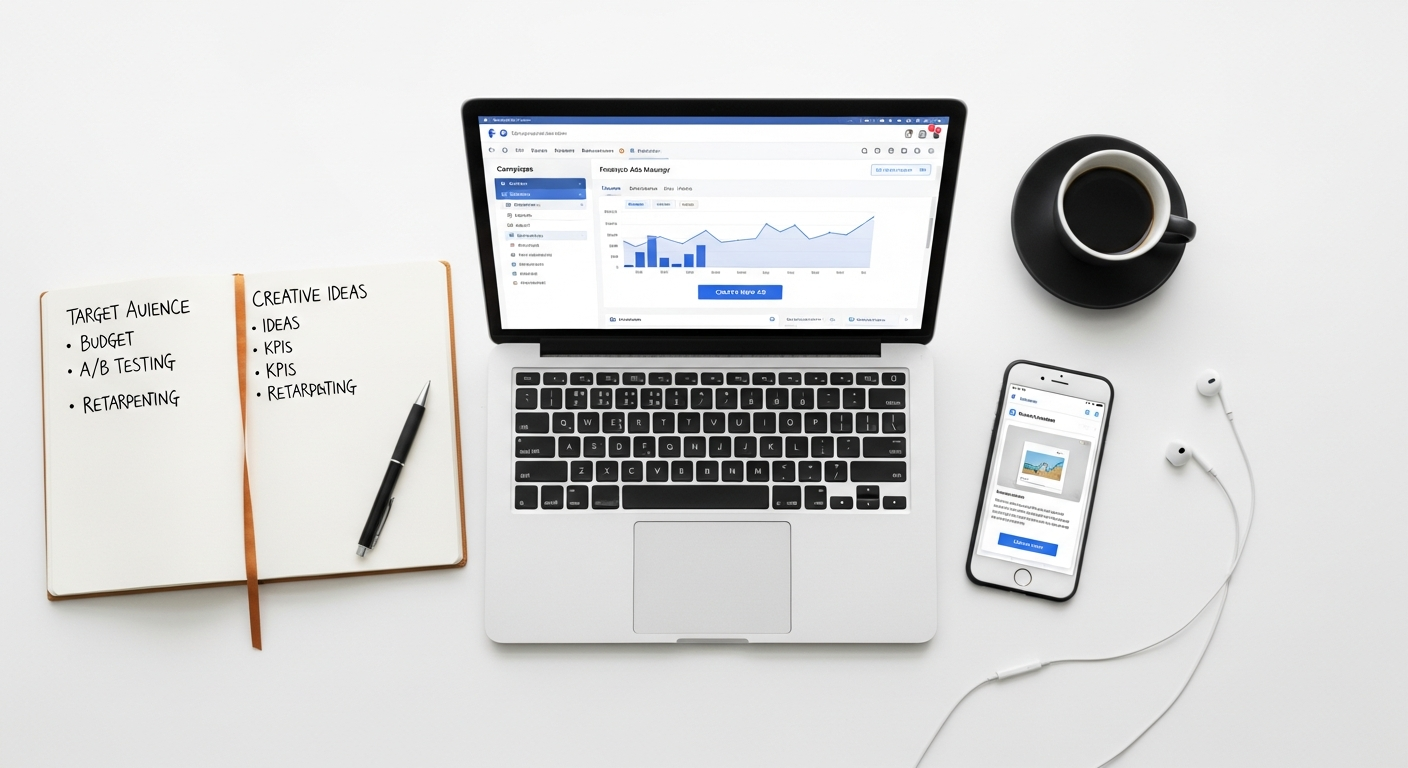
Before diving headfirst into the Facebook Ads Manager, it’s crucial to lay a solid foundation. A well-thought-out strategy will guide your campaigns, prevent wasted ad spend, and significantly increase your chances of success. This preparatory phase involves defining your objectives, understanding your audience, and setting up the necessary technical infrastructure.
Define Your Campaign Goals
What do you want to achieve with your Facebook ads? Your answer to this question will dictate your campaign objective within the Ads Manager. Common goals for small businesses include:
- Brand Awareness: Increase the top-of-mind recall of your brand, product, or service.
- Reach: Show your ad to the maximum number of people in your target audience.
- Traffic: Drive visitors to your website, blog post, or landing page.
- Engagement: Get more likes, comments, shares, event responses, or video views.
- Lead Generation: Collect contact information from potential customers.
- Messages: Encourage people to interact with your business via Messenger.
- Conversions: Drive specific actions on your website, like purchases or sign-ups.
- Store Traffic: Encourage people to visit your physical store.
Clearly defining your primary goal ensures that you select the correct campaign objective, which in turn optimizes Facebook’s delivery system to achieve that specific outcome. For a startup, initial goals might focus on awareness and traffic, while a more established small business might prioritize lead generation or conversions. This goal-setting process is akin to the strategic planning involved in selecting the Best Project Management Software Startups use; both require clear objectives and a roadmap to achieve them efficiently.
Understand Your Target Audience
Who are you trying to reach? This is perhaps the most critical question in advertising. Developing detailed buyer personas will help you create highly effective ad campaigns. Consider:
- Demographics: Age, gender, location, income level, education, marital status.
- Psychographics: Interests, hobbies, values, attitudes, lifestyle.
- Behaviors: Purchase history, online activities, device usage.
- Pain Points & Desires: What problems do they face that your product solves? What aspirations do they have?
The more deeply you understand your audience, the more precise your targeting can be, leading to higher engagement and better ROI. Don’t guess; use market research, customer surveys, and insights from your existing customer base to build these profiles.
Set a Realistic Budget
Facebook Ads allows for significant flexibility in budgeting. You can set a daily budget or a lifetime budget for your campaign. For small businesses, starting with a conservative budget and gradually increasing it as you see positive results is a wise approach. Consider your campaign goals and the value of a conversion when determining your budget. Remember, Facebook Ads is a form of What Is Pay Per Click Advertising, meaning you pay for specific actions like clicks or impressions, making careful budget allocation essential.
Set Up Facebook Business Manager
For any serious small business, the Facebook Business Manager is indispensable. It’s a central hub where you can manage all your Facebook Pages, ad accounts, Instagram accounts, and pixels. It allows for organized collaboration if you work with a team or agency and provides a secure environment for your business assets. If you haven’t already, create a Business Manager account, connect your Facebook Page and Instagram profile, and set up your ad account. This streamlines management and provides access to advanced tools.
Install the Facebook Pixel
The Facebook Pixel is a small piece of code that you place on your website. It tracks visitor activity, allowing you to:
- Track Conversions: Monitor specific actions users take on your site (e.g., purchases, sign-ups).
- Optimize Ads: Facebook’s algorithm uses pixel data to show your ads to people most likely to convert.
- Build Custom Audiences: Create audiences of people who have visited your site or specific pages.
- Run Retargeting Campaigns: Show ads to people who have previously interacted with your website.
Installing the pixel is a critical step that empowers your campaigns with valuable data, making them significantly more effective. This step is part of building your essential digital marketing What Is A Tech Stack How To Choose, ensuring your data collection and advertising tools work seamlessly together.
Navigating the Facebook Ads Manager: A Step-by-Step Guide
Understanding the Campaign Structure
Facebook Ads are organized into three distinct levels:
- Campaign: This is the highest level, where you set your overarching marketing objective (e.g., Lead Generation, Sales, Traffic). You also define your campaign budget here, especially if using Campaign Budget Optimization (CBO).
- Ad Set: Within each campaign, you can have multiple ad sets. At this level, you define your target audience, placements (where your ads will appear), budget (if not using CBO), and schedule. Each ad set can target a different audience or use different placements, allowing for A/B testing and diversified strategies.
- Ad: This is the lowest level, where you craft the actual creative – your images, videos, ad copy, and call-to-action (CTA). You can have multiple ads within an ad set, allowing you to test different visuals or messages against the same audience.
This hierarchical structure provides immense flexibility and control, enabling small businesses to test, iterate, and optimize their campaigns with precision.
Choosing Your Campaign Objective
When you create a new campaign, Facebook will prompt you to choose an objective. These are categorized into Awareness, Consideration, and Conversion:
- Awareness:
- Brand Awareness: Increase people’s awareness of your brand.
- Reach: Show your ad to the maximum number of people.
- Consideration:
- Traffic: Drive people to a destination like your website or app.
- Engagement: Get more post engagements, page likes, event responses, or video views.
- Lead Generation: Collect leads for your business.
- App Promotion: Get people to install or use your app.
- Messages: Encourage people to contact your business via Messenger.
- Conversion:
- Conversions: Drive valuable actions on your website, app, or Messenger.
- Sales: Find people likely to purchase your product or service.
- Store Traffic: Drive people to your physical store location.
Select the objective that aligns directly with the goal you defined in your foundational planning stage. Facebook’s algorithm is designed to optimize for the chosen objective, so picking the right one is paramount.
Audience Targeting: Precision is Power
This is where Facebook Ads truly shines. Within the ad set level, you can define your audience using several powerful options:
- Core Audiences: Target based on demographics (age, gender, location, language), interests (pages liked, groups joined, hobbies), and behaviors (purchase behavior, device usage). This is ideal for reaching new customers.
- Custom Audiences: These are audiences you create from your existing data sources. Examples include:
- Website Visitors: People who have visited your website (requires the Facebook Pixel).
- Customer List: Upload your email list or phone numbers.
- App Activity: People who have interacted with your app.
- Engagement: People who have interacted with your Facebook Page, Instagram profile, or watched your videos.
- Lookalike Audiences: Based on a “seed” custom audience (e.g., your best customers or website converters), Facebook finds new people who share similar characteristics. This is incredibly powerful for scaling successful campaigns by reaching new, high-potential prospects.
Experiment with different audience segments to find your most responsive groups. Start broad and then narrow down as you gather data.
Placements: Where Your Ads Will Appear
Facebook offers a wide array of placements across its family of apps and network:
- Facebook: Feeds, Marketplace, Video Feeds, Right Column, Stories, In-Stream, Search Results.
- Instagram: Feeds, Explore, Stories, Reels.
- Audience Network: A network of third-party apps and websites where your ads can appear.
- Messenger: Inbox, Stories, Sponsored Messages.
While Automatic Placements (Facebook’s default) often work well by letting the algorithm optimize delivery, you might choose Manual Placements to focus your budget on specific, high-performing areas, especially if your creative is tailored for a particular format (e.g., vertical video for Stories).
Budget & Schedule
You can set either a Daily Budget (average amount you’ll spend per day) or a Lifetime Budget (total amount you’ll spend over the campaign’s duration). For scheduling, you can run your ads continuously or set a start and end date. Small businesses often benefit from testing with smaller daily budgets over a defined period to gauge performance before committing to larger spends.
Ad Creative: Bringing Your Message to Life
This is where your chosen images, videos, and compelling ad copy come together. You’ll define:
- Format: Single image or video, carousel (multiple scrollable images/videos), collection (full-screen mobile experience).
- Media: Upload high-quality visuals that grab attention.
- Primary Text: Your main ad copy, which should be engaging and benefit-driven.
- Headline: A concise, catchy statement that appears below the image/video.
- Description: (Optional) Additional text that appears under the headline.
- Call-to-Action (CTA): A button that encourages a specific action (e.g., “Shop Now,” “Learn More,” “Sign Up”).
- Destination: The URL where people will be directed after clicking your ad.
Remember, the visual and textual elements of your ad are what compel users to stop scrolling and engage with your business. This entire process, from objective setting to ad creation, illustrates why Facebook Ads is a leading form of What Is Pay Per Click Advertising, requiring strategic decisions at every step to optimize for desired outcomes.
Crafting Compelling Ad Creatives and Copy that Convert
Once you’ve navigated the technicalities of the Ads Manager, the real artistry begins: crafting ad creatives and copy that genuinely resonate with your target audience. This is where your small business’s unique voice and value proposition must shine through. A perfectly targeted ad with weak creative will fall flat, while a compelling ad with precise targeting can achieve remarkable results.
The Power of Visuals: Images and Videos
In a scroll-heavy environment, visuals are your first, and often only, chance to capture attention. Investing in high-quality, relevant, and engaging images or videos is non-negotiable. Consider these best practices:
- High Resolution: Blurry or pixelated images scream unprofessionalism. Ensure all visuals are crisp and clear.
- Relevance: Your visual should directly relate to your product, service, or the problem it solves. Don’t use generic stock photos if you can help it.
- Emotional Connection: Visuals that evoke emotion or tell a mini-story tend to perform better. Show people using your product, enjoying a benefit, or experiencing a transformation.
- Branding: Incorporate your brand colors or logo subtly, but don’t let it overpower the main message.
- Video Content: Short, punchy videos (15-30 seconds) are highly effective. They can demonstrate product features, show testimonials, or tell a brand story. Aim for an engaging hook in the first 3 seconds to stop the scroll.
- A/B Testing Visuals: Never assume which visual will perform best. Test multiple images or video variations against the same audience to identify top performers.
For small businesses, this might mean investing in a professional photographer or videographer, or at least learning basic photography and video editing skills. The tools you use for creating and managing these assets are an important part of your overall What Is A Tech Stack How To Choose, including graphic design software, video editors, and even AI-powered creative assistants.
Writing Persuasive Ad Copy
Your ad copy works hand-in-hand with your visuals to convey your message and persuade users to take action. Effective ad copy is:
- Concise and Clear: Get to the point quickly. While Facebook allows longer text, the first few lines are crucial as they are often all that’s visible before a “See More” link.
- Benefit-Oriented: Instead of listing features, highlight how your product or service benefits the customer. What problem does it solve? How will it improve their life or business?
- Audience-Centric: Speak directly to your target audience’s pain points, desires, and aspirations. Use language they understand and relate to.
- Strong Hook: Start with a question, a bold statement, or a compelling offer to immediately grab attention.
- Call-to-Action (CTA): Clearly tell people what you want them to do. Use action-oriented verbs.
- Urgency/Scarcity (Optional): If appropriate, create a sense of urgency (e.g., “Limited Stock,” “Offer Ends Soon”) to encourage immediate action.
- Emojis: Use emojis judiciously to add personality and break up text, but ensure they align with your brand’s tone.
- Testimonials/Social Proof: If you have glowing reviews or user-generated content, weave them into your copy or visuals.
Example Structure for Ad Copy:
Hook/Problem: “Tired of juggling spreadsheets and missing deadlines?”
Solution/Benefit: “Streamline your projects and boost team productivity with [Your Project Management Software]!”
Unique Selling Proposition: “Designed specifically for lean startups, our intuitive platform integrates seamlessly with your existing tools.”
Call-to-Action: “Click ‘Learn More’ to start your free 14-day trial today!“
Crafting Effective Calls-to-Action (CTAs)
The CTA button is the gateway to your desired action. Facebook offers a variety of standard CTA buttons, such as:
- Shop Now
- Learn More
- Sign Up
- Download
- Contact Us
- Book Now
- Get Quote
- Apply Now
Choose the CTA that most accurately reflects the next step you want users to take. A “Learn More” button might be appropriate for a brand awareness campaign driving to a blog post, while “Shop Now” is ideal for e-commerce conversion campaigns. Ensure your landing page experience seamlessly follows the promise of your ad and CTA.
The Importance of Landing Page Optimization
While technically outside the Facebook Ads Manager, the destination page users land on after clicking your ad is crucial. A compelling ad creative can drive clicks, but a poorly designed or irrelevant landing page will lead to high bounce rates and wasted ad spend. Ensure your landing page:
- Is Relevant: The content should directly relate to the ad’s message and offer.
- Is Mobile-Friendly: A vast majority of Facebook users access the platform on mobile devices.
- Loads Quickly: Slow loading times frustrate users and lead to abandonment.
- Has a Clear CTA: Guide visitors towards the desired action.
- Is Easy to Navigate: Don’t make users search for information.
Think of your ad and landing page as two halves of a single conversion funnel. Both must be optimized for success.
Monitoring, Analyzing, and Optimizing Your Facebook Ad Performance
Launching a Facebook ad campaign is just the beginning. The real work, and the true path to success for small businesses, lies in diligently monitoring, analyzing, and continuously optimizing your campaigns. This iterative process allows you to learn what works, eliminate what doesn’t, and maximize your return on ad spend.
Key Metrics to Monitor
The Facebook Ads Manager provides a wealth of data. While it can be overwhelming, focusing on a few key metrics relevant to your campaign objective will simplify analysis:
- Reach: The number of unique people who saw your ad.
- Impressions: The total number of times your ad was displayed (a single person can see your ad multiple times).
- Frequency: Average number of times each person saw your ad (Impressions / Reach). High frequency can lead to ad fatigue.
- Cost Per Result: The average cost for each desired action (e.g., Cost Per Lead, Cost Per Purchase). This is arguably the most important metric for conversion-focused campaigns.
- Click-Through Rate (CTR): The percentage of people who saw your ad and clicked on it (Clicks / Impressions). A higher CTR indicates your ad is relevant and engaging.
- Cost Per Click (CPC): The average cost you pay for each click on your ad.
- Cost Per Mille (CPM): The cost to reach 1,000 impressions. This is a good indicator of how expensive it is to get your ad in front of people.
- Return on Ad Spend (ROAS): The total revenue generated for every dollar spent on ads (Revenue from Ads / Ad Spend). Essential for e-commerce and sales-driven campaigns.
- Conversions: The number of desired actions taken (e.g., purchases, sign-ups, lead form submissions).
Regularly review these metrics within the Ads Manager dashboard. Customize your columns to display the most relevant data for your specific campaign goals.
A/B Testing: The Path to Optimization
Never assume what will work best. A/B testing (or split testing) is the process of comparing two versions of an ad element to see which performs better. You can A/B test various components:
- Ad Creatives: Different images, videos, or ad formats.
- Ad Copy: Different headlines, primary text, or CTAs.
- Audiences: Different demographic segments, interest groups, or custom audiences.
- Placements: Facebook Feed vs. Instagram Stories.
- Campaign Objectives: While less common for A/B testing, you might compare similar campaigns with slightly different objectives.
When A/B testing, change only one variable at a time to accurately attribute performance differences. Run tests for a sufficient duration to gather statistically significant data, and then scale up the winning variation.
Scaling Successful Campaigns
Once you’ve identified winning ad sets and creatives, the next step is to scale them. However, scaling too quickly can disrupt performance. Consider these strategies:
- Increase Budget Gradually: Don’t jump from $10/day to $100/day overnight. Increase your budget by 10-20% every few days, monitoring performance closely.
- Expand Audiences: If a custom audience or lookalike audience is performing well, try creating new lookalike audiences based on different seed sources or expanding the percentage of your lookalike (e.g., from 1% to 2-3%).
- Duplicate Winning Ad Sets: Create duplicates of your best-performing ad sets and increase their budgets, or target slightly different, but related, audiences.
- Horizontal Scaling: Create new campaigns with different objectives or target different parts of your sales funnel.
Troubleshooting Underperforming Ads
Not every ad will be a winner. If your ads aren’t performing as expected, consider these troubleshooting steps:
- Low CTR: Your creative or copy isn’t engaging enough, or your audience isn’t right. Test new visuals, headlines, or refine your audience targeting.
- High CPC/CPM: Your audience might be too competitive, or your ad relevance score is low. Try broader targeting, different placements, or improve ad quality.
- High Cost Per Result / Low Conversions: Your landing page might be the issue, or your offer isn’t compelling. Ensure the landing page is optimized, and the offer matches user expectations. Review your funnel.
- Ad Fatigue: If your frequency is high, people are seeing your ad too often and getting tired of it. Refresh your creatives or target a new audience.
Regularly reviewing your campaigns and being proactive in making adjustments based on data is the hallmark of successful Facebook ad management. This continuous cycle of testing, learning, and refining is essential for small businesses to thrive in the competitive digital advertising space.
Advanced Strategies for Small Business Success with Facebook Ads
While the basics will get you started, employing advanced strategies can significantly amplify your small business’s success on Facebook Ads. These tactics leverage the platform’s deeper capabilities to refine targeting, increase efficiency, and drive higher conversions.
Mastering Retargeting Campaigns
Retargeting (or remarketing) is one of the most powerful and cost-effective strategies in Facebook Ads. It involves showing ads specifically to people who have already interacted with your business in some way. These individuals are often warmer leads because they’ve shown prior interest. Examples of custom audiences for retargeting include:
- Website Visitors: Target everyone who visited your website, or specific pages (e.g., product pages, checkout pages for abandoned carts).
- Facebook Page Engagers: People who have liked, commented on, or shared your Facebook posts or visited your page.
- Instagram Profile Engagers: Users who have interacted with your Instagram posts or profile.
- Video Viewers: People who have watched a certain percentage of your video ads.
- Customer Lists: Uploading your existing customer email lists to offer exclusive deals or upsell/cross-sell.
The beauty of retargeting is that you can tailor your message based on the user’s level of engagement. For instance, show an abandoned cart ad to someone who added items to their cart but didn’t purchase, or a special discount to existing customers.
Leveraging the Facebook Pixel for Deep Optimization
We’ve discussed installing the Facebook Pixel, but its true power lies in its advanced features. Beyond standard events (like PageView, AddToCart, Purchase), you can set up:
- Custom Conversions: Define specific actions on your website as conversions, even if they’re not standard events (e.g., clicking a specific button, downloading a PDF).
- Custom Events: Track virtually any action on your website that isn’t covered by standard events, with custom parameters for even more detail (e.g., tracking search terms on your site).
The more data your Pixel collects about valuable actions, the better Facebook’s algorithm becomes at finding more people who are likely to take those actions. This direct feedback loop is crucial for optimizing delivery and improving your Cost Per Result.
Dynamic Product Ads (DPAs) for E-commerce
If your small business sells products online, Dynamic Product Ads are a game-changer. Once you upload your product catalog to Facebook, DPAs automatically show relevant products to people who have expressed interest in them on your website or app. This can include:
- Retargeting: Showing users the exact products they viewed or added to their cart but didn’t purchase.
- Prospecting: Showing relevant products from your catalog to new users who might be interested, based on their broader Facebook activity.
DPAs are highly personalized and incredibly effective for e-commerce businesses, automating the process of showing the right product to the right person at the right time.
Utilizing Lead Generation Forms within Facebook
For businesses focused on collecting leads (e.g., service providers, B2B companies, real estate agents), Facebook Lead Ads offer a seamless experience. When a user clicks on a Lead Ad, a pre-filled form appears within Facebook (with their contact information pulled from their profile), making it incredibly easy for them to submit their details without leaving the platform. This reduces friction and often leads to higher conversion rates compared to driving traffic to an external landing page.
You can integrate these forms with your CRM system for instant lead follow-up, ensuring no potential customer falls through the cracks. This integration exemplifies how a robust What Is A Tech Stack How To Choose can automate and streamline your marketing efforts.
Leveraging Messenger Ads and Automated Conversations
Messenger Ads allow you to start conversations directly with potential customers in Facebook Messenger. These can be “Click to Messenger” ads, where the CTA opens a chat, or “Sponsored Messages” sent to people who have already messaged your business. Combined with automated chatbot flows, Messenger Ads can be used for:
- Lead Qualification: Ask a series of questions to qualify leads.
- Customer Service: Provide instant answers to FAQs.
- Product Recommendations: Guide users to relevant products based on their preferences.
- Promotions: Deliver personalized offers.
This direct, interactive approach can build stronger customer relationships and drive conversions in a highly engaging way. For small businesses looking to provide personalized service at scale, Messenger Ads are an invaluable tool.
By integrating these advanced strategies, small businesses can move beyond basic advertising and create sophisticated, highly effective campaigns that drive sustained growth and cement their position in the market.
Recommended Resources
Check out How To Create A Mood Board For Design Projects on Layout Scene for a deeper dive.
Learn more about this topic in Time Blocking Method How To Use It at Bookmark Sharer.