The Founder’s Playbook: Automating Repetitive Tasks for Exponential Startup Growth
The Strategic Imperative: Why Automation Isn’t Optional for Startups
In the hyper-competitive startup landscape, the ability to do more with less isn’t just an advantage—it’s a prerequisite for survival and growth. Automation isn’t a luxury; it’s a strategic lever that empowers lean teams to operate with the agility and output traditionally associated with larger enterprises. Consider the stark realities:
* Time is the Ultimate Constraint: A study by McKinsey Global Institute suggests that nearly 60% of all occupations have at least 30% of their constituent activities that could be automated. For a founder, this translates to hours, even days, each week freed from manual drudgery. Imagine redirecting that time towards product development, market analysis, or investor relations.
* Cost Reduction & Error Elimination: Manual processes are inherently prone to human error, leading to costly rework, customer dissatisfaction, and compliance issues. Automation, by design, executes tasks with precision and consistency, reducing error rates to near zero. Moreover, it significantly lowers operational costs associated with labor for repetitive tasks. For instance, automating data entry or invoice processing can cut related costs by upwards of 30-50% in many cases.
* Scalability & Agility: Startups need to scale rapidly without proportional increases in headcount or operational complexity. Automation provides this elasticity. When a task is automated, it can be executed thousands of times with the same effort as once. This allows your business to handle increased demand, onboard more customers, or expand into new markets without getting bogged down by operational bottlenecks.
* Employee Satisfaction & Strategic Focus: When employees are freed from monotonous, low-value tasks, they can focus on more creative, problem-solving, and strategic work. This not only boosts morale and reduces burnout but also unlocks the true potential of your team, transforming them from task-doers into strategic contributors. This shift is critical for attracting and retaining top talent in a competitive market.
* Data-Driven Decision Making: Automated workflows often generate cleaner, more consistent data. This improved data quality fuels better analytics, providing founders with clearer insights into business performance, customer behavior, and market trends, leading to more informed and impactful strategic decisions.
Ultimately, embracing automation is about shifting your startup’s core operational philosophy. It’s moving from a reactive, manual approach to a proactive, systemized one, allowing you to build a business that is not only efficient today but built for exponential growth tomorrow.
Identifying Your Automation Opportunities: Where to Start
The first step in any successful automation strategy is not picking a tool, but precisely identifying the tasks ripe for automation. Approaching this haphazardly is a recipe for wasted effort. Instead, adopt a structured methodology to pinpoint the highest-impact opportunities.
The 4 D’s Framework for Task Prioritization:
1. Dull: Tasks that are repetitive, boring, and require little cognitive effort. These are prime candidates for automation as they often lead to human error and employee dissatisfaction. (e.g., data entry, report generation, routine email replies).
2. Difficult: Tasks that are complex, multi-step, or prone to errors when done manually. While they might require more sophisticated automation, the ROI can be significant. (e.g., complex data migration, multi-system integrations).
3. Dangerous: Tasks that involve physical risk or handling sensitive data where human error could have severe consequences. (e.g., certain industrial processes, high-volume financial transactions with tight compliance). While less common for typical digital startups, it’s a valid category.
4. Done Frequently: Tasks that occur on a regular basis – daily, weekly, or monthly. Even if they take a short amount of time per instance, their cumulative time drain can be substantial. (e.g., social media posting, lead follow-up sequences, expense reporting).
Step-by-Step Task Identification Process:
1. Task Logging & Audit: For one to two weeks, have yourself and your team meticulously log every task performed, along with the time spent on each. Tools like Toggl Track or Clockify can be invaluable here. Don’t just log “marketing”; break it down into “drafting social posts,” “scheduling social posts,” “responding to comments,” etc.
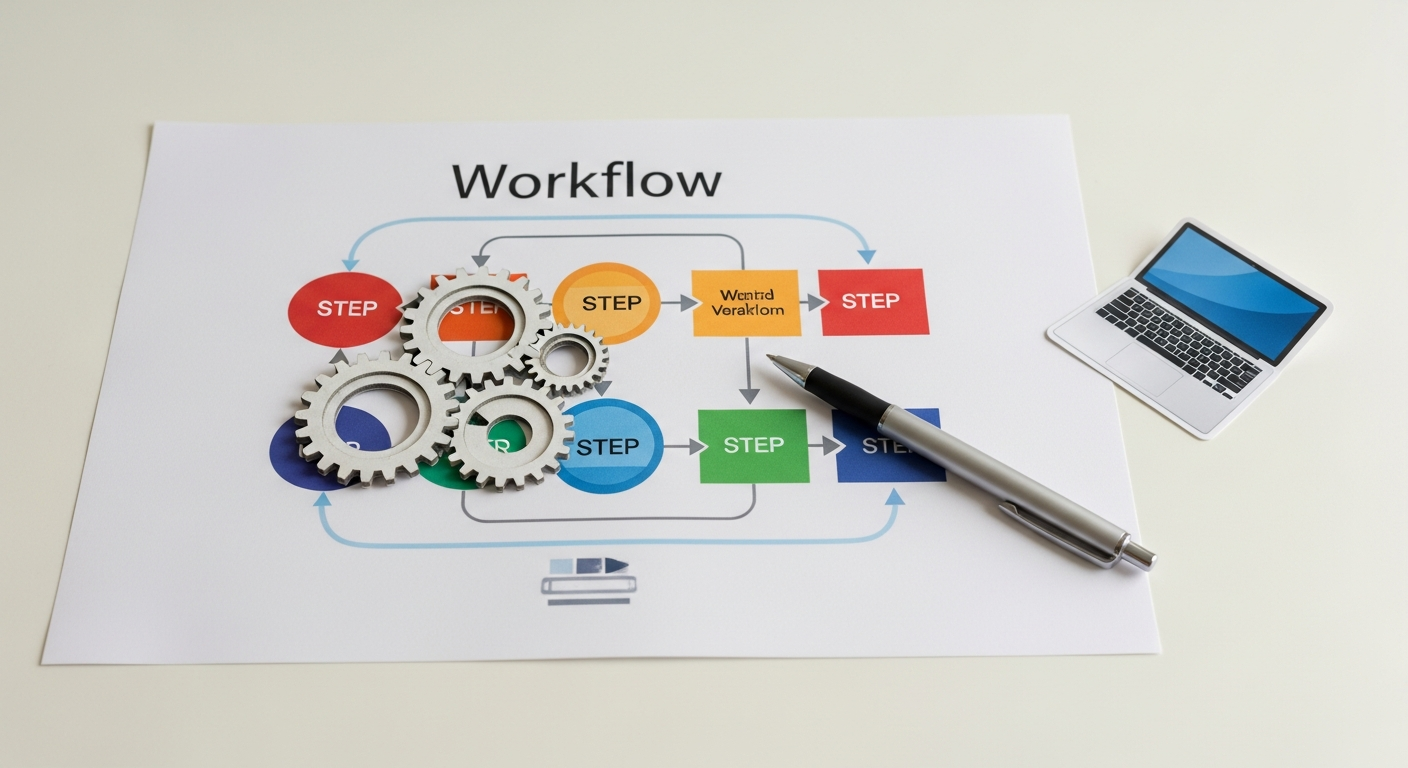
2. Process Mapping: For the most frequent or time-consuming tasks, map out the current process step-by-step. Use flowcharts or simple bullet points to visualize inputs, actions, decision points, and outputs. This reveals bottlenecks and inefficiencies that automation can address.
3. Categorization & Quantification:
* Group similar tasks.
* Estimate the total weekly/monthly hours spent on each task across the team.
* Assess the potential impact of automating each task (e.g., time saved, error reduction, cost savings, improved customer experience).
4. Prioritization Matrix: Create a simple matrix (e.g., a 2×2 grid) with “Impact of Automation” on one axis and “Effort to Automate” on the other.
* High Impact / Low Effort (Quick Wins): These are your immediate targets. Focus here first to build momentum and demonstrate value.
* High Impact / High Effort (Strategic Projects): Plan these for later, after initial successes.
* Low Impact / Low Effort (Nice-to-Haves): Tackle if resources permit.
* Low Impact / High Effort (Avoid): Don’t waste time here.
Real-World Example: A SaaS startup founder spent 3 hours every Monday manually exporting sales data from their CRM, cleaning it in Excel, and then importing it into their accounting software for invoicing. This was a “Dull,” “Done Frequently,” and “Difficult” task prone to errors. By identifying this, they laid the groundwork for a high-impact automation project.
Remember, the goal isn’t to automate everything, but to automate strategically. Focus on the 80/20 rule: identify the 20% of tasks that consume 80% of your time or cause 80% of your headaches, and target those first.
The Automation Toolkit: Essential Software and Platforms
The market is flooded with automation tools, and choosing the right ones can feel overwhelming. As a founder, you need a curated selection of robust, scalable, and often no-code/low-code solutions that empower your team without requiring deep technical expertise. Here’s a breakdown of essential categories and specific tools:
1. Workflow Automation & Integration Platforms (iPaaS)
These are the central nervous system of your automated ecosystem, connecting disparate apps and creating multi-step workflows.
* Zapier: The market leader for simple, event-driven automations. With thousands of app integrations, you can create “Zaps” (trigger-action workflows) in minutes.
Example:* When a new lead fills out a form (trigger in Typeform), add them to your CRM (action in HubSpot), send a welcome email (action in Mailchimp), and notify the sales team in Slack (action in Slack).
* Make (formerly Integromat): More powerful and visually-oriented than Zapier, allowing for complex multi-step scenarios, conditional logic, and error handling. Excellent for more intricate data transformations and branched workflows.
Example:* Monitor a specific folder for new files (trigger), extract data from the file (action), make an API call to enrich data (action), then update multiple systems based on conditions (conditional actions).
* Tray.io: Enterprise-grade iPaaS, offering robust capabilities for complex business processes, deeper integrations, and advanced data manipulation. Often chosen by larger or rapidly scaling startups with specific compliance or security needs.
2. Robotic Process Automation (RPA)
While iPaaS connects APIs, RPA robots mimic human actions on a computer interface, making it ideal for automating tasks in legacy systems or applications without APIs.
* UiPath, Automation Anywhere: Industry leaders. RPA bots can open applications, log in, click buttons, copy and paste data, extract information from documents, and more.
Example:* Automating data extraction from PDF invoices and entering it into an older accounting system that lacks modern API integrations.
3. CRM & Marketing Automation
These platforms are designed to automate customer interactions, lead nurturing, and sales processes.
* HubSpot: An all-in-one platform for CRM, marketing, sales, and service automation. Its workflows can automate email sequences, lead scoring, task creation, and internal notifications.
Example:* Automatically enrolling new website visitors who download an ebook into a 7-day lead nurturing email sequence.
* Salesforce: A powerful, highly customizable CRM with extensive automation capabilities via Process Builder and Flow Builder. Best for startups with complex sales processes or large sales teams.
* ActiveCampaign: Excellent for advanced email marketing automation, CRM, and sales automation, particularly for businesses focused on email as a primary channel.
4. Customer Support Automation
Streamline customer inquiries and support operations.
* Zendesk, Intercom: Integrate chatbots for instant answers to FAQs, automate ticket routing based on keywords or urgency, and trigger follow-up emails after ticket resolution.
Example:* A chatbot automatically answers 80% of common customer questions, freeing up support agents for complex issues.
5. Project Management & Collaboration Tools
Enhance team productivity and communication.
* Asana, ClickUp, Trello: Most modern PM tools offer built-in automation rules or robust integrations with Zapier/Make.
Example:* When a task is marked “complete” in Asana, automatically notify the project manager in Slack and move the task to a “review” column.
* Slack, Microsoft Teams: Integrate with other tools to automate notifications, reminders, and even trigger actions directly from chat.
6. Data & Analytics Automation
Automate data collection, processing, and reporting.
* Google Sheets/Excel with Apps Script/Macros: For spreadsheet-based tasks, these can automate data cleaning, calculations, report generation, and even send emails.
Example:* A Google Sheet script automatically pulls daily marketing spend from various ad platforms and sends a summary report to stakeholders.
* Supermetrics, Funnel.io: Tools that automate the collection of marketing and sales data from various sources into a centralized dashboard or spreadsheet.
7. No-code/Low-code Development Platforms
For building custom applications or automating unique business logic without extensive coding.
* Bubble, Webflow (with Zapier/Make integrations): Create custom portals, internal tools, or client dashboards with integrated automated workflows.
When selecting tools, prioritize those that offer robust API access (for iPaaS integration), clear documentation, and a strong community or support ecosystem. Start with one or two core platforms and expand as your automation needs evolve.
Building Your Automation Blueprint: A Step-by-Step Implementation Guide
Implementing automation isn’t a one-and-done task; it’s a strategic project that requires careful planning, execution, and continuous optimization. Here’s a structured blueprint to guide your startup through the process:
Phase 1: Define & Design
This phase is about understanding the “what” and “why” before you even think about the “how.”
1. Clearly Define the Process to be Automated:
* Objective: What specific outcome do you want to achieve with this automation? (e.g., “reduce time spent on new employee onboarding by 50%,” “improve lead follow-up response time to under 1 hour”).
* Scope: What are the exact start and end points of this process? What’s in scope, and what’s out?
* Triggers: What event initiates this process? (e.g., “new form submission,” “email received,” “task marked complete”).
* Inputs: What information or data is required for the process to begin?
* Outputs: What is the desired result or information produced by the process?
2. Map the Current Manual Process:
* Document every single step, decision point, and stakeholder involved in the existing manual process. Use flowcharts (like Lucidchart or Miro) or even simple bullet points.
* Identify bottlenecks, points of human error, and unnecessary steps. This is crucial; don’t automate a broken process. Optimize it manually first. As the adage goes, “automating a mess creates an automated mess.”
3. Design the Automated Workflow:
* Based on your optimized manual process, design the automated version.
* Identify which steps can be automated entirely, which require human intervention, and where conditional logic is needed.
* Select potential tools that can handle each step of the designed workflow.
4. Set Clear Success Metrics:
* How will you measure the success of this automation? (e.g., time saved, error rate reduction, cost savings, lead conversion rate increase, employee satisfaction scores).
* Establish baseline metrics from the manual process to compare against.
Example: For automating content distribution:
* Objective: Maximize blog post reach with minimal manual effort.
* Current Process: Publish blog post -> manually copy/paste headline/link to Twitter, LinkedIn, Facebook -> manually create image for Instagram -> manually upload.
* Automated Design: Blog post published (trigger) -> automatically generate social media posts for Twitter/LinkedIn/Facebook with link -> automatically send content to a designer for Instagram image creation (human step) -> once image is ready, automatically schedule Instagram post.
* Metrics: Time saved per post, social media engagement rates.
Phase 2: Build & Test
This is where you bring your design to life.
1. Select the Appropriate Tool(s): Refer back to our “Automation Toolkit” section. Choose the best-fit tool(s) based on your workflow complexity, existing tech stack, and budget. For simple tasks, Zapier might suffice; for complex data flows, Make might be better.
2. Build the Automation:
* Configure the triggers and actions within your chosen automation platform.
* Connect the necessary APIs and ensure proper authentication.
* Implement any conditional logic (e.g., “If lead source is X, then send email Y”).
* Define error handling protocols (e.g., “If an action fails, send a Slack notification to the admin”).
3. Thorough Testing:
* Unit Testing: Test each individual step or module of the automation independently.
* End-to-End Testing: Run the entire workflow multiple times with various real-world scenarios, including edge cases (e.g., missing data, unexpected inputs).
* Negative Testing: Intentionally introduce errors or invalid inputs to see how the automation handles them.
* Involve relevant team members in the testing phase to gather diverse feedback.
4. Iterate Based on Feedback: Rarely is the first build perfect. Refine the automation based on testing results and feedback until it reliably achieves its objective.
Phase 3: Deploy & Optimize
The final phase involves launching your automation and ensuring its long-term effectiveness.
1. Launch the Automation: Once thoroughly tested and refined, deploy the automation to a live environment.
2. Monitor Performance: Continuously track your defined success metrics. Set up alerts for failures or unexpected behaviors. Most iPaaS platforms provide detailed logs and monitoring dashboards.
3. Collect User Feedback: If the automation impacts other team members, gather their feedback regularly. Are there any pain points? Are they saving time? Are there new opportunities for improvement?
4. Continuous Refinement and Optimization: Automation is not static. Business needs evolve, tools update, and new opportunities arise. Regularly review your automated processes (e.g., quarterly) to ensure they are still relevant, efficient, and aligned with your strategic goals. Look for ways to further streamline, integrate new tools, or expand the scope.
By following this structured blueprint, founders can systematically identify, design, build, and optimize automation solutions, ensuring maximum impact and a robust foundation for scaling.
Overcoming Automation Hurdles: Common Challenges and Solutions
Even with the clearest blueprint, founders will inevitably encounter obstacles on their automation journey. Anticipating these challenges and having proactive solutions in place is key to successful implementation.
Challenge 1: Fear of the Unknown & Perceived Complexity
Many founders and their teams are intimidated by the idea of automation, fearing it’s too technical or time-consuming to set up.
* Solution: Start small and celebrate quick wins. Don’t try to automate your entire business at once. Pick one “Dull, Done Frequently, Low-Effort” task (e.g., sending a welcome email to new subscribers) and automate it. Demonstrating tangible benefits from a simple automation builds confidence and buy-in. Leverage no-code/low-code tools like Zapier or Make, which have intuitive visual interfaces.
Challenge 2: Data Silos and Integration Issues
Your startup likely uses multiple tools that don’t naturally “talk” to each other, leading to fragmented data and integration headaches.
* Solution: Invest in a robust iPaaS (Integration Platform as a Service) like Zapier or Make early on. These platforms are specifically designed to bridge the gap between disparate applications. Prioritize tools that offer comprehensive API documentation and active development to ensure future compatibility. Standardize data formats where possible to ease integration.
Challenge 3: Automating a Broken or Inefficient Process
As mentioned, rushing to automate a poorly designed manual process will only amplify its flaws.
* Solution: Adhere strictly to Phase 1: Define & Design. Before automating, meticulously map out the existing process, identify bottlenecks, and simplify or optimize it manually. Think of automation as putting a turbocharger on a well-tuned engine, not trying to fix a faulty one.
Challenge 4: Lack of Monitoring and Maintenance
Automations aren’t “set it and forget it.” They require ongoing oversight. Integrations can break, APIs can change, and business rules can evolve.
* Solution: Dedicate a small amount of time regularly (e.g., weekly) to check automation logs and dashboards. Set up alerts for failed automations to ensure immediate intervention. Designate an “automation champion” within your team who is responsible for oversight and basic troubleshooting. Factor maintenance into your resource planning.
Challenge 5: Security and Compliance Concerns
Automating tasks that handle sensitive customer data or financial information raises critical security and compliance questions.
* Solution: Thoroughly vet every automation tool for its security protocols, data encryption standards, and compliance certifications (e.g., GDPR, SOC 2, HIPAA). Understand where your data resides and how it’s processed. Implement the principle of least privilege, granting automation tools only the necessary access to perform their functions. Consult with legal or compliance experts if dealing with highly regulated data.
Challenge 6: Employee Resistance or Fear of Job Displacement
Team members might view automation as a threat to their roles, leading to resistance or reluctance to adopt new systems.
* Solution: Communicate transparently and proactively. Frame automation as a tool to free up employees from monotonous tasks, allowing them to focus on more creative, strategic, and rewarding work. Highlight how automation enhances their roles, not replaces them. Involve employees in the identification and design of automated processes. Offer training and reskilling opportunities to help them adapt to new, more strategic responsibilities. Emphasize that automation solves operational challenges, enabling the company to grow, which in turn creates new, higher-value roles.
By acknowledging these common hurdles and strategically addressing them, founders can navigate the automation landscape more effectively, transforming potential roadblocks into stepping stones for growth.
The Future is Automated: Strategic Implications for Scaling Founders
The journey through task automation is not merely about ticking off a to-do list; it’s a profound strategic shift that redefines how a startup operates, innovates, and scales. For ambitious founders, understanding these broader implications is crucial for long-term success.
Beyond Efficiency: Unlocking Innovation and Strategic Focus
While initial automation efforts primarily target efficiency, the true power emerges when founders and their teams are consistently freed from operational minutiae. This newfound bandwidth isn’t just for taking longer coffee breaks; it’s for:
* Deep Strategic Thinking: Founders can dedicate more cognitive energy to market analysis, competitive positioning, long-term vision, and investor relations – activities that directly drive growth.
* Rapid Experimentation & Innovation: Teams have the time and mental space to test new product features, explore new marketing channels, or develop entirely new business models without being bogged down by existing processes. This agility is a significant competitive differentiator.
* Enhanced Problem Solving: With core operations running smoothly, the team can pivot their problem-solving skills from “fixing recurring errors” to “tackling complex, high-value challenges.”
The Rise of AI in Automation: Predictive and Cognitive Capabilities
The current wave of automation is largely rule-based, following predefined logic. However, the integration of Artificial Intelligence (AI) and Machine Learning (ML) is rapidly evolving the landscape:
* Intelligent Process Automation (IPA): Combines RPA with AI capabilities like natural language processing (NLP), machine vision, and predictive analytics. This allows automations to handle unstructured data, make more nuanced decisions, and learn over time.
Example:* An IPA system could automatically categorize customer support tickets based on sentiment and content, then route them to the most appropriate agent or even provide an AI-generated draft response.
* Predictive Automation: AI can analyze historical data to predict future outcomes and proactively trigger automations.
Example:* Predicting customer churn risk and automatically initiating a personalized re-engagement campaign.
* Cognitive Automation: Systems that can “understand” and “reason” like humans, processing complex information and making decisions without explicit rules. This is still nascent but holds immense promise for highly complex tasks.
Founders should keep an eye on these advancements, understanding that today’s rule-based automation is a stepping stone to tomorrow’s intelligent, self-optimizing systems. Building a robust automation foundation now prepares your startup to seamlessly integrate these future capabilities.
Cultivating an “Automation-First” Culture
The most successful automated startups embed automation into their cultural DNA. This means:
* Empowering Every Employee: Providing tools and training so that even non-technical team members can identify and implement simple automations.
* Continuous Improvement Mindset: Fostering a culture where every team member is constantly looking for opportunities to optimize, streamline, and automate.
* Data-Driven Accountability: Using the data generated by automated processes to inform decisions and measure impact.
This cultural shift transforms your team from process executors to process innovators, creating a virtuous cycle of efficiency and growth.
The Ultimate Competitive Advantage
In a world where capital and talent are increasingly commoditized, operational excellence powered by intelligent automation becomes a critical differentiator. Startups that master automation will:
* Out-innovate: By freeing up resources for R&D and strategic initiatives.
* Out-scale: By handling massive volumes of work without proportional increases in cost.
* Out-compete: By delivering faster, more consistent, and personalized customer experiences.
Automation isn’t just about saving a few hours; it’s about fundamentally rethinking how your startup operates, preparing it not just for survival, but for absolute dominance in the market of 2026 and beyond. Embrace it, integrate it, and let it fuel your exponential growth.
Conclusion
The mandate for today’s startup founder is clear: automate or be outpaced. The manual execution of repetitive tasks is no longer a sustainable strategy for growth. This guide has laid out a comprehensive, actionable framework to transform your operational landscape—from identifying prime automation opportunities using the 4 D’s, to selecting the right tools from a robust toolkit, and meticulously building your automation blueprint. We’ve also armed you with strategies to overcome common hurdles, ensuring a smoother, more effective implementation.
Embracing automation isn’t just about cutting costs or saving a few hours; it’s about fundamentally reshaping your startup’s capacity for innovation, scalability, and strategic focus. It’s about empowering your team to transcend the mundane and dedicate their brilliance to solving complex problems and seizing new opportunities. The future of business is automated, and by adopting