Understanding Business Intelligence in the Modern Enterprise
Business Intelligence, often abbreviated as BI, encompasses the strategies and technologies used by enterprises for the data analysis of business information. BI tools provide historical, current, and predictive views of business operations, often utilizing data that has been gathered into a data warehouse or data mart and occasionally working with operational data directly. Beyond mere reporting, BI systems are designed to help organizations make more informed decisions, identify new opportunities, and implement effective strategies based on factual data rather than intuition.
For today’s businesses, particularly those operating in the fast-paced tech and digital marketing sectors, the value of BI is manifold. It allows companies to:
- Gain a 360-degree view of operations: Consolidate data from various sources – CRM, ERP, marketing automation, social media, finance, and more – into a unified, coherent picture.
- Identify trends and patterns: Detect subtle shifts in customer behavior, market demands, or operational efficiency that might otherwise go unnoticed.
- Optimize performance: Pinpoint bottlenecks, underperforming campaigns, or inefficient processes, enabling proactive adjustments. For instance, analyzing the performance of different ad creatives and targeting strategies becomes crucial for optimizing What Is Pay Per Click Advertising campaigns, directly impacting ROI.
- Forecast future outcomes: Leverage historical data and advanced analytics to predict future sales, market trends, or potential risks, allowing for better strategic planning.
- Enhance customer satisfaction: Understand customer preferences, pain points, and engagement patterns to personalize experiences and improve service delivery.
- Drive innovation: By identifying unmet needs or emerging market gaps through data analysis, businesses can develop new products or services that resonate with their target audience.
By 2026, the integration of Artificial Intelligence (AI) and Machine Learning (ML) into BI tools will be even more pervasive, transforming them from mere reporting mechanisms into intelligent advisory systems. These advanced capabilities will enable automated anomaly detection, predictive analytics, and even prescriptive recommendations, further solidifying BI’s role as a cornerstone of strategic decision-making. Therefore, the choice of a BI tool is not just about current needs but also about future-proofing your data strategy.
Defining Your Organization’s BI Needs and Objectives
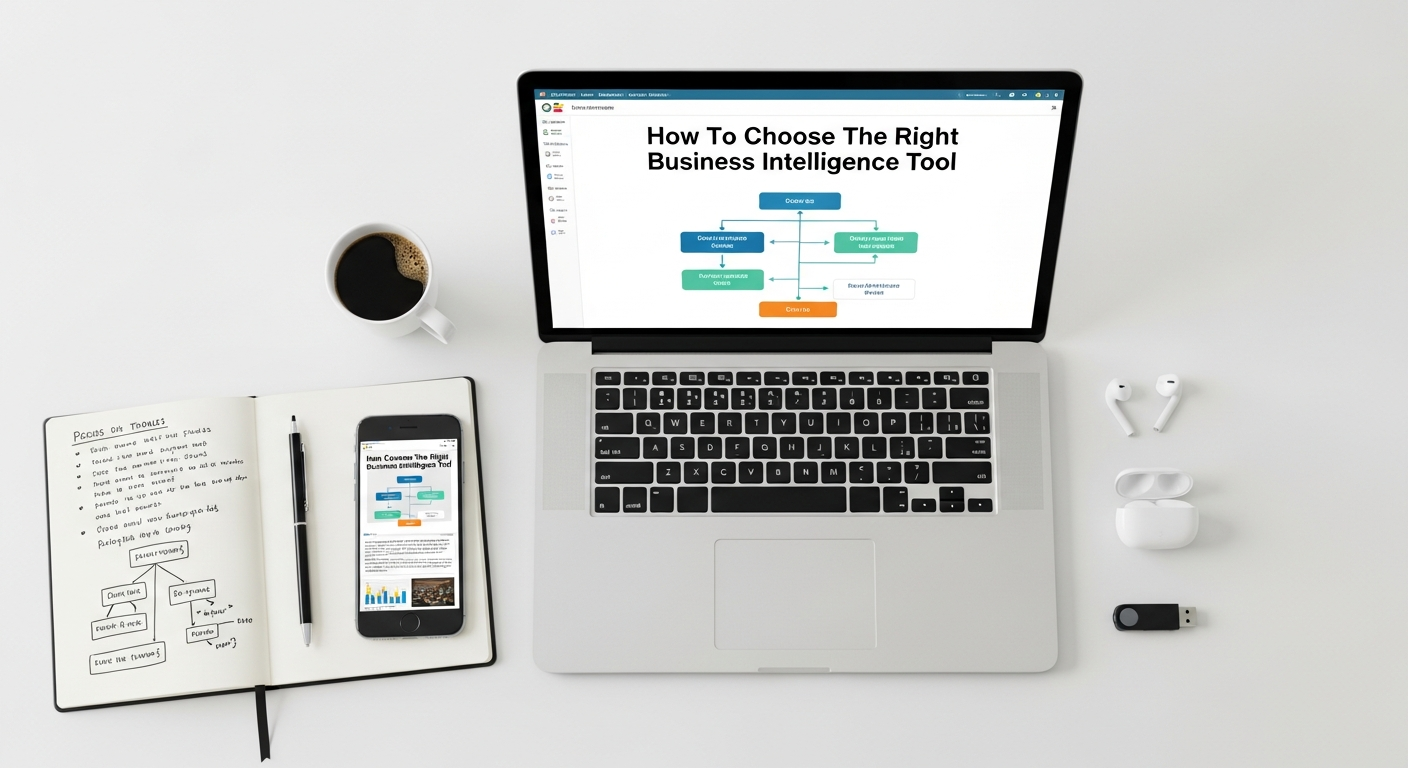
Before even looking at specific tools, the most critical step is to clearly define why your organization needs a BI solution and what you aim to achieve with it. This introspective phase lays the groundwork for a successful selection and implementation. Without a clear understanding of your requirements, you risk investing in a tool that is either overkill, underpowered, or simply misaligned with your business goals.
Identify Key Stakeholders and Their Requirements
Start by engaging with all potential users and beneficiaries of the BI tool across different departments. This includes executives, marketing teams, sales, finance, operations, and IT. Each group will have unique questions they need answered by data.
- Executives: Need high-level dashboards for strategic oversight, market share analysis, and financial performance.
- Marketing: Require insights into campaign performance, customer segmentation, website analytics, and social media engagement. Data from What Is Pay Per Click Advertising efforts, for example, needs robust analysis to inform future spending.
- Sales: Look for sales pipeline visibility, lead conversion rates, customer lifetime value, and territory performance.
- Finance: Need detailed financial reports, budget vs. actual analysis, and profitability insights.
- Operations: Focus on supply chain efficiency, inventory levels, production bottlenecks, and service delivery metrics.
Document these requirements meticulously. Understand their pain points with current data access, the types of questions they regularly ask, and the decisions they need to make. This collaborative approach ensures that the chosen tool will serve the diverse needs of the entire organization.
Determine Data Sources and Volume
Map out all the data sources your organization currently uses and plans to use. This could include:
- CRM systems (e.g., Salesforce, HubSpot)
- ERP systems (e.g., SAP, Oracle, NetSuite)
- Marketing automation platforms (e.g., Marketo, Pardot)
- Website analytics (e.g., Google Analytics)
- Social media platforms
- Financial accounting software
- Databases (SQL, NoSQL)
- Cloud storage (AWS S3, Google Cloud Storage, Azure Blob Storage)
- Spreadsheets (though ideally, BI reduces reliance on these)
Consider the volume, velocity, and variety of your data (the “3 Vs” of Big Data). A startup with a few hundred customer records will have different needs than a scale-up processing millions of transactions daily. The chosen BI tool must be capable of efficiently integrating, processing, and analyzing data from all these disparate sources, both now and as your data footprint grows towards 2026.
Define Use Cases and Desired Outcomes
Translate your identified requirements into specific use cases. What specific business problems do you want to solve?
- “We need to understand which marketing channels provide the highest ROI.”
- “We want to identify the key drivers of customer churn.”
- “We need real-time visibility into our inventory levels to prevent stockouts.”
- “We aim to personalize product recommendations based on past purchase behavior.”
For each use case, define the desired outcome and how success will be measured. This clarity will guide your evaluation of tools, ensuring they can deliver tangible business value.
Set Budget and Timeline Constraints
BI tools come in a wide range of price points, from free open-source options to enterprise-level solutions costing hundreds of thousands annually. Be realistic about your budget, considering not just licensing fees but also implementation, training, and ongoing maintenance. Similarly, establish a realistic timeline for selection, implementation, and user adoption. For a startup, striking a balance between cost-effectiveness and scalability is paramount.
Consider Scalability for Future Growth
As an Eamped reader, you’re likely part of a growth-oriented business. The BI tool you choose today must be able to scale with your organization’s anticipated growth in data volume, user count, and analytical complexity. A tool that serves 50 users well might crumble under the weight of 500 users and petabytes of data by 2026. Prioritize solutions that offer clear upgrade paths and robust performance even under increased load.
Key Features to Look for in a BI Tool
Data Integration and ETL Capabilities
A BI tool is only as good as the data it can access. Look for robust Extract, Transform, Load (ETL) capabilities or strong connectors to your existing data sources.
- Connectors: Does the tool offer native connectors to your CRM, ERP, marketing platforms, databases, and cloud services? The more native connectors, the less custom development required.
- Data Transformation: Can it cleanse, standardize, and transform raw data into a usable format? This is crucial for data quality and accurate analysis.
- Real-time vs. Batch: Does it support real-time data ingestion for immediate insights, or is batch processing sufficient for your needs?
Data Visualization and Reporting
Raw data is meaningless without effective visualization. The tool should offer a rich array of visualization options to present data in an understandable and impactful way.
- Chart Types: A wide range of charts (bar, line, pie, scatter, geographical maps, heat maps) to suit different data types and analytical needs.
- Customization: The ability to customize colors, fonts, labels, and layouts to match your brand and improve readability.
- Interactive Reports: Users should be able to drill down into data, filter results, and interact with reports to explore insights independently.
Dashboarding and Interactive Exploration
Dashboards are the command centers of BI, providing at-a-glance summaries of key performance indicators (KPIs).
- Drag-and-Drop Interface: An intuitive interface for building dashboards quickly, ideally without extensive coding knowledge.
- Self-Service BI: Empowering business users to create their own reports and dashboards without relying heavily on IT, fostering a data-driven culture.
- Interactivity: Dashboards should allow users to click on elements, apply filters, and perform ad-hoc analysis.
Advanced Analytics and Predictive Modeling (AI/ML Integration)
For businesses looking beyond descriptive analytics (what happened) and diagnostic analytics (why it happened), advanced capabilities are essential.
- Predictive Analytics: Tools that can forecast future trends, sales, or customer behavior using statistical models and machine learning algorithms.
- Prescriptive Analytics: Go a step further by recommending specific actions to achieve desired outcomes.
- AI/ML Integration: Built-in AI/ML capabilities for anomaly detection, natural language processing (NLP) for querying data, and automated insight generation will be standard by 2026.
Collaboration and Sharing Features
Data insights are most valuable when they can be easily shared and discussed across teams.
- Secure Sharing: The ability to share reports and dashboards with specific individuals or groups, with granular access controls.
- Annotation and Commentary: Features that allow users to add notes, comments, or highlights to reports for contextual discussion.
- Scheduled Reporting: Automatic delivery of reports to stakeholders on a predefined schedule.
Security and Compliance
Data security is non-negotiable, especially with sensitive business and customer information.
- Role-Based Access Control (RBAC): Define who can see what data and what actions they can perform.
- Data Encryption: Encryption of data at rest and in transit.
- Compliance Standards: Adherence to relevant industry and regulatory standards (e.g., GDPR, CCPA, HIPAA).
Mobile Accessibility
In an increasingly mobile world, access to insights on the go is vital.
- Responsive Design: Dashboards and reports that adapt seamlessly to different screen sizes (smartphones, tablets).
- Dedicated Mobile Apps: Native apps that offer an optimized user experience and potentially offline access.
Ease of Use (User Interface/Experience)
A powerful tool is useless if no one can figure out how to use it.
- Intuitive UI: A clean, logical, and easy-to-navigate interface reduces the learning curve.
- Low-Code/No-Code Options: Tools that enable business users to perform complex analysis without extensive coding skills are highly desirable for fostering self-service BI.
Evaluating Technical Considerations and Your Existing Tech Stack

The technical compatibility of a BI tool with your existing infrastructure is a paramount concern. Ignoring this can lead to costly integration challenges, performance bottlenecks, and a fragmented data ecosystem. This is where a deep dive into your current What Is A Tech Stack How To Choose strategy becomes essential.
Integration with Existing Systems
Your BI tool won’t operate in a vacuum. It needs to seamlessly connect with the various applications and databases that form the backbone of your business operations.
- APIs and Connectors: Evaluate the breadth and depth of native connectors the BI tool offers to your specific CRM, ERP, marketing automation, accounting software, and other critical systems. Robust APIs allow for custom integrations where native connectors don’t exist, though this requires more development effort.
- Data Warehouse/Lake Compatibility: If you already have a data warehouse (e.g., Snowflake, BigQuery, Redshift) or a data lake, ensure the BI tool can easily query and leverage this centralized data repository. This minimizes data movement and ensures consistency.
- Cloud Ecosystem Integration: For cloud-native businesses, seamless integration with major cloud providers (AWS, Azure, GCP) for data storage, compute, and other services is crucial. This includes services like S3, Azure Blob Storage, Google Cloud Storage, and various database services.
The goal is to avoid creating new data silos. A well-chosen BI tool should act as an orchestrator, pulling data from diverse sources into a unified analytical environment without disrupting your existing workflows or requiring a complete overhaul of your current tech stack.
Cloud vs. On-Premise Solutions
This fundamental decision impacts everything from cost and scalability to security and maintenance.
-
Cloud BI:
- Pros: Lower upfront costs, rapid deployment, automatic updates, high scalability, accessibility from anywhere, managed infrastructure (less IT burden).
- Cons: Data sovereignty concerns, reliance on vendor security, potential for vendor lock-in, recurring subscription costs that can add up.
-
On-Premise BI:
- Pros: Full control over data and security, compliance with strict regulatory requirements, potentially lower long-term costs for very large enterprises with existing infrastructure.
- Cons: High upfront hardware and software costs, significant IT resources required for maintenance and upgrades, slower deployment, limited scalability, less accessibility.
For most tech startups and digital marketing agencies, especially by 2026, cloud-based BI solutions are generally preferred due to their agility, scalability, and reduced operational overhead. They align well with the typically lean IT teams and rapid growth trajectories of these businesses.
Performance and Scalability
As your data grows and your user base expands, your BI tool must maintain optimal performance.
- Query Speed: How quickly can the tool process complex queries and generate reports, especially on large datasets? Test with real-world data volumes if possible.
- Concurrency: Can the tool handle multiple users running complex reports simultaneously without significant performance degradation?
- Elasticity: Can it easily scale up or down compute and storage resources based on demand? Cloud solutions typically excel here.
Data Governance and Quality
Garbage in, garbage out. A BI tool needs to support strong data governance practices to ensure the reliability of your insights.
- Data Lineage: Can you trace the origin and transformations of your data? This is crucial for auditing and troubleshooting.
- Metadata Management: Does the tool help manage metadata (data about data), making it easier to understand and use your datasets?
- Data Quality Features: While often handled upstream, some BI tools offer features for data profiling, validation, and error detection.
Vendor Support and Community
The quality of support you receive from the vendor can make or break your BI journey.
- Support Channels: Look for 24/7 support, dedicated account managers (for enterprise plans), comprehensive documentation, and online knowledge bases.
- Community: A vibrant user community can be an invaluable resource for troubleshooting, sharing best practices, and finding solutions to common problems.
- Product Roadmap: Understand the vendor’s vision for the tool. Is it actively being developed with new features and integrations planned for 2026 and beyond?
Implementation Complexity and IT Resources
Consider the resources your IT team will need to dedicate to deployment, configuration, and ongoing maintenance.
- Ease of Deployment: How straightforward is the installation and initial setup? Cloud services are generally simpler.
- Learning Curve: How complex is the tool for administrators and developers?
- Maintenance Overhead: What ongoing tasks will be required (e.g., data source management, security updates, performance tuning)?
Considering Cost, ROI, and Vendor Ecosystem
While features and technical fit are crucial, the financial implications and the broader vendor relationship are equally important. A BI tool is a significant investment, and understanding its true cost and potential return is vital for any business, especially for budget-conscious startups.
Total Cost of Ownership (TCO) vs. Licensing Fees
It’s a common mistake to focus solely on the sticker price or annual licensing fees. The Total Cost of Ownership (TCO) provides a more accurate picture, encompassing all direct and indirect costs over the lifespan of the tool.
- Licensing/Subscription Fees: These are the most obvious costs, typically per user, per server, or based on data volume. Understand the different tiers and what features are included in each.
- Hardware/Infrastructure: For on-premise solutions, this includes servers, storage, and networking equipment. For cloud solutions, consider the cost of cloud resources (compute, storage, data transfer) that the BI tool will consume.
- Implementation Costs: This covers professional services for initial setup, integration with existing systems, data migration, and customization. These can be substantial, especially for complex environments.
- Training: Budget for training users across various departments, from basic dashboard navigation to advanced report creation.
- Maintenance and Support: Ongoing costs for vendor support plans, software updates, bug fixes, and internal IT staff dedicated to managing the BI environment.
- Data Storage and Processing: Costs associated with storing and processing large volumes of data, particularly in cloud environments where egress fees can apply.
By 2026, many vendors are moving towards consumption-based pricing models, so carefully evaluate how your anticipated usage patterns will translate into actual costs.
Subscription Models vs. Perpetual Licenses
The payment structure significantly impacts your budget planning.
-
Subscription (SaaS): The dominant model for cloud BI. You pay a recurring fee (monthly or annually) for access to the software and support.
- Pros: Lower upfront cost, predictable operating expense, automatic updates, scalability.
- Cons: Continuous expense, you don’t “own” the software, potential for cost increases over time.
-
Perpetual License (On-Premise): A one-time upfront purchase of the software license, often with an annual maintenance fee for updates and support.
- Pros: You own the software, potentially lower long-term cost for very stable, long-term deployments.
- Cons: High upfront cost, requires significant IT resources, updates may not be automatic.
Measuring Return on Investment (ROI)
Justifying the investment in a BI tool requires demonstrating a clear ROI. This can be challenging but is crucial for securing executive buy-in.
-
Quantifiable Benefits:
- Increased revenue (e.g., from optimized What Is Pay Per Click Advertising campaigns, better sales targeting).
- Reduced operational costs (e.g., improved efficiency, optimized inventory).
- Time savings (e.g., reduced time spent on manual reporting, faster decision-making).
- Improved customer retention rates.
-
Qualitative Benefits:
- Enhanced decision-making quality.
- Improved competitive advantage.
- Better understanding of market trends.
- Increased employee satisfaction through self-service analytics.
Establish KPIs before implementation and track them diligently to prove the value proposition of your chosen BI solution.
Vendor Reputation and Longevity
The BI market is dynamic, but choosing a stable, reputable vendor provides peace of mind.
- Market Position: Research industry reports (e.g., Gartner Magic Quadrant, Forrester Wave) to understand the vendor’s standing.
- Financial Stability: Is the company financially sound? Will they be around to support their product for years to come?
- Customer Reviews and References: Look beyond marketing materials. Seek out independent reviews and, if possible, speak to existing customers of the vendor, particularly those in similar industries or with similar company sizes.
Ecosystem of Partners and Integrations
A strong vendor ecosystem indicates a healthy, supported product.
- Integration Partners: A wide array of integrations with other popular business tools (CRMs, ERPs, data warehouses) reduces the burden of custom development.
- Consulting Partners: A network of certified consultants can be invaluable for complex implementations, training, and ongoing support, especially for smaller teams without extensive in-house expertise.
- Developer Community: For more technical users, access to APIs, SDKs, and a developer community fosters customization and extends the tool’s capabilities.
Implementation Strategies and Best Practices for Startups
Selecting the right BI tool is only half the battle; successful implementation and adoption are equally critical. For startups, where resources are often limited and agility is paramount, a well-thought-out strategy is essential.
Phased Rollout vs. Big Bang
The approach to deployment significantly impacts risk and user adoption.
-
Phased Rollout:
- Description: Implement the BI tool gradually, starting with a small pilot group or a specific department, or focusing on a limited set of data sources and reports.
- Pros: Lower risk, allows for learning and adjustments, reduces disruption, builds early champions. This approach is highly recommended for startups.
- Cons: Slower overall deployment, potential for initial inconsistencies.
-
Big Bang:
- Description: Deploy the BI tool across the entire organization simultaneously, with all features and data sources live from day one.
- Pros: Faster full deployment, immediate access to all capabilities.
- Cons: High risk, significant potential for disruption, requires extensive planning and training, not recommended for most startups due to resource constraints.
For most startups, a phased rollout is the safer and more effective strategy. It allows for iterative improvements and ensures that the BI solution truly addresses the most pressing business needs before a wider launch. Leveraging Best Project Management Software Startups can be instrumental in managing the complexities of such a phased implementation, ensuring milestones are met and resources are optimized.
User Training and Adoption
Even the most powerful BI tool will fail if users don’t adopt it.
- Comprehensive Training: Provide tailored training sessions for different user groups (e.g., basic dashboard users, advanced report creators).
- Documentation and Resources: Create easily accessible user guides, FAQs, and video tutorials.
- Champion Program: Identify enthusiastic early adopters within each department who can serve as internal experts and advocates, helping to train peers and drive adoption.
- Ongoing Support: Establish a clear channel for users to ask questions and get support.
- Demonstrate Value: Regularly showcase how the BI tool is providing actionable insights and solving real business problems. This is particularly important for demonstrating the ROI of efforts like optimizing What Is Pay Per Click Advertising campaigns through data analysis.
Data Cleansing and Preparation
High-quality data is the bedrock of effective BI. Before loading data into your new system, dedicate time to cleansing and preparing it.
- Identify and Rectify Errors: Remove duplicates, correct inconsistencies, and fill in missing values.
- Standardize Formats: Ensure data across different sources adheres to consistent formats (e.g., date formats, currency symbols).
- Establish Data Definitions: Create a clear glossary of terms and metrics to ensure everyone is speaking the same data language.
This step, though often tedious, is non-negotiable for trustworthy insights.
Establishing Data Governance Policies
As your organization becomes more data-driven, robust data governance policies become essential.
- Data Ownership: Clearly define who is responsible for the accuracy and quality of data from each source.
- Access Control: Implement strict role-based access controls to ensure sensitive data is only accessible to authorized personnel.
- Security Protocols: Outline procedures for data backup, disaster recovery, and compliance with privacy regulations.
- Audit Trails: Ensure the BI tool provides audit trails for data access and changes.
Iterative Development and Feedback Loops
BI is not a static destination but an ongoing journey.
- Start Simple: Begin with essential reports and dashboards that address critical business questions. Avoid trying to build everything at once.
- Gather Feedback: Continuously solicit feedback from users on what works, what doesn’t, and what new insights they need.
- Iterate and Refine: Use feedback to make incremental improvements, add new features, and refine existing reports. This agile approach ensures the BI solution evolves with your business needs.
- Regular Review: Schedule regular reviews (e.g., quarterly) of your BI strategy and tool usage to ensure it remains aligned with your strategic objectives as your business grows towards 2026.
By meticulously planning and executing your BI implementation, leveraging the right project management tools, and fostering a culture of data literacy, your startup can transform raw data into a powerful engine for competitive advantage and sustained growth.
The journey to becoming a truly data-driven organization is complex, but immensely rewarding. Choosing the right Business Intelligence tool is a foundational step in this transformation, one that will profoundly influence your company’s ability to innovate, optimize, and compete effectively in the digital age. By 2026, the businesses that master their data will be the ones leading their respective markets. Through a systematic evaluation of your needs, a thorough assessment of tool features and technical compatibility, and a realistic understanding of costs and implementation, you can make an informed decision that empowers your Eamped-level business to not just survive, but truly thrive on insights. Remember, the best BI tool isn’t necessarily the most expensive or feature-rich one; it’s the one that best fits your specific context, supports your strategic goals, and grows with you.
Frequently Asked Questions
Recommended Resources
Check out Information Architecture Explained on Layout Scene for a deeper dive.
Learn more about this topic in How To Organize Digital Files Effectively at Bookmark Sharer.