By Alex Chen
Alex Chen is a cybersecurity expert with over a decade of experience helping startups and small businesses implement robust cloud security strategies. He specializes in IAM, data encryption, and incident response planning.
Cloud Security Best Practices for Startups: Protecting Your Data in the Cloud
Understanding the Shared Responsibility Model in Cloud Security
One of the most fundamental concepts every startup must grasp when operating in the cloud is the Shared Responsibility Model. This model clearly defines what the cloud provider is responsible for and what the customer (your startup) is responsible for. Misunderstanding this can lead to critical security gaps, as many mistakenly assume the cloud provider handles all aspects of security.
In essence, cloud providers are responsible for the security of the cloud, while customers are responsible for security in the cloud. Let’s break this down:
- Cloud Provider Responsibilities (Security of the Cloud): This typically includes the physical security of data centers, the underlying infrastructure (hardware, networking, virtualization), and the global network that supports the cloud services. For example, AWS is responsible for protecting the infrastructure that runs all of the services offered in the AWS Cloud. This infrastructure is composed of the hardware, software, networking, and facilities that run AWS Cloud services.
- Customer Responsibilities (Security in the Cloud): This is where your startup’s vigilance becomes paramount. Your responsibilities vary depending on the specific cloud service model you adopt:
- Infrastructure as a Service (IaaS): If you’re using IaaS (e.g., virtual machines, virtual networks), you’re responsible for the operating system, network configuration, applications, data, and user access. The provider secures the underlying hypervisor and physical infrastructure.
- Platform as a Service (PaaS): With PaaS (e.g., managed databases, serverless functions), the provider handles the operating system and underlying network, but you’re still responsible for your applications, data, identity and access management, and specific configurations of the platform itself.
- Software as a Service (SaaS): For SaaS (e.g., Salesforce, Microsoft 365), the provider manages most of the stack, but you remain responsible for your data, user access management, and any configurations within the application (e.g., sharing settings, data retention policies).
A common real-world example of this misunderstanding leading to a breach involves misconfigured S3 buckets on AWS. While AWS provides the secure storage service, it’s the customer’s responsibility to correctly configure access policies to prevent public exposure of sensitive data. Countless organizations have inadvertently exposed millions of records because an S3 bucket was left open to the public internet, a clear failure of security in the cloud.
Practical Steps for Understanding Your Role:
- Read Provider Documentation: Thoroughly review the shared responsibility model documentation for your specific cloud provider (AWS, Azure, GCP). Each provider has detailed guides that outline these boundaries.
- Inventory Your Cloud Assets: Know exactly what services and resources your startup is using and understand the security implications of each.
- Map Responsibilities: Create an internal matrix or document that clearly outlines which team or individual is responsible for each aspect of security within your cloud environment. This is crucial for effective cloud security for small business.
- Invest in Cloud Security Posture Management (CSPM): Tools like AWS Security Hub, Azure Security Center, or third-party CSPM solutions can help identify misconfigurations that fall within your responsibility.
By fully understanding and actively managing your part of the Shared Responsibility Model, your startup can significantly reduce its attack surface and build a more resilient cloud presence.
Robust Identity and Access Management (IAM): Your Digital Gatekeeper

Identity and Access Management (IAM) is arguably the most critical component of any cloud security strategy, serving as the first line of defense against unauthorized access. It dictates who can access what resources, under what conditions, and for how long. For startups, where team members often wear multiple hats and access requirements can evolve rapidly, a well-implemented IAM strategy is not just important—it’s foundational for secure operations.
The principle of “least privilege” should be the cornerstone of your IAM implementation. This means granting users (and services) only the minimum permissions necessary to perform their required tasks, and no more. Over-privileged accounts are a prime target for attackers, as compromising just one can lead to widespread damage. A common scenario involves a developer account with broad administrative access being compromised through a phishing attack, allowing an attacker to access, modify, or delete critical production data.
Key Pillars of Effective IAM:
- Multi-Factor Authentication (MFA): This is non-negotiable. MFA adds a crucial layer of security by requiring users to verify their identity using at least two different factors (e.g., something they know like a password, something they have like a phone or hardware token, or something they are like a fingerprint). The Verizon Data Breach Investigations Report consistently highlights compromised credentials as a top vector for breaches. Implementing MFA across all cloud console access, SSH, and critical applications dramatically reduces this risk. Many cloud providers offer native MFA solutions, and third-party tools like Okta or Duo Security can centralize this for multiple services.
- Role-Based Access Control (RBAC): Instead of assigning permissions directly to individual users, define roles (e.g., “Developer,” “Database Administrator,” “Auditor”) with specific, predefined sets of permissions. Then, assign users to these roles. This simplifies management, ensures consistency, and makes it easier to revoke access when an employee leaves or changes roles. For instance, a “Read-Only Database” role would only allow viewing data, not modifying or deleting it.
- Strong Password Policies: While MFA reduces reliance on passwords, strong passwords are still essential. Enforce policies that require complexity, length, and regular rotation. Avoid common passwords, dictionary words, and personal information.
- Temporary Credentials and Access Keys: Where possible, use temporary credentials instead of long-lived access keys, especially for programmatic access by applications or services. Cloud providers like AWS offer IAM roles that can be assumed by EC2 instances or Lambda functions, providing temporary, automatically rotated credentials. This significantly reduces the risk associated with leaked static keys. If static access keys are unavoidable, they must be stored securely (e.g., in a secret manager), never hardcoded, and rotated frequently.
- Regular Access Reviews: Periodically review all user accounts, roles, and their associated permissions. This should be done quarterly or whenever there are significant organizational changes. Deactivate accounts of former employees immediately. Look for “orphan” accounts or permissions that are no longer necessary. This helps prevent privilege creep and ensures that permissions remain aligned with the principle of least privilege.
- Centralized Identity Provider Integration: Integrate your cloud IAM with a centralized identity provider (IdP) like Google Workspace, Okta, or Microsoft Entra ID (formerly Azure AD). This provides a single source of truth for user identities, simplifies user provisioning and de-provisioning, and enables single sign-on (SSO) for various cloud services and applications.
Practical Steps for Your Startup:
- Mandate MFA: Implement MFA for ALL cloud console access, VPNs, and critical internal applications from day one.
- Define Roles Clearly: Work with department heads to define precise roles and the minimum necessary permissions for each. Avoid broad “Administrator” roles unless absolutely essential.
- Automate User Lifecycle: Integrate your HR system with your IdP to automate the creation and deactivation of user accounts, ensuring timely removal of access for departing employees.
- Monitor IAM Activity: Use cloud-native logging services (e.g., AWS CloudTrail, Azure Monitor Activity Log) to track all IAM-related activities, alerting on suspicious login attempts or permission changes.
- Educate Your Team: Ensure all employees understand the importance of strong passwords, MFA, and the risks of phishing.
By meticulously implementing these IAM best practices, your startup establishes a robust access control framework, making it significantly harder for unauthorized individuals to compromise your cloud environment and ensuring the integrity of your cloud security for small business efforts.
Data Encryption: The Foundation of Data Protection
Data is the lifeblood of any startup, and its protection is paramount. Encryption serves as a fundamental pillar of data security, transforming readable information into an unreadable format, thereby safeguarding it from unauthorized access. Even if an attacker manages to breach your defenses, encrypted data is useless without the decryption key, dramatically reducing the impact of a breach.
Cloud providers offer robust encryption capabilities, and leveraging these is a non-negotiable aspect of modern cloud security for small business. It’s crucial to understand and implement encryption for data in two primary states:
- Data at Rest: This refers to data stored in persistent storage, such as databases, object storage (e.g., S3 buckets, Azure Blob Storage), virtual machine disks, and backups. Most cloud providers offer server-side encryption by default or as an easily configurable option for their storage services.
- Data in Transit: This refers to data moving across networks, whether between your users and cloud applications, between different cloud services, or between your on-premises environment and the cloud.
Implementing Robust Encryption:
- Encrypt All Data at Rest:
- Storage Services: Configure all cloud storage buckets (e.g., AWS S3, Azure Blob Storage, Google Cloud Storage) to use server-side encryption. Many providers now enable this by default for new buckets, but always verify for existing ones. Use strong encryption algorithms like AES-256.
- Databases: Enable encryption for all managed database services (e.g., RDS, Azure SQL Database, Cloud SQL). This encrypts the underlying storage volumes, backups, and replicas.
- Virtual Machine Disks: Encrypt the boot volumes and data volumes of all your virtual machines.
- Backups and Archives: Ensure that all backups and archives of your data are also encrypted.
A notable example of encryption preventing further damage involved the Capital One breach in 2019. While a misconfiguration allowed an attacker to access data, the prompt discovery and the fact that a significant portion of sensitive data was encrypted limited the scope of the exposure and the subsequent legal ramifications.
- Encrypt All Data in Transit:
- TLS/SSL: Ensure all communication to and from your cloud-hosted applications uses Transport Layer Security (TLS), the successor to SSL. This means enforcing HTTPS for all web traffic and using encrypted protocols for API calls, database connections, and remote access (e.g., SSH with strong key management, RDP over VPN).
- VPNs: For connecting your on-premises networks to your cloud environment, or for remote employees accessing internal resources, use Virtual Private Networks (VPNs) with strong encryption.
- Inter-Service Communication: Within your cloud environment, ensure that communications between different microservices or components are encrypted where sensitive data is exchanged, ideally using cloud-native network encryption features or service meshes.
- Key Management: Encryption is only as strong as its key management.
- Cloud Key Management Services (KMS): Leverage cloud provider KMS solutions (e.g., AWS KMS, Azure Key Vault, Google Cloud KMS). These services provide a highly secure and audited way to create, store, and manage encryption keys. They are designed to protect your keys from unauthorized access and provide integration with various cloud services.
- Hardware Security Modules (HSMs): For the highest level of security and compliance, consider using FIPS 140-2 Level 2 or 3 validated Hardware Security Modules (HSMs) offered by cloud providers. These provide a tamper-resistant hardware environment for cryptographic operations and key storage.
- Key Rotation: Implement a policy for regular key rotation. Many KMS services can automate this process.
- Least Privilege for Keys: Apply the principle of least privilege to access encryption keys. Only authorized services and personnel should have the ability to encrypt or decrypt data using specific keys.
- Compliance and Regulatory Requirements: Understand how encryption plays into your compliance obligations (e.g., GDPR, HIPAA, PCI DSS). Many regulations mandate specific encryption standards for certain types of sensitive data.
Practical Steps for Your Startup:
- Enable Encryption by Default: Make it a standard practice to enable encryption for all new cloud resources. Review existing resources and enable encryption where it’s missing.
- Utilize KMS: Centralize your key management using your cloud provider’s KMS. Avoid storing keys in plain text within code repositories or application configurations.
- Enforce TLS/HTTPS: Configure web servers and load balancers to redirect all HTTP traffic to HTTPS. Use tools like Let’s Encrypt for free SSL/TLS certificates or leverage managed certificate services from your cloud provider.
- Document Encryption Strategy: Maintain clear documentation of what data is encrypted, how it’s encrypted, and how keys are managed.
By making data encryption a core part of your security architecture, your startup adds a critical layer of protection that ensures data confidentiality, even in the face of sophisticated attacks, bolstering your overall cloud security for small business posture.
Network Security and Configuration: Building a Secure Cloud Perimeter
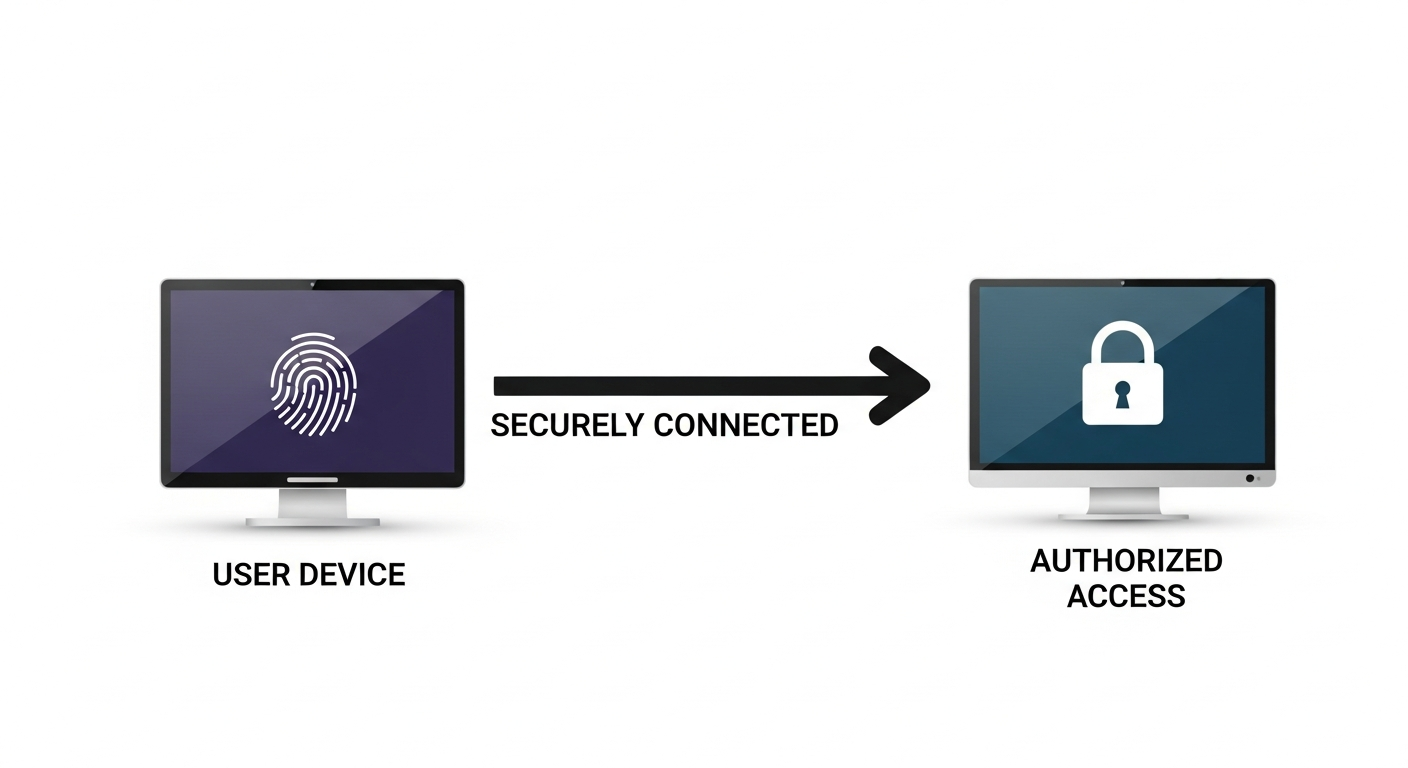
While the cloud abstracts away much of the physical network infrastructure, your startup remains responsible for configuring and securing the virtual networks that host your applications and data. A poorly configured cloud network can expose critical assets to the internet, making it an easy target for attackers. Building a secure cloud perimeter involves segmenting your networks, controlling traffic flow, and continuously monitoring for vulnerabilities.
Core Components of Cloud Network Security:
- Virtual Private Clouds (VPCs) / Virtual Networks (VNETs): These are logically isolated sections of the cloud where you provision your cloud resources. They allow you to define your own IP address ranges, subnets, route tables, and network gateways. Always strive for robust segmentation within your VPCs.
- Subnetting: Divide your VPC into smaller subnets based on the sensitivity of the resources. For example, have separate subnets for web servers (public-facing), application servers (private), databases (private and highly restricted), and management tools. This limits the lateral movement of an attacker if one segment is compromised.
- Security Groups and Network Access Control Lists (NACLs):
- Security Groups (Stateful Firewalls): These act as virtual firewalls for individual instances or groups of instances. They control inbound and outbound traffic based on rules you define (e.g., allow SSH from specific IP addresses, allow HTTP/HTTPS from anywhere). Security groups are stateful, meaning if you allow outbound traffic, the corresponding return inbound traffic is automatically allowed.
- NACLs (Stateless Firewalls): NACLs operate at the subnet level and provide an additional, optional layer of security. They are stateless, meaning you must explicitly allow both inbound and outbound rules. NACLs are useful for broad traffic filtering and can serve as a strong defense in depth, especially for highly sensitive subnets.
A prominent breach involving network misconfiguration was the Equifax incident in 2017. While the initial vulnerability was an unpatched Struts flaw, the widespread impact was exacerbated by inadequate network segmentation, allowing attackers to move freely across the network once initial access was gained. Proper security groups and NACLs could have significantly contained the breach.
- Firewall Configuration and Web Application Firewalls (WAFs):
- Cloud Firewalls: Leverage cloud-native firewall services or deploy virtual appliances to control traffic between your VPC and the internet, as well as between different VPCs.
- Web Application Firewalls (WAFs): For internet-facing web applications, a WAF is essential. It protects against common web exploits like SQL injection, cross-site scripting (XSS), and DDoS attacks that traditional firewalls may miss. Cloud providers offer managed WAF services (e.g., AWS WAF, Azure Application Gateway WAF).
- VPNs and Direct Connect/Interconnect: For secure connectivity between your on-premises network and your cloud environment, use VPNs (for flexibility and lower cost) or direct connect services (for dedicated, high-bandwidth, low-latency connections).
- Vulnerability Management and Patching:
- Regular Scanning: Implement automated vulnerability scanning for your cloud instances and applications. Tools like Qualys, Tenable, or cloud-native vulnerability scanners can help identify known vulnerabilities.
- Patch Management: Establish a robust patch management process for operating systems, libraries, and applications running on your cloud instances. Automate patching where possible to ensure systems are always up-to-date.
- Distributed Denial of Service (DDoS) Protection: Cloud providers offer native DDoS protection services (e.g., AWS Shield, Azure DDoS Protection, Google Cloud Armor) that automatically detect and mitigate common DDoS attacks. Enable these for your public-facing assets.
Practical Steps for Your Startup:
- Network Segmentation by Default: Design your cloud network with clear separation between environments (dev, staging, production) and functional layers (web, app, database).
- Restrict Ingress/Egress: Follow the principle of least access for network traffic. Only allow necessary inbound and outbound ports and protocols. Restrict administrative access (e.g., SSH, RDP) to specific, trusted IP addresses or via jump boxes/bastion hosts.
- Implement WAFs: Deploy a WAF in front of all internet-facing web applications.
- Automate Patching: Use infrastructure-as-code tools and automation scripts to ensure operating systems and applications are regularly patched and updated.
- Regular Audits: Periodically review your security group, NACL, and firewall rules to ensure they align with your security policies and haven’t become overly permissive.
By meticulously configuring and managing your cloud network, your startup can create a robust defense, significantly reducing the risk of unauthorized access and attacks, a cornerstone of effective cloud security for small business.
Continuous Monitoring, Logging, and Incident Response Planning
Even with the most stringent preventative measures, no system is entirely impervious to attack. The ability to detect anomalies, log events, and respond swiftly to security incidents is crucial for minimizing damage and ensuring business continuity. For startups, establishing a proactive stance in monitoring and having a clear incident response plan is vital for maintaining robust cloud security for small business.
Pillars of Proactive Security Operations:
- Centralized Logging and Auditing:
- Audit Trails: Enable comprehensive logging for all cloud services. This includes API calls, configuration changes, network flow logs, and access logs for storage buckets and databases. Cloud providers offer services like AWS CloudTrail, Azure Activity Log, and Google Cloud Audit Logs for this purpose.
- Centralized Collection: Consolidate these logs into a centralized logging solution. This could be a cloud-native service (e.g., AWS CloudWatch Logs, Azure Monitor Logs, Google Cloud Logging), or a third-party Security Information and Event Management (SIEM) system like Splunk, ELK Stack, or Sumo Logic. Centralization makes it easier to search, analyze, and correlate security events across your entire cloud footprint.
- Retention Policies: Define and implement appropriate log retention policies to meet compliance requirements and facilitate forensic analysis.
- Real-time Monitoring and Alerting:
- Metric Monitoring: Monitor key performance indicators (KPIs) and resource utilization for anomalies that could indicate a security event (e.g., unusually high CPU usage, sudden spikes in network egress, failed login attempts).
- Security Alerts: Configure alerts for critical security events detected in your logs. Examples include:
- Unauthorized access attempts (multiple failed logins).
- Changes to critical security configurations (e.g., IAM policies, security group rules).
- Deletion of security logs.
- Unusual activity patterns (e.g., data exfiltration attempts).
- Creation of new, unauthorized resources.
- Threat Detection Services: Leverage cloud-native threat detection services (e.g., AWS GuardDuty, Azure Security Center, Google Security Command Center) which use machine learning to identify suspicious activity within your cloud environment.
- Incident Response Plan (IRP): An IRP is a documented set of procedures that outlines how your startup will detect, respond to, and recover from a security incident. Every startup, regardless of size, needs one.
Key Phases of an IRP:
- Preparation:
- Define roles and responsibilities for the incident response team.
- Establish communication channels (internal and external stakeholders).
- Ensure necessary tools and access are available (e.g., forensic tools, emergency access credentials).
- Conduct regular training and tabletop exercises.
- Identification:
- How will you detect an incident? (e.g., alerts from monitoring systems, user reports).
- What steps are taken to confirm an incident and determine its scope? (e.g., log analysis, system checks).
- Containment:
- Immediate actions to limit the damage (e.g., isolating compromised systems, revoking credentials, blocking IP addresses).
- Prioritize containment to prevent further spread.
- Eradication:
- Remove the root cause of the incident (e.g., patching vulnerabilities, removing malware, reconfiguring misconfigured services).
- Sanitize affected systems.
- Recovery:
- Restore affected systems and data from secure backups.
- Verify systems are fully operational and secure before bringing them back online.
- Post-Incident Activity (Lessons Learned):
- Conduct a thorough post-mortem analysis to understand what happened, why, and how to prevent recurrence.
- Update policies, procedures, and technical controls based on lessons learned.
- Communicate findings to relevant stakeholders.
Practical Steps for Your Startup:
- Enable All Relevant Logs: Make it a default to enable comprehensive logging for all cloud services from the start.
- Configure Actionable Alerts: Don’t just collect logs; create specific alerts for critical security events and ensure there’s a clear process for who receives and acts on them.
- Draft an IRP: Even a simple, one-page incident response plan is better than none. Define basic roles and steps. Review and refine it regularly.
- Test Your Plan: Conduct periodic tabletop exercises where your team walks through simulated incidents. This helps identify gaps before a real crisis.
- Designate a Security Lead: Even if it’s a part-time role, have someone internally responsible for overseeing cloud security and incident response.
By actively monitoring your cloud environment and having a well-defined incident response plan, your startup can transform from a reactive posture to a proactive one, significantly reducing the potential damage and recovery time from security incidents.
Regular Security Audits, Compliance, and Employee Training
Implementing security controls is only half the battle; maintaining them and ensuring they remain effective and compliant with evolving threats and regulations requires ongoing effort. Regular security audits, adherence to compliance standards, and continuous employee training are crucial for fortifying your cloud security for small business over the long term.
Regular Security Audits:
Audits provide an objective assessment of your security posture, identifying weaknesses and ensuring that your controls are functioning as intended. They should encompass both technical and procedural aspects.
- Internal Audits:
- Configuration Reviews: Regularly review cloud configurations (e.g., IAM policies, security group rules, storage bucket settings) against security best practices and your internal policies. Automated Cloud Security Posture Management (CSPM) tools can greatly assist here.
- Vulnerability Assessments: Perform periodic vulnerability scans on your cloud-hosted applications and virtual machines.
- Penetration Testing: Consider engaging third-party security firms to conduct ethical hacking attempts (penetration tests) against your cloud environment. This simulates real-world attacks and uncovers vulnerabilities that automated tools might miss. Always check with your cloud provider regarding their policies on penetration testing.
- Code Reviews: For custom applications, integrate security code reviews into your development pipeline to catch vulnerabilities early.
- External Audits & Certifications: Depending on your industry and data sensitivity, you may need to undergo external audits to achieve certifications like SOC 2, ISO 27001, or HIPAA compliance. These demonstrate a commitment to robust security practices to customers and partners.
Compliance and Regulatory Adherence:
As a startup, you likely handle various types of data, some of which may fall under specific regulatory frameworks. Understanding and adhering to these is critical to avoid hefty fines and reputational damage.
- Identify Relevant Regulations: Determine which compliance frameworks apply to your business (e.g., GDPR for European user data, CCPA for Californian data, HIPAA for protected health information, PCI DSS for payment card data).
- Map Controls to Requirements: Understand how your existing cloud security controls address the requirements of these regulations. Document this mapping thoroughly.
- Data Governance: Establish clear policies for data classification, retention, and deletion. Know where your sensitive data resides in the cloud.
- Data Locality: Be aware of data residency requirements if you operate in multiple geographical regions. Cloud providers offer options to store data in specific regions.
Employee Security Training and Awareness:
Your employees are often the weakest link in the security chain if not properly educated, but they can also be your strongest defense. Human error is a significant contributor to data breaches.
- Mandatory Initial Training: All new hires should receive comprehensive security awareness training covering company policies, phishing recognition, password best practices, and incident reporting procedures.
- Regular Refresher Training: Conduct annual or bi-annual refresher training sessions. Security threats evolve, and so should your team’s knowledge.
- Phishing Simulations: Periodically conduct simulated phishing campaigns to test your employees’ ability to identify and report suspicious emails. This is a highly effective way to reinforce training.
- Role-Specific Training: Provide specialized security training for roles with higher access privileges, such as developers, system administrators, and security personnel. This should cover secure coding practices, cloud security configurations, and incident response procedures.
- Reporting Mechanism: Establish a clear and easy-to-use mechanism for employees to report potential security incidents or suspicious activities without fear of reprisal.
Practical Steps for Your Startup:
- Schedule Audits: Plan for quarterly internal security configuration reviews and annual third-party penetration tests.
- Compliance Officer: Designate a person (or team, if resources allow) responsible for overseeing compliance efforts and staying updated on relevant regulations.
- Automate Compliance Checks: Use cloud-native compliance services (e.g., AWS Config, Azure Policy) to continuously monitor resource configurations against compliance standards.
- Invest in Training: Integrate security awareness training into your onboarding process and schedule regular follow-ups. Use engaging content and real-world examples.
- Foster a Security Culture: Emphasize that security is everyone’s responsibility and promote open communication about security concerns.
By embedding security audits, compliance, and continuous training into your startup’s operational fabric, you create a resilient and adaptive security posture, crucial for sustaining effective cloud security for small business amidst evolving threats.
Vendor Security and Third-Party Risk Management
Modern startups rarely operate in isolation. The agility and efficiency of the cloud often come from leveraging a vast ecosystem of third-party SaaS applications, managed services, and open-source components. While these integrations enhance capabilities, they also introduce significant third-party risk. A security vulnerability in one of your vendors can become a direct threat to your own data and operations, even if your internal cloud environment is perfectly secure. Therefore, robust vendor security and third-party risk management are indispensable for comprehensive cloud security for small business.
The infamous SolarWinds supply chain attack in 2020 served as a stark reminder of how a breach in one vendor can cascade through hundreds of organizations, even highly secure government agencies and Fortune 500 companies. While this was a large-scale attack, similar, albeit smaller, incidents can equally devastate a startup relying on compromised third-party services.
Key Aspects of Third-Party Risk Management:
- Due Diligence Before Engagement:
- Security Assessment: Before onboarding any new vendor, conduct a thorough security assessment. Request their security certifications (e.g., SOC 2 Type 2, ISO 27001), penetration test reports (under NDA), and data privacy policies.
- Vendor Questionnaires: Utilize standardized security questionnaires (e.g., CAIQ, SIG) to evaluate their security controls, incident response capabilities, and data handling practices.
- Cloud Provider Shared Responsibility: For vendors providing services on top of a major cloud provider, understand their shared responsibility model. What are they responsible for, and what remains with the underlying cloud provider?
- Contractual Security Clauses:
- Data Processing Agreements (DPAs): For any vendor that processes personal data on your behalf, a DPA (as mandated by GDPR and other privacy laws) is essential. It should outline data protection measures, incident notification requirements, and data deletion policies.
- Security Requirements: Ensure your contracts include specific security requirements, such as encryption standards, audit rights, incident notification timelines, and indemnification clauses.
- Service Level Agreements (SLAs): Look for SLAs that address security metrics, such as uptime, data availability, and response times for security incidents.
- Continuous Monitoring of Vendor Security:
- Vulnerability Monitoring: Subscribe to security advisories and news feeds for your critical third-party vendors. Be aware of any publicly disclosed vulnerabilities that might affect their services.
- Regular Reviews: Periodically re-evaluate your vendors’ security posture, especially for those handling your most sensitive data. This could involve annual questionnaires or reviews of their latest audit reports.
- Right to Audit: Ensure your contracts grant you the right to audit their security practices, or at least review their audit reports.
- Data Minimization and Isolation:
- Least Privilege Data Sharing: Only share the absolute minimum amount of data necessary with any third-party vendor. Avoid providing full datasets if only a subset is required.
- Data Segmentation: Where possible, segment data provided to different vendors to limit the impact if one vendor is compromised.
- Exit Strategy and Data Portability:
- Data Retrieval: Ensure your contracts specify how you can retrieve your data in a usable format if you decide to terminate the service or switch providers.
- Data Deletion: Confirm that the vendor will securely delete your data upon contract termination, providing proof of deletion.
Practical Steps for Your Startup:
- Vendor Inventory: Maintain a comprehensive list of all third-party services and software your startup uses, categorizing them by the sensitivity of data they access or process.
- Standardized Assessment Process: Develop a repeatable process for evaluating new vendors, including a security questionnaire and a review of their compliance documentation.
- Legal Review: Have your legal counsel review all vendor contracts for adequate security and data protection clauses.
- Security in Procurement: Integrate security considerations into your procurement process, ensuring security reviews are conducted before a purchasing decision is finalized.
- Develop a Supply Chain Risk Policy: Even a simple policy outlining your approach to third-party vendor risk management can significantly improve your posture.
By proactively managing the security risks associated with third-party vendors, your startup can extend its security perimeter beyond its immediate cloud environment, building a more resilient and trustworthy operation in the face of complex digital interdependencies.
Conclusion: Building a Resilient Cloud Security Posture
For startups, the cloud offers an unparalleled opportunity for rapid innovation and scalable growth. However, realizing this potential safely hinges on a proactive, comprehensive approach to security. As we’ve explored, protecting your data in the cloud is not a one-time task but an ongoing journey that requires continuous vigilance, adaptation, and investment. A robust cloud security for small business strategy demands a layered approach, integrating technical controls with strong policies, regular audits, and an educated workforce.
From understanding the nuances of the Shared Responsibility Model and fortifying access with IAM, to encrypting every byte of data and meticulously segmenting your network, each best practice contributes to a resilient security posture. Moreover, the ability to monitor your environment for anomalies, respond swiftly to incidents, and manage the inherent risks of third-party vendors are critical capabilities that distinguish secure startups from vulnerable ones.
The digital threat landscape is constantly evolving, with new vulnerabilities and attack methods emerging daily. Therefore, your startup’s commitment to cloud security must be dynamic. Embrace a culture where security is ingrained in every decision, from architecture design to daily operations. Start with the foundational steps outlined in this guide, iterate as you grow, and never underestimate the value of proactive security measures. By doing so, you not only protect your valuable data and reputation but also build a trusted foundation that will support your startup’s long-term success and innovation in the cloud.
Your next step: Begin by reviewing your current cloud environment against the Shared Responsibility Model and implement Multi-Factor Authentication (MFA) across all user accounts. These two foundational actions will immediately enhance your cloud security posture.
Frequently Asked Questions