How to Automate DevOps Pipelines: The Definitive Guide for 2026
In the rapidly evolving landscape of 2026, the mandate for engineering teams is no longer just “to deliver,” but to deliver with unprecedented velocity and ironclad reliability. DevOps has transitioned from a set of cultural ideals into a hard-coded technical requirement. At the heart of this transformation lies the automated pipeline—the mechanical backbone of modern software delivery.
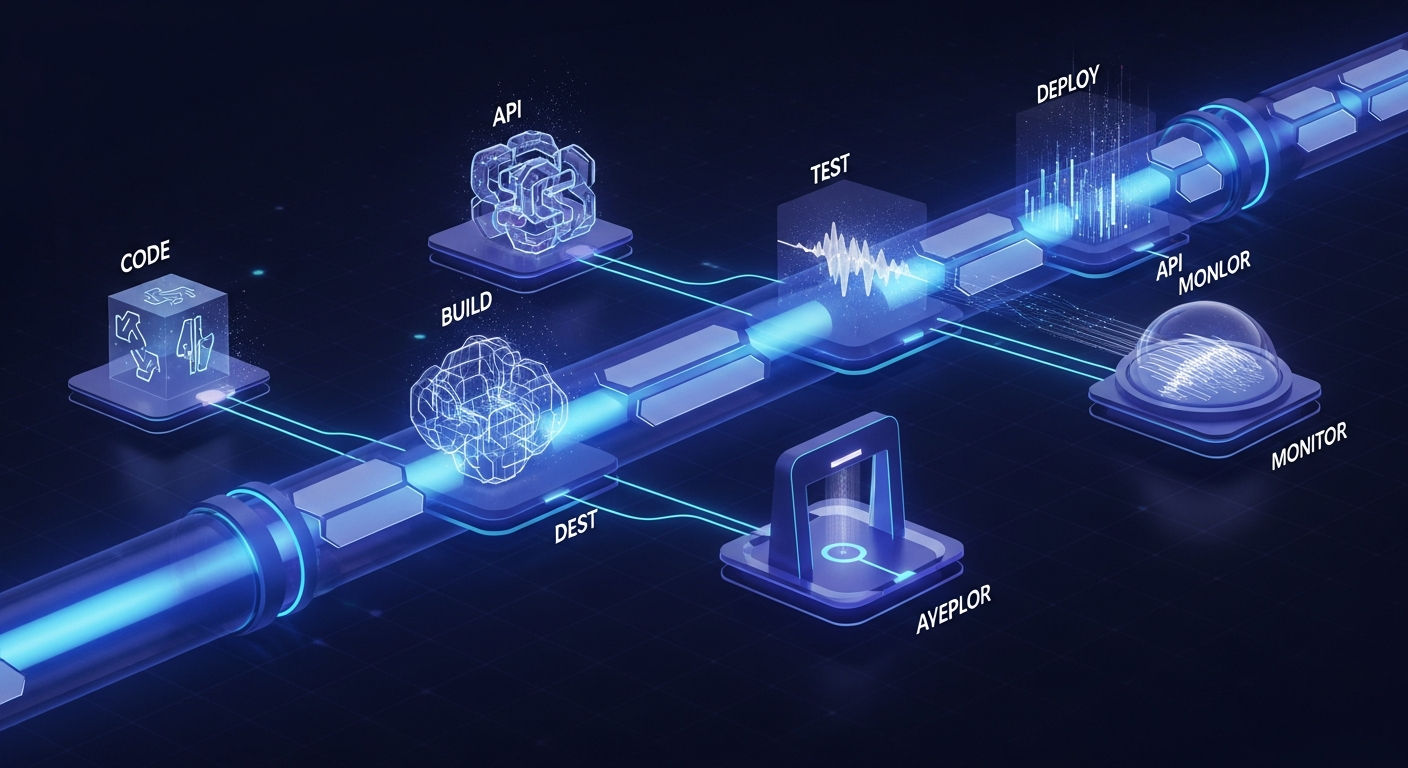
Automating DevOps pipelines is the process of removing manual intervention from the software lifecycle, starting from the moment a developer commits code to the final deployment in a production environment. For tech professionals building complex integrations, automation is the only way to manage the sheer scale of microservices, multi-cloud architectures, and continuous security threats. By implementing a “zero-touch” philosophy, organizations can reduce lead times from weeks to minutes. This guide explores the sophisticated strategies and tools required to build high-performance, automated pipelines that stand the test of time, ensuring your infrastructure is as agile as your code.
—
1. Establishing the Core Pillars of Continuous Integration and Delivery (CI/CD)
The journey to full automation begins with a robust CI/CD foundation. In 2026, CI/CD is no longer a linear sequence but an iterative, event-driven ecosystem. The primary goal is to ensure that code changes are integrated, tested, and ready for deployment at any given moment.
**Continuous Integration (CI)** focuses on the developer’s workflow. Automated CI pipelines trigger on every “git push,” initiating a series of unit tests, linting, and build processes. The objective is to identify “breaking changes” as early as possible. Modern CI tools like GitHub Actions, GitLab CI, and CircleCI now utilize ephemeral runners—temporary containers that spin up to execute a job and vanish immediately after—ensuring a clean environment for every build.
**Continuous Delivery and Deployment (CD)** take the artifact generated by the CI process and move it through various environments (Staging, UAT, Production). The distinction is critical: *Continuous Delivery* ensures the code is always in a deployable state, while *Continuous Deployment* automatically pushes every change that passes the pipeline into production. For high-maturity teams, the latter is the gold standard, achieved through rigorous automated gating and validation.
—
2. Implementing Infrastructure as Code (IaC) for Environment Consistency
One of the most significant bottlenecks in traditional DevOps was “environment drift”—the discrepancy between development, staging, and production configurations. To automate pipelines effectively, you must treat your infrastructure with the same rigor as your application code. This is where Infrastructure as Code (IaC) becomes indispensable.
By using tools such as **Terraform, Pulumi, or Crossplane**, engineers can define servers, databases, load balancers, and networking rules in declarative configuration files. This allows the pipeline to:
* **Provision on-demand environments:** Spin up a complete replica of production for integration testing and tear it down afterward to save costs.
* **Version control infrastructure:** Track every change to the environment, allowing for instant rollbacks if a configuration change causes a failure.
* **Automate Scaling:** Use HPA (Horizontal Pod Autoscaler) in Kubernetes, managed via IaC, to respond to traffic spikes without human intervention.
In 2026, the trend has shifted toward **GitOps**. In a GitOps workflow, the state of the infrastructure is stored in a Git repository. Tools like ArgoCD or Flux monitor the repository and automatically synchronize the live environment with the desired state defined in Git. This creates a self-healing system where manual changes (and the errors they bring) are effectively eliminated.
—
3. Integrating Security (DevSecOps) into the Automated Workflow
In an era of sophisticated cyber threats, security cannot be an afterthought or a final “gate” before release. Automating DevOps pipelines requires “shifting left”—moving security protocols to the very beginning of the development cycle. This integrated approach is known as DevSecOps.
An automated security pipeline in 2026 includes several automated layers:
* **Static Application Security Testing (SAST):** Tools analyze the source code for vulnerabilities (like SQL injection or hardcoded secrets) during the CI phase.
* **Software Composition Analysis (SCA):** This automatically checks third-party libraries and dependencies for known vulnerabilities (CVEs), ensuring that a compromised “node_module” doesn’t make it into production.
* **Dynamic Application Security Testing (DAST):** Once the application is deployed to a staging environment, automated scanners attack the running application to find runtime vulnerabilities.
* **Secrets Management:** Automated pipelines must never store passwords or API keys in code. Integration with tools like HashiCorp Vault or AWS Secrets Manager ensures that credentials are injected into the pipeline at runtime via secure, encrypted channels.
By automating these checks, security becomes a standard part of the developer’s feedback loop rather than a bureaucratic hurdle.
—
4. Advanced Deployment Strategies: Canary, Blue-Green, and Feature Flags
Automation doesn’t mean blindly pushing code to 100% of your users. To achieve high availability and minimize risk, automated pipelines must leverage advanced deployment strategies.
**Blue-Green Deployments** involve maintaining two identical production environments. The “Green” environment runs the new version, while the “Blue” runs the old one. Once the Green environment passes automated smoke tests, the load balancer switches traffic. If an error is detected, the switch is reversed instantly.
**Canary Releases** take a more granular approach. The pipeline deploys the new version to a small subset of users (e.g., 5%). Automated monitoring tools then compare the error rates and performance of the Canary group against the stable group. If the metrics remain within healthy thresholds, the pipeline automatically scales the rollout to the rest of the user base.
**Feature Flags** (using platforms like LaunchDarkly) allow teams to decouple deployment from release. You can deploy code to production but keep the feature hidden behind a toggle. This allows for “dark launches,” where the code is tested in production under real load without impacting the user experience. Automating the toggling of these flags based on performance data is a hallmark of a high-maturity 2026 DevOps strategy.
—
5. The Role of AI and Machine Learning in 2026 DevOps Pipelines
As we move through 2026, the “AIOps” movement has revolutionized pipeline automation. Artificial Intelligence is no longer a buzzword; it is a functional component of the DevOps toolkit used to handle complexity that exceeds human cognitive limits.
AI-driven automation manifests in several ways:
* **Predictive Build Optimization:** AI models analyze historical build data to predict which tests are most likely to fail based on the specific code changes. This allows the pipeline to run a subset of “high-risk” tests first, providing faster feedback to developers.
* **Automated Root Cause Analysis (RCA):** When a pipeline fails or a production incident occurs, AI agents can parse millions of log lines and trace telemetry data to identify the exact commit or configuration change that caused the issue.
* **Intelligent Remediation:** Advanced pipelines can now trigger “self-healing” scripts. For example, if an AI monitor detects a memory leak in a new microservice deployment, it can automatically trigger a rollback or restart the specific container before users notice a slowdown.
* **LLM-Assisted Pipeline Generation:** Developers can now use Natural Language Processing to describe a workflow (e.g., “Build this Go binary, scan for vulnerabilities, and deploy to the Tokyo region”), and the AI generates the underlying YAML configuration for the CI/CD engine.
—
6. Monitoring and Observability: Closing the Feedback Loop
Automation is a “closed-loop” system. For a pipeline to be truly automated, it must be able to “see” what is happening in the production environment and react accordingly. This requires a shift from traditional monitoring to **Observability**.
While monitoring tells you *if* a system is failing, observability tells you *why*. By integrating OpenTelemetry into the automated pipeline, every service emits traces, metrics, and logs that provide a 360-degree view of the system.
In a fully automated DevOps ecosystem:
1. The pipeline deploys a change.
2. Observability tools (like Datadog, New Relic, or Prometheus) monitor the Golden Signals: Latency, Traffic, Errors, and Saturation.
3. If any metric deviates from the baseline, an automated “Alert Manager” triggers a webhook.
4. The pipeline receives the webhook and initiates an automated rollback or scales resources to mitigate the issue.
This feedback loop ensures that the pipeline isn’t just a one-way street for code, but a continuous cycle of improvement and stabilization.
—
FAQ: Frequently Asked Questions about DevOps Automation
#
1. What is the biggest bottleneck when starting to automate DevOps pipelines?
The biggest bottleneck is usually **legacy manual testing**. While unit tests are easy to automate, many organizations still rely on manual User Acceptance Testing (UAT). To overcome this, teams must invest in “End-to-End” (E2E) automation frameworks like Playwright or Selenium that can simulate user behavior within the pipeline.
#
2. Which tools should I prioritize for a 2026 DevOps stack?
For 2026, focus on a “GitOps-first” stack. Key tools include **GitHub Actions** for CI, **ArgoCD** for Kubernetes deployments, **Terraform/OpenTofu** for IaC, **Kyverno** for policy automation, and **OpenTelemetry** for observability. For AI integration, look into tools that offer AIOps features for log aggregation and anomaly detection.
#
3. How do we ensure security doesn’t slow down the automated pipeline?
The key is **asynchronous scanning and incremental checks**. Instead of running a full security sweep on every commit, run fast “lint-style” security checks in the PR phase and reserve deep-scan DAST tools for the staging phase. Use “Policy as Code” (like OPA – Open Policy Agent) to automatically reject deployments that don’t meet security compliance standards without needing a manual audit.
#
4. Is Jenkins still relevant in 2026?
While Jenkins remains a powerful, highly customizable tool, it is increasingly viewed as “legacy” compared to cloud-native, serverless CI/CD platforms. Most modern teams prefer managed services or container-native tools like Tekton that require less maintenance and offer better integration with modern container orchestration.
#
5. Can small teams achieve full pipeline automation?
Yes, and in fact, small teams benefit the most from it. Automation acts as a “force multiplier,” allowing a small team of engineers to manage a large number of services. By using “low-ops” managed services (like Google Cloud Run or AWS Fargate) and standardized CI/CD templates, small teams can achieve the same deployment frequency as enterprise giants.
—
Conclusion: The Future of Zero-Touch Automation
As we look toward the remainder of 2026, the goal of DevOps pipeline automation is the pursuit of the “Zero-Touch” release. We are moving toward a reality where the only manual step in the entire software lifecycle is the writing of the code itself. Everything else—from provisioning infrastructure and running security audits to optimizing performance and managing global rollouts—is handled by an intelligent, automated system.
For tech professionals, the challenge lies in building these systems to be resilient and transparent. Automation should not be a “black box.” It requires meticulous design, rigorous testing of the pipeline itself, and a culture that values continuous learning. By mastering Infrastructure as Code, integrating security at every turn, and leveraging the power of AI-driven observability, you can build a DevOps pipeline that doesn’t just deliver software, but drives business innovation at the speed of thought. The future of software is automated; the only question is how quickly you can build the systems to support it.