The Imperative of Two-Factor Authentication (2FA) for Modern Teams in 2026
The digital threat landscape in 2026 is more complex and aggressive than ever before. Cybercriminals are constantly innovating, deploying advanced techniques that exploit human error and technological vulnerabilities. For teams, especially those operating in fast-paced startup environments or managing sensitive client data, neglecting robust security measures like 2FA is akin to leaving the front door unlocked. A single compromised account can lead to devastating consequences, from data breaches and intellectual property theft to severe reputational damage and regulatory fines.
Why 2FA Isn’t Optional Anymore
In an era where remote work and hybrid models are standard, and cloud-based applications form the backbone of daily operations, the traditional perimeter security model is obsolete. Access to company resources often happens from various locations and devices, making individual user account security paramount. 2FA adds a critical second layer of verification, typically requiring something the user knows (password) and something the user has (a phone, a hardware token) or something the user is (biometrics). This significantly reduces the risk of unauthorized access even if a password is stolen or guessed.
Risks of Not Having 2FA
- Phishing Attacks: Even the most security-aware employees can fall victim to sophisticated phishing emails designed to steal login credentials. Without 2FA, these stolen credentials grant immediate access.
- Credential Stuffing: Cybercriminals often use databases of breached credentials from other services to try logging into various accounts. If an employee reuses passwords, their accounts are highly vulnerable.
- Brute-Force Attacks: Automated tools can rapidly guess passwords. 2FA frustrates these attempts by requiring a second factor that cannot be easily automated.
- Insider Threats: While 2FA primarily protects against external threats, it can also mitigate risks associated with disgruntled employees or compromised internal accounts, by making it harder for unauthorized individuals to maintain access.
- Supply Chain Attacks: If a vendor or partner’s account is compromised, and your team’s access to their systems doesn’t have 2FA, you could become an indirect target.
Compliance and Reputational Impact
Beyond direct financial and operational losses, a security breach due to inadequate authentication measures can severely damage your brand’s reputation and customer trust. Regulatory bodies worldwide, acknowledging the heightened risks, are increasingly mandating stronger authentication controls. For instance, data protection regulations like GDPR and CCPA implicitly (and sometimes explicitly) encourage or require advanced security measures, including multi-factor authentication, to protect personal data. Failing to meet these standards can result in hefty fines and legal repercussions. For businesses leveraging sophisticated tools, from the Best Project Management Software Startups offer to robust CRM platforms, ensuring every login is secured by 2FA protects not just your data, but also the integrity of your entire operational ecosystem.
Understanding the Types of 2FA for Business Environments
Choosing the right 2FA method for your team involves understanding the different options available, their security strengths, user experience implications, and cost-effectiveness. Not all 2FA methods are created equal, and what works best for one application or team might not be ideal for another. A balanced approach often involves deploying a mix of methods based on the sensitivity of the data being accessed and the specific needs of your team members.
Hardware Tokens
Hardware tokens are physical devices that generate one-time passcodes (OTPs) or provide cryptographic authentication. They are often considered one of the most secure 2FA methods because they are separate from the user’s primary device (like a smartphone) and are not susceptible to many software-based attacks.
- Pros: High security, resistant to phishing, often works offline. Examples include YubiKey (FIDO2/WebAuthn, OTP, PIV), RSA SecurID.
- Cons: Can be lost or damaged, higher initial cost per user, requires physical distribution and management.
- Best Use: Highly sensitive accounts, executive access, developers, system administrators, or environments requiring the highest level of assurance.
Software Tokens / Authenticator Apps
These are applications installed on a smartphone or computer that generate time-based one-time passwords (TOTP) or HMAC-based one-time passwords (HOTP). They are widely adopted due to their convenience and lower cost compared to hardware tokens.
- Pros: Convenient (uses existing smartphone), relatively inexpensive, strong security if managed correctly. Examples include Google Authenticator, Microsoft Authenticator, Authy.
- Cons: Susceptible to device compromise (if the phone is rooted/jailbroken), potential for social engineering attacks if not combined with proper training. Users might lose access if their phone is lost or broken without proper backup.
- Best Use: General team members, access to cloud applications (Google Workspace, Microsoft 365, Slack), VPNs, and most enterprise software.
SMS / Email OTPs
These methods send a one-time code to a registered phone number via SMS or to an email address. While seemingly convenient, they are generally considered the least secure form of 2FA for business use.
- Pros: Extremely easy for users to set up and use, requires no additional hardware or software beyond what most users already have.
- Cons: Vulnerable to SIM-swapping attacks, phone number porting, phishing (if the email account is compromised), and interception. Less reliable in areas with poor cellular reception.
- Best Use: As a temporary backup option, or for less critical applications where the risk tolerance is higher. Generally discouraged as a primary 2FA method for core business systems in 2026.
Biometrics (Fingerprint, Facial Recognition)
Leveraging unique biological characteristics for authentication, biometrics are becoming more common, especially on mobile devices and laptops. When used as a second factor, they can offer a seamless and secure experience.
- Pros: Highly convenient, generally very secure, difficult to replicate.
- Cons: Privacy concerns, potential for false positives/negatives (though rare with modern tech), requires specific hardware.
- Best Use: Device unlock, access to sensitive applications on personal devices, integration with SSO solutions that support FIDO2/WebAuthn.
Push Notifications
Instead of typing a code, users receive a notification on their smartphone asking them to approve or deny a login attempt. This method offers a good balance of security and convenience.
- Pros: User-friendly, reduces typing errors, more resistant to phishing than SMS OTPs because the user is explicitly confirming an action.
- Cons: Relies on smartphone connectivity, potential for “push notification fatigue” where users might blindly approve requests.
- Best Use: General enterprise applications, VPNs, single sign-on (SSO) systems.
When deciding How To Choose Business Intelligence Tool, you critically evaluate its data security features, including the types of 2FA it supports. Similarly, when protecting your team’s access to vital company resources, a thorough understanding of these 2FA methods is essential to tailor your security posture effectively.
A Step-by-Step Guide to Implementing 2FA Across Your Team
Phase 1: Assessment and Planning
Before rolling out any new security measure, a thorough understanding of your current environment and needs is crucial.
- Identify Critical Systems and Data: List all applications, services, and data repositories that contain sensitive information (e.g., customer data, financial records, intellectual property, HR information). Prioritize these for 2FA implementation. This might include your CRM, ERP, cloud storage, development platforms, and even your chosen Best Project Management Software Startups use.
- Audit Existing User Accounts and Access Levels: Review all active user accounts across your systems. Remove inactive accounts and ensure that each user has the appropriate level of access – no more, no less. This “principle of least privilege” is a foundational security concept.
- Choose 2FA Methods: Based on your assessment of critical systems, risk tolerance, and team needs, select the most appropriate 2FA methods (hardware tokens, authenticator apps, push notifications). Consider a tiered approach: stricter methods for highly sensitive accounts (e.g., admin accounts) and more convenient options for general users.
- Establish Clear Policies and Guidelines: Develop a comprehensive 2FA policy that outlines:
- Which systems require 2FA.
- Mandatory 2FA methods for different user roles.
- Procedures for enrolling and managing 2FA devices.
- What to do if a 2FA device is lost, stolen, or damaged.
- Emergency access (“break-glass”) procedures.
- A schedule for periodic review of 2FA settings and policies.
Phase 2: Technical Setup
This phase involves the actual configuration and integration of 2FA.
- Enable 2FA in Core Platforms: Navigate to the security settings of your key applications (e.g., Google Workspace, Microsoft 365, Slack, VPNs, HR platforms, internal development tools) and enable 2FA for all users or specific groups. Most modern enterprise applications have built-in 2FA capabilities.
- Integrate with Identity Providers (IdP) / Single Sign-On (SSO): If your team uses an SSO solution (like Okta, Duo, Azure AD), configure 2FA at the IdP level. This allows users to authenticate once with 2FA and gain access to multiple integrated applications, streamlining the process and centralizing management.
- Deployment of Authenticator Apps or Hardware Tokens:
- For authenticator apps: Provide clear instructions for team members to download and set up their chosen authenticator app. Many services offer QR codes for easy setup.
- For hardware tokens: Procure and distribute hardware tokens. Register them with your authentication system and provide instructions for their use.
- Configure Backup Options: Ensure that each user sets up a backup 2FA method or generates recovery codes. This is critical for preventing lockouts if their primary 2FA device is unavailable.
Phase 3: Training and Rollout
User adoption is critical for 2FA success. A well-executed training and communication plan can prevent resistance and confusion.
- Educate the Team on Why 2FA is Vital: Don’t just tell them to enable it; explain the risks they face without it and how 2FA protects both them personally and the company. Share examples of real-world cyberattacks that 2FA could have prevented.
- Hands-On Training for Setup: Conduct workshops or provide detailed guides (with screenshots or videos) to walk users through the setup process for their specific 2FA method. Offer dedicated support channels for questions and troubleshooting.
- Communicate the Rollout Schedule: Clearly inform team members about when 2FA will become mandatory for different systems. Implement a phased rollout if necessary, starting with smaller teams or less critical systems to iron out any issues.
- Create a “Champion” Network: Identify tech-savvy team members who can act as internal advocates and first-line support for their colleagues, helping to demystify the process.
Phase 4: Monitoring and Maintenance
2FA implementation isn’t a one-time task; it requires continuous oversight.
- Regular Audits: Periodically review 2FA enrollment status across all systems. Identify users who haven’t enabled 2FA and follow up with them.
- Reviewing Logs: Monitor authentication logs for unusual activity (e.g., numerous failed login attempts, login attempts from unusual locations, unexpected 2FA challenges). Your How To Choose Business Intelligence Tool might offer robust logging and analysis capabilities that can be extended to security events.
- Updating Policies: As your team grows, new applications are adopted, or threats evolve, regularly review and update your 2FA policies and procedures (e.g., annually in 2026).
- Offboarding Procedures: Crucially, establish a clear process for disabling 2FA and revoking access for departing employees immediately. This prevents former employees from retaining access to sensitive systems.
Key Considerations and Best Practices for Team 2FA Adoption
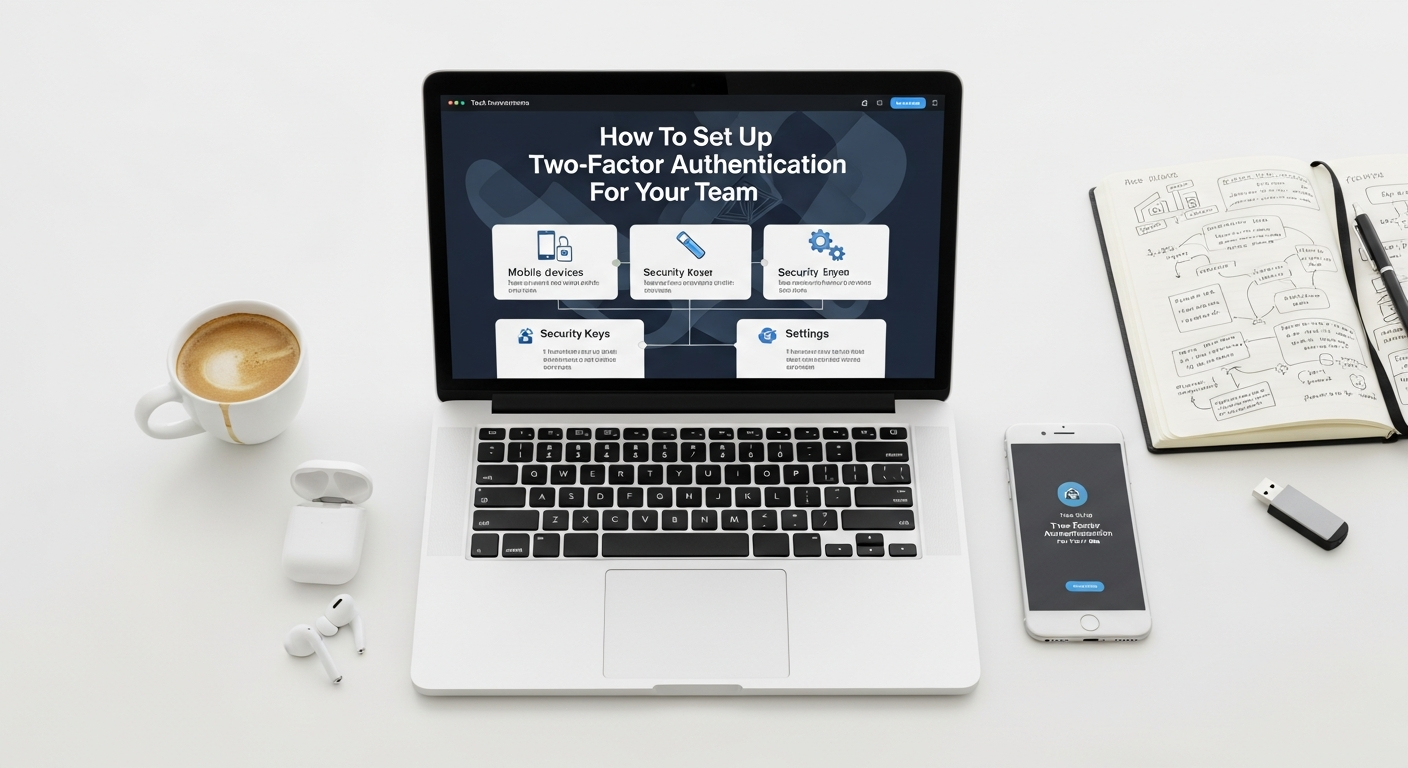
Successful 2FA implementation goes beyond technical setup; it involves fostering a security-conscious culture and addressing practical challenges. Here are key considerations and best practices to ensure smooth adoption and ongoing effectiveness.
User Experience vs. Security: Finding the Right Balance
One of the biggest hurdles to 2FA adoption is user friction. Overly complex or cumbersome authentication processes can lead to user frustration, workarounds, or resistance. The goal is to maximize security without crippling productivity.
- Contextual Authentication: Implement systems that can adapt 2FA requirements based on context. For example, a user logging in from a known, trusted device within the office network might have a simpler 2FA challenge than someone logging in from an unknown device in a foreign country.
- Remember Me for X Days: Allow users to “remember” their 2FA for a set period (e.g., 30 days) on trusted devices. This reduces the frequency of challenges while still maintaining security if the device is lost or stolen after the period.
- Single Sign-On (SSO) with 2FA: An SSO solution integrated with 2FA allows users to authenticate once and gain access to multiple applications, significantly improving the user experience while centralizing security.
Centralized Management Solutions
Managing 2FA for a growing team across multiple applications can become unwieldy without a centralized approach.
- Identity and Access Management (IAM) Platforms: Invest in an IAM solution that provides a unified view and control over user identities and access privileges. These platforms often integrate seamlessly with various 2FA providers.
- Single Sign-On (SSO) Providers: As mentioned, SSO services (like Okta, Duo, LastPass Enterprise, Azure AD) are excellent for centralizing 2FA management. They allow you to enforce consistent 2FA policies across all integrated applications from a single dashboard.
Emergency Access / Break-Glass Procedures
What happens if an administrator loses their 2FA device, or if the entire 2FA system goes down? You need a “break-glass” procedure—a highly secure, auditable method for emergency access.
- Secure Storage for Recovery Codes: Ensure users securely store recovery codes provided by their 2FA services, ideally in a physical safe or a highly encrypted digital vault.
- Dedicated Emergency Accounts: Create a very limited number of highly secured emergency accounts with unique, strong passwords and a distinct 2FA method (e.g., a physical hardware token stored in a company safe). These accounts should only be used in dire emergencies and every usage must be thoroughly logged and audited.
Phishing Awareness Training
Even with 2FA in place, social engineering remains a significant threat. Phishing attacks can sometimes bypass 2FA if users are tricked into entering codes on malicious sites or approving fraudulent push notifications.
- Regular Training: Conduct ongoing security awareness training that specifically covers phishing techniques, how to identify suspicious emails or messages, and the importance of never entering 2FA codes on unverified sites.
- Simulated Phishing Campaigns: Periodically run simulated phishing campaigns to test your team’s vigilance and reinforce training.
- User Education on Push Notifications: Teach users to scrutinize push notifications carefully and only approve them if they initiated the login attempt.
Cost Implications
Implementing 2FA can incur costs, especially for larger teams or those requiring hardware tokens.
- Hardware Tokens: These have an upfront cost per device.
- Enterprise 2FA/SSO Solutions: Many identity providers charge per user per month.
- Training and Support: Factor in the time and resources needed for training, ongoing support, and managing the system.
While there are costs involved, consider them an investment. The cost of a breach, both financially and reputationally, far outweighs the investment in robust security measures. Protecting sensitive customer information, perhaps gathered through targeted What Is Pay Per Click Advertising campaigns, is not just good business; it’s a legal and ethical obligation in 2026.
Overcoming Common Challenges in 2FA Rollout
Implementing 2FA across a team, particularly in dynamic environments like tech startups, can present several challenges. Proactively addressing these obstacles is key to a successful and sustainable rollout.
User Resistance and Friction
One of the most common hurdles is user pushback. Employees may perceive 2FA as an unnecessary inconvenience, a barrier to productivity, or simply too complicated to set up.
- Solution: Emphasize “Why”: As highlighted before, clear and consistent communication about the security benefits for both the individual and the company is crucial. Frame 2FA not as a burden, but as a critical safeguard against personal and organizational cyber threats.
- Solution: Provide Excellent Support: Offer readily available technical support during the rollout phase. Create easy-to-follow documentation, video tutorials, and dedicated help channels.
- Solution: Choose User-Friendly Methods: Where appropriate, opt for 2FA methods that balance security with convenience, such as push notifications or authenticator apps, over more cumbersome options, especially for less technical roles.
Lost Devices / Tokens
A team member losing their phone or hardware token can lead to immediate lockout from critical systems, causing significant disruption.
- Solution: Robust Recovery Procedures: Implement clear, documented procedures for lost or stolen devices. This should include:
- Recovery Codes: Strongly encourage (or mandate) users to generate and securely store recovery codes when setting up 2FA.
- Backup 2FA Methods: Allow users to register a secondary 2FA method (e.g., a different authenticator app on a tablet, or a physical token as a backup to a software one).
- Admin-Assisted Recovery: Establish a secure, auditable process for IT administrators to temporarily disable 2FA or issue new tokens after verifying the user’s identity through multiple channels (e.g., in-person verification, video call, or knowledge-based authentication).
- Solution: Device Management: Encourage employees to use device lock screens and remote wipe capabilities for lost smartphones.
Complexity of Managing Multiple 2FA Methods
Teams often use numerous SaaS applications, each potentially having its own 2FA implementation. This can lead to a fragmented and difficult-to-manage 2FA landscape.
- Solution: Centralize with SSO/IAM: The most effective way to combat this is by integrating as many applications as possible with a Single Sign-On (SSO) solution or an Identity and Access Management (IAM) platform. This allows you to manage 2FA policies and user enrollment from a single pane of glass.
- Solution: Standardize Methods: Where possible, standardize on one or two preferred 2FA methods across your organization to simplify user training and support.
Legacy Systems Compatibility
Older, on-premises applications or specialized industry software might not natively support modern 2FA methods, posing a challenge for comprehensive coverage.
- Solution: Consider Proxies or Gateways: For systems that lack native 2FA support, explore third-party authentication proxies or gateways that can sit in front of the application and enforce 2FA before granting access.
- Solution: Upgrade or Replace: In some cases, the long-term solution might involve upgrading to a newer version of the software or exploring modern alternatives that prioritize security. This could involve evaluating newer Best Project Management Software Startups that offer robust security features out-of-the-box.
- Solution: Network-Level Controls: If direct 2FA integration isn’t possible, implement strong network-level access controls (e.g., VPNs with 2FA) to restrict access to legacy systems from untrusted networks.
Ensuring Compliance
Meeting regulatory requirements (GDPR, HIPAA, SOC 2, etc.) that often mandate robust authentication can be a complex task.
- Solution: Consult with Experts: Engage with cybersecurity consultants or legal counsel specializing in compliance to ensure your 2FA strategy meets all relevant regulatory obligations for your industry and geographical operations.
- Solution: Document Everything: Maintain detailed records of your 2FA policies, implementation steps, user training, and audit logs. This documentation is crucial for demonstrating compliance during audits in 2026.
- Solution: Regular Reviews: Periodically review your 2FA setup and policies against evolving regulatory landscapes and industry best practices.
Future-Proofing Your Team’s Security with Advanced 2FA Trends
The field of authentication is constantly evolving, driven by the need for stronger security and better user experiences. To truly future-proof your team’s security posture, it’s essential to keep an eye on emerging trends in 2FA and identity verification. By 2026, several advanced technologies are moving from niche applications to mainstream adoption, offering even more robust protection.
FIDO2/WebAuthn for Passwordless Authentication
FIDO2 (Fast IDentity Online) and its web-based component, WebAuthn, represent a significant leap forward in authentication technology. These standards enable passwordless authentication using strong cryptographic keys, often tied to a user’s device (like a smartphone with biometrics or a hardware security key like YubiKey).
- How it works: Instead of a password, users authenticate by proving possession of a FIDO-certified authenticator (e.g., fingerprint sensor, facial recognition, or a security key) linked to their account. This creates a unique cryptographic key pair for each service, making phishing nearly impossible.
- Benefits: Eliminates passwords, highly resistant to phishing, improved user experience (no passwords to remember or type), stronger security than most traditional 2FA methods.
- Future Impact: Expect widespread adoption across major web services and enterprise applications, potentially making passwords a legacy concept for many interactions.
Adaptive / Risk-Based Authentication (RBA)
Adaptive authentication dynamically adjusts the level of authentication required based on the context of a login attempt. Instead of a static “always on” 2FA, RBA assesses various risk factors in real-time.
- How it works: Factors analyzed include user location, device reputation, time of day, IP address, past behavior, and access to sensitive resources. If a login attempt is deemed low-risk (e.g., from a known device, usual location), a simple password might suffice. If it’s high-risk (e.g., unusual location, new device), additional 2FA challenges are triggered.
- Benefits: Enhances security by focusing on high-risk scenarios, significantly improves user experience by reducing unnecessary 2FA prompts, reduces friction.
- Future Impact: Increasingly integrated into IAM and SSO solutions, RBA will become the standard for intelligent, context-aware security in 2026. This complements efforts to How To Choose Business Intelligence Tool that can provide real-time insights into user behavior and potential anomalies.
Zero Trust Principles and 2FA’s Role
The “Zero Trust” security model operates on the principle of “never trust, always verify.” It assumes that no user or device, whether inside or outside the network perimeter, should be trusted by default. Every access request must be authenticated and authorized.
- How it works: In a Zero Trust architecture, 2FA becomes a fundamental component, often requiring continuous or periodic re-authentication. Access is granted on a “least privilege” basis, and user identity is verified multiple times throughout a session, not just at login.
- Benefits: Provides granular control over access, significantly reduces the impact of a breach (if one segment is compromised, others remain secure), aligns with modern distributed workforces.
- Future Impact: Zero Trust will continue to gain traction as the dominant security paradigm, making strong 2FA an even more critical enabler for secure operations in 2026 and beyond.
AI/ML Enhanced Threat Detection Complementing 2FA
Artificial Intelligence and Machine Learning are increasingly being used to analyze vast amounts of security data, identify patterns, and detect anomalies that might indicate a sophisticated attack. While not a 2FA method itself, AI/ML significantly enhances the effectiveness of 2FA.
- How it works: AI algorithms can monitor user behavior, network traffic, and system logs to identify deviations that might signal a compromised account or an attempt to bypass 2FA. For example, AI might detect if a 2FA code is entered too quickly after a password, or if multiple failed 2FA attempts occur from different locations.
- Benefits: Proactive threat detection, ability to identify novel attack vectors, reduces the burden on human security analysts.
- Future Impact: AI/ML will become an indispensable partner to 2FA, providing an intelligent layer of defense that can adapt to the ever-changing tactics of cybercriminals. This analytical power is akin to the data-driven insights businesses seek when analyzing the effectiveness of What Is Pay Per Click Advertising campaigns or optimizing their sales funnels.
By staying informed about these advanced trends and strategically integrating them into your security roadmap, your team can build an identity and access management system that is not only secure for 2026 but also resilient against the threats of the future.
Frequently Asked Questions
Recommended Resources
Learn more about this topic in Best Free Design Tools For Beginners 2025 at Layout Scene.
Explore Best Note Taking Apps For Students 2026 for additional insights.