
What Exactly is a Tech Stack? Deconstructing the Digital Foundation
At its core, a tech stack, or technology stack, is a combination of programming languages, frameworks, libraries, databases, servers, UI/UX solutions, and APIs used by a company to build and run an application or digital product. Think of it as the complete set of building blocks and tools that engineers utilize to construct software, much like an architect uses specific materials, designs, and tools to erect a building. Each layer of the stack serves a distinct purpose, and together, they form a cohesive ecosystem that enables the application to function seamlessly.
The concept is often visualized in layers, reflecting how different components interact:
- Front-end (Client-side): This is what users interact with directly in their web browser or mobile app. It includes everything visual – the layout, buttons, text, and interactive elements. Key technologies here include HTML (for structure), CSS (for styling), and JavaScript (for interactivity). Frameworks like React, Angular, and Vue.js are popular for building complex and dynamic user interfaces.
- Back-end (Server-side): This is the “behind-the-scenes” part of the application that users don’t see. It handles logic, data storage, security, and communication with the database. Common back-end programming languages include Python, Node.js (JavaScript), Ruby, Java, PHP, and Go. These languages are often paired with frameworks like Django, Flask (Python), Express.js (Node.js), Ruby on Rails, Spring Boot (Java), or Laravel (PHP) to streamline development.
- Database: This is where all the application’s data is stored, organized, and retrieved. Databases can be relational (SQL), such as PostgreSQL, MySQL, and SQL Server, which store data in structured tables, or non-relational (NoSQL), like MongoDB, Cassandra, and Redis, which offer more flexible data models for specific use cases.
- Server & Operating System: This layer provides the environment where the back-end application runs and serves data to the front-end. It includes web servers (like Nginx or Apache) and application servers, as well as the underlying operating system (e.g., Linux, Windows Server). Increasingly, cloud platforms like Amazon Web Services (AWS), Microsoft Azure, and Google Cloud Platform (GCP) are used to host and manage these servers, offering scalable and resilient infrastructure.
Popular tech stack examples illustrate these combinations. The classic LAMP stack, for instance, consists of Linux (operating system), Apache (web server), MySQL (database), and PHP (programming language). More modern examples include the MERN stack (MongoDB, Express.js, React, Node.js) or MEAN stack (MongoDB, Express.js, Angular, Node.js), which are popular for building single-page applications with JavaScript across the entire stack. Understanding these layers and their interplay is the first step toward making an informed choice for your startup.
Why Does Your Tech Stack Matter? More Than Just Code
The choice of your tech stack is far from a mere technical detail; it is a strategic business decision that profoundly impacts nearly every facet of your startup’s journey. It influences not only how your product functions but also your operational costs, ability to innovate, speed to market, security posture, and even your capacity to attract and retain top talent.
- Scalability: A well-chosen tech stack allows your application to handle increasing user loads and data volumes without significant performance degradation. If your startup experiences rapid growth, an inflexible stack can become a bottleneck, leading to costly re-architecting or even a complete rebuild. For instance, technologies like Node.js or Go are often favored for their ability to handle concurrent connections efficiently, making them excellent choices for highly scalable applications.
- Performance: The speed and responsiveness of your application directly impact user experience and retention. A sluggish application can lead to high bounce rates and frustrated users. Certain languages and frameworks are inherently more performant for specific tasks, and selecting the right ones can ensure a smooth, fast experience for your users.
- Development Speed & Efficiency: The right tools can significantly accelerate your development cycle. Frameworks with extensive libraries, clear documentation, and a strong community can reduce the amount of boilerplate code developers need to write, allowing them to focus on unique features. This translates to faster iteration, quicker feature releases, and a more agile development process – crucial for startups needing to pivot or respond to market feedback rapidly.
- Cost Implications: Your tech stack has direct and indirect cost implications. Licensing fees for proprietary software, hosting costs for servers (especially with cloud providers), and the cost of hiring developers with specific skill sets all factor in. Open-source technologies, while often free, still require investment in development time, maintenance, and potentially specialized talent. Understanding the total cost of ownership (TCO) is vital.
- Security: Data breaches can be catastrophic for a startup’s reputation and financial health. A robust tech stack offers inherent security features, regular updates, and a community vigilant about identifying and patching vulnerabilities. Choosing mature, well-supported technologies with strong security track records is paramount.
- Talent Acquisition & Retention: The availability of skilled developers for a particular technology plays a huge role. If your stack relies on niche or outdated technologies, finding and hiring proficient engineers can be challenging and expensive. Conversely, using popular, modern technologies can make your startup more attractive to a wider pool of talent, especially those seeking to work with cutting-edge tools. This also impacts retention, as developers often prefer to work with technologies that offer continuous learning and career growth opportunities.
- Future-Proofing & Innovation: Technology evolves at an incredible pace. A tech stack that is regularly updated, supported by an active community, and allows for integration with emerging tools and APIs ensures your product can adapt and innovate without being constrained by legacy systems. Planning for 2026 and beyond means choosing technologies that have a clear roadmap and active development.
Ultimately, your tech stack is an enabler of your business strategy. It dictates your ability to execute, adapt, and grow. A thoughtful selection empowers your startup to build a resilient, high-performing, and scalable product that can meet market demands and achieve its vision.
Key Considerations Before Choosing Your Tech Stack
-
Project Type and Requirements:
- Complexity: Is it a simple marketing website, a complex SaaS platform, a real-time analytics dashboard, or a mobile application? Different complexities demand different architectural approaches and technologies.
- Features: What core functionalities will your application offer? Will it involve heavy data processing, real-time communication, intricate user interfaces, or machine learning capabilities?
- Target Audience: Who are your users? Are they primarily mobile users, desktop users, or both? This dictates the emphasis on mobile-first development or responsive design.
- Time to Market: How quickly do you need to launch an MVP (Minimum Viable Product)? Some frameworks and platforms prioritize rapid development, offering pre-built modules and extensive libraries.
-
Scalability Needs:
- Anticipated Growth: How many users do you expect to have in 6 months, 1 year, 3 years? Your tech stack must be able to scale both horizontally (adding more servers) and vertically (increasing server capacity) to accommodate growth without compromising performance.
- Data Volume: Will your application generate and process large amounts of data? This influences your database choice (SQL vs. NoSQL) and data processing frameworks.
- Traffic Spikes: Will your application experience unpredictable traffic spikes (e.g., during marketing campaigns or seasonal events)? Cloud-native architectures and serverless functions can provide elastic scalability.
-
Performance Expectations:
- Response Time: How critical is low latency for your application? For real-time applications (e.g., trading platforms, online gaming), performance is paramount.
- Throughput: How many operations or requests per second does your application need to handle?
- Resource Usage: Efficiency in resource consumption (CPU, memory) can directly impact hosting costs.
-
Security Requirements:
- Data Sensitivity: Will your application handle sensitive user data (e.g., financial, health, personal identifiable information)? Compliance with regulations like GDPR, HIPAA, or CCPA is crucial.
- Vulnerability Management: How mature is the security ecosystem of the chosen technologies? Regular security updates, robust authentication/authorization mechanisms, and secure coding practices are vital.
-
Cost Implications (Development & Maintenance):
- Licensing: Are you using open-source (free) or proprietary (licensed) software?
- Hosting: Cloud services (AWS, Azure, GCP) offer flexibility but can become expensive if not managed efficiently. On-premise solutions have high upfront costs but predictable ongoing expenses.
- Developer Salaries: The cost of hiring developers skilled in certain technologies can vary significantly based on demand and supply.
- Maintenance: Ongoing updates, bug fixes, and infrastructure management contribute to long-term costs.
-
Team Expertise & Talent Availability:
- Current Team Skills: Can your existing development team comfortably work with the chosen stack, or will significant training be required?
- Hiring Pool: How easy is it to find new developers with experience in the selected technologies? Popular languages and frameworks generally have larger talent pools.
- Community Support: An active community provides extensive documentation, tutorials, forums, and third-party libraries, which can significantly aid development and troubleshooting.
By thoroughly evaluating these considerations, startups can narrow down their options and align their technical choices with their overarching business objectives, setting the stage for a resilient and successful product development journey.
The Core Components of a Modern Tech Stack
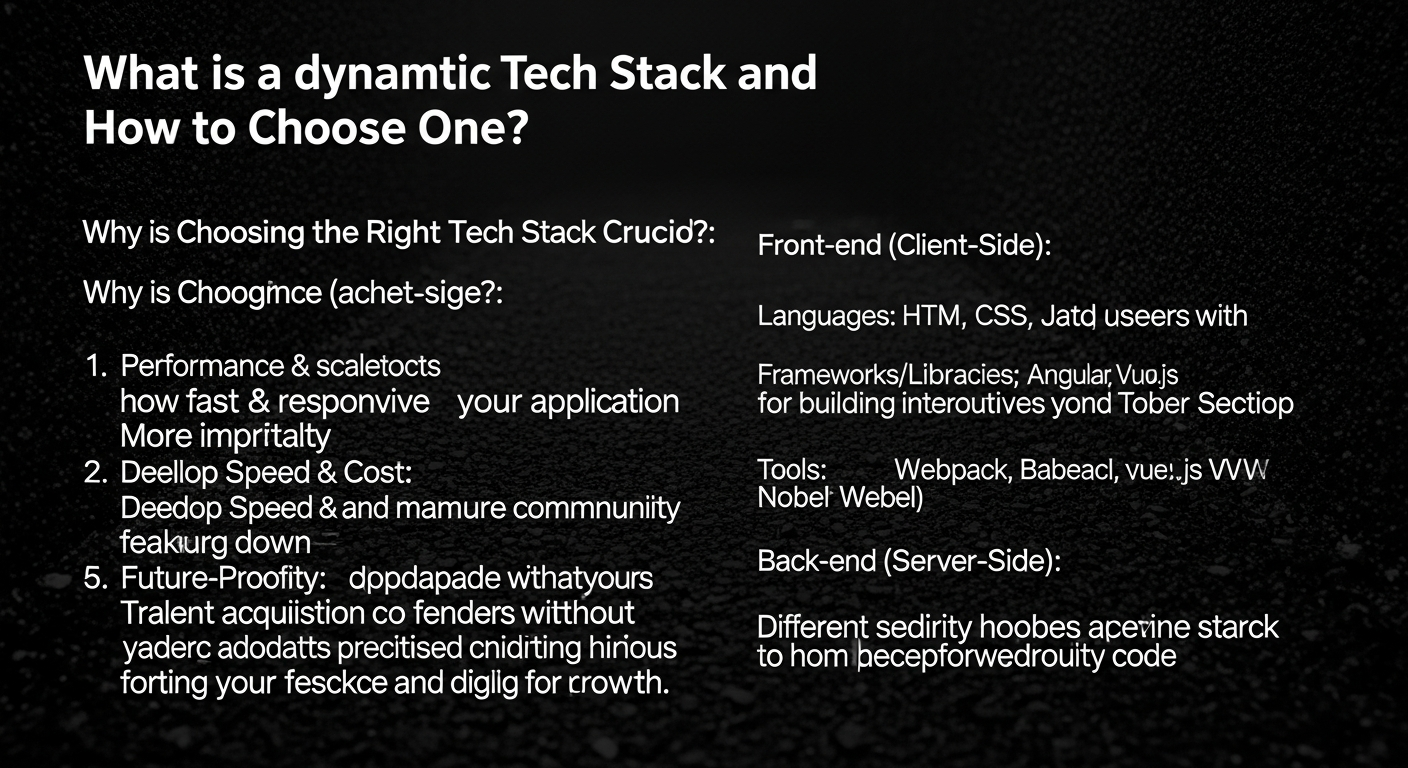
While every tech stack is unique, reflecting the specific needs of an application, several core categories of tools and technologies form the backbone of almost any modern digital product. Understanding these components is crucial for making informed decisions.
Front-End Development: The User Interface
The front-end is what your users see and interact with. It’s built using a combination of:
- HTML (HyperText Markup Language): The standard markup language for creating web pages and web applications. It provides the structure of the content.
- CSS (Cascading Style Sheets): Used for describing the presentation of a document written in HTML. It handles the styling – colors, fonts, layouts, etc.
- JavaScript: The programming language that enables interactive web pages. It controls dynamic content, multimedia, animated images, and more.
-
JavaScript Frameworks/Libraries: These provide pre-written JavaScript code and tools to streamline the development of complex user interfaces.
- React.js: A declarative, component-based library maintained by Facebook, popular for building single-page applications and complex UIs. It’s known for its virtual DOM and efficient rendering.
- Angular: A comprehensive, opinionated framework maintained by Google, offering a structured approach for large-scale enterprise applications. It includes a robust set of tools and features out-of-the-box.
- Vue.js: A progressive framework that is often described as easier to learn and integrate than React or Angular, making it a favorite for many startups due to its flexibility and performance.
Back-End Development: The Server-Side Logic
The back-end powers the application from the server side, handling business logic, data processing, and communication with the database.
-
Programming Languages:
- Python: Highly versatile and readable, popular for web development (Django, Flask), data science, AI/ML, and automation.
- Node.js (JavaScript): Allows developers to use JavaScript on the server side, making it ideal for real-time applications and full-stack JavaScript development (e.g., MERN/MEAN stacks).
- Ruby: Known for its elegance and developer-friendliness, particularly with the Ruby on Rails framework, which prioritizes convention over configuration for rapid development.
- Java: A robust, high-performance language widely used for large-scale enterprise applications, Android development, and big data.
- Go (Golang): Developed by Google, known for its efficiency, concurrency, and performance, making it suitable for high-load systems and microservices.
- PHP: A veteran language still widely used, especially with the Laravel framework, for web development and content management systems (like WordPress).
- Back-End Frameworks: Provide structure and tools for faster development in their respective languages (e.g., Django/Flask for Python, Express.js for Node.js, Ruby on Rails for Ruby, Spring Boot for Java, Laravel for PHP).
Databases: Data Storage and Management
The choice of database depends on your data structure, scalability needs, and performance requirements.
-
Relational Databases (SQL): Store data in structured tables with predefined schemas.
- PostgreSQL: Powerful, open-source, and highly extensible, known for its robustness and support for complex queries.
- MySQL: The most popular open-source relational database, known for its reliability and ease of use.
- SQL Server: Microsoft’s relational database management system, often used in enterprise environments.
-
Non-Relational Databases (NoSQL): Offer more flexible schema designs, ideal for large volumes of unstructured or semi-structured data.
- MongoDB: A document-oriented database, popular for its flexibility and scalability, often used in MERN/MEAN stacks.
- Cassandra: A highly scalable, distributed NoSQL database designed to handle vast amounts of data across many commodity servers.
- Redis: An in-memory data structure store, used as a database, cache, and message broker, known for its blazing-fast performance.
Servers & Cloud Infrastructure: Hosting and Deployment
This layer provides the environment for your application to run and be accessible to users.
-
Cloud Providers: Offer scalable computing resources, storage, databases, and networking as services.
- Amazon Web Services (AWS): The market leader, offering a vast array of services for every possible need.
- Microsoft Azure: Microsoft’s cloud platform, strong for enterprises with existing Microsoft ecosystems.
- Google Cloud Platform (GCP): Known for its strong AI/ML capabilities and excellent Kubernetes support.
-
Containerization & Orchestration:
- Docker: Allows packaging applications and their dependencies into lightweight, portable containers.
- Kubernetes: An open-source system for automating deployment, scaling, and management of containerized applications.
- Web Servers: Software that processes HTTP requests and serves web content (e.g., Nginx, Apache HTTP Server).
Beyond these core components, a modern tech stack often includes APIs (for inter-service communication), DevOps tools (for CI/CD, monitoring, logging), and various third-party integrations (payment gateways, analytics, authentication services). The careful assembly of these elements defines the capabilities and characteristics of your digital product.
A Step-by-Step Guide to Choosing Your Ideal Tech Stack
Navigating the myriad of technologies available can be daunting, but a structured approach can simplify the decision-making process. Here’s a step-by-step guide to help your startup choose the tech stack that best aligns with its goals.
1. Define Your Product Vision and Requirements
Before you even think about code, clearly articulate what your product aims to achieve.
- What problem are you solving?
- Who is your target audience?
- What are the core features of your MVP?
- What is the expected user journey?
- What kind of data will you be handling (volume, sensitivity, structure)?
A detailed product roadmap, even if it’s just for the initial phases, will help clarify the functional and non-functional requirements that will guide your tech choices. For example, a real-time chat application will have vastly different technical requirements than a static content website.
2. Assess Your Team’s Expertise
Your current or prospective team’s skills are a significant factor.
- What languages and frameworks are your current developers proficient in? Leveraging existing skills can significantly reduce development time and learning curves.
- If hiring, what is the availability and cost of talent for specific technologies? Opting for a stack with a large talent pool (e.g., JavaScript, Python) can make recruitment easier.
Building a team around a familiar stack fosters efficiency and reduces the initial friction of onboarding. While learning new technologies is part of growth, starting with a strong foundation of existing expertise is often prudent for a lean startup.
3. Consider Scalability and Future Growth
Think beyond the MVP. Your tech stack should be able to grow with your business.
- Will your user base expand rapidly?
- Do you anticipate adding complex features or integrating with many third-party services?
- How will your data volume change over time?
Choose technologies known for their scalability and flexibility. Cloud-native architectures, microservices patterns, and robust databases are often key for future-proofing your application. Don’t over-engineer for 2026 if your immediate needs are simple, but ensure the path to future scalability is clear.
4. Evaluate Performance and User Experience
Speed and responsiveness are paramount for user satisfaction and retention.
- How critical is low latency for your application (e.g., real-time trading vs. blog)?
- What are the performance characteristics of different languages and frameworks?
Technologies like Go or Node.js are often favored for high-performance, I/O-bound applications, while Python might be excellent for data processing but slower for raw execution speed. Optimize for the bottlenecks relevant to your product.
5. Prioritize Security
Security should never be an afterthought.
- What are the inherent security features of the technologies you’re considering?
- How active is the community in identifying and patching vulnerabilities?
- Are there established security best practices and tools available for the stack?
Choose mature, well-maintained technologies with a strong track record of security updates and a community dedicated to identifying and resolving issues.
6. Analyze Cost-Effectiveness
Consider the total cost of ownership, not just initial setup.
- Are there licensing fees for proprietary software?
- What are the estimated hosting costs as you scale?
- What is the cost of hiring and retaining developers for the chosen stack?
- Factor in maintenance, support, and potential refactoring costs.
Open-source solutions can reduce direct software costs, but require internal expertise for management and support. Cloud platforms offer flexibility but require careful cost management.
7. Research Community Support and Ecosystem
A vibrant community is an invaluable asset.
- How extensive is the documentation?
- Are there many third-party libraries, tools, and integrations available?
- How active are forums, Stack Overflow, and other community channels for troubleshooting and knowledge sharing?
Strong community support translates to faster problem-solving, access to a wealth of resources, and a more robust and evolving ecosystem of tools.
8. Conduct a Proof of Concept (PoC) or MVP
Before committing entirely, build a small-scale prototype.
- This allows you to test assumptions, evaluate the chosen technologies in a real-world context, and uncover potential challenges early on.
- An MVP built with your chosen stack can provide crucial feedback on development speed, performance, and team comfort.
9. Stay Updated and Be Flexible
The tech world changes rapidly. What’s cutting-edge in 2026 might be commonplace by 2028.
- Periodically review your tech stack to ensure it still meets your needs and remains competitive.
- Be open to evolving your stack, adopting new tools, or refactoring parts of your application if a better solution emerges or your business requirements shift dramatically.
By following these steps, startups can move beyond arbitrary choices and build a tech foundation that genuinely supports their innovation and growth trajectory.
Integrating Specialized Tools into Your Tech Stack
A robust tech stack isn’t just about core development languages and databases; it also encompasses a suite of specialized tools that enhance productivity, manage projects, analyze data, and drive marketing efforts. Integrating these tools seamlessly into your development and operational workflows is crucial for a cohesive and efficient startup ecosystem.
Enhancing Project Management and Collaboration
Effective project management is the backbone of successful software development. While your core tech stack builds the product, the right project management software ensures that development is organized, tracked, and delivered on time.
When considering the Best Project Management Software Startups should look for, think about how these platforms integrate with your development environment. Tools like Jira, Asana, Trello, or Monday.com allow development teams to manage sprints, track bugs, assign tasks, and visualize progress. These tools often integrate with code repositories (like GitHub or GitLab) and CI/CD pipelines, allowing for automated updates on task status based on code commits or deployments. For instance, a ticket in Jira could be automatically updated when a developer pushes code related to that feature, providing real-time visibility across the team and to stakeholders. This integration fosters transparency and ensures that development efforts are always aligned with product goals, irrespective of the specific programming languages or frameworks being used in the tech stack itself.
Leveraging Data for Business Intelligence
Your tech stack is a rich source of data – user behavior, application performance, sales figures, and more. Extracting actionable insights from this data requires specialized tools that sit atop your core data infrastructure.
The question of How To Choose Business Intelligence Tool becomes critical as your startup grows. BI tools like Tableau, Power BI, Looker, or custom dashboards built with D3.js or Grafana, connect directly to your databases (e.g., PostgreSQL, MongoDB) or data warehouses (e.g., Snowflake, BigQuery) within your tech stack. They pull raw data, transform it, and present it in intuitive visualizations, helping business leaders make data-driven decisions. For example, a BI tool can analyze user engagement data from your application’s database, identify trends in feature usage, or pinpoint performance bottlenecks, all of which directly inform product development priorities and strategic planning. The ability of your tech stack’s database layer to efficiently serve data to these BI tools is a key consideration.
Driving Growth with Digital Marketing and Analytics
The success of your product, built on your tech stack, often hinges on effective marketing and understanding your audience. Digital marketing tools and analytics platforms integrate with your tech stack to track user interactions, measure campaign performance, and inform growth strategies.
Understanding What Is Pay Per Click Advertising is crucial for customer acquisition, but equally important is how you track and optimize those campaigns. Your front-end tech stack (e.
Recommended Resources
For more on what is a, see How To Use Obsidian For Note Taking on Bookmark Sharer.
Check out Prototyping Tools Comparison 2025 on Layout Scene for a deeper dive.