
Why Your Remote Team Needs a Secure VPN in 2026
The shift to remote work has dramatically expanded the attack surface for businesses. Your team members are no longer operating exclusively within the confines of a protected office network; they’re connecting from homes, co-working spaces, and public Wi-Fi hotspots, each presenting its own set of vulnerabilities. In 2026, relying on unsecured connections is akin to leaving your digital doors wide open. A secure VPN addresses these critical security gaps by creating an encrypted tunnel between a user’s device and your company’s network, effectively extending your internal security perimeter to every remote endpoint.
Protecting Sensitive Business Data
Every piece of data your team handles, from internal communications and client databases to financial records and proprietary intellectual property, is a potential target for cybercriminals. Without a VPN, this data travels over public networks in plain sight, vulnerable to interception by malicious actors. This is particularly critical for teams managing sensitive marketing data. Imagine your marketing team is working on a high-stakes What Is Pay Per Click Advertising campaign, managing bids, audience targeting data, and sensitive customer information on various ad platforms. Without a secure VPN, every piece of data transmitted from an unsecured coffee shop Wi-Fi becomes a potential liability, risking not just campaign performance but also severe data breaches and regulatory penalties.
- Encryption: A VPN encrypts all data transmitted, rendering it unreadable to anyone without the decryption key, even if intercepted.
- Data Integrity: It helps ensure that data remains unaltered during transit, preventing tampering.
- Confidentiality: Protects communications and access to internal systems, keeping business secrets safe.
Ensuring Secure Access to Internal Resources
Remote teams need constant access to internal servers, shared drives, enterprise resource planning (ERP) systems, customer relationship management (CRM) platforms, and other proprietary applications. Exposing these resources directly to the internet is an enormous security risk. A VPN acts as a gatekeeper, requiring authentication and providing a secure conduit, ensuring that only authorized personnel can reach these critical assets.
- Centralized Access: Provides a single, secure point of entry to all networked resources, simplifying management.
- Reduced Attack Surface: Keeps internal services off the public internet, significantly reducing exposure to external threats.
- Policy Enforcement: Allows IT to enforce network access policies regardless of the user’s physical location.
Mitigating Risks from Public Wi-Fi and Unsecured Networks
Public Wi-Fi networks are notorious for their lack of security. They are often unencrypted, making it easy for attackers to snoop on traffic, conduct man-in-the-middle attacks, or spread malware. Even home networks, if not properly secured, can pose risks. A VPN cloaks your team’s online activities, making public networks behave more like private, secure connections.
- IP Address Masking: Hides the user’s real IP address, making it harder to track their online activity or pinpoint their location.
- Protection Against Snooping: Prevents third parties, including internet service providers (ISPs) or malicious actors on public networks, from monitoring traffic.
- Bypassing Geo-Restrictions (for specific business needs): While not its primary security function, a VPN can allow access to region-locked content or services when necessary for business operations.
Maintaining Compliance and Regulatory Standards
For businesses operating in industries with strict data protection regulations (e.g., GDPR, HIPAA, CCPA), a VPN is not just a best practice; it’s often a requirement. It helps demonstrate due diligence in protecting personal and sensitive data, crucial for avoiding hefty fines and reputational damage in 2026.
- Audit Trails: Many business VPN solutions offer robust logging capabilities, aiding in compliance audits.
- Data Protection: Contributes significantly to meeting mandates for encrypting data in transit.
- Risk Management: A key component of an overall cybersecurity strategy aimed at reducing regulatory risk.
Understanding VPN Fundamentals for Business
Before diving into setup, it’s crucial to grasp the core concepts of VPN technology relevant to a business context. Not all VPNs are created equal, and understanding the different types and protocols will empower you to make informed decisions for your team’s specific needs and your company’s evolving What Is A Tech Stack How To Choose philosophy.
Client-to-Site vs. Site-to-Site VPNs
These are the two primary architectures for business VPNs:
- Client-to-Site VPN (Remote Access VPN): This is the most common type for remote teams. Individual users connect from their personal devices (laptops, smartphones) to the company’s central network. Each user typically installs a VPN client application on their device, which then establishes an encrypted tunnel to a VPN server located at the company’s headquarters or hosted in the cloud. This allows remote employees to securely access internal resources as if they were physically in the office.
- Site-to-Site VPN (Router-to-Router VPN): This type connects entire networks together, often used to link branch offices to a main office, or to securely connect your on-premise network to a cloud virtual private cloud (VPC). Instead of individual devices, routers at each location establish a permanent, encrypted tunnel between the two networks. While less common for individual remote workers, it’s essential for businesses with multiple physical locations or hybrid cloud environments.
Key VPN Protocols
VPN protocols determine how the encrypted tunnel is established and how data flows through it. Each has its strengths and weaknesses regarding speed, security, and ease of implementation. Choosing the right VPN solution is a critical decision that forms a core component of your overall What Is A Tech Stack How To Choose, influencing not just security but also performance and scalability.
- OpenVPN: An open-source, highly configurable, and robust protocol known for its strong encryption and security. It’s widely supported and considered one of the most secure options. It can run over TCP or UDP, with UDP generally offering better speeds. It requires a client application but offers excellent flexibility.
- IPSec (Internet Protocol Security): A suite of protocols used to secure IP communications. It’s often used in conjunction with other protocols like L2TP (L2TP/IPSec) for added security and is a common choice for site-to-site VPNs. IPSec operates at the network layer and offers strong encryption and authentication.
- WireGuard: A newer, leaner, and faster VPN protocol gaining significant traction. It uses modern cryptographic primitives and has a significantly smaller codebase than OpenVPN or IPSec, making it easier to audit and potentially more secure. Its performance is often superior, especially on mobile devices or unstable networks.
- SSTP (Secure Socket Tunneling Protocol): A Microsoft-developed protocol that uses SSL/TLS encryption. It can bypass most firewalls effectively because it uses port 443 (the same as HTTPS traffic). While secure, it’s primarily Windows-centric.
- L2TP/IPSec (Layer 2 Tunneling Protocol over IPSec): L2TP itself provides the tunneling, but it lacks encryption. IPSec is used to provide the encryption and security. While widely supported, it can be slower than OpenVPN or WireGuard due to double encapsulation. Some security experts have also raised concerns about its potential vulnerabilities.
For most remote teams in 2026, OpenVPN and WireGuard are generally the recommended choices due to their strong security, performance, and cross-platform compatibility.
Important VPN Features for Business
Beyond protocols, consider these features when evaluating VPN solutions:
- Strong Encryption Standards: Look for AES-256 encryption, which is the industry standard for robust security.
- Multi-Factor Authentication (MFA): Essential for adding an extra layer of security beyond just a password.
- Kill Switch: Automatically disconnects a device from the internet if the VPN connection drops, preventing data leaks.
- Split Tunneling: Allows you to choose which applications or traffic go through the VPN and which go directly to the internet. Useful for optimizing performance for non-sensitive traffic.
- No-Logs Policy (for commercial services): Ensures the VPN provider doesn’t keep records of your team’s online activities. Critical for privacy.
- Dedicated IP Addresses: Some businesses may require dedicated IP addresses for specific applications or services that need consistent access from a known IP.
- User Management & Access Control: Tools to easily add/remove users, manage permissions, and enforce policies.
- Performance & Scalability: The solution should be able to handle your team’s current and future bandwidth needs without significant slowdowns.
Planning Your Secure VPN Deployment
1. Assess Your Team’s Needs and Existing Infrastructure
Start by mapping out your current operational environment:
- Number of Users: How many remote employees will need VPN access now, and how many do you anticipate by 2026?
- Resources to Access: What internal servers, applications, databases, and file shares do your remote teams need to reach? Are these on-premise, cloud-based, or a hybrid?
- Bandwidth Requirements: Estimate the typical data usage and peak loads. Will your existing internet connection at the VPN server location handle the aggregated traffic?
- Operating Systems: What devices and operating systems do your team members use (Windows, macOS, Linux, iOS, Android)? The VPN solution must support all of them.
- Existing Security Posture: What firewalls, intrusion detection systems, and authentication methods are currently in place? The VPN needs to integrate seamlessly.
- Geographical Distribution: Are your team members spread across different continents, or are they primarily regional? This affects server location choices for optimal performance.
2. Choosing the Right VPN Solution: Commercial vs. Self-Hosted
This is a critical decision, weighing convenience and cost against control and customization.
- Commercial Business VPN Services:
- Pros: Easy setup and management, often come with dedicated apps, 24/7 support, managed infrastructure, scalability, global server networks. Good for businesses that want a hands-off approach to infrastructure.
- Cons: Recurring subscription costs, less control over server configuration and logging policies (though reputable business VPNs have strict no-logs policies), potential reliance on a third-party for security.
- Examples: NordLayer, ExpressVPN for Business, Twingate, Perimeter 81.
- Self-Hosted VPN Solutions:
- Pros: Full control over configuration, security, logging, and data. Can be more cost-effective in the long run if you have the internal expertise, especially if leveraging existing hardware or cloud infrastructure.
- Cons: Requires significant technical expertise for setup, maintenance, and troubleshooting. Responsible for all security patches, updates, and uptime. Can be resource-intensive for larger teams.
- Examples: OpenVPN Access Server, WireGuard (often deployed on a Linux server), pfSense/OPNsense (firewall distributions with VPN capabilities).
As you assess your needs, remember that your VPN will integrate with your existing tools, from communication platforms to your chosen Best Project Management Software Startups solutions, making seamless interoperability a key factor in your tech stack evaluation. Consider how the VPN will affect access to these critical platforms.
3. Budget and Resource Allocation
Factor in not just the upfront costs but also ongoing expenses:
- Software/Service Subscriptions: Monthly or annual fees for commercial VPN providers.
- Hardware Costs: If self-hosting, server hardware, or dedicated firewall appliances.
- Cloud Infrastructure Costs: If hosting your VPN server in the cloud (e.g., AWS, Azure, Google Cloud), account for compute, bandwidth, and storage.
- Staffing/Expertise: The cost of IT personnel for deployment, maintenance, and support, especially for self-hosted solutions.
- Training: Budget for educating your team on VPN usage and security best practices.
4. Defining Your Security Policies
Before deployment, establish clear policies:
- Acceptable Use Policy: What can and cannot be done while connected to the company VPN.
- Access Control: Who gets access to which resources through the VPN. Implement the principle of least privilege.
- Authentication Requirements: Mandate strong passwords, MFA, and potentially certificate-based authentication.
- Device Security: Requirements for remote devices (e.g., up-to-date antivirus, operating system patches, disk encryption).
- Logging and Monitoring: What data will be logged, for how long, and who has access to it.
Step-by-Step: Implementing Your Team’s VPN
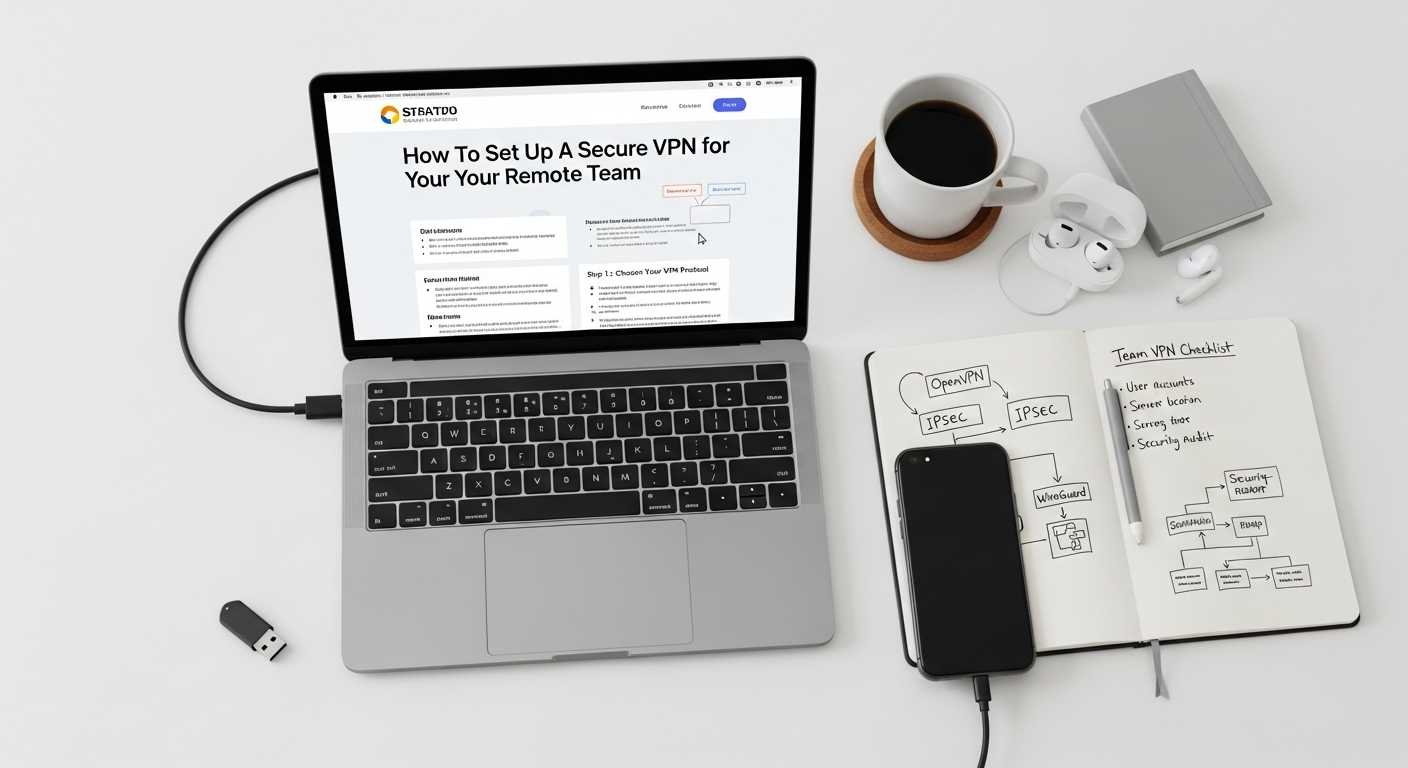
Once your planning is complete, it’s time for the technical execution. The specifics will vary depending on whether you choose a commercial service or a self-hosted solution, but the general steps remain consistent.
1. VPN Server Setup and Configuration
This is the core of your VPN infrastructure.
- For Commercial VPN Services:
- Sign up for a business plan with your chosen provider.
- Follow their instructions to set up your organization’s account, create user profiles, and configure server locations. Many providers offer a dedicated dashboard for easy management.
- They typically handle the underlying server infrastructure, allowing you to focus on user management.
- For Self-Hosted Solutions (e.g., OpenVPN Access Server on a Linux VM/Cloud Instance):
- Provision a Server: Set up a dedicated virtual machine (VM) or cloud instance (e.g., AWS EC2, DigitalOcean Droplet) with sufficient CPU, RAM, and network bandwidth.
- Install VPN Software: Install your chosen VPN software (e.g., OpenVPN Access Server, WireGuard). For OpenVPN AS, this is often a simple script or package installation.
- Configure Network Settings: Assign a static public IP address to the server. Configure firewall rules to allow VPN traffic (e.g., UDP port 1194 for OpenVPN, UDP port 51820 for WireGuard) while blocking unnecessary ports.
- Set Up SSL/TLS Certificates: Generate and configure robust SSL/TLS certificates for server authentication and encryption. Use a reputable Certificate Authority (CA) or a self-signed certificate managed carefully.
- Internal Network Routing: Configure routing on your VPN server to ensure that VPN clients can access your internal network resources (e.g., 192.168.1.0/24). This often involves pushing routes to clients.
2. User Authentication and Access Management
How users prove their identity and what they can access once connected.
- Create User Accounts: Set up individual user accounts for each team member. Avoid shared accounts.
- Implement Strong Passwords: Enforce complex password policies.
- Enable Multi-Factor Authentication (MFA): This is non-negotiable in 2026. Integrate with an MFA solution (e.g., Google Authenticator, Duo, YubiKey) for an added layer of security. Most commercial VPNs and OpenVPN AS support MFA.
- Define Access Policies: Configure your VPN server or firewall to control which internal resources each VPN user or group can access. Apply the principle of least privilege – users should only have access to what they absolutely need to do their job.
3. Client Software Distribution and Configuration
Getting your team connected.
- Choose Client Software:
- Commercial VPNs: Typically provide their own intuitive client applications for various OS.
- Self-Hosted: Use official OpenVPN clients (OpenVPN Connect) or WireGuard clients, which are available for all major platforms.
- Distribute Configuration Files:
- OpenVPN: Users will need an .ovpn configuration file, which contains server address, certificates, and other connection details. OpenVPN Access Server automates this distribution through a web portal.
- WireGuard: Configuration files are usually simpler, often just a text file.
- Installation Instructions: Provide clear, step-by-step instructions for your team on how to install the client, import the configuration file, and connect to the VPN. Include screenshots or a short video tutorial.
4. Comprehensive Testing
Don’t skip this crucial step!
- Connect from Various Locations: Test connections from different networks (home Wi-Fi, public Wi-Fi, mobile hotspot) and operating systems.
- Access Internal Resources: Verify that users can access all the required internal applications, file shares, and servers.
- Test for Leaks: Use online tools (e.g., dnsleaktest.com, ipleak.net) to ensure there are no DNS, WebRTC, or IP leaks that could expose your team’s real location or online activity.
- Performance Check: Monitor connection speeds and latency to ensure the VPN doesn’t unduly hinder productivity.
- Failover Testing (if applicable): If you have redundant VPN servers, test the failover mechanism.
5. Integrate with DNS
Ensure your remote team can resolve internal domain names. If your internal resources use local domain names (e.g., intranet.yourcompany.local), your VPN clients need to use your internal DNS servers when connected to the VPN. Configure your VPN server to push your internal DNS server addresses to clients, or configure clients manually if necessary.
Securing and Maintaining Your VPN Infrastructure
Setting up a VPN is just the beginning. Ongoing security and maintenance are paramount to ensuring its continued effectiveness against evolving threats in 2026. A VPN is only as secure as its weakest link, and neglecting maintenance can quickly turn your digital fortress into a vulnerability.
1. Regular Updates and Patching
Software vulnerabilities are constantly discovered. It’s critical to keep all components of your VPN infrastructure up-to-date:
- VPN Server Software: Apply patches and updates for your VPN server (e.g., OpenVPN, WireGuard, commercial VPN client software) as soon as they are released.
- Operating System: Ensure the underlying operating system of your VPN server (if self-hosted) is regularly updated and patched.
- Client Software: Encourage and enforce updates for client applications on your team’s devices. Older clients might have unpatched vulnerabilities or be incompatible with server-side security enhancements.
- Firewall Firmware: If your VPN relies on a hardware firewall, ensure its firmware is current.
2. Robust Authentication and Access Control
Authentication is the first line of defense.
- Mandate Multi-Factor Authentication (MFA): Reiterate that MFA should be non-negotiable for all VPN access. This significantly reduces the risk of unauthorized access even if passwords are compromised.
- Strong Password Policies: Enforce complex, unique passwords that are regularly changed or, even better, use password managers.
- Principle of Least Privilege: Regularly review and refine user permissions. Ensure that team members only have access to the specific resources they need for their roles. Remove access promptly when roles change or employees leave.
- Centralized Identity Management: Integrate your VPN with a centralized identity provider (IdP) like Okta, Azure AD, or Google Workspace for streamlined user provisioning, de-provisioning, and consistent policy enforcement.
3. Continuous Monitoring and Logging
Vigilance is key to detecting and responding to threats.
- Monitor VPN Logs: Regularly review VPN server logs for suspicious activity, such as:
- Failed login attempts (especially multiple attempts from unusual locations).
- Connections from unexpected IP addresses.
- Unusual data transfer volumes.
- Frequent connection/disconnection patterns.
- Integrate with SIEM: For larger organizations, integrate VPN logs with a Security Information and Event Management (SIEM) system for automated analysis and alerting.
- Performance Monitoring: Keep an eye on server load, bandwidth usage, and latency to proactively address performance bottlenecks before they impact productivity.
4. Incident Response Plan
Prepare for the worst-case scenario.
- Define Procedures: Establish clear steps to take in case of a suspected VPN breach or compromise.
- Containment: How will you isolate affected users or disconnect compromised connections?
- Investigation: Who is responsible for investigating the incident and gathering forensic data?
- Communication: How will you communicate with your team and, if necessary, external stakeholders or regulatory bodies?
- Recovery: Steps to restore normal operations and harden your defenses.
5. Regular Security Audits and Penetration Testing
Proactively identify weaknesses before attackers do.
- Internal Audits: Periodically review your VPN configuration, access policies, and server settings.
- External Penetration Testing: Consider engaging third-party security experts to conduct penetration tests on your VPN infrastructure. They can simulate attacks to uncover vulnerabilities you might have missed.
- Vulnerability Scanning: Use automated tools to scan your VPN server and network for known vulnerabilities.
6. Secure Server Hardening (for Self-Hosted Solutions)
If you’re self-hosting, the security of the underlying server is paramount.
- Disable Unnecessary Services: Remove or disable any services not required for the VPN to function.
- Secure SSH Access: Disable password authentication for SSH, use key-based authentication, change default SSH port, and limit SSH access to specific trusted IP addresses.
- Firewall Configuration: Implement strict firewall rules (e.g., using
iptablesorufwon Linux) to only allow necessary inbound and outbound traffic. - Regular Backups: Back up your VPN server configuration and certificates regularly.
Integrating VPN with Your Remote Work Ecosystem
A secure VPN doesn’t operate in a vacuum; it’s an integral part of your entire remote work ecosystem. Seamless integration ensures that security enhances, rather than hinders, productivity and collaboration. In 2026, the demand for integrated, secure workflows is higher than ever.
1. Secure Access to Collaboration Tools and Platforms
Your team relies heavily on various tools for daily operations. A VPN ensures that access to these tools, especially those that interact with sensitive data or reside on internal networks, remains secure.
- Project Management Software: With a secure VPN in place, your team can confidently access and collaborate on sensitive data within your chosen Best Project Management Software Startups platforms, ensuring project plans, client communications, and proprietary files remain protected. This is crucial whether you’re using Asana, Monday.com, Jira, or a niche startup solution.
- Communication Platforms: While many modern communication tools (Slack, Microsoft Teams, Zoom) are cloud-based and inherently encrypted, a VPN adds an extra layer of security, especially if these tools are integrated with internal systems or if direct access to internal chat servers is required.
- File Sharing and Document Management: For on-premise file servers or network-attached storage (NAS), the VPN is essential for secure access. Even for cloud-based solutions, a VPN can provide an added layer of trust by ensuring all traffic to and from these services originates from a known, secure IP range.
2. Cloud Resource Access and Hybrid Environments
Many businesses operate with a hybrid infrastructure, blending on-premise systems with cloud services. The VPN is crucial for bridging these environments securely.
- Virtual Private Cloud (VPC) Integration: If your company uses a VPC in AWS, Azure, or Google Cloud, a client-to-site VPN allows remote users to securely connect to resources within that private cloud environment, much like they would connect to an on-premise network.
- Database and Application Servers: Remote developers and data analysts can securely access internal databases, application servers, and development environments hosted both on-premise and in the cloud, without exposing these critical resources to the public internet.
- Secure API Access: If your team develops or interacts with internal APIs, a VPN ensures that all API calls from remote locations are encrypted and authenticated, protecting sensitive data exchanged between services.
3. Remote Desktop and Server Management
IT and operations teams frequently need to securely manage remote servers, workstations, and network devices.
- Remote Desktop Protocol (RDP) / SSH: Connecting to internal Windows servers via RDP or Linux servers via SSH should always happen over a secure VPN. This prevents brute-force attacks and eavesdropping on login credentials and session data.
- Network Device Management: Configuring routers, switches, and firewalls remotely should only be done via a VPN, ensuring that management interfaces are never exposed directly to the internet.
4. Seamless User Experience and Training
Security should not come at the cost of usability. A well-integrated VPN enhances the user experience by providing reliable, secure access.
- Single Sign-On (SSO): Integrate your VPN with your existing SSO solution (e.g., Okta, Azure AD) to simplify the login process for users and reduce password fatigue.
- User Training: Conduct regular training sessions for your remote team on:
- How to connect and disconnect from the VPN.
- The importance of always using the VPN for business-related tasks.
- Recognizing and reporting suspicious VPN-related activities (e.g., unexpected disconnections, unusual prompts).
- Best practices for device security (e.g., keeping OS updated, using antivirus).
- Documentation: Provide clear, accessible documentation and troubleshooting guides for common VPN issues.
5. Compliance and Audit Trails
Integration with other systems also extends to compliance and auditing.
- Log Aggregation: Ensure VPN logs are aggregated with other system logs for a holistic view of security events, aiding in compliance audits and incident investigations.
- Access Reporting: Generate reports on VPN usage, active users, and access patterns to demonstrate adherence to security policies and regulatory requirements.
By thoughtfully integrating your secure VPN into every aspect of your remote team’s workflow, you build a resilient, secure, and productive environment that can thrive in the dynamic business landscape
Recommended Resources
You might also enjoy How To Use Adobe Indesign For Layouts from Layout Scene.
Explore Cloud Computing Explained Simply for additional insights.