
The Ultimate Guide to Analytics Tools for Startups: Fueling Growth & Innovation in 2026
By eamped Editorial Team — Senior editors with 10+ years of subject-matter experience.
Published 2026-05-26 · Last Updated 2026-05-26
Affiliate disclosure: This article may contain affiliate links. Recommendations are independent and editorially driven.
In the fiercely competitive landscape of startups, especially within the tech and SaaS sectors, data isn’t just an asset—it’s the lifeblood. From refining a Minimum Viable Product (MVP) to scaling user acquisition, every critical decision a startup makes should ideally be backed by robust, actionable insights. This is where a strategic selection of analytics tools for startups becomes not just beneficial, but absolutely indispensable. Without them, even the most innovative ideas risk faltering in the face of informed competitors and evolving market demands.
This comprehensive guide delves deep into the world of analytics, specifically tailored for the unique challenges and opportunities faced by nascent businesses. We’ll explore why data literacy is paramount, the diverse types of analytics a startup needs, the essential features to look for in tools, and a detailed comparison of the top platforms available in 2026. Our aim is to empower you, the startup founder or growth marketer, with the knowledge to harness the power of data, transform raw numbers into strategic advantages, and navigate the path to sustainable success.
From understanding user behavior on your website to optimizing your marketing spend and predicting future trends, the right analytics tools can provide a clear lens into your business’s performance. They can help you identify bottlenecks, capitalize on opportunities, and iterate faster than ever before. Join us as we uncover how to build a data-driven culture from day one, ensuring your startup thrives on facts, not just assumptions.
The Unsung Hero of Startup Success: Why Analytics Tools are Non-Negotiable for Early-Stage Growth
In the dynamic and often chaotic world of startups, resources are finite, time is precious, and every decision carries significant weight. Without a clear, data-driven compass, startups risk wandering aimlessly, burning through capital on unproven hypotheses. Analytics tools provide this compass, offering clarity, direction, and a foundation for informed decision-making. They transform raw operational data into strategic intelligence, allowing startups to pivot quickly, optimize effectively, and scale efficiently.
Startup Landscape and Data Dependency
The modern startup ecosystem is fundamentally different from previous eras. With digital-first products and services dominating, every interaction, every click, every conversion generates a digital footprint. This wealth of data, when properly collected, analyzed, and interpreted, holds the keys to understanding market fit, customer satisfaction, and growth potential. Tech startups, in particular, operate in an environment where user behavior can shift rapidly, and competitive advantages are often gained by those who can react fastest to market signals. Analytics tools are the engines that process these signals, allowing startups to stay agile and responsive.
From Gut Feeling to Data-Driven Decisions
Early-stage founders often rely on intuition, passion, and anecdotal evidence. While these qualities are crucial for vision and initial momentum, they are insufficient for sustained growth. Analytics introduces objectivity, replacing guesswork with empirically verifiable insights. Instead of wondering why users abandon their carts, you can pinpoint the exact stage in the funnel. Instead of guessing which marketing channel performs best, you can measure ROI with precision. This shift from qualitative hunches to quantitative evidence not only de-risks decision-making but also fosters a culture of accountability and continuous improvement.
The Power of Early Adoption
Implementing analytics from day one might seem like an overhead for lean startups, but it’s an investment with exponential returns. Early adoption allows startups to establish baseline metrics, track progress against KPIs, and identify trends long before they become critical problems or missed opportunities. It means designing products with data in mind, building marketing campaigns that are measurable, and understanding customer segments from their initial interaction. Proactive data collection and analysis prevent the costly mistakes of building features nobody wants or targeting audiences that don’t convert. It’s about instilling a data-first mindset that permeates every aspect of the business, laying a robust foundation for scalable growth.
Understanding the Core Types of Analytics Crucial for Early-Stage Growth
The term “analytics” is broad, encompassing various disciplines and methodologies designed to extract insights from data. For startups, understanding the different types of analytics is crucial for selecting the right tools and focusing efforts where they matter most. Each type addresses a specific aspect of your business, and together, they paint a comprehensive picture of performance, customer behavior, and market fit.
Web Analytics: Decoding User Behavior on Your Digital Front Door
Web analytics focuses on tracking and reporting website traffic and usage patterns. For most tech and SaaS startups, the website is the primary interface with potential customers, serving as a storefront, information hub, and conversion engine. Key metrics include:
- Page Views: How many times specific pages are accessed.
- Unique Visitors: The number of distinct individuals visiting your site.
- Bounce Rate: The percentage of visitors who leave after viewing only one page.
- Time on Page/Site: How long users spend engaging with your content.
- Traffic Sources: Where your visitors are coming from (e.g., organic search, social media, direct, referral).
- Conversion Rate: The percentage of visitors who complete a desired action (e.g., signing up, making a purchase, downloading a resource).
Understanding these metrics helps optimize website design, content strategy, and user experience to drive higher engagement and conversions. Tools in this category often include heatmaps, session recordings, and A/B testing capabilities to visually understand user interaction.
Product Analytics: Optimizing User Experience and Feature Adoption
Product analytics dives deep into how users interact with your actual product or service. This is particularly vital for SaaS startups where user retention and feature adoption directly impact revenue and scalability. It answers questions like:
- Which features are most used and least used?
- What are the typical user flows within the product?
- Where do users get stuck or drop off during onboarding?
- How do feature releases impact engagement and retention?
- What is the customer lifetime value (CLTV) of different user segments?
By analyzing these interactions, startups can prioritize development efforts, improve user onboarding, identify friction points, and ultimately build a product that users love and stick with. This data-driven approach to product development minimizes wasted resources on unwanted features and maximizes the impact of new functionalities.
Marketing Analytics: Measuring Campaign Effectiveness and ROI
Marketing analytics focuses on evaluating the performance of your marketing campaigns across various channels. For startups with limited marketing budgets, ensuring every dollar spent yields maximum return is critical. This includes tracking:
- Campaign Performance: Clicks, impressions, cost-per-click (CPC), click-through rate (CTR) for ads.
- Lead Generation: Number of leads generated, lead quality, cost-per-lead (CPL).
- Customer Acquisition Cost (CAC): The total cost of acquiring a new customer.
- Channel Effectiveness: Which channels (e.g., social, email, paid search, content marketing) are most efficient at driving conversions.
- Attribution Modeling: Understanding which touchpoints contribute to a conversion.
Effective marketing analytics allows startups to allocate budgets wisely, optimize ad creatives and targeting, and understand the true ROI of their marketing efforts, moving beyond vanity metrics to tangible business growth.
Sales Analytics: Streamlining Conversion Funnels and Revenue Growth
Sales analytics provides insights into your sales processes, helping identify strengths, weaknesses, and opportunities for improvement. For B2B SaaS startups, understanding the sales pipeline is paramount. Key areas include:
- Sales Funnel Stages: Conversion rates at each stage from lead to closed deal.
- Sales Velocity: How quickly leads move through the pipeline.
- Win/Loss Analysis: Reasons why deals are won or lost.
- Sales Rep Performance: Individual and team performance against quotas.
- Revenue Forecasting: Predicting future sales based on current pipeline and historical data.
By optimizing the sales process with data, startups can shorten sales cycles, improve close rates, and accurately forecast revenue, which is vital for fundraising and operational planning.
Financial Analytics: Managing Burn Rate and Projections
While often handled by accounting software, specific financial analytics tools or modules within broader platforms can help startups monitor cash flow, burn rate, revenue recognition, and profitability. This type of analytics is critical for ensuring financial health and making strategic decisions about funding and spending. It answers questions like:
- What is our current burn rate and how long until we run out of cash?
- Which revenue streams are most profitable?
- How do changes in customer acquisition costs impact profitability?
- Are we on track to meet our revenue targets?
Robust financial analytics provides founders and investors with confidence in the startup’s fiscal management and future viability.
Combining insights from these distinct but interconnected areas of analytics provides a holistic view of your startup’s performance, enabling truly data-driven growth strategies. Selecting tools that can either specialize in one area or offer integrated capabilities across multiple domains will be a crucial decision for your startup.
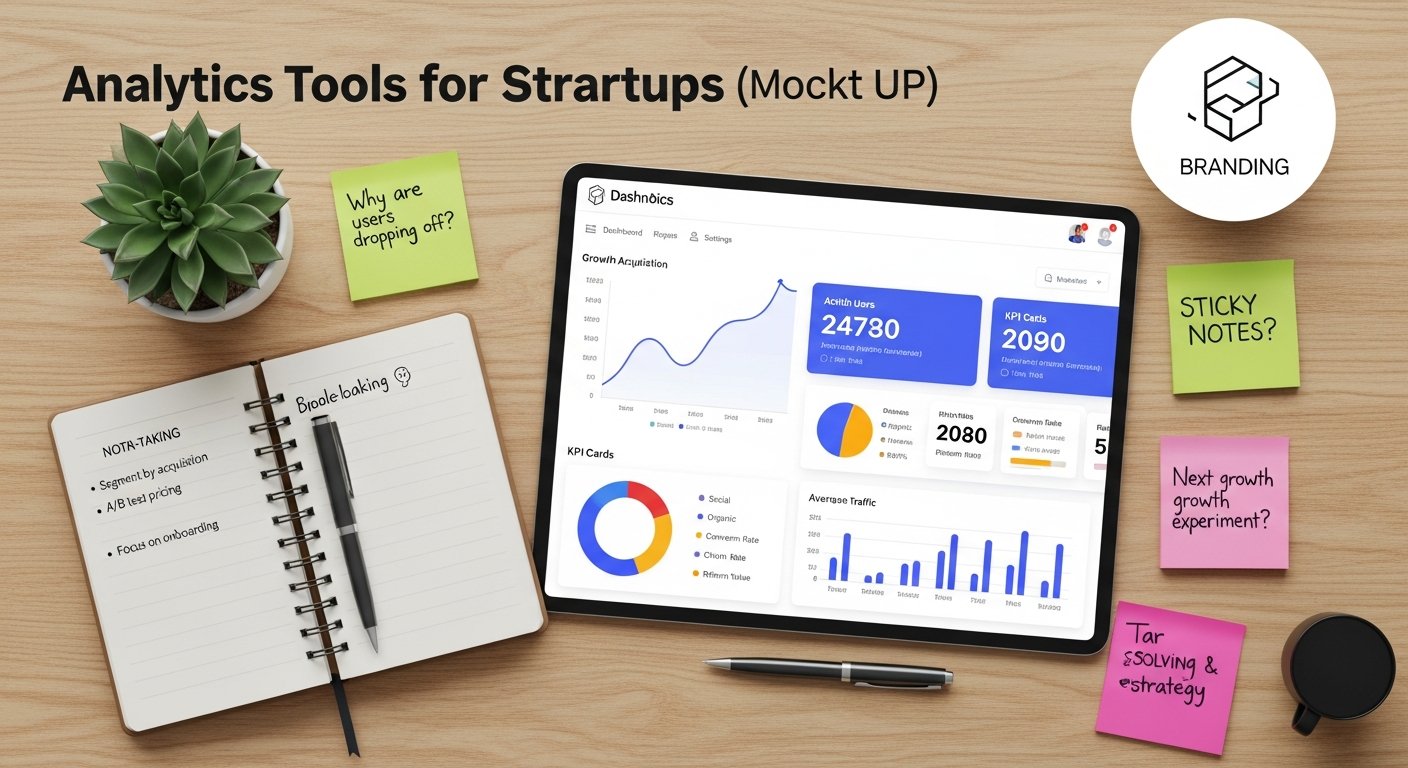
[INLINE IMAGE 1: place after second H2 | alt=”analytics tools for startups concept illustration”]
Key Features and Capabilities to Prioritize in Analytics Tools for Startups
Choosing the right analytics tools is not just about picking popular names; it’s about identifying platforms that align with your startup’s specific needs, budget, and stage of growth. Given the rapid iteration cycle and lean resources of early-stage companies, certain features become paramount. Prioritizing these capabilities will ensure your investment in analytics delivers maximum value and propels your business forward.
Ease of Setup and Use
For startups, time is money, and technical resources are often stretched thin. A complex analytics setup process or an interface that requires extensive training can become a significant barrier. Look for tools that offer:
- Quick Onboarding: Intuitive setup wizards, clear documentation, and pre-built templates.
- User-Friendly Interface: A clean, uncluttered dashboard that makes it easy to find and interpret data.
- Low Code/No Code Implementation: Minimal coding required for integration, often through snippets or direct integrations with popular platforms.
- Drag-and-Drop Reporting: The ability to easily customize dashboards and reports without technical expertise.
The goal is for team members, from founders to marketers, to be able to access and understand insights without relying heavily on data scientists or engineers.
Scalability and Flexibility
Startups are by definition in a constant state of evolution. Your analytics solution should be able to grow with you, adapting to increasing data volumes, new product features, and expanding team needs. Consider:
- Handling Increased Data Volume: Can the tool efficiently process and store more data as your user base and product complexity grow?
- Feature Expansion: Does it offer advanced capabilities (e.g., predictive analytics, machine learning) that you might need in the future, or is it easily extensible?
- API Access: The ability to programmatically access your data for custom applications or integrations with other internal systems.
- Custom Event Tracking: The flexibility to define and track specific actions unique to your product or business model.
Investing in a scalable solution upfront saves the significant headache and cost of migrating to a new platform later.
Real-time Reporting and Dashboards
In a fast-paced startup environment, delayed insights can lead to missed opportunities or prolonged issues. Real-time data access is critical for:
- Immediate Campaign Monitoring: Adjusting marketing spend or ad copy on the fly based on live performance.
- Product Issue Detection: Quickly identifying and addressing bugs or user experience problems as they occur.
- Live Performance Overview: Giving stakeholders an up-to-the-minute snapshot of key metrics.
Customizable dashboards that present the most important KPIs at a glance are essential for efficient decision-making.
Integration Ecosystem
Your analytics tool won’t operate in a vacuum. It needs to seamlessly integrate with your existing tech stack, including your CRM, marketing automation platforms, advertising platforms, and customer support systems. Look for:
- Native Integrations: Direct, pre-built connections with popular tools like HubSpot, Salesforce, Stripe, Shopify, Intercom, etc.
- Webhooks/APIs: For custom integrations or connecting with less common tools.
- Data Export Capabilities: The ability to easily export data for further analysis in spreadsheets or BI tools.
A robust integration ecosystem ensures a unified view of your customer journey and prevents data silos.
Cost-Effectiveness
Budget constraints are a reality for every startup. While free tools exist, they often come with limitations. The key is to find a balance between functionality and cost. Evaluate:
- Pricing Models: Understand if pricing is based on active users, events tracked, data volume, or features.
- Tiered Plans: Look for plans that offer essential features at an affordable rate, with clear upgrade paths as you grow.
- Hidden Costs: Be aware of potential costs for add-ons, premium support, or exceeding data limits.
The cheapest option isn’t always the best value. Consider the long-term ROI and how the tool contributes to revenue generation or cost savings.
Predictive Analytics and AI Capabilities
While perhaps not an immediate necessity for the earliest stages, tools offering predictive analytics and AI capabilities can be a game-changer as your startup matures. These features can help:
- Forecast Future Trends: Predict customer churn, sales, or resource needs.
- Identify High-Value Customers: Segment users based on their likelihood to convert or churn.
- Personalize User Experiences: Recommend relevant products or content based on past behavior.
- Automate Anomaly Detection: Alert you to unusual patterns in your data that might indicate problems or opportunities.
Having a tool that can grow into these advanced capabilities can save future migration efforts.
Data Privacy and Security Compliance
In an era of increasing data privacy regulations (like GDPR and CCPA), ensuring your analytics tools are compliant is non-negotiable. Beyond compliance, protecting customer data builds trust and safeguards your reputation. Look for:
- Robust Security Measures: Data encryption, access controls, and regular security audits.
- Compliance Features: Built-in mechanisms for data anonymization, consent management, and data deletion requests.
- Reputable Vendor: Choose providers with a strong track record in data security and privacy.
Ignoring data privacy can lead to hefty fines and severe damage to your brand. Always prioritize solutions that treat data security as a core tenet.
Customization and Segmentation
Every startup’s customer base and product are unique. Your analytics tool should allow you to segment your data in ways that are meaningful to your business. Essential capabilities include:
- Custom Event Definitions: The ability to track any specific user action relevant to your product.
- Advanced User Segmentation: Grouping users by demographics, behavior, acquisition channel, LTV, etc.
- Custom Report Building: Crafting reports that answer your specific business questions rather than relying solely on generic templates.
The power to slice and dice your data precisely allows for highly targeted marketing, personalized product experiences, and deeper insights into customer behavior.
By carefully evaluating analytics tools against these criteria, startups can make an informed decision that supports their immediate growth objectives and future scaling ambitions. The right tool isn’t just a data collector; it’s a strategic partner in your journey.
Top Analytics Tools for Startups: A Comprehensive Comparison
Navigating the vast ecosystem of analytics tools can be overwhelming. To simplify this, we’ve curated a list of leading platforms that offer significant value to startups, covering various aspects from web and product analytics to marketing intelligence. Each tool brings unique strengths, pricing models, and capabilities, making the “best” choice highly dependent on your specific needs.
Google Analytics 4 (GA4): The Ubiquitous Foundation
Google Analytics 4 is the latest iteration of Google’s free analytics service, offering a powerful, event-based data model that tracks user interactions across websites and apps. It’s often the first analytics tool startups implement due to its cost-effectiveness and comprehensive features.
- Pros: Free for most usage levels, deep integration with Google Ads and other Google products, event-based model for cross-platform tracking, powerful exploration reports, machine learning for predictive insights.
- Cons: Steep learning curve compared to Universal Analytics, some historical reporting limitations, data sampling for very large datasets, UI can be challenging for beginners.
- Best For: Startups needing comprehensive web and app tracking, those heavily invested in Google’s advertising ecosystem, and those on a tight budget.
GA4 provides an excellent foundation for understanding user acquisition, engagement, and conversion pathways, making it a must-have for almost any digital-first startup. Its event-driven model is particularly suited for product-led growth strategies.
Mixpanel: Deep Dive into Product Interaction
Mixpanel is a powerful product analytics platform designed to help companies understand user behavior, retention, and engagement within their applications. It excels at answering “why” users perform certain actions and how they interact with features.
- Pros: Event-based tracking, robust funnels and retention analysis, A/B testing features, highly customizable dashboards, excellent for understanding user journeys, real-time data.
- Cons: Can become expensive as event volume grows, requires careful planning for event taxonomy, primarily focused on product analytics rather than web traffic.
- Best For: SaaS and tech startups focused on optimizing product features, improving user onboarding, increasing retention, and understanding complex user flows.
If your startup’s core success hinges on understanding and improving product engagement, Mixpanel offers the depth of insight needed to drive those decisions.
Amplitude: Understanding User Journeys and Retention
Amplitude is another leading product analytics platform, lauded for its behavioral analytics capabilities. It helps teams track and analyze customer journeys, identify friction points, and improve product engagement and retention. Amplitude emphasizes self-service analytics for product teams.
- Pros: Cohort analysis, robust behavioral analytics (journeys, funnels, retention), excellent segmentation capabilities, user-friendly interface for non-technical users, strong support for product-led growth.
- Cons: Similar to Mixpanel, can be costly for high event volumes, requires careful event planning, primarily product-focused.
- Best For: Startups prioritizing deep user behavior analysis, product optimization, and building a strong product-led growth strategy, often seen as a direct competitor or alternative to Mixpanel.
Amplitude’s strength lies in making complex behavioral data accessible and actionable, enabling product managers to make informed decisions quickly.
Heap: Autocapturing All User Data
Heap distinguishes itself by automatically capturing every user interaction on your website or application without the need for manual event tagging. This “autocapture” feature saves significant development time and allows for retroactive analysis of events, even those not initially considered important.
- Pros: Autocapture eliminates manual event tagging, retroactive analysis of data, no need for developer resources for new events, flexible query builder, rich behavioral insights.
- Cons: Can generate a large volume of raw data that requires thoughtful definition, initial setup might still need some technical input for defining key events, potentially higher cost for large datasets.
- Best For: Startups with limited developer resources for analytics, those unsure of which events to track initially, and companies needing maximum flexibility for retroactive analysis.
Heap is ideal for startups that want to start gathering data immediately and iterate on their analytics strategy without constant re-tagging.
Plerdy: Heatmaps, Session Replays, and Conversion Funnels
Plerdy offers a suite of tools focused on website conversion rate optimization (CRO) and user experience. It combines heatmaps, session replays, and SEO capabilities with traditional conversion funnel analytics, providing visual insights into user behavior.
- Pros: Visual insights through heatmaps (click, scroll, selection), session recordings, conversion funnels, pop-up forms, SEO checker integration, affordable pricing.
- Cons: Primarily focused on website behavior, less emphasis on in-app product analytics compared to Mixpanel/Amplitude, reporting might be less advanced for complex segmentation.
- Best For: Early-stage startups focused on optimizing their website/landing page conversions, understanding user experience visually, and improving SEO performance.
Plerdy provides a powerful visual layer to traditional web analytics, helping you see *how* users interact with your pages, not just what they do.
Hotjar: Visualizing User Behavior
Hotjar is a popular behavior analytics and feedback tool that combines qualitative and quantitative data. It’s renowned for its heatmaps, session recordings, and feedback polls, helping startups understand the “why” behind user actions on their website.
- Pros: Excellent heatmaps and session recordings, user-friendly interface, feedback polls and surveys, inexpensive entry point, strong for UX research and identifying pain points.
- Cons: Limited on deep product analytics for in-app behavior, not a full-fledged quantitative analytics platform like GA4, data sampling on higher plans.
- Best For: Startups looking to improve website UX, gather direct user feedback, identify visual friction points, and complement quantitative data with qualitative insights.
Hotjar excels at providing the visual and qualitative context that pure quantitative data often misses, making it a great companion to GA4 or similar tools.
Tableau/Power BI: Advanced Business Intelligence
Tableau and Power BI are robust business intelligence (BI) tools that allow for deep data exploration, visualization, and dashboard creation from various data sources. While more complex, they offer unparalleled flexibility for advanced analysis.
- Pros: Highly flexible for connecting diverse data sources, powerful visualization capabilities, custom report creation, advanced analytical functions, scalable for large datasets.
- Cons: Steeper learning curve, generally requires a data analyst or specialist, can be more expensive, less out-of-the-box for typical startup KPIs without significant setup.
- Best For: Startups with dedicated data teams or those who need to integrate and analyze data from numerous disparate sources beyond standard web/product analytics. Not typically a first-choice tool for earliest stages.
These tools are for when your data needs become highly complex and you need to combine data from across your entire organization for strategic insights.
HubSpot CRM: Integrated Marketing & Sales Analytics
HubSpot is a comprehensive CRM platform that offers integrated marketing, sales, and service tools, all with embedded analytics. While not a standalone analytics tool in the vein of Mixpanel, its reporting capabilities across its suite are powerful for a holistic view of the customer journey.
- Pros: All-in-one platform for CRM, marketing, sales, and service; robust analytics across lead generation, pipeline, and customer interactions; automation capabilities; user-friendly for non-technical teams.
- Cons: Can be expensive for growing startups, analytics are tied to HubSpot’s ecosystem, might not offer the deep product-usage insights of specialized tools.
- Best For: Startups seeking an integrated platform for managing customer relationships, marketing campaigns, and sales processes, where analytics are seamlessly built into the workflow.
For startups prioritizing a unified platform approach for their customer-facing operations, HubSpot’s integrated analytics provide a powerful advantage.
The choice among these tools often comes down to your primary focus: web traffic, in-app product behavior, visual UX, or integrated marketing/sales. Many startups will use a combination, leveraging the strengths of each platform.
| Tool Name | Primary Focus | Key Strength for Startups | Typical Pricing Model | Integration Ecosystem | Ease of Use (1-5, 5=Easiest) |
|---|---|---|---|---|---|
| Google Analytics 4 (GA4) | Web & App Analytics | Free, comprehensive cross-platform tracking, Google ecosystem integration. | Free (most usage); Enterprise (paid) | Google Ads, Search Console, BigQuery, Firebase. | 3 |
| Mixpanel | Product Analytics | Deep behavioral analysis, user retention, funnel optimization. | Event-based (Free up to 100k MTUs, then paid tiers) | CRMs, marketing automation, data warehouses. | 4 |
| Amplitude | Product Analytics | Behavioral cohorts, user journeys, self-service for product teams. | Event-based (Free up to 10M events, then paid tiers) | CRMs, marketing automation, data warehouses. | 4 |
| Heap | Product & Web Analytics | Autocapture all data, retroactive analysis, no manual tagging needed. | Event-based (Free up to 10k sessions, then paid tiers) | CRMs, data warehouses, marketing tools. | 4 |
| Plerdy | Website CRO & UX | Heatmaps, session replays, conversion funnels, SEO checker. | Visitor-based (Free up to 2k page views, then paid tiers) | Google Analytics, GTM, major CMS platforms. | 4.5 |
| Hotjar | Qualitative UX & Feedback | Heatmaps, session recordings, feedback polls, surveys. | Session-based (Free up to 35 daily sessions, then paid tiers) | Google Analytics, Optimizely, Segment. | 5 |
| HubSpot CRM | Integrated Marketing, Sales, Service | Unified customer view, marketing & sales pipeline analytics. | Tiered pricing (Free CRM, then Starter, Pro, Enterprise) | Extensive native integrations, App Marketplace. | 4 |
| Tableau / Power BI | Advanced Business Intelligence | Flexible data visualization, connect diverse data sources, deep analysis. | User-based license (Paid, often per user per month) | Hundreds of data connectors (databases, cloud services, files). | 2.5 |
[INLINE IMAGE 2: place after fourth H2 | alt=”analytics tools for startups comparison illustration”]
Implementing and Integrating Analytics: A Startup’s Blueprint for Success
Selecting the right analytics tools is only half the battle; successfully implementing and integrating them into your startup’s operations is where the real value is unlocked. A well-executed analytics strategy goes beyond simply dropping a tracking code on your website; it involves meticulous planning, consistent execution, and fostering a data-aware culture. Here’s a blueprint for startups to ensure their analytics efforts are effective and sustainable.
Defining Your Key Performance Indicators (KPIs)
Before you even begin collecting data, you need to know what you’re looking for. KPIs are the critical metrics that reflect the health and performance of your business. For startups, common KPIs often revolve around growth, engagement, and financial stability:
- For SaaS: Monthly Recurring Revenue (MRR), Churn Rate, Customer Lifetime Value (CLTV), Customer Acquisition Cost (CAC), Activation Rate, Feature Adoption.
- For E-commerce: Conversion Rate, Average Order Value (AOV), Repeat Purchase Rate, Cart Abandonment Rate.
- For Content/Media: Unique Visitors, Time on Page, Bounce Rate, Social Shares, Lead Capture Rate.
Defining clear, measurable, and actionable KPIs provides a framework for your analytics strategy, ensuring that you collect relevant data and focus on metrics that truly drive your business forward. Without well-defined KPIs, you risk getting lost in a sea of data. Learn more about setting effective KPIs for product-led growth.
Setting Up Tracking Properly
The accuracy and reliability of your data depend entirely on proper tracking implementation. This is arguably the most critical step. Common methods include:
- Google Tag Manager (GTM): A robust tag management system that allows you to deploy and manage various tracking codes (tags) without modifying your website’s code directly. GTM is highly recommended for startups as it simplifies tag management, reduces reliance on developers for minor changes, and ensures consistent tracking across platforms.
- Direct Integration: Many tools offer SDKs (Software Development Kits) or JavaScript snippets to embed directly into your website or application code. While simpler for a single tool, it can become unwieldy with multiple analytics platforms.
- Server-Side Tracking: For advanced users or specific privacy requirements, tracking data directly from your server can offer more control and data accuracy, bypassing browser limitations like ad blockers.
Crucially, ensure consistent naming conventions for events and parameters across all platforms. A poorly implemented tracking setup leads to “garbage in, garbage out” scenarios, rendering your analytics efforts useless.
Integrating Across Your Tech Stack
Modern startups rely on a diverse tech stack—CRM, marketing automation, customer support, payment processors, etc. Integrating your analytics tools with these platforms creates a unified view of the customer journey, breaking down data silos. For example:
- Connecting your web analytics (e.g., GA4) with your CRM (e.g., HubSpot) allows you to see how initial website interactions influence sales pipeline progression.
- Integrating product analytics (e.g., Mixpanel) with your marketing automation platform helps trigger personalized campaigns based on in-app behavior.
- Connecting payment data (e.g., Stripe) to your analytics allows you to calculate CLTV and understand revenue trends.
Look for tools with robust APIs or native connectors. Centralizing data, often in a data warehouse (like Google BigQuery or Snowflake) if your budget allows, can provide a single source of truth for more complex analysis.
Team Training and Data Culture
Even the most sophisticated analytics tools are useless if your team doesn’t know how to use them or understand the data. Foster a data-driven culture by:
- Providing Training: Offer workshops or resources to educate team members on how to navigate dashboards, pull reports, and interpret key metrics relevant to their roles.
- Democratizing Access: Make data accessible to relevant teams. Marketing should see campaign performance, product should see feature usage, and sales should see pipeline velocity.
- Encouraging Questions: Create an environment where asking “What does the data say?” is a default response, rather than relying on intuition alone.
- Regular Reporting and Reviews: Establish a cadence for reviewing key metrics and discussing insights across teams.
A strong data culture ensures that insights are not only generated but also acted upon, driving continuous improvement.
Regular Audits and Maintenance
Your analytics setup isn’t a “set it and forget it” task. As your product evolves, new features are launched, and marketing campaigns change, your tracking needs to adapt. Regular audits are essential to:
- Ensure Data Accuracy: Verify that events are firing correctly, data is being collected as intended, and there are no tracking errors.
- Review KPIs: Revisit your KPIs periodically to ensure they still align with your business objectives.
- Clean Up Redundant Data: Remove unnecessary tags or events that are no longer relevant, simplifying your data.
- Stay Compliant: Ensure your tracking methods remain compliant with data privacy regulations.
Treat your analytics infrastructure as a living system that requires ongoing care and optimization to remain effective.
By following this blueprint, startups can move beyond basic data collection to building a robust, integrated analytics framework that provides genuine competitive advantage and fuels sustainable growth.
Overcoming Common Challenges in Startup Analytics Adoption
While the benefits of analytics are clear, startups often encounter unique hurdles when trying to implement and leverage data effectively. Recognizing these challenges upfront and having strategies to overcome them can save significant time, resources, and frustration. From data overload to a lack of internal expertise, addressing these common pitfalls is crucial for building a truly data-driven organization.
Data Overload and Analysis Paralysis
Modern analytics tools can collect a staggering amount of data. For a lean startup team, this abundance can quickly turn into a burden. Founders and managers might feel overwhelmed by dashboards filled with numbers, struggling to identify what truly matters. This often leads to “analysis paralysis,” where too much data prevents any action from being taken.
- Solution: Define Clear KPIs First: As mentioned, narrow down your focus to a handful of critical KPIs that directly impact your business goals.
- Create Focused Dashboards: Design custom dashboards for different roles (e.g., marketing, product, sales) that display only the most relevant metrics for their decision-making.
- Implement Regular Reporting Cadences: Don’t try to analyze everything every day. Schedule weekly or monthly reviews of key trends, allowing time to reflect and plan.
- Ask Specific Questions: Approach data with specific questions in mind, rather than aimlessly browsing. “Why is our activation rate dropping?” is better than “What’s happening with our users?”
Lack of Resources and Expertise
Startups typically operate with small teams and limited budgets, making it difficult to hire dedicated data analysts or data scientists from day one. This often leaves the responsibility of analytics to founders, marketers, or product managers who may not have specialized data skills.
- Solution: Leverage User-Friendly Tools: Prioritize tools with intuitive interfaces and low/no-code setup that empower non-technical users.
- Utilize Free Learning Resources: Many analytics platforms (e.g., Google Analytics Academy) offer free courses. Encourage team members to upskill.
- Consider Freelancers or Consultants: For specific, complex projects or initial setup, hiring a freelance data analyst for a short-term engagement can provide valuable expertise without the overhead of a full-time hire.
- Focus on Foundational
The Ultimate Guide to Analytics Tools for Startups: Fueling Growth & Innovation in 2026
By eamped Editorial Team — Senior editors with 10+ years of subject-matter experience.
Published 2026-05-26 · Last Updated 2026-05-26Affiliate disclosure: This article may contain affiliate links. Recommendations are independent and editorially driven.
In the fiercely competitive landscape of startups, especially within the tech and SaaS sectors, data isn’t just an asset—it’s the lifeblood. From refining a Minimum Viable Product (MVP) to scaling user acquisition, every critical decision a startup makes should ideally be backed by robust, actionable insights. This is where a strategic selection of analytics tools for startups becomes not just beneficial, but absolutely indispensable. Without them, even the most innovative ideas risk faltering in the face of informed competitors and evolving market demands.
This comprehensive guide delves deep into the world of analytics, specifically tailored for the unique challenges and opportunities faced by nascent businesses. We’ll explore why data literacy is paramount, the diverse types of analytics a startup needs, the essential features to look for in tools, and a detailed comparison of the top platforms available in 2026. Our aim is to empower you, the startup founder or growth marketer, with the knowledge to harness the power of data, transform raw numbers into strategic advantages, and navigate the path to sustainable success.
From understanding user behavior on your website to optimizing your marketing spend and predicting future trends, the right analytics tools can provide a clear lens into your business’s performance. They can help you identify bottlenecks, capitalize on opportunities, and iterate faster than ever before. Join us as we uncover how to build a data-driven culture from day one, ensuring your startup thrives on facts, not just assumptions.
The Unsung Hero of Startup Success: Why Analytics Tools are Non-Negotiable for Early-Stage Growth
In the dynamic and often chaotic world of startups, resources are finite, time is precious, and every decision carries significant weight. Without a clear, data-driven compass, startups risk wandering aimlessly, burning through capital on unproven hypotheses. Analytics tools provide this compass, offering clarity, direction, and a foundation for informed decision-making. They transform raw operational data into strategic intelligence, allowing startups to pivot quickly, optimize effectively, and scale efficiently.
Startup Landscape and Data Dependency
The modern startup ecosystem is fundamentally different from previous eras. With digital-first products and services dominating, every interaction, every click, every conversion generates a digital footprint. This wealth of data, when properly collected, analyzed, and interpreted, holds the keys to understanding market fit, customer satisfaction, and growth potential. Tech startups, in particular, operate in an environment where user behavior can shift rapidly, and competitive advantages are often gained by those who can react fastest to market signals. Analytics tools are the engines that process these signals, allowing startups to stay agile and responsive.
From Gut Feeling to Data-Driven Decisions
Early-stage founders often rely on intuition, passion, and anecdotal evidence. While these qualities are crucial for vision and initial momentum, they are insufficient for sustained growth. Analytics introduces objectivity, replacing guesswork with empirically verifiable insights. Instead of wondering why users abandon their carts, you can pinpoint the exact stage in the funnel. Instead of guessing which marketing channel performs best, you can measure ROI with precision. This shift from qualitative hunches to quantitative evidence not only de-risks decision-making but also fosters a culture of accountability and continuous improvement.
The Power of Early Adoption
Implementing analytics from day one might seem like an overhead for lean startups, but it’s an investment with exponential returns. Early adoption allows startups to establish baseline metrics, track progress against KPIs, and identify trends long before they become critical problems or missed opportunities. It means designing products with data in mind, building marketing campaigns that are measurable, and understanding customer segments from their initial interaction. Proactive data collection and analysis prevent the costly mistakes of building features nobody wants or targeting audiences that don’t convert. It’s about instilling a data-first mindset that permeates every aspect of the business, laying a robust foundation for scalable growth.
Understanding the Core Types of Analytics Crucial for Early-Stage Growth
The term “analytics” is broad, encompassing various disciplines and methodologies designed to extract insights from data. For startups, understanding the different types of analytics is crucial for selecting the right tools and focusing efforts where they matter most. Each type addresses a specific aspect of your business, and together, they paint a comprehensive picture of performance, customer behavior, and market fit.
Web Analytics: Decoding User Behavior on Your Digital Front Door
Web analytics focuses on tracking and reporting website traffic and usage patterns. For most tech and SaaS startups, the website is the primary interface with potential customers, serving as a storefront, information hub, and conversion engine. Key metrics include:
- Page Views: How many times specific pages are accessed.
- Unique Visitors: The number of distinct individuals visiting your site.
- Bounce Rate: The percentage of visitors who leave after viewing only one page.
- Time on Page/Site: How long users spend engaging with your content.
- Traffic Sources: Where your visitors are coming from (e.g., organic search, social media, direct, referral).
- Conversion Rate: The percentage of visitors who complete a desired action (e.g., signing up, making a purchase, downloading a resource).
Understanding these metrics helps optimize website design, content strategy, and user experience to drive higher engagement and conversions. Tools in this category often include heatmaps, session recordings, and A/B testing capabilities to visually understand user interaction.
Product Analytics: Optimizing User Experience and Feature Adoption
Product analytics dives deep into how users interact with your actual product or service. This is particularly vital for SaaS startups where user retention and feature adoption directly impact revenue and scalability. It answers questions like:
- Which features are most used and least used?
- What are the typical user flows within the product?
- Where do users get stuck or drop off during onboarding?
- How do feature releases impact engagement and retention?
- What is the customer lifetime value (CLTV) of different user segments?
By analyzing these interactions, startups can prioritize development efforts, improve user onboarding, identify friction points, and ultimately build a product that users love and stick with. This data-driven approach to product development minimizes wasted resources on unwanted features and maximizes the impact of new functionalities.
Marketing Analytics: Measuring Campaign Effectiveness and ROI
Marketing analytics focuses on evaluating the performance of your marketing campaigns across various channels. For startups with limited marketing budgets, ensuring every dollar spent yields maximum return is critical. This includes tracking:
- Campaign Performance: Clicks, impressions, cost-per-click (CPC), click-through rate (CTR) for ads.
- Lead Generation: Number of leads generated, lead quality, cost-per-lead (CPL).
- Customer Acquisition Cost (CAC): The total cost of acquiring a new customer.
- Channel Effectiveness: Which channels (e.g., social, email, paid search, content marketing) are most efficient at driving conversions.
- Attribution Modeling: Understanding which touchpoints contribute to a conversion.
Effective marketing analytics allows startups to allocate budgets wisely, optimize ad creatives and targeting, and understand the true ROI of their marketing efforts, moving beyond vanity metrics to tangible business growth.
Sales Analytics: Streamlining Conversion Funnels and Revenue Growth
Sales analytics provides insights into your sales processes, helping identify strengths, weaknesses, and opportunities for improvement. For B2B SaaS startups, understanding the sales pipeline is paramount. Key areas include:
- Sales Funnel Stages: Conversion rates at each stage from lead to closed deal.
- Sales Velocity: How quickly leads move through the pipeline.
- Win/Loss Analysis: Reasons why deals are won or lost.
- Sales Rep Performance: Individual and team performance against quotas.
- Revenue Forecasting: Predicting future sales based on current pipeline and historical data.
By optimizing the sales process with data, startups can shorten sales cycles, improve close rates, and accurately forecast revenue, which is vital for fundraising and operational planning.
Financial Analytics: Managing Burn Rate and Projections
While often handled by accounting software, specific financial analytics tools or modules within broader platforms can help startups monitor cash flow, burn rate, revenue recognition, and profitability. This type of analytics is critical for ensuring financial health and making strategic decisions about funding and spending. It answers questions like:
- What is our current burn rate and how long until we run out of cash?
- Which revenue streams are most profitable?
- How do changes in customer acquisition costs impact profitability?
- Are we on track to meet our revenue targets?
Robust financial analytics provides founders and investors with confidence in the startup’s fiscal management and future viability.
Combining insights from these distinct but interconnected areas of analytics provides a holistic view of your startup’s performance, enabling truly data-driven growth strategies. Selecting tools that can either specialize in one area or offer integrated capabilities across multiple domains will be a crucial decision for your startup.
[INLINE IMAGE 1: place after second H2 | alt=”analytics tools for startups concept illustration”]
Key Features and Capabilities to Prioritize in Analytics Tools for Startups
Choosing the right analytics tools is not just about picking popular names; it’s about identifying platforms that align with your startup’s specific needs, budget, and stage of growth. Given the rapid iteration cycle and lean resources of early-stage companies, certain features become paramount. Prioritizing these capabilities will ensure your investment in analytics delivers maximum value and propels your business forward.
Ease of Setup and Use
For startups, time is money, and technical resources are often stretched thin. A complex analytics setup process or an interface that requires extensive training can become a significant barrier. Look for tools that offer:
- Quick Onboarding: Intuitive setup wizards, clear documentation, and pre-built templates.
- User-Friendly Interface: A clean, uncluttered dashboard that makes it easy to find and interpret data.
- Low Code/No Code Implementation: Minimal coding required for integration, often through snippets or direct integrations with popular platforms.
- Drag-and-Drop Reporting: The ability to easily customize dashboards and reports without technical expertise.
The goal is for team members, from founders to marketers, to be able to access and understand insights without relying heavily on data scientists or engineers.
Scalability and Flexibility
Startups are by definition in a constant state of evolution. Your analytics solution should be able to grow with you, adapting to increasing data volumes, new product features, and expanding team needs. Consider:
- Handling Increased Data Volume: Can the tool efficiently process and store more data as your user base and product complexity grow?
- Feature Expansion: Does it offer advanced capabilities (e.g., predictive analytics, machine learning) that you might need in the future, or is it easily extensible?
- API Access: The ability to programmatically access your data for custom applications or integrations with other internal systems.
- Custom Event Tracking: The flexibility to define and track specific actions unique to your product or business model.
Investing in a scalable solution upfront saves the significant headache and cost of migrating to a new platform later.
Real-time Reporting and Dashboards
In a fast-paced startup environment, delayed insights can lead to missed opportunities or prolonged issues. Real-time data access is critical for:
- Immediate Campaign Monitoring: Adjusting marketing spend or ad copy on the fly based on live performance.
- Product Issue Detection: Quickly identifying and addressing bugs or user experience problems as they occur.
- Live Performance Overview: Giving stakeholders an up-to-the-minute snapshot of key metrics.
Customizable dashboards that present the most important KPIs at a glance are essential for efficient decision-making.
Integration Ecosystem
Your analytics tool won’t operate in a vacuum. It needs to seamlessly integrate with your existing tech stack, including your CRM, marketing automation platforms, advertising platforms, and customer support systems. Look for:
- Native Integrations: Direct, pre-built connections with popular tools like HubSpot, Salesforce, Stripe, Shopify, Intercom, etc.
- Webhooks/APIs: For custom integrations or connecting with less common tools.
- Data Export Capabilities: The ability to easily export data for further analysis in spreadsheets or BI tools.
A robust integration ecosystem ensures a unified view of your customer journey and prevents data silos.
Cost-Effectiveness
Budget constraints are a reality for every startup. While free tools exist, they often come with limitations. The key is to find a balance between functionality and cost. Evaluate:
- Pricing Models: Understand if pricing is based on active users, events tracked, data volume, or features.
- Tiered Plans: Look for plans that offer essential features at an affordable rate, with clear upgrade paths as you grow.
- Hidden Costs: Be aware of potential costs for add-ons, premium support, or exceeding data limits.
The cheapest option isn’t always the best value. Consider the long-term ROI and how the tool contributes to revenue generation or cost savings.
Predictive Analytics and AI Capabilities
While perhaps not an immediate necessity for the earliest stages, tools offering predictive analytics and AI capabilities can be a game-changer as your startup matures. These features can help:
- Forecast Future Trends: Predict customer churn, sales, or resource needs.
- Identify High-Value Customers: Segment users based on their likelihood to convert or churn.
- Personalize User Experiences: Recommend relevant products or content based on past behavior.
- Automate Anomaly Detection: Alert you to unusual patterns in your data that might indicate problems or opportunities.
Having a tool that can grow into these advanced capabilities can save future migration efforts.
Data Privacy and Security Compliance
In an era of increasing data privacy regulations (like GDPR and CCPA), ensuring your analytics tools are compliant is non-negotiable. Beyond compliance, protecting customer data builds trust and safeguards your reputation. Look for:
- Robust Security Measures: Data encryption, access controls, and regular security audits.
- Compliance Features: Built-in mechanisms for data anonymization, consent management, and data deletion requests.
- Reputable Vendor: Choose providers with a strong track record in data security and privacy.
Ignoring data privacy can lead to hefty fines and severe damage to your brand. Always prioritize solutions that treat data security as a core tenet.
Customization and Segmentation
Every startup’s customer base and product are unique. Your analytics tool should allow you to segment your data in ways that are meaningful to your business. Essential capabilities include:
- Custom Event Definitions: The ability to track any specific user action relevant to your product.
- Advanced User Segmentation: Grouping users by demographics, behavior, acquisition channel, LTV, etc.
- Custom Report Building: Crafting reports that answer your specific business questions rather than relying solely on generic templates.
The power to slice and dice your data precisely allows for highly targeted marketing, personalized product experiences, and deeper insights into customer behavior.
By carefully evaluating analytics tools against these criteria, startups can make an informed decision that supports their immediate growth objectives and future scaling ambitions. The right tool isn’t just a data collector; it’s a strategic partner in your journey.
Top Analytics Tools for Startups: A Comprehensive Comparison
Navigating the vast ecosystem of analytics tools can be overwhelming. To simplify this, we’ve curated a list of leading platforms that offer significant value to startups, covering various aspects from web and product analytics to marketing intelligence. Each tool brings unique strengths, pricing models, and capabilities, making the “best” choice highly dependent on your specific needs.
Google Analytics 4 (GA4): The Ubiquitous Foundation
Google Analytics 4 is the latest iteration of Google’s free analytics service, offering a powerful, event-based data model that tracks user interactions across websites and apps. It’s often the first analytics tool startups implement due to its cost-effectiveness and comprehensive features.
- Pros: Free for most usage levels, deep integration with Google Ads and other Google products, event-based model for cross-platform tracking, powerful exploration reports, machine learning for predictive insights.
- Cons: Steep learning curve compared to Universal Analytics, some historical reporting limitations, data sampling for very large datasets, UI can be challenging for beginners.
- Best For: Startups needing comprehensive web and app tracking, those heavily invested in Google’s advertising ecosystem, and those on a tight budget.
GA4 provides an excellent foundation for understanding user acquisition, engagement, and conversion pathways, making it a must-have for almost any digital-first startup. Its event-driven model is particularly suited for product-led growth strategies.
Mixpanel: Deep Dive into Product Interaction
Mixpanel is a powerful product analytics platform designed to help companies understand user behavior, retention, and engagement within their applications. It excels at answering “why” users perform certain actions and how they interact with features.
- Pros: Event-based tracking, robust funnels and retention analysis, A/B testing features, highly customizable dashboards, excellent for understanding user journeys, real-time data.
- Cons: Can become expensive as event volume grows, requires careful planning for event taxonomy, primarily focused on product analytics rather than web traffic.
- Best For: SaaS and tech startups focused on optimizing product features, improving user onboarding, increasing retention, and understanding complex user flows.
If your startup’s core success hinges on understanding and improving product engagement, Mixpanel offers the depth of insight needed to drive those decisions.
Amplitude: Understanding User Journeys and Retention
Amplitude is another leading product analytics platform, lauded for its behavioral analytics capabilities. It helps teams track and analyze customer journeys, identify friction points, and improve product engagement and retention. Amplitude emphasizes self-service analytics for product teams.
- Pros: Cohort analysis, robust behavioral analytics (journeys, funnels, retention), excellent segmentation capabilities, user-friendly interface for non-technical users, strong support for product-led growth.
- Cons: Similar to Mixpanel, can be costly for high event volumes, requires careful event planning, primarily product-focused.
- Best For: Startups prioritizing deep user behavior analysis, product optimization, and building a strong product-led growth strategy, often seen as a direct competitor or alternative to Mixpanel.
Amplitude’s strength lies in making complex behavioral data accessible and actionable, enabling product managers to make informed decisions quickly.
Heap: Autocapturing All User Data
Heap distinguishes itself by automatically capturing every user interaction on your website or application without the need for manual event tagging. This “autocapture” feature saves significant development time and allows for retroactive analysis of events, even those not initially considered important.
- Pros: Autocapture eliminates manual event tagging, retroactive analysis of data, no need for developer resources for new events, flexible query builder, rich behavioral insights.
- Cons: Can generate a large volume of raw data that requires thoughtful definition, initial setup might still need some technical input for defining key events, potentially higher cost for large datasets.
- Best For: Startups with limited developer resources for analytics, those unsure of which events to track initially, and companies needing maximum flexibility for retroactive analysis.
Heap is ideal for startups that want to start gathering data immediately and iterate on their analytics strategy without constant re-tagging.
Plerdy: Heatmaps, Session Replays, and Conversion Funnels
Plerdy offers a suite of tools focused on website conversion rate optimization (CRO) and user experience. It combines heatmaps, session replays, and SEO capabilities with traditional conversion funnel analytics, providing visual insights into user behavior.
- Pros: Visual insights through heatmaps (click, scroll, selection), session recordings, conversion funnels, pop-up forms, SEO checker integration, affordable pricing.
- Cons: Primarily focused on website behavior, less emphasis on in-app product analytics compared to Mixpanel/Amplitude, reporting might be less advanced for complex segmentation.
- Best For: Early-stage startups focused on optimizing their website/landing page conversions, understanding user experience visually, and improving SEO performance.
Plerdy provides a powerful visual layer to traditional web analytics, helping you see *how* users interact with your pages, not just what they do.
Hotjar: Visualizing User Behavior
Hotjar is a popular behavior analytics and feedback tool that combines qualitative and quantitative data. It’s renowned for its heatmaps, session recordings, and feedback polls, helping startups understand the “why” behind user actions on their website.
- Pros: Excellent heatmaps and session recordings, user-friendly interface, feedback polls and surveys, inexpensive entry point, strong for UX research and identifying pain points.
- Cons: Limited on deep product analytics for in-app behavior, not a full-fledged quantitative analytics platform like GA4, data sampling on higher plans.
- Best For: Startups looking to improve website UX, gather direct user feedback, identify visual friction points, and complement quantitative data with qualitative insights.
Hotjar excels at providing the visual and qualitative context that pure quantitative data often misses, making it a great companion to GA4 or similar tools.
Tableau/Power BI: Advanced Business Intelligence
Tableau and Power BI are robust business intelligence (BI) tools that allow for deep data exploration, visualization, and dashboard creation from various data sources. While more complex, they offer unparalleled flexibility for advanced analysis.
- Pros: Highly flexible for connecting diverse data sources, powerful visualization capabilities, custom report creation, advanced analytical functions, scalable for large datasets.
- Cons: Steeper learning curve, generally requires a data analyst or specialist, can be more expensive, less out-of-the-box for typical startup KPIs without significant setup.
- Best For: Startups with dedicated data teams or those who need to integrate and analyze data from numerous disparate sources beyond standard web/product analytics. Not typically a first-choice tool for earliest stages.
These tools are for when your data needs become highly complex and you need to combine data from across your entire organization for strategic insights.
HubSpot CRM: Integrated Marketing & Sales Analytics
HubSpot is a comprehensive CRM platform that offers integrated marketing, sales, and service tools, all with embedded analytics. While not a standalone analytics tool in the vein of Mixpanel, its reporting capabilities across its suite are powerful for a holistic view of the customer journey.
- Pros: All-in-one platform for CRM, marketing, sales, and service; robust analytics across lead generation, pipeline, and customer interactions; automation capabilities; user-friendly for non-technical teams.
- Cons: Can be expensive for growing startups, analytics are tied to HubSpot’s ecosystem, might not offer the deep product-usage insights of specialized tools.
- Best For: Startups seeking an integrated platform for managing customer relationships, marketing campaigns, and sales processes, where analytics are seamlessly built into the workflow.
For startups prioritizing a unified platform approach for their customer-facing operations, HubSpot’s integrated analytics provide a powerful advantage.
The choice among these tools often comes down to your primary focus: web traffic, in-app product behavior, visual UX, or integrated marketing/sales. Many startups will use a combination, leveraging the strengths of each platform.
Comparison of Top Analytics Tools for Startups (2026) Tool Name Primary Focus Key Strength for Startups Typical Pricing Model Integration Ecosystem Ease of Use (1-5, 5=Easiest) Google Analytics 4 (GA4) Web & App Analytics Free, comprehensive cross-platform tracking, Google ecosystem integration. Free (most usage); Enterprise (paid) Google Ads, Search Console, BigQuery, Firebase. 3 Mixpanel Product Analytics Deep behavioral analysis, user retention, funnel optimization. Event-based (Free up to 100k MTUs, then paid tiers) CRMs, marketing automation, data warehouses. 4 Amplitude Product Analytics Behavioral cohorts, user journeys, self-service for product teams. Event-based (Free up to 10M events, then paid tiers) CRMs, marketing automation, data warehouses. 4 Heap Product & Web Analytics Autocapture all data, retroactive analysis, no manual tagging needed. Event-based (Free up to 10k sessions, then paid tiers) CRMs, data warehouses, marketing tools. 4 Plerdy Website CRO & UX Heatmaps, session replays, conversion funnels, SEO checker. Visitor-based (Free up to 2k page views, then paid tiers) Google Analytics, GTM, major CMS platforms. 4.5 Hotjar Qualitative UX & Feedback Heatmaps, session recordings, feedback polls, surveys. Session-based (Free up to 35 daily sessions, then paid tiers) Google Analytics, Optimizely, Segment. 5 HubSpot CRM Integrated Marketing, Sales, Service Unified customer view, marketing & sales pipeline analytics. Tiered pricing (Free CRM, then Starter, Pro, Enterprise) Extensive native integrations, App Marketplace. 4 Tableau / Power BI Advanced Business Intelligence Flexible data visualization, connect diverse data sources, deep analysis. User-based license (Paid, often per user per month) Hundreds of data connectors (databases, cloud services, files). 2.5 [INLINE IMAGE 2: place after fourth H2 | alt=”analytics tools for startups comparison illustration”]
Implementing and Integrating Analytics: A Startup’s Blueprint for Success
Selecting the right analytics tools is only half the battle; successfully implementing and integrating them into your startup’s operations is where the real value is unlocked. A well-executed analytics strategy goes beyond simply dropping a tracking code on your website; it involves meticulous planning, consistent execution, and fostering a data-aware culture. Here’s a blueprint for startups to ensure their analytics efforts are effective and sustainable.
Defining Your Key Performance Indicators (KPIs)
Before you even begin collecting data, you need to know what you’re looking for. KPIs are the critical metrics that reflect the health and performance of your business. For startups, common KPIs often revolve around growth, engagement, and financial stability:
- For SaaS: Monthly Recurring Revenue (MRR), Churn Rate, Customer Lifetime Value (CLTV), Customer Acquisition Cost (CAC), Activation Rate, Feature Adoption.
- For E-commerce: Conversion Rate, Average Order Value (AOV), Repeat Purchase Rate, Cart Abandonment Rate.
- For Content/Media: Unique Visitors, Time on Page, Bounce Rate, Social Shares, Lead Capture Rate.
Defining clear, measurable, and actionable KPIs provides a framework for your analytics strategy, ensuring that you collect relevant data and focus on metrics that truly drive your business forward. Without well-defined KPIs, you risk getting lost in a sea of data. Learn more about setting effective KPIs for product-led growth.
Setting Up Tracking Properly
The accuracy and reliability of your data depend entirely on proper tracking implementation. This is arguably the most critical step. Common methods include:
- Google Tag Manager (GTM): A robust tag management system that allows you to deploy and manage various tracking codes (tags) without modifying your website’s code directly. GTM is highly recommended for startups as it simplifies tag management, reduces reliance on developers for minor changes, and ensures consistent tracking across platforms.
- Direct Integration: Many tools offer SDKs (Software Development Kits) or JavaScript snippets to embed directly into your website or application code. While simpler for a single tool, it can become unwieldy with multiple analytics platforms.
- Server-Side Tracking: For advanced users or specific privacy requirements, tracking data directly from your server can offer more control and data accuracy, bypassing browser limitations like ad blockers.
Crucially, ensure consistent naming conventions for events and parameters across all platforms. A poorly implemented tracking setup leads to “garbage in, garbage out” scenarios, rendering your analytics efforts useless.
Integrating Across Your Tech Stack
Modern startups rely on a diverse tech stack—CRM, marketing automation, customer support, payment processors, etc. Integrating your analytics tools with these platforms creates a unified view of the customer journey, breaking down data silos. For example:
- Connecting your web analytics (e.g., GA4) with your CRM (e.g., HubSpot) allows you to see how initial website interactions influence sales pipeline progression.
- Integrating product analytics (e.g., Mixpanel) with your marketing automation platform helps trigger personalized campaigns based on in-app behavior.
- Connecting payment data (e.g., Stripe) to your analytics allows you to calculate CLTV and understand revenue trends.
Look for tools with robust APIs or native connectors. Centralizing data, often in a data warehouse (like Google BigQuery or Snowflake) if your budget allows, can provide a single source of truth for more complex analysis.
Team Training and Data Culture
Even the most sophisticated analytics tools are useless if your team doesn’t know how to use them or understand the data. Foster a data-driven culture by:
- Providing Training: Offer workshops or resources to educate team members on how to navigate dashboards, pull reports, and interpret key metrics relevant to their roles.
- Democratizing Access: Make data accessible to relevant teams. Marketing should see campaign performance, product should see feature usage, and sales should see pipeline velocity.
- Encouraging Questions: Create an environment where asking “What does the data say?” is a default response, rather than relying on intuition alone.
- Regular Reporting and Reviews: Establish a cadence for reviewing key metrics and discussing insights across teams.
A strong data culture ensures that insights are not only generated but also acted upon, driving continuous improvement.
Regular Audits and Maintenance
Your analytics setup isn’t a “set it and forget it” task. As your product evolves, new features are launched, and marketing campaigns change, your tracking needs to adapt. Regular audits are essential to:
- Ensure Data Accuracy: Verify that events are firing correctly, data is being collected as intended, and there are no tracking errors.
- Review KPIs: Revisit your KPIs periodically to ensure they still align with your business objectives.
- Clean Up Redundant Data: Remove unnecessary tags or events that are no longer relevant, simplifying your data.
- Stay Compliant: Ensure your tracking methods remain compliant with data privacy regulations.
Treat your analytics infrastructure as a living system that requires ongoing care and optimization to remain effective.
By following this blueprint, startups can move beyond basic data collection to building a robust, integrated analytics framework that provides genuine competitive advantage and fuels sustainable growth.
Overcoming Common Challenges in Startup Analytics Adoption
While the benefits of analytics are clear, startups often encounter unique hurdles when trying to implement and leverage data effectively. Recognizing these challenges upfront and having strategies to overcome them can save significant time, resources, and frustration. From data overload to a lack of internal expertise, addressing these common pitfalls is crucial for building a truly data-driven organization.
Data Overload and Analysis Paralysis
Modern analytics tools can collect a staggering amount of data. For a lean startup team, this abundance can quickly turn into a burden. Founders and managers might feel overwhelmed by dashboards filled with numbers, struggling to identify what truly matters. This often leads to “analysis paralysis,” where too much data prevents any action from being taken.
- Solution: Define Clear KPIs First: As mentioned, narrow down your focus to a handful of critical KPIs that directly impact your business goals.
- Create Focused Dashboards: Design custom dashboards for different roles (e.g., marketing, product, sales) that display only the most relevant metrics for their decision-making.
- Implement Regular Reporting Cadences: Don’t try to analyze everything every day. Schedule weekly or monthly reviews of key trends, allowing time to reflect and plan.
- Ask Specific Questions: Approach data with specific questions in mind, rather than aimlessly browsing. “Why is our activation rate dropping?” is better than “What’s happening with our users?”
Lack of Resources and Expertise
Startups typically operate with small teams and limited budgets, making it difficult to hire dedicated data analysts or data scientists from day one. This often leaves the responsibility of analytics to founders, marketers, or product managers who may not have specialized data skills.
- Solution: Leverage User-Friendly Tools: Prioritize tools with intuitive interfaces and low/no-code setup that empower non-technical users.
- Utilize Free Learning Resources: Many analytics platforms (e.g., Google Analytics Academy) offer free courses. Encourage team members to upskill.
- Consider Freelancers or Consultants: For specific, complex projects or initial setup, hiring a freelance data analyst for a short-term engagement can provide valuable expertise without the overhead of a full-time hire.
- Focus on Foundational