HubSpot vs Salesforce for Startups: The Ultimate 2026 Guide for Growth & Marketing Automation
By eamped Editorial Team — Senior editors with 10+ years of subject-matter experience.
Published 2026-05-26 · Last Updated 2026-05-26
Affiliate disclosure: This article may contain affiliate links. Recommendations are independent and editorially driven.
For tech startups navigating the turbulent waters of rapid growth and digital marketing, the choice of a core business platform is paramount. It’s not merely a software decision; it’s a strategic investment that dictates how you acquire, nurture, and retain customers, manage your sales pipeline, and scale your operations. In 2026, two giants dominate this landscape: HubSpot and Salesforce. Both offer robust ecosystems designed to empower businesses, but their philosophies, functionalities, and suitability for the unique demands of a startup diverge significantly.
The imperative for startups is to find a solution that not only meets immediate needs but also provides a clear path for future expansion without becoming an immediate drain on limited resources or requiring an army of administrators. This guide will meticulously dissect HubSpot and Salesforce through the lens of a startup, examining their core offerings, pricing structures, scalability, ease of use, and overall value proposition. By the end, you’ll have a clear understanding of which platform is better equipped to fuel your startup’s growth journey.
Understanding the Startup’s Core Needs: What Truly Matters?
Before diving into the specifics of each platform, it’s crucial to define what a tech startup truly seeks in a business growth solution. Unlike established enterprises with dedicated departments and deep pockets, startups operate with lean teams, tight budgets, and a need for agility. Their priorities often revolve around:
- Speed to Value: Can the platform be implemented quickly, and can the team start seeing results fast? Complex setups can cripple early momentum.
- Integrated Functionality: Siloed systems are a productivity killer. Startups need a unified view of their customers across marketing, sales, and service.
- Scalability: The chosen platform must grow with the startup, accommodating increasing data, users, and more sophisticated processes without requiring a complete overhaul.
- Cost-Effectiveness: Budget is often the most significant constraint. Pricing models must be predictable, transparent, and offer genuine value for money.
- Ease of Use & Adoption: With small teams often wearing multiple hats, intuitive interfaces and minimal training requirements are critical for broad adoption.
- Automation Capabilities: Automating repetitive tasks in marketing, sales, and service frees up valuable human capital to focus on strategic initiatives.
- Data Insights & Reporting: The ability to track key metrics, understand customer behavior, and make data-driven decisions is vital for iterating quickly and optimizing strategies.
- Ecosystem & Integrations: While an all-in-one solution is ideal, the platform must also seamlessly integrate with other essential tools (e.g., accounting, project management, communication apps).
- Support & Community: Access to timely support and a vibrant user community can significantly accelerate learning and problem-solving.
Keeping these startup-specific needs in mind, let’s explore how HubSpot and Salesforce measure up.
HubSpot for Startups: A Unified Growth Platform with Simplicity at its Core
HubSpot has built its reputation as the pioneer of inbound marketing and a champion of the “flywheel” business model. For startups, it often presents itself as an all-in-one, integrated platform designed to simplify customer relationship management (CRM), marketing automation, sales enablement, and customer service. Its strength lies in its user-friendliness, intuitive design, and the seamless connection between its various “Hubs.”
[INLINE IMAGE 1: place after second H2 | alt=”hubspot vs salesforce for startups concept illustration”]
HubSpot’s Core Offerings for Startups:
Marketing Hub
The Marketing Hub is where HubSpot truly shines for early-stage companies. It provides a comprehensive suite of tools for attracting, engaging, and delighting customers. This includes:
- Content Creation & SEO: Blogging tools, landing page builders, website pages, and SEO recommendations to help startups drive organic traffic.
- Marketing Automation: Visual workflow builder for email sequences, lead nurturing, and personalized customer journeys.
- Email Marketing: Drag-and-drop email editor, segmentation, and A/B testing capabilities.
- Social Media Management: Scheduling and monitoring tools to manage social presence.
- Ads Management: Integrations with Google, Facebook, and LinkedIn ads to track ROI directly within HubSpot.
- Analytics & Reporting: Dashboards to measure campaign performance, website traffic, and lead generation.
For a startup looking to establish a strong digital presence and automate its initial lead generation efforts, the Marketing Hub offers immense value, especially with its free CRM and tiered paid plans.
Sales Hub
The Sales Hub integrates seamlessly with the CRM, providing tools to streamline the sales process and empower sales teams:
- CRM (Free Tier): The foundational CRM is a powerful tool on its own, offering contact management, company records, deal pipelines, and basic task management – all free forever.
- Sales Automation: Sequences for automated email outreach, task automation, and meeting scheduling.
- Quoting & Proposals: Create professional quotes and proposals directly within the CRM.
- Live Chat & Chatbots: Engage website visitors in real-time and qualify leads automatically.
- Reporting & Forecasting: Track sales activities, pipeline velocity, and forecast revenue.
- Meeting Scheduling: Integrations with calendars allow prospects to book meetings easily.
The Sales Hub is particularly beneficial for startups with growing sales teams, helping them standardize processes, improve efficiency, and maintain a clear view of their sales pipeline.
Service Hub
Customer retention and satisfaction are critical for startup longevity. The Service Hub focuses on streamlining customer support and building loyalty:
- Ticketing System: Centralized inbox for customer inquiries from email, chat, and forms.
- Knowledge Base: Self-service portal to empower customers to find answers independently.
- Live Chat & Chatbots: Extend customer support capabilities beyond sales.
- Customer Feedback Surveys: NPS, CSAT, and custom surveys to gauge satisfaction.
- Reporting: Analyze service team performance, response times, and customer satisfaction.
This hub ensures that customer support scales efficiently, preventing early customer churn which can be devastating for a startup.
CMS Hub & Operations Hub
Beyond the core three, HubSpot offers:
- CMS Hub: A content management system built on top of the CRM, enabling personalized website experiences, adaptive testing, and robust security. It’s ideal for startups looking for an integrated website solution.
- Operations Hub: Focuses on data cleanliness, automation, and synchronization across various business tools. It includes programmable automation, data quality automation, and data sync features, helping startups maintain a “clean single source of truth” for their customer data.
These additional hubs provide deeper functionalities for specific startup needs, from website management to data governance.
Startup Programs & Pricing
HubSpot has a strong commitment to the startup ecosystem, offering significant discounts through its “HubSpot for Startups” program. This can include up to 90% off for qualifying early-stage companies, making its powerful suite incredibly accessible. This program typically partners with accelerators, incubators, and venture capital firms.
HubSpot’s pricing model is generally modular, allowing startups to purchase specific Hubs or bundles. While the free CRM is a fantastic starting point, as features are added and contact/user counts grow, costs can increase. However, the tiered structure (Starter, Professional, Enterprise) offers clear upgrade paths. Understanding SaaS pricing models for startups is crucial when evaluating these platforms.
Salesforce for Startups: Power, Customization, and an Expansive Ecosystem
Salesforce is the undisputed leader in the enterprise CRM space, renowned for its unparalleled customization, vast array of features, and an ecosystem that can integrate almost any business function. For startups, Salesforce offers the promise of enterprise-grade power and flexibility from day one, albeit with a steeper learning curve and potentially higher initial investment.
Salesforce’s Core Offerings for Startups:
Sales Cloud
Sales Cloud is Salesforce’s flagship product, providing a comprehensive solution for managing the entire sales cycle:
- CRM: Robust contact, account, and opportunity management with highly customizable fields and workflows.
- Lead Management: Tools to track, score, and route leads to the right sales reps.
- Sales Forecasting: Advanced forecasting capabilities based on pipeline data.
- Process Automation: Workflow rules and Process Builder (now Flow) to automate sales tasks and approvals.
- Mobile Access: Full mobile CRM capabilities for sales teams on the go.
- AI-Powered Insights (Einstein): Predictive lead scoring, opportunity insights, and next-best-action recommendations (available in higher tiers).
For startups with complex sales processes or those anticipating rapid scaling of their sales operations, Sales Cloud offers an unmatched depth of functionality.
Service Cloud
Service Cloud empowers startups to deliver exceptional customer service and build lasting relationships:
- Omni-channel Support: Manage customer interactions across phone, email, chat, social media, and messaging apps from a single console.
- Case Management: Track, prioritize, and resolve customer issues efficiently.
- Knowledge Base: Create self-service articles for customers and internal agents.
- Service Console: A unified workspace for agents, providing a 360-degree view of the customer.
- Field Service Lightning: (Advanced) For startups with field service operations.
Service Cloud is particularly strong for startups that foresee complex customer support needs or operate in industries requiring regulated or highly personalized service.
Marketing Cloud (Pardot/Marketing Cloud Account Engagement)
Salesforce’s marketing automation capabilities are primarily offered through Marketing Cloud. For B2B startups, the relevant product is often “Marketing Cloud Account Engagement” (formerly Pardot):
- B2B Marketing Automation: Advanced lead nurturing, scoring, and grading.
- Email Marketing: Sophisticated email builders, segmentation, and dynamic content.
- Landing Pages & Forms: Create and track landing pages and web forms.
- ROI Reporting: Detailed analytics on campaign performance and pipeline influence.
- Salesforce CRM Integration: Deep, native integration with Sales Cloud for seamless lead-to-revenue tracking.
While powerful, Marketing Cloud Account Engagement often requires more technical expertise to set up and manage compared to HubSpot’s Marketing Hub, making it better suited for startups with dedicated marketing operations teams or specific B2B marketing complexities.
AppExchange & Integrations
One of Salesforce’s greatest strengths is its AppExchange, a vast marketplace of over 7,000 pre-built applications and integrations. This allows startups to extend Salesforce’s functionality in virtually any direction, from specialized industry solutions to advanced analytics and productivity tools. The “clicks not code” philosophy means many customizations can be done without extensive developer input, though complex integrations often require a Salesforce administrator or consultant.
For startups with very specific niche needs or a desire to build a highly tailored tech stack, the AppExchange provides unparalleled flexibility.
Pricing & Complexity
Salesforce’s pricing is often perceived as more complex and generally higher than HubSpot’s, especially at the entry level. Its editions (Essentials, Professional, Enterprise, Unlimited) offer varying feature sets and user counts. While an “Essentials” edition exists for small businesses, many of the advanced features Salesforce is known for reside in Professional or higher tiers, which can quickly become expensive for a startup. Add-ons, additional users, and AppExchange solutions can also significantly increase the total cost of ownership. Budgeting for tech stacks in a startup requires careful planning with Salesforce.
Feature-by-Feature Showdown: HubSpot vs. Salesforce for Startups
Let’s conduct a direct comparison of key features and aspects relevant to a startup’s operational needs.
CRM Core Functionality
- HubSpot: Offers a truly free, robust CRM as its foundation. It’s incredibly intuitive, providing excellent contact, company, and deal management. It’s ideal for startups wanting to organize their customer data quickly without upfront investment. Its strengths lie in ease of use and immediate visibility into the sales pipeline.
- Salesforce: Sales Cloud is the gold standard for CRM. While its Essentials plan provides core CRM features, its power truly comes from its deep customization, advanced reporting, and ability to handle complex sales processes. It allows for highly specific data models and workflow automation but requires more setup.
Marketing Automation
- HubSpot: Marketing Hub offers comprehensive and user-friendly tools for inbound marketing, including email campaigns, landing pages, blogging, SEO, and social media. Its visual workflow builder makes automation accessible for non-technical users. Excellent for content-driven and engagement-focused marketing.
- Salesforce: Marketing Cloud Account Engagement (Pardot) is geared towards sophisticated B2B marketing automation, focusing on lead scoring, grading, and complex nurturing journeys. While powerful, it has a steeper learning curve and is often a separate purchase requiring deeper integration setup. Marketing Cloud for B2C is even more robust but typically beyond a startup’s initial scope.
Sales Enablement
- HubSpot: Sales Hub provides a wealth of tools like sequences, meeting scheduling, email tracking, and quoting. It’s designed to streamline the sales process and integrate tightly with marketing efforts, providing reps with context on every lead.
- Salesforce: Sales Cloud offers advanced lead, opportunity, and account management, along with robust reporting and forecasting. Its customization capabilities allow startups to tailor the sales process precisely to their unique methodology. Einstein AI features (in higher tiers) offer predictive insights.
Customer Service
- HubSpot: Service Hub provides a clean, integrated ticketing system, live chat, knowledge base, and customer feedback tools. It’s designed for easy implementation and delivers a solid, unified customer experience.
- Salesforce: Service Cloud is incredibly powerful, offering omni-channel support, advanced case management, and extensive customization. It can handle complex support workflows and high volumes, making it suitable for startups with intricate service needs or those operating in regulated industries.
Reporting & Analytics
- HubSpot: Offers a wide range of pre-built reports and dashboards across all hubs, providing insights into marketing performance, sales pipeline, and service metrics. Custom reporting is available in higher tiers, focusing on actionable metrics for growth.
- Salesforce: Known for its highly customizable reporting and dashboard capabilities. Users can build almost any report imaginable from their data. Einstein Analytics (Tableau CRM) provides even deeper, AI-powered insights, but this often comes at an additional cost and requires expertise.
Integrations & Ecosystem
- HubSpot: Offers a growing app marketplace with integrations for many popular business tools. Its strength lies in its all-in-one approach, reducing the immediate need for many third-party integrations. Operations Hub further enhances data sync.
- Salesforce: The AppExchange is its crown jewel, offering thousands of integrations, custom apps, and industry-specific solutions. This ecosystem provides unparalleled flexibility to build a bespoke tech stack, but it can also introduce complexity and additional costs.
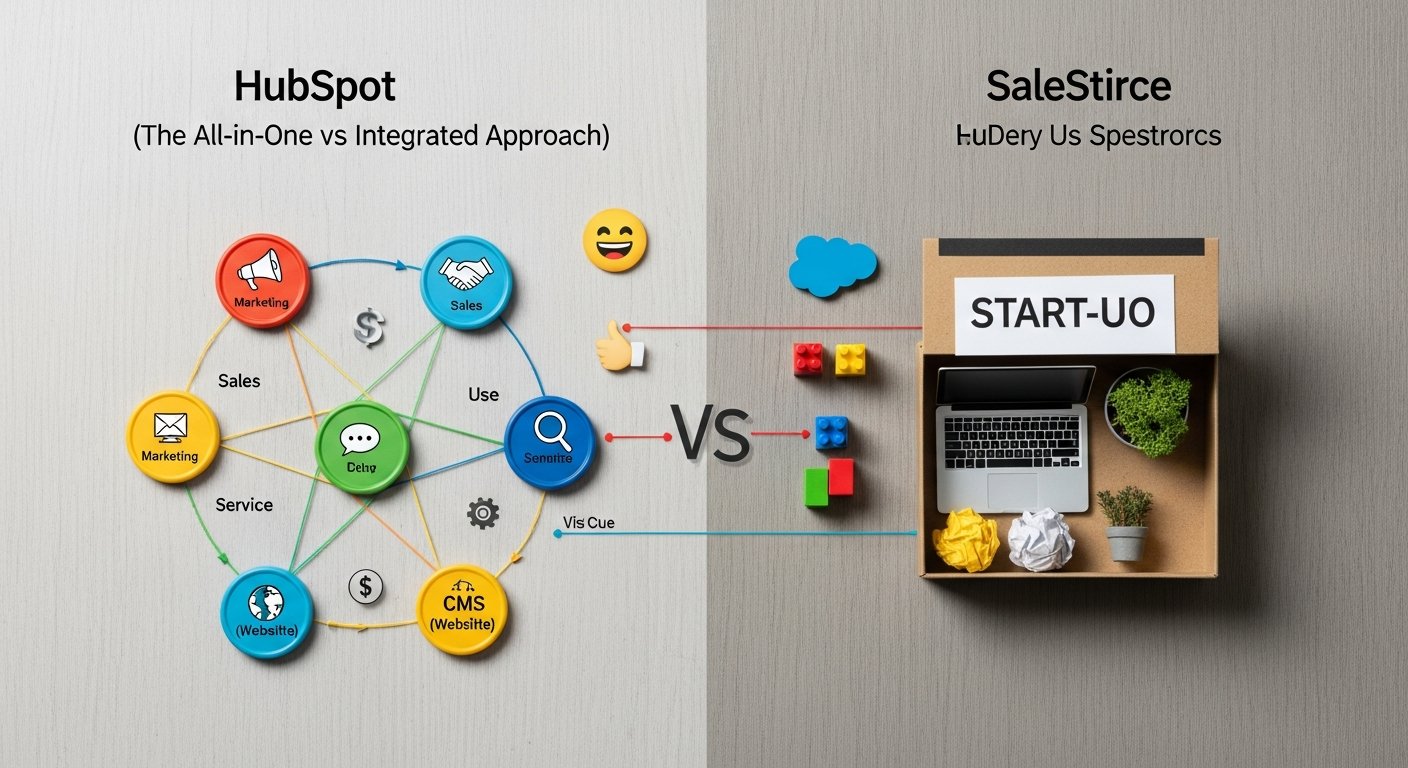
[INLINE IMAGE 2: place after fourth H2 | alt=”hubspot vs salesforce for startups comparison illustration”]
Comparison Table: HubSpot vs Salesforce for Startups (Key Differentiators)
| Feature/Aspect | HubSpot for Startups | Salesforce for Startups |
|---|---|---|
| Core Philosophy | All-in-one, integrated growth platform. Inbound methodology. Simplicity & ease of use. | Robust, customizable, enterprise-grade CRM. Ecosystem for ultimate flexibility. |
| Ease of Use/Learning Curve | Significantly easier. Intuitive UI, quicker onboarding for non-technical teams. | Steeper learning curve. Requires more training, potential admin overhead for customization. |
| Initial Setup & Implementation | Quick to get started, especially with free CRM and Starter Hubs. Self-service possible. | Can be complex, often benefits from consulting partners for optimal setup and customization. |
| Pricing for Startups | Free CRM, tiered Hubs (Starter, Pro, Enterprise). Significant discounts via “HubSpot for Startups” program. Scalable costs based on contacts/users/features. | Tiered editions (Essentials, Pro, Enterprise). Essentials is entry-level, but advanced features are in higher, more expensive tiers. Can get costly with add-ons. |
| CRM Foundation | Free, powerful, intuitive CRM for contact, company, and deal management. | Sales Cloud: Industry-leading, highly customizable CRM for complex sales processes. |
| Marketing Automation | Marketing Hub: User-friendly for inbound, email, landing pages, social media, SEO. | Marketing Cloud Account Engagement (Pardot): Powerful B2B lead nurturing, scoring, and complex campaigns. Steeper learning curve. |
| Sales Tools | Sales Hub: Sequences, meeting scheduler, quotes, email tracking, pipeline management. | Sales Cloud: Advanced lead/opportunity management, forecasting, process automation, Einstein AI. |
| Customization Potential | Good for standard needs, some custom fields/objects. Less flexible than Salesforce. | Unparalleled. Highly customizable objects, fields, workflows, and UI through development or AppExchange. |
| Ecosystem & Integrations | Growing app marketplace, strong native integrations between Hubs. Operations Hub for data sync. | AppExchange: Vast marketplace (7000+ apps) for bespoke solutions and integrations. |
| Target Audience (Best Fit) | Startups prioritizing ease of use, integrated marketing & sales, inbound, lean teams. | Startups with complex sales processes, specific industry needs, high customization demand, resources for admin/consultants. |
User Experience & Learning Curve: Getting Your Team Up to Speed
For a startup, time is money, and the speed at which a team can become proficient with a new platform directly impacts ROI. This is a significant differentiator between HubSpot and Salesforce.
HubSpot: Designed for Intuition and Quick Adoption
HubSpot’s user interface is widely praised for its clean, intuitive design. Dashboards are easy to navigate, and the workflows for marketing, sales, and service are logically structured. For non-technical users, HubSpot significantly lowers the barrier to entry for performing complex tasks like setting up email sequences, building landing pages, or managing customer tickets. Training resources are abundant and well-organized, including HubSpot Academy which offers free certifications and courses. This means less time spent on training and more time focused on core business activities, which is invaluable for lean startup teams.
The “all-in-one” nature also contributes to a smoother UX. Users don’t need to jump between multiple applications for different functions; everything is interconnected, offering a unified customer view.
Salesforce: Power Through Configuration, Not Always Intuition
Salesforce, by contrast, is a powerhouse of features, and with great power often comes complexity. While modern Lightning Experience has improved the UI, it still requires a more significant investment in learning. The sheer number of customization options, fields, objects, and configurations can be overwhelming for new users without guidance. Startups often find they need a dedicated Salesforce administrator or rely on consultants to set up, maintain, and optimize their instance.
The learning curve is steeper, and getting the most out of Salesforce typically means understanding its declarative automation tools (like Flow) and object relationships. While extensive documentation and a strong community exist, initial adoption by a small, diverse team can be a challenge. For a startup trying to conserve resources, this administrative overhead can be a substantial consideration.
Scalability & Future-Proofing: Growing with Your Startup
A crucial aspect for any startup is ensuring that the chosen platform can scale alongside their growth, from a handful of users and contacts to potentially hundreds or thousands. Both HubSpot and Salesforce are enterprise-grade solutions, but they approach scalability differently.
HubSpot: Seamless Upgrades and Modular Growth
HubSpot’s modular “Hub” structure (Marketing, Sales, Service, CMS, Operations) allows startups to purchase what they need when they need it. You can start with the free CRM and a Starter Marketing Hub, then upgrade to Professional tiers or add other Hubs as your needs evolve. This ‘pay-as-you-grow’ model is highly attractive to startups whose future growth trajectory isn’t always perfectly clear. HubSpot automatically handles the infrastructure, server management, and updates, allowing startups to focus on their business rather than IT. The platform is designed to handle increasing volumes of contacts, emails, and users with transparent pricing tiers.
While HubSpot is robust, its customization options, particularly for extremely niche business processes, are not as deep as Salesforce’s. However, for 90% of startup use cases, its capabilities are more than sufficient and evolve continuously.
Salesforce: Limitless Customization, But Potential for Technical Debt
Salesforce is built to handle the most complex, global enterprise needs. Its core architecture, based on a metadata-driven platform, means it can be customized to an almost infinite degree. As a startup grows and develops unique business processes, Salesforce can be molded to fit those needs precisely, often without requiring extensive coding. This makes it incredibly future-proof in terms of adapting to any conceivable business logic.
However, this flexibility comes with a caveat: complexity. While Salesforce *can* scale, building a highly customized instance can introduce technical debt if not managed correctly. Over-customization or poorly designed solutions can become difficult to maintain, upgrade, and even understand as the startup evolves and its initial administrators move on. Scaling with Salesforce often implies a growing need for dedicated Salesforce administrators or developers, which impacts operational costs. Nevertheless, for startups that anticipate highly specific and evolving custom requirements, Salesforce offers the ultimate long-term flexibility.
Cost Analysis for Lean Startups: Navigating Subscriptions and Hidden Fees
For cash-strapped startups, the total cost of ownership (TCO) is often the most critical factor. Both platforms offer various pricing tiers, but understanding the nuances is key.
HubSpot’s Transparent, Tiered Pricing
HubSpot’s pricing model is generally straightforward, built around its “Hubs” and tiers (Starter, Professional, Enterprise). You typically pay per user for Sales/Service Hubs and based on the number of marketing contacts for Marketing Hub. Key cost considerations:
- Free CRM: This is a massive advantage, offering foundational CRM capabilities at no cost, allowing startups to get started immediately.
- Startup Program: Up to 90% discount for eligible startups dramatically reduces the initial financial burden for paid Hubs. This is a game-changer.
- Tiered Pricing: As you grow, you upgrade tiers, which unlocks more advanced features. The cost increases with more contacts (Marketing Hub), more users (Sales/Service Hubs), and higher feature sets.
- Add-ons: Some advanced features (e.g., dedicated IPs for email, specific integrations) might be add-ons, but the core functionality is usually bundled.
- Implementation: Typically lower, as HubSpot is designed for self-service setup. Minimal need for external consultants unless for complex migrations or custom integrations.
The predictability and the initial steep discounts make HubSpot a highly attractive option for startups trying to maximize runway.
Salesforce’s Complex, Feature-Rich Pricing
Salesforce’s pricing can be more opaque and often ends up being higher than anticipated. It’s priced per user per month, with significant jumps between editions (Essentials, Professional, Enterprise, Unlimited). Each edition unlocks more features, storage, and API calls. Key cost considerations:
- Essentials Edition: A basic entry point for small businesses, but it quickly hits limitations if a startup requires advanced automation or customization.
- Higher Tiers: The features that define Salesforce’s power (e.g., advanced automation, AI, extensive customization) are often locked behind Professional or Enterprise editions, which come at a significant premium.
- Add-ons & AppExchange: Many functionalities that might be bundled in HubSpot (e.g., marketing automation for B2B) are separate products (Marketing Cloud Account Engagement/Pardot) or AppExchange apps, incurring additional subscription fees.
- Implementation & Administration: This is often the “hidden” cost. Due to its complexity, many startups require Salesforce consultants for initial setup, customization, and ongoing administration. This can easily add thousands of dollars to the TCO annually.
- Storage & API Limits: While generous for smaller startups, scaling up can require purchasing additional storage or API calls, adding to costs.
While Salesforce offers unparalleled value in terms of features and flexibility, startups must budget not just for the subscription but also for the expertise required to maximize its potential.
Implementation & Support Considerations: Getting Off the Ground
The journey from decision to full operational efficiency is a critical phase for startups. The ease of implementation and the availability of support can make or break this transition.
HubSpot: Fast Deployment, Strong Self-Service Support
HubSpot is built for rapid deployment. A startup can sign up for the free CRM, connect it to their website, and start tracking leads within hours. The modular design means you can roll out one Hub at a time, gradually integrating more features as needed. HubSpot’s intuitive interface often allows internal teams to handle most of the setup without external help.
For support, HubSpot offers extensive self-service resources through its knowledge base, community forums, and the HubSpot Academy. Paid users also get access to phone, email, and chat support, with higher tiers offering dedicated account managers. The onboarding process is structured to guide new users effectively.
Salesforce: Strategic Deployment, Robust Ecosystem Support
Implementing Salesforce, especially beyond the basic Essentials edition, is typically a more strategic and involved project. While it can be done in stages, achieving optimal customization and integration often requires careful planning and specialized expertise. Many startups choose to work with Salesforce implementation partners or consultants to ensure the platform is configured correctly for their unique business processes, preventing future headaches. This initial investment in consulting can be substantial but often pays off in the long run.
Salesforce offers extensive documentation, a massive online community (Trailblazer Community), and various training resources (Trailhead). Their support options vary by edition, with higher tiers receiving faster response times and more personalized assistance. The ecosystem of Salesforce Certified Professionals (Admins, Developers, Consultants) is vast, ensuring that expert help is always available, though at a cost. Effective tech stack implementation strategies for startups often highlight the need for dedicated resources when choosing a complex platform like Salesforce.
Ideal Startup Scenarios: Who Wins When?
The “better” platform isn’t universal; it depends entirely on a startup’s specific context, resources, and strategic priorities.
Choose HubSpot if Your Startup:
- Prioritizes Inbound Marketing: You plan to grow primarily through content, SEO, social media, and nurturing leads digitally.
- Values Simplicity & Ease of Use: Your team is lean, and you need a platform that’s easy to learn, use, and manage without dedicated administrators.
- Operates on a Tight Budget: The free CRM and significant startup discounts are critical for maximizing your runway.
- Needs an All-in-One Solution: You want marketing, sales, and service to be tightly integrated from day one, without managing multiple vendors or complex integrations.
- Seeks Fast Time to Value: You need to get up and running quickly and start seeing results without a lengthy implementation phase.
- Focuses on SMB/Mid-Market Growth: HubSpot is perfectly scaled for companies growing from small to medium-sized.
Example: A B2B SaaS startup relying heavily on content marketing and a lean sales team to acquire early customers. They need to track leads from website visits, automate email nurturing, and manage their sales pipeline simply and effectively.
Choose Salesforce if Your Startup:
- Has Complex Sales Processes: Your sales cycle involves multiple stages, intricate approval workflows, or highly specialized product configurations.
- Requires Deep Customization: Your business has unique data models, industry-specific requirements, or a need to tailor the platform extensively to your exact operations.
- Anticipates Rapid, Complex Enterprise Growth: You foresee becoming a large enterprise with diverse departments and highly specialized needs, requiring an infinitely adaptable platform.
- Has Resources for Administration/Consulting: You have the budget for dedicated Salesforce administrators or consultants to manage, customize, and optimize the platform.
- Relies on an Extensive Ecosystem: You need to integrate with a wide array of specialized third-party applications or build custom solutions on a robust platform.
- Operates in Regulated Industries: Industries like finance or healthcare often have specific compliance needs that Salesforce’s deep customization can address.
Example: A B2B enterprise software startup with a complex sales motion, selling to large companies, requiring highly customized reporting, and integrating with legacy systems. They have VC funding and can invest in specialized talent or consultants.
Making the Final Decision for Your Startup
The debate of HubSpot vs Salesforce for startups isn’t about which platform is inherently “better,” but rather which is the better fit for your specific circumstances in 2026. Both are industry leaders, but their strengths cater to different priorities.
Start with your core needs and resources:
- What is your primary growth strategy? If it’s inbound, content-driven, and focused on customer experience, HubSpot aligns perfectly. If it’s outbound, highly segmented, or involves complex sales cycles to large accounts, Salesforce might offer the depth you need.
- What is your budget, and what is your tolerance for administrative overhead? HubSpot offers a much lower barrier to entry and ongoing management cost. Salesforce demands a higher investment in both subscription fees and the expertise to run it.
- How complex are your current and anticipated future processes? If your processes are relatively standard and you value simplicity, HubSpot is excellent. If you have unique, evolving, or highly regulated processes, Salesforce’s customization might be essential.
- What is your team’s technical proficiency and capacity for learning new systems? HubSpot’s user-friendly nature means faster adoption across diverse roles. Salesforce requires more dedicated training and potentially specialized roles.
Consider leveraging the free tiers or trials both platforms offer. Start with HubSpot’s free CRM to get a feel for its ease of use. If you require more advanced functionalities, thoroughly investigate Salesforce’s Essentials edition and understand its limitations before committing to higher tiers. Engage with both sales teams, but specifically ask about startup-centric programs and pricing.
Ultimately, the right choice will accelerate your startup’s growth without draining its vital resources. For many early-stage tech startups focused on lean operations, rapid iteration, and strong inbound growth, HubSpot often presents the more immediate and sustainable path. For those with significant funding, complex sales motions from day one, or highly specialized industry requirements, Salesforce offers unparalleled power and long-term flexibility, provided they are prepared for the investment in expertise it requires. Whichever you choose, ensure it’s a platform that will empower your team to focus on what matters most: building an amazing product and serving your customers.
Frequently Asked Questions
Q1: Is HubSpot truly free for startups?
A1: HubSpot offers a robust, free-forever CRM that provides essential contact management, deal pipelines, and basic reporting. This is an excellent starting point for any startup. While individual “Hubs” (Marketing, Sales, Service) come with paid tiers, HubSpot also has a “HubSpot for Startups” program that offers significant discounts (up to 90% for eligible companies) on their paid products through partnerships with accelerators and VCs, making it highly accessible for early-stage companies.
Q2: Why is Salesforce often considered more complex than HubSpot?
A2: Salesforce is renowned for its immense customization capabilities, vast feature set, and extensive ecosystem. While this offers unparalleled power and flexibility for businesses with complex or unique needs, it also leads to a steeper learning curve and greater administrative overhead. Its interface, while improved, can be less intuitive for non-technical users, and optimal setup often requires specialized knowledge or consulting partners. HubSpot, conversely, prioritizes ease of use and an integrated experience, making it generally simpler to get started and manage.
Q3: Can a startup start with HubSpot and switch to Salesforce later, or vice-versa?
A3: Yes, it’s possible to migrate between platforms, but it involves effort and careful planning. Many startups begin with HubSpot due to its ease of use and lower initial cost, then consider Salesforce if their business processes become highly complex, requiring deep customization or a broader ecosystem of niche integrations. Migrating data and re-establishing workflows can be a project, so it’s always best to make the most informed decision upfront. However, data portability is a standard feature in most modern CRM systems.
Q4: Which platform is better for B2B vs. B2C startups?
A4: Both platforms serve B2B and B2C, but with different strengths. HubSpot is often a strong choice for B2B startups, especially those focused on inbound marketing, content, and building a strong sales pipeline. Its Marketing Hub and Sales Hub are well-suited for lead generation and nurturing. For B2C, HubSpot’s Service Hub and CMS Hub are also very capable. Salesforce’s Sales Cloud is primarily B2B, while its Marketing Cloud (especially the Journey Builder and personalized content features) is incredibly powerful for complex B2C customer journeys and large-scale campaigns. Marketing Cloud Account Engagement (Pardot) is specifically designed for B2B. A B2C startup with a high volume of transactions and complex customer segmentation might lean towards Salesforce Marketing Cloud, but often this is too robust for early stages.
Q5: What are the main “hidden” costs to consider for each platform?
A5: For HubSpot, the main “hidden” costs typically relate to scaling: increasing contact limits in Marketing Hub, adding more users, or upgrading to higher tiers for advanced features. For Salesforce, hidden costs can be more substantial and include: the need for dedicated Salesforce administrators or external consultants for setup, customization, and ongoing maintenance; additional subscriptions for AppExchange apps or specialized Salesforce products (like Marketing Cloud Account Engagement); and potential costs for exceeding storage or API limits as the startup grows. Implementation services for Salesforce can add significantly to the initial investment.
HubSpot vs Salesforce for Startups: The Ultimate 2026 Guide for Growth & Marketing Automation
By eamped Editorial Team — Senior editors with 10+ years of subject-matter experience.
Published 2026-05-26 · Last Updated 2026-05-26
Affiliate disclosure: This article may contain affiliate links. Recommendations are independent and editorially driven.
For tech startups navigating the turbulent waters of rapid growth and digital marketing, the choice of a core business platform is paramount. It’s not merely a software decision; it’s a strategic investment that dictates how you acquire, nurture, and retain customers, manage your sales pipeline, and scale your operations. In 2026, two giants dominate this landscape: HubSpot and Salesforce. Both offer robust ecosystems designed to empower businesses, but their philosophies, functionalities, and suitability for the unique demands of a startup diverge significantly.
The imperative for startups is to find a solution that not only meets immediate needs but also provides a clear path for future expansion without becoming an immediate drain on limited resources or requiring an army of administrators. This guide will meticulously dissect HubSpot and Salesforce through the lens of a startup, examining their core offerings, pricing structures, scalability, ease of use, and overall value proposition. By the end, you’ll have a clear understanding of which platform is better equipped to fuel your startup’s growth journey.
Understanding the Startup’s Core Needs: What Truly Matters?
Before diving into the specifics of each platform, it’s crucial to define what a tech startup truly seeks in a business growth solution. Unlike established enterprises with dedicated departments and deep pockets, startups operate with lean teams, tight budgets, and a need for agility. Their priorities often revolve around:
- Speed to Value: Can the platform be implemented quickly, and can the team start seeing results fast? Complex setups can cripple early momentum.
- Integrated Functionality: Siloed systems are a productivity killer. Startups need a unified view of their customers across marketing, sales, and service.
- Scalability: The chosen platform must grow with the startup, accommodating increasing data, users, and more sophisticated processes without requiring a complete overhaul.
- Cost-Effectiveness: Budget is often the most significant constraint. Pricing models must be predictable, transparent, and offer genuine value for money.
- Ease of Use & Adoption: With small teams often wearing multiple hats, intuitive interfaces and minimal training requirements are critical for broad adoption.
- Automation Capabilities: Automating repetitive tasks in marketing, sales, and service frees up valuable human capital to focus on strategic initiatives.
- Data Insights & Reporting: The ability to track key metrics, understand customer behavior, and make data-driven decisions is vital for iterating quickly and optimizing strategies.
- Ecosystem & Integrations: While an all-in-one solution is ideal, the platform must also seamlessly integrate with other essential tools (e.g., accounting, project management, communication apps).
- Support & Community: Access to timely support and a vibrant user community can significantly accelerate learning and problem-solving.
Keeping these startup-specific needs in mind, let’s explore how HubSpot and Salesforce measure up.
HubSpot for Startups: A Unified Growth Platform with Simplicity at its Core
HubSpot has built its reputation as the pioneer of inbound marketing and a champion of the “flywheel” business model. For startups, it often presents itself as an all-in-one, integrated platform designed to simplify customer relationship management (CRM), marketing automation, sales enablement, and customer service. Its strength lies in its user-friendliness, intuitive design, and the seamless connection between its various “Hubs.”
[INLINE IMAGE 1: place after second H2 | alt=”hubspot vs salesforce for startups concept illustration”]
HubSpot’s Core Offerings for Startups:
Marketing Hub
The Marketing Hub is where HubSpot truly shines for early-stage companies. It provides a comprehensive suite of tools for attracting, engaging, and delighting customers. This includes:
- Content Creation & SEO: Blogging tools, landing page builders, website pages, and SEO recommendations to help startups drive organic traffic.
- Marketing Automation: Visual workflow builder for email sequences, lead nurturing, and personalized customer journeys.
- Email Marketing: Drag-and-drop email editor, segmentation, and A/B testing capabilities.
- Social Media Management: Scheduling and monitoring tools to manage social presence.
- Ads Management: Integrations with Google, Facebook, and LinkedIn ads to track ROI directly within HubSpot.
- Analytics & Reporting: Dashboards to measure campaign performance, website traffic, and lead generation.
For a startup looking to establish a strong digital presence and automate its initial lead generation efforts, the Marketing Hub offers immense value, especially with its free CRM and tiered paid plans.
Sales Hub
The Sales Hub integrates seamlessly with the CRM, providing tools to streamline the sales process and empower sales teams:
- CRM (Free Tier): The foundational CRM is a powerful tool on its own, offering contact management, company records, deal pipelines, and basic task management – all free forever.
- Sales Automation: Sequences for automated email outreach, task automation, and meeting scheduling.
- Quoting & Proposals: Create professional quotes and proposals directly within the CRM.
- Live Chat & Chatbots: Engage website visitors in real-time and qualify leads automatically.
- Reporting & Forecasting: Track sales activities, pipeline velocity, and forecast revenue.
- Meeting Scheduling: Integrations with calendars allow prospects to book meetings easily.
The Sales Hub is particularly beneficial for startups with growing sales teams, helping them standardize processes, improve efficiency, and maintain a clear view of their sales pipeline.
Service Hub
Customer retention and satisfaction are critical for startup longevity. The Service Hub focuses on streamlining customer support and building loyalty:
- Ticketing System: Centralized inbox for customer inquiries from email, chat, and forms.
- Knowledge Base: Self-service portal to empower customers to find answers independently.
- Live Chat & Chatbots: Extend customer support capabilities beyond sales.
- Customer Feedback Surveys: NPS, CSAT, and custom surveys to gauge satisfaction.
- Reporting: Analyze service team performance, response times, and customer satisfaction.
This hub ensures that customer support scales efficiently, preventing early customer churn which can be devastating for a startup.
CMS Hub & Operations Hub
Beyond the core three, HubSpot offers:
- CMS Hub: A content management system built on top of the CRM, enabling personalized website experiences, adaptive testing, and robust security. It’s ideal for startups looking for an integrated website solution.
- Operations Hub: Focuses on data cleanliness, automation, and synchronization across various business tools. It includes programmable automation, data quality automation, and data sync features, helping startups maintain a “clean single source of truth” for their customer data.
These additional hubs provide deeper functionalities for specific startup needs, from website management to data governance.
Startup Programs & Pricing
HubSpot has a strong commitment to the startup ecosystem, offering significant discounts through its “HubSpot for Startups” program. This can include up to 90% off for qualifying early-stage companies, making its powerful suite incredibly accessible. This program typically partners with accelerators, incubators, and venture capital firms.
HubSpot’s pricing model is generally modular, allowing startups to purchase specific Hubs or bundles. While the free CRM is a fantastic starting point, as features are added and contact/user counts grow, costs can increase. However, the tiered structure (Starter, Professional, Enterprise) offers clear upgrade paths. Understanding SaaS pricing models for startups is crucial when evaluating these platforms.
Salesforce for Startups: Power, Customization, and an Expansive Ecosystem
Salesforce is the undisputed leader in the enterprise CRM space, renowned for its unparalleled customization, vast array of features, and an ecosystem that can integrate almost any business function. For startups, Salesforce offers the promise of enterprise-grade power and flexibility from day one, albeit with a steeper learning curve and potentially higher initial investment.
Salesforce’s Core Offerings for Startups:
Sales Cloud
Sales Cloud is Salesforce’s flagship product, providing a comprehensive solution for managing the entire sales cycle:
- CRM: Robust contact, account, and opportunity management with highly customizable fields and workflows.
- Lead Management: Tools to track, score, and route leads to the right sales reps.
- Sales Forecasting: Advanced forecasting capabilities based on pipeline data.
- Process Automation: Workflow rules and Process Builder (now Flow) to automate sales tasks and approvals.
- Mobile Access: Full mobile CRM capabilities for sales teams on the go.
- AI-Powered Insights (Einstein): Predictive lead scoring, opportunity insights, and next-best-action recommendations (available in higher tiers).
For startups with complex sales processes or those anticipating rapid scaling of their sales operations, Sales Cloud offers an unmatched depth of functionality.
Service Cloud
Service Cloud empowers startups to deliver exceptional customer service and build lasting relationships:
- Omni-channel Support: Manage customer interactions across phone, email, chat, social media, and messaging apps from a single console.
- Case Management: Track, prioritize, and resolve customer issues efficiently.
- Knowledge Base: Create self-service articles for customers and internal agents.
- Service Console: A unified workspace for agents, providing a 360-degree view of the customer.
- Field Service Lightning: (Advanced) For startups with field service operations.
Service Cloud is particularly strong for startups that foresee complex customer support needs or operate in industries requiring regulated or highly personalized service.
Marketing Cloud (Pardot/Marketing Cloud Account Engagement)
Salesforce’s marketing automation capabilities are primarily offered through Marketing Cloud. For B2B startups, the relevant product is often “Marketing Cloud Account Engagement” (formerly Pardot):
- B2B Marketing Automation: Advanced lead nurturing, scoring, and grading.
- Email Marketing: Sophisticated email builders, segmentation, and dynamic content.
- Landing Pages & Forms: Create and track landing pages and web forms.
- ROI Reporting: Detailed analytics on campaign performance and pipeline influence.
- Salesforce CRM Integration: Deep, native integration with Sales Cloud for seamless lead-to-revenue tracking.
While powerful, Marketing Cloud Account Engagement often requires more technical expertise to set up and manage compared to HubSpot’s Marketing Hub, making it better suited for startups with dedicated marketing operations teams or specific B2B marketing complexities.
AppExchange & Integrations
One of Salesforce’s greatest strengths is its AppExchange, a vast marketplace of over 7,000 pre-built applications and integrations. This allows startups to extend Salesforce’s functionality in virtually any direction, from specialized industry solutions to advanced analytics and productivity tools. The “clicks not code” philosophy means many customizations can be done without extensive developer input, though complex integrations often require a Salesforce administrator or consultant.
For startups with very specific niche needs or a desire to build a highly tailored tech stack, the AppExchange provides unparalleled flexibility.
Pricing & Complexity
Salesforce’s pricing is often perceived as more complex and generally higher than HubSpot’s, especially at the entry level. Its editions (Essentials, Professional, Enterprise, Unlimited) offer varying feature sets and user counts. While an “Essentials” edition exists for small businesses, many of the advanced features Salesforce is known for reside in Professional or higher tiers, which can quickly become expensive for a startup. Add-ons, additional users, and AppExchange solutions can also significantly increase the total cost of ownership. Budgeting for tech stacks in a startup requires careful planning with Salesforce.
Feature-by-Feature Showdown: HubSpot vs. Salesforce for Startups
Let’s conduct a direct comparison of key features and aspects relevant to a startup’s operational needs.
CRM Core Functionality
- HubSpot: Offers a truly free, robust CRM as its foundation. It’s incredibly intuitive, providing excellent contact, company, and deal management. It’s ideal for startups wanting to organize their customer data quickly without upfront investment. Its strengths lie in ease of use and immediate visibility into the sales pipeline.
- Salesforce: Sales Cloud is the gold standard for CRM. While its Essentials plan provides core CRM features, its power truly comes from its deep customization, advanced reporting, and ability to handle complex sales processes. It allows for highly specific data models and workflow automation but requires more setup.
Marketing Automation
- HubSpot: Marketing Hub offers comprehensive and user-friendly tools for inbound marketing, including email campaigns, landing pages, blogging, SEO, and social media. Its visual workflow builder makes automation accessible for non-technical users. Excellent for content-driven and engagement-focused marketing.
- Salesforce: Marketing Cloud Account Engagement (Pardot) is geared towards sophisticated B2B marketing automation, focusing on lead scoring, grading, and complex nurturing journeys. While powerful, it has a steeper learning curve and is often a separate purchase requiring deeper integration setup. Marketing Cloud for B2C is even more robust but typically beyond a startup’s initial scope.
Sales Enablement
- HubSpot: Sales Hub provides a wealth of tools like sequences, meeting scheduling, email tracking, and quoting. It’s designed to streamline the sales process and integrate tightly with marketing efforts, providing reps with context on every lead.
- Salesforce: Sales Cloud offers advanced lead, opportunity, and account management, along with robust reporting and forecasting. Its customization capabilities allow startups to tailor the sales process precisely to their unique methodology. Einstein AI features (in higher tiers) offer predictive insights.
Customer Service
- HubSpot: Service Hub provides a clean, integrated ticketing system, live chat, knowledge base, and customer feedback tools. It’s designed for easy implementation and delivers a solid, unified customer experience.
- Salesforce: Service Cloud is incredibly powerful, offering omni-channel support, advanced case management, and extensive customization. It can handle complex support workflows and high volumes, making it suitable for startups with intricate service needs or those operating in regulated industries.
Reporting & Analytics
- HubSpot: Offers a wide range of pre-built reports and dashboards across all hubs, providing insights into marketing performance, sales pipeline, and service metrics. Custom reporting is available in higher tiers, focusing on actionable metrics for growth.
- Salesforce: Known for its highly customizable reporting and dashboard capabilities. Users can build almost any report imaginable from their data. Einstein Analytics (Tableau CRM) provides even deeper, AI-powered insights, but this often comes at an additional cost and requires expertise.
Integrations & Ecosystem
- HubSpot: Offers a growing app marketplace with integrations for many popular business tools. Its strength lies in its all-in-one approach, reducing the immediate need for many third-party integrations. Operations Hub further enhances data sync.
- Salesforce: The AppExchange is its crown jewel, offering thousands of integrations, custom apps, and industry-specific solutions. This ecosystem provides unparalleled flexibility to build a bespoke tech stack, but it can also introduce complexity and additional costs.
[INLINE IMAGE 2: place after fourth H2 | alt=”hubspot vs salesforce for startups comparison illustration”]
Comparison Table: HubSpot vs Salesforce for Startups (Key Differentiators)
| Feature/Aspect | HubSpot for Startups | Salesforce for Startups |
|---|---|---|
| Core Philosophy | All-in-one, integrated growth platform. Inbound methodology. Simplicity & ease of use. | Robust, customizable, enterprise-grade CRM. Ecosystem for ultimate flexibility. |
| Ease of Use/Learning Curve | Significantly easier. Intuitive UI, quicker onboarding for non-technical teams. | Steeper learning curve. Requires more training, potential admin overhead for customization. |
| Initial Setup & Implementation | Quick to get started, especially with free CRM and Starter Hubs. Self-service possible. | Can be complex, often benefits from consulting partners for optimal setup and customization. |
| Pricing for Startups | Free CRM, tiered Hubs (Starter, Pro, Enterprise). Significant discounts via “HubSpot for Startups” program. Scalable costs based on contacts/users/features. | Tiered editions (Essentials, Pro, Enterprise). Essentials is entry-level, but advanced features are in higher, more expensive tiers. Can get costly with add-ons. |
| CRM Foundation | Free, powerful, intuitive CRM for contact, company, and deal management. | Sales Cloud: Industry-leading, highly customizable CRM for complex sales processes. |
| Marketing Automation | Marketing Hub: User-friendly for inbound, email, landing pages, social media, SEO. | Marketing Cloud Account Engagement (Pardot): Powerful B2B lead nurturing, scoring, and complex campaigns. Steeper learning curve. |
| Sales Tools | Sales Hub: Sequences, meeting scheduler, quotes, email tracking, pipeline management. | Sales Cloud: Advanced lead/opportunity management, forecasting, process automation, Einstein AI. |
| Customization Potential | Good for standard needs, some custom fields/objects. Less flexible than Salesforce. | Unparalleled. Highly customizable objects, fields, workflows, and UI through development or AppExchange. |
| Ecosystem & Integrations | Growing app marketplace, strong native integrations between Hubs. Operations Hub for data sync. | AppExchange: Vast marketplace (7000+ apps) for bespoke solutions and integrations. |
| Target Audience (Best Fit) | Startups prioritizing ease of use, integrated marketing & sales, inbound, lean teams. | Startups with complex sales processes, specific industry needs, high customization demand, resources for admin/consultants. |
User Experience & Learning Curve: Getting Your Team Up to Speed
For a startup, time is money, and the speed at which a team can become proficient with a new platform directly impacts ROI. This is a significant differentiator between HubSpot and Salesforce.
HubSpot: Designed for Intuition and Quick Adoption
HubSpot’s user interface is widely praised for its clean, intuitive design. Dashboards are easy to navigate, and the workflows for marketing, sales, and service are logically structured. For non-technical users, HubSpot significantly lowers the barrier to entry for performing complex tasks like setting up email sequences, building landing pages, or managing customer tickets. Training resources are abundant and well-organized, including HubSpot Academy which offers free certifications and courses. This means less time spent on training and more time focused on core business activities, which is invaluable for lean startup teams.
The “all-in-one” nature also contributes to a smoother UX. Users don’t need to jump between multiple applications for different functions; everything is interconnected, offering a unified customer view.
Salesforce: Power Through Configuration, Not Always Intuition
Salesforce, by contrast, is a powerhouse of features, and with great power often comes complexity. While modern Lightning Experience has improved the UI, it still requires a more significant investment in learning. The sheer number of customization options, fields, objects, and configurations can be overwhelming for new users without guidance. Startups often find they need a dedicated Salesforce administrator or rely on consultants to set up, maintain, and optimize their instance.
The learning curve is steeper, and getting the most out of Salesforce typically means understanding its declarative automation tools (like Flow) and object relationships. While extensive documentation and a strong community exist, initial adoption by a small, diverse team can be a challenge. For a startup trying to conserve resources, this administrative overhead can be a substantial consideration.
Scalability & Future-Proofing: Growing with Your Startup
A crucial aspect for any startup is ensuring that the chosen platform can scale alongside their growth, from a handful of users and contacts to potentially hundreds or thousands. Both HubSpot and Salesforce are enterprise-grade solutions, but they approach scalability differently.
HubSpot: Seamless Upgrades and Modular Growth
HubSpot’s modular “Hub” structure (Marketing, Sales, Service, CMS, Operations) allows startups to purchase what they need when they need it. You can start with the free CRM and a Starter Marketing Hub, then upgrade to Professional tiers or add other Hubs as your needs evolve. This ‘pay-as-you-grow’ model is highly attractive to startups whose future growth trajectory isn’t always perfectly clear. HubSpot automatically handles the infrastructure, server management, and updates, allowing startups to focus on their business rather than IT. The platform is designed to handle increasing volumes of contacts, emails, and users with transparent pricing tiers.
While HubSpot is robust, its customization options, particularly for extremely niche business processes, are not as deep as Salesforce’s. However, for 90% of startup use cases, its capabilities are more than sufficient and evolve continuously.
Salesforce: Limitless Customization, But Potential for Technical Debt
Salesforce is built to handle the most complex, global enterprise needs. Its core architecture, based on a metadata-driven platform, means it can be customized to an almost infinite degree. As a startup grows and develops unique business processes, Salesforce can be molded to fit those needs precisely, often without requiring extensive coding. This makes it incredibly future-proof in terms of adapting to any conceivable business logic.
However, this flexibility comes with a caveat: complexity. While Salesforce *can* scale, building a highly customized instance can introduce technical debt if not managed correctly. Over-customization or poorly designed solutions can become difficult to maintain, upgrade, and even understand as the startup evolves and its initial administrators move on. Scaling with Salesforce often implies a growing need for dedicated Salesforce administrators or developers, which impacts operational costs. Nevertheless, for startups that anticipate highly specific and evolving custom requirements, Salesforce offers the ultimate long-term flexibility.
Cost Analysis for Lean Startups: Navigating Subscriptions and Hidden Fees
For cash-strapped startups, the total cost of ownership (TCO) is often the most critical factor. Both platforms offer various pricing tiers, but understanding the nuances is key.
HubSpot’s Transparent, Tiered Pricing
HubSpot’s pricing model is generally straightforward, built around its “Hubs” and tiers (Starter, Professional, Enterprise). You typically pay per user for Sales/Service Hubs and based on the number of marketing contacts for Marketing Hub. Key cost considerations:
- Free CRM: This is a massive advantage, offering foundational CRM capabilities at no cost, allowing startups to get started immediately.
- Startup Program: Up to 90% discount for eligible startups dramatically reduces the initial financial burden for paid Hubs. This is a game-changer.
- Tiered Pricing: As you grow, you upgrade tiers, which unlocks more advanced features. The cost increases with more contacts (Marketing Hub), more users (Sales/Service Hubs), and higher feature sets.
- Add-ons: Some advanced features (e.g., dedicated IPs for email, specific integrations) might be add-ons, but the core functionality is usually bundled.
- Implementation: Typically lower, as HubSpot is designed for self-service setup. Minimal need for external consultants unless for complex migrations or custom integrations.
The predictability and the initial steep discounts make HubSpot a highly attractive option for startups trying to maximize runway.
Salesforce’s Complex, Feature-Rich Pricing
Salesforce’s pricing can be more opaque and often ends up being higher than anticipated. It’s priced per user per month, with significant jumps between editions (Essentials, Professional, Enterprise, Unlimited). Each edition unlocks more features, storage, and API calls. Key cost considerations:
- Essentials Edition: A basic entry point for small businesses, but it quickly hits limitations if a startup requires advanced automation or customization.
- Higher Tiers: The features that define Salesforce’s power (e.g., advanced automation, AI, extensive customization) are often locked behind Professional or Enterprise editions, which come at a significant premium.
- Add-ons & AppExchange: Many functionalities that might be bundled in HubSpot (e.g., marketing automation for B2B) are separate products (Marketing Cloud Account Engagement/Pardot) or AppExchange apps, incurring additional subscription fees.
- Implementation & Administration: This is often the “hidden” cost. Due to its complexity, many startups require Salesforce consultants for initial setup, customization, and ongoing administration. This can easily add thousands of dollars to the TCO annually.
- Storage & API Limits: While generous for smaller startups, scaling up can require purchasing additional storage or API calls, adding to costs.
While Salesforce offers unparalleled value in terms of features and flexibility, startups must budget not just for the subscription but also for the expertise required to maximize its potential.
Implementation & Support Considerations: Getting Off the Ground
The journey from decision to full operational efficiency is a critical phase for startups. The ease of implementation and the availability of support can make or break this transition.
HubSpot: Fast Deployment, Strong Self-Service Support
HubSpot is built for rapid deployment. A startup can sign up for the free CRM, connect it to their website, and start tracking leads within hours. The modular design means you can roll out one Hub at a time, gradually integrating more features as needed. HubSpot’s intuitive interface often allows internal teams to handle most of the setup without external help.
For support, HubSpot offers extensive self-service resources through its knowledge base, community forums, and the HubSpot Academy. Paid users also get access to phone, email, and chat support, with higher tiers offering dedicated account managers. The onboarding process is structured to guide new users effectively.
Salesforce: Strategic Deployment, Robust Ecosystem Support
Implementing Salesforce, especially beyond the basic Essentials edition, is typically a more strategic and involved project. While it can be done in stages, achieving optimal customization and integration often requires careful planning and specialized expertise. Many startups choose to work with Salesforce implementation partners or consultants to ensure the platform is configured correctly for their unique business processes, preventing future headaches. This initial investment in consulting can be substantial but often pays off in the long run.
Salesforce offers extensive documentation, a massive online community (Trailblazer Community), and various training resources (Trailhead). Their support options vary by edition, with higher tiers receiving faster response times and more personalized assistance. The ecosystem of Salesforce Certified Professionals (Admins, Developers, Consultants) is vast, ensuring that expert help is always available, though at a cost. Effective tech stack implementation strategies for startups often highlight the need for dedicated resources when choosing a complex platform like Salesforce.
Ideal Startup Scenarios: Who Wins When?
The “better” platform isn’t universal; it depends entirely on a startup’s specific context, resources, and strategic priorities.
Choose HubSpot if Your Startup:
- Prioritizes Inbound Marketing: You plan to grow primarily through content, SEO, social media, and nurturing leads digitally.
- Values Simplicity & Ease of Use: Your team is lean, and you need a platform that’s easy to learn, use, and manage without dedicated administrators.
- Operates on a Tight Budget: The free CRM and significant startup discounts are critical for maximizing your runway.
- Needs an All-in-One Solution: You want marketing, sales, and service to be tightly integrated from day one, without managing multiple vendors or complex integrations.
- Seeks Fast Time to Value: You need to get up and running quickly and start seeing results without a lengthy implementation phase.
- Focuses on SMB/Mid-Market Growth: HubSpot is perfectly scaled for companies growing from small to medium-sized.
Example: A B2B SaaS startup relying heavily on content marketing and a lean sales team to acquire early customers. They need to track leads from website visits, automate email nurturing, and manage their sales pipeline simply and effectively.
Choose Salesforce if Your Startup:
- Has Complex Sales Processes: Your sales cycle involves multiple stages, intricate approval workflows, or highly specialized product configurations.
- Requires Deep Customization: Your business has unique data models, industry-specific requirements, or a need to tailor the platform extensively to your exact operations.
- Anticipates Rapid, Complex Enterprise Growth: You foresee becoming a large enterprise with diverse departments and highly specialized needs, requiring an infinitely adaptable platform.
- Has Resources for Administration/Consulting: You have the budget for dedicated Salesforce administrators or consultants to manage, customize, and optimize the platform.
- Relies on an Extensive Ecosystem: You need to integrate with a wide array of specialized third-party applications or build custom solutions on a robust platform.
- Operates in Regulated Industries: Industries like finance or healthcare often have specific compliance needs that Salesforce’s deep customization can address.
Example: A B2B enterprise software startup with a complex sales motion, selling to large companies, requiring highly customized reporting, and integrating with legacy systems. They have VC funding and can invest in specialized talent or consultants.
Making the Final Decision for Your Startup
The debate of HubSpot vs Salesforce for startups isn’t about which platform is inherently “better,” but rather which is the better fit for your specific circumstances in 2026. Both are industry leaders, but their strengths cater to different priorities.
Start with your core needs and resources:
- What is your primary growth strategy? If it’s inbound, content-driven, and focused on customer experience, HubSpot aligns perfectly. If it’s outbound, highly segmented, or involves complex sales cycles to large accounts, Salesforce might offer the depth you need.
- What is your budget, and what is your tolerance for administrative overhead? HubSpot offers a much lower barrier to entry and ongoing management cost. Salesforce demands a higher investment in both subscription fees and the expertise to run it.
- How complex are your current and anticipated future processes? If your processes are relatively standard and you value simplicity, HubSpot is excellent. If you have unique, evolving, or highly regulated processes, Salesforce’s customization might be essential.
- What is your team’s technical proficiency and capacity for learning new systems? HubSpot’s user-friendly nature means faster adoption across diverse roles. Salesforce requires more dedicated training and potentially specialized roles.
Consider leveraging the free tiers or trials both platforms offer. Start with HubSpot’s free CRM to get a feel for its ease of use. If you require more advanced functionalities, thoroughly investigate Salesforce’s Essentials edition and understand its limitations before committing to higher tiers. Engage with both sales teams, but specifically ask about startup-centric programs and pricing.
Ultimately, the right choice will accelerate your startup’s growth without draining its vital resources. For many early-stage tech startups focused on lean operations, rapid iteration, and strong inbound growth, HubSpot often presents the more immediate and sustainable path. For those with significant funding, complex sales motions from day one, or highly specialized industry requirements, Salesforce offers unparalleled power and long-term flexibility, provided they are prepared for the investment in expertise it requires. Whichever you choose, ensure it’s a platform that will empower your team to focus on what matters most: building an amazing product and serving your customers.
Frequently Asked Questions
Q1: Is HubSpot truly free for startups?
A1: HubSpot offers a robust, free-forever CRM that provides essential contact management, deal pipelines, and basic reporting. This is an excellent starting point for any startup. While individual “Hubs” (Marketing, Sales, Service) come with paid tiers, HubSpot also has a “HubSpot for Startups” program that offers significant discounts (up to 90% for eligible companies) on their paid products through partnerships with accelerators and VCs, making it highly accessible for early-stage companies.
Q2: Why is Salesforce often considered more complex than HubSpot?
A2: Salesforce is renowned for its immense customization capabilities, vast feature set, and extensive ecosystem. While this offers unparalleled power and flexibility for businesses with complex or unique needs, it also leads to a steeper learning curve and greater administrative overhead. Its interface, while improved, can be less intuitive for non-technical users, and optimal setup often requires specialized knowledge or consulting partners. HubSpot, conversely, prioritizes ease of use and an integrated experience, making it generally simpler to get started and manage.
Q3: Can a startup start with HubSpot and switch to Salesforce later, or vice-versa?
A3: Yes, it’s possible to migrate between platforms, but it involves effort and careful planning. Many startups begin with HubSpot due to its ease of use and lower initial cost, then consider Salesforce if their business processes become highly complex, requiring deep customization or a broader ecosystem of niche integrations. Migrating data and re-establishing workflows can be a project, so it’s always best to make the most informed decision upfront. However, data portability is a standard feature in most modern CRM systems.
Q4: Which platform is better for B2B vs. B2C startups?
A4: Both platforms serve B2B and B2C, but with different strengths. HubSpot is often a strong choice for B2B startups, especially those focused on inbound marketing, content, and building a strong sales pipeline. Its Marketing Hub and Sales Hub are well-suited for lead generation and nurturing. For B2C, HubSpot’s Service Hub and CMS Hub are also very capable. Salesforce’s Sales Cloud is primarily B2B, while its Marketing Cloud (especially the Journey Builder and personalized content features) is incredibly powerful for complex B2C customer journeys and large-scale campaigns. Marketing Cloud Account Engagement (Pardot) is specifically designed for B2B. A B2C startup with a high volume of transactions and complex customer segmentation might lean towards Salesforce Marketing Cloud, but often this is too robust for early stages.
Q5: What are the main “hidden” costs to consider for each platform?
A5: For HubSpot, the main “hidden” costs typically relate to scaling: increasing contact limits in Marketing Hub, adding more users, or upgrading to higher tiers for advanced features. For Salesforce, hidden costs can be more substantial and include: the need for dedicated Salesforce administrators or external consultants for setup, customization, and ongoing maintenance; additional subscriptions for AppExchange apps or specialized Salesforce products (like Marketing Cloud Account Engagement); and potential costs for exceeding storage or API limits as the startup grows. Implementation services for Salesforce can add significantly to the initial investment.