
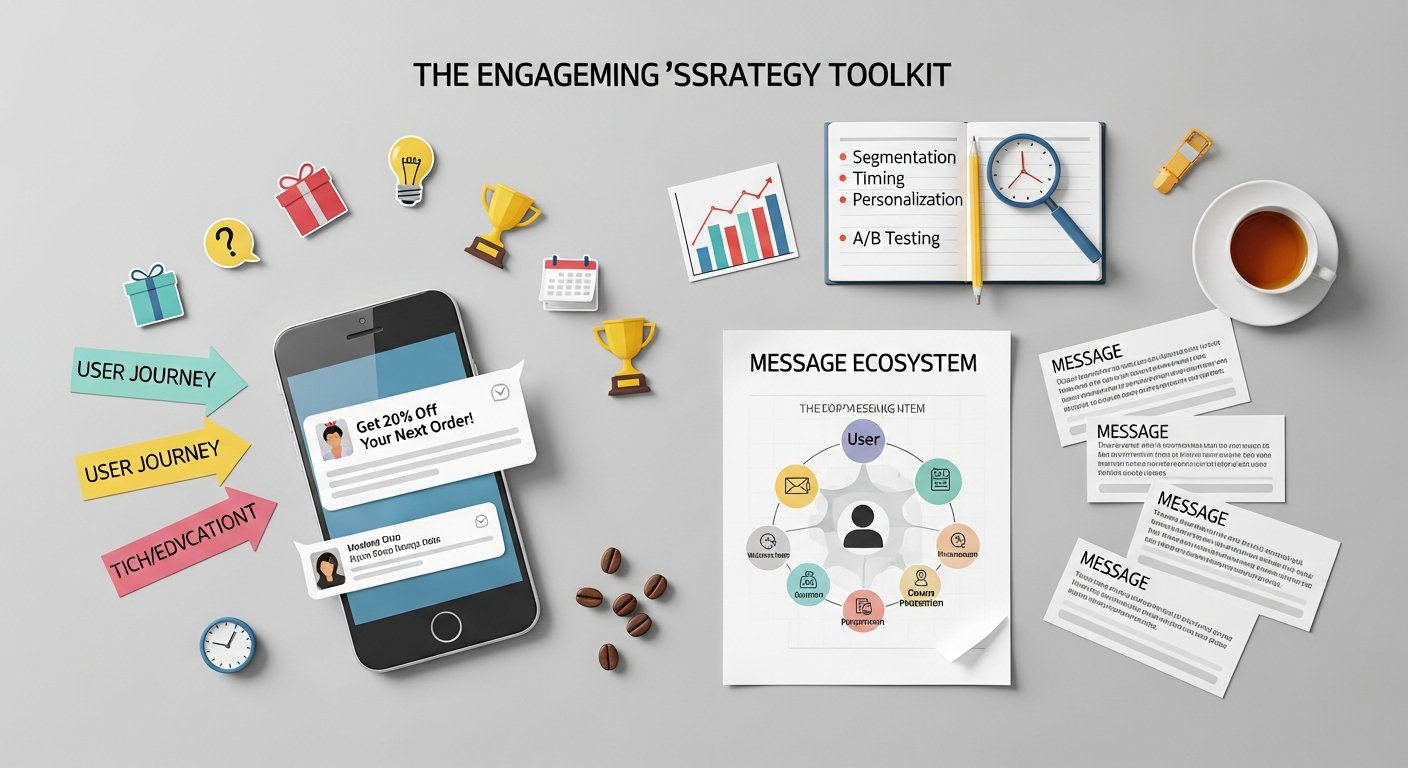
Mastering Your In-App Messaging Strategy for Unprecedented Startup Growth in 2026
By eamped Editorial Team — Senior editors with 10+ years of subject-matter experience.
Published 2026-05-26 · Last Updated 2026-05-26
Affiliate disclosure: This article may contain affiliate links. Recommendations are independent and editorially driven.
In the fiercely competitive landscape of 2026, where user attention is a prized commodity, tech startups and digital marketers are constantly seeking innovative ways to connect with their audience. While external marketing channels like email, social media, and push notifications remain vital, the most powerful and immediate connection often happens right where your users spend their time: inside your application. This is where a robust and thoughtful in-app messaging strategy transcends mere communication; it becomes the backbone of user engagement, retention, and ultimately, sustainable growth.
For SaaS companies, mobile apps, and any digital product striving for meaningful interaction, in-app messaging isn’t just a feature—it’s a critical strategic lever. It allows you to deliver timely, contextual, and highly relevant messages directly to users as they navigate your product, guiding them through onboarding, highlighting new features, offering support, or prompting key actions. The immediacy and contextuality of in-app messages lead to significantly higher engagement rates compared to external channels, making it an indispensable tool for marketing automation and go-to-market strategies.
This comprehensive guide from eamped delves deep into the nuances of developing and executing an effective in-app messaging strategy. We’ll explore its foundational principles, uncover its profound impact on startup growth, walk through the essential components of a successful strategy, and equip you with the best practices and advanced tactics to optimize your in-app communication for maximum impact. Whether you’re a burgeoning startup looking to establish a strong user connection or an established SaaS leader aiming to refine your engagement model, understanding and mastering in-app messaging is paramount for achieving your business objectives in 2026 and beyond.
What Exactly is an In-App Messaging Strategy?
Before diving into the “how-to,” it’s crucial to establish a clear understanding of what an in-app messaging strategy entails. It’s more than just sending a few pop-ups; it’s a meticulously planned approach to communicate with users directly within the confines of your application, designed to achieve specific business outcomes and enhance the user journey.
Defining In-App Messaging
In-app messaging refers to any communication delivered to a user while they are actively using a mobile app, web application, or digital product. These messages can take various forms: subtle banners, prominent full-screen interstitials, small tooltips, interactive carousels, or even personalized feeds. The defining characteristic is their placement and timing—they appear within the user’s active session, making them incredibly contextual and often highly actionable. Unlike external channels that pull users back into the app, in-app messages meet users where they already are, enhancing their current experience.
The Core Principles of Strategic In-App Communication
A truly strategic approach to in-app messaging is built upon several core principles:
- Contextuality: Messages should be relevant to the user’s current activity, their journey stage, or their past behavior within the app. Sending a message about a feature a user just used, or one they’re struggling to find, is far more effective than a generic broadcast.
- Timeliness: Delivering a message at the precise moment it’s most impactful—e.g., during onboarding, after completing a key action, or upon encountering an obstacle—maximizes its effectiveness.
- Personalization: Moving beyond generic greetings, true personalization leverages user data (preferences, demographics, in-app behavior) to tailor message content, offers, and calls to action.
- Purposefulness: Every in-app message should have a clear goal, whether it’s to educate, guide, prompt an action, solicit feedback, or provide support. Avoid sending messages without a defined objective.
- Non-Intrusiveness (Balanced): While some messages are designed to grab attention (like critical updates), most should aim to guide and assist without disrupting the user’s workflow or frustrating them. The goal is to enhance, not hinder, the user experience.
- Actionability: Messages should typically include a clear call to action (CTA) that guides the user on what to do next, removing friction and encouraging engagement.
Differentiating In-App from Other Communication Channels
It’s important to understand how in-app messaging complements, rather than replaces, other communication channels:
- vs. Push Notifications: Push notifications are external. They aim to re-engage dormant users or alert active users to urgent external information (e.g., “Your order has shipped”). In-app messages, by contrast, assume the user is already engaged and aim to enhance or direct their ongoing in-app experience. Push notifications bring users in; in-app messages guide them once they’re there.
- vs. Email Marketing: Email is excellent for broader announcements, newsletters, promotional campaigns, and building longer-term relationships. It’s an asynchronous channel that users check on their own time. In-app messaging is synchronous and contextual, perfect for immediate guidance or feedback within the product flow.
- vs. SMS/WhatsApp: These are typically used for transactional alerts, customer service queries, or highly urgent, time-sensitive communications that need to reach users regardless of their app activity. Their character limits often make them unsuitable for detailed guidance that in-app messages can provide.
An optimal marketing automation strategy for startups will often involve orchestrating all these channels in concert, using each for its unique strengths to create a seamless, omnichannel user journey.
Why In-App Messaging is Critical for Startup Success & Growth
For tech startups navigating the high-stakes journey of product-market fit and scale, an effective in-app messaging strategy isn’t a luxury—it’s a fundamental pillar of growth. Its direct, contextual nature offers unparalleled advantages in key areas vital for a startup’s survival and expansion.
[INLINE IMAGE 1: place after second H2 | alt=”in-app messaging strategy concept illustration”]
Boosting User Engagement and Retention
High user engagement and retention are the lifeblood of any successful digital product. Startups often struggle with initial drop-off and churn, making early engagement critical. In-app messaging directly addresses these challenges:
- Improved Onboarding: Guiding new users through their initial experience with tooltips, feature highlights, and step-by-step instructions significantly increases the likelihood they’ll understand and adopt your core value proposition. A well-designed onboarding flow can dramatically improve activation rates.
- Feature Discovery and Adoption: As your product evolves, in-app messages can gently introduce new features, explain their benefits, and show users how to use them, preventing valuable updates from going unnoticed. This is crucial for maintaining a competitive edge and increasing perceived value.
- Addressing Friction Points: When a user encounters an error, a complex workflow, or a blank slate, a timely in-app message can offer immediate help, relevant tips, or direct them to support, preventing frustration and potential churn.
- Re-engagement of Dormant Features: Identify users who haven’t used a particular feature in a while and send a gentle reminder or a “how-to” message to re-spark their interest.
By keeping users informed, supported, and engaged directly within the product, startups can foster stickiness and build a habit around their application, leading to higher long-term retention rates.
Driving Conversions and Monetization
Beyond engagement, in-app messaging is a powerful engine for driving critical business outcomes, from freemium to paid conversions, to increased average revenue per user (ARPU):
- Upselling and Cross-selling: As users demonstrate expertise or reach usage limits in a freemium product, in-app messages can introduce premium features, higher-tier plans, or complementary products at the moment they are most receptive to an upgrade.
- Promotions and Offers: Deliver time-sensitive discounts or special offers directly within the app, especially when users are actively browsing related content or considering a purchase. The immediacy can spur impulse conversions.
- Trial Conversions: For products offering free trials, in-app messages can educate users about the value they’re gaining, highlight features they might miss, and provide timely prompts to convert before the trial expires.
- Payment Reminders and Updates: Gently remind users about upcoming subscription renewals or payment method updates, reducing involuntary churn due to payment failures.
The contextual nature of in-app messages makes them incredibly effective at moving users down the conversion funnel, directly impacting a startup’s bottom line.
Enhancing User Experience and Satisfaction
A positive user experience (UX) is no longer a differentiator; it’s an expectation. In-app messaging plays a significant role in crafting a seamless and delightful UX:
- Proactive Support: Instead of waiting for users to reach out to support, in-app messages can proactively address common questions, provide helpful tips, or direct users to relevant FAQs or knowledge base articles.
- Personalized Guidance: Tailoring messages based on user behavior and preferences makes the app feel more intelligent and responsive, creating a sense of individual care. This can include personalized recommendations, shortcuts, or usage tips.
- Feedback Collection: In-app surveys, rating requests, or direct feedback forms are excellent ways to gather insights without forcing users to leave the app. This shows users their opinions are valued and helps iteratively improve the product.
- Building Community: Messages can inform users about community features, user groups, or upcoming events, fostering a sense of belonging and increasing overall satisfaction.
By making the app experience smoother, more intuitive, and personalized, in-app messages contribute significantly to higher user satisfaction and loyalty.
Gaining Valuable User Insights
Every interaction within your app is a data point, and in-app messaging provides a unique lens through which to understand user behavior and preferences:
- A/B Testing Opportunities: The ability to test different message copy, visuals, CTAs, and timing allows for rapid iteration and optimization, revealing what truly resonates with your audience.
- Behavioral Tracking: Analyzing how users respond to in-app messages (clicks, dismissals, subsequent actions) provides deep insights into their needs, pain points, and motivations.
- Segment Performance: Tracking engagement metrics across different user segments helps identify which groups respond best to certain types of messages, informing future personalization strategies.
- Feedback Loops: Direct feedback mechanisms embedded in messages (e.g., “Was this helpful?”) offer immediate, qualitative data that can be acted upon quickly.
These insights are invaluable for product development, refining marketing automation flows, and driving a data-led go-to-market strategy, allowing startups to pivot and adapt with agility.
Key Components of a Robust In-App Messaging Strategy
Building an effective in-app messaging strategy requires more than just knowing why it’s important; it demands a clear understanding of its constituent parts and how they fit together. Each component plays a vital role in ensuring your messages hit the mark and drive desired outcomes.
Defining Clear Objectives and KPIs
No strategy can succeed without clearly defined goals. Before sending a single message, ask: “What do we want this message (or series of messages) to achieve?”
- Onboarding Completion: Goal could be X% of users complete the 5-step onboarding flow. KPI: Activation rate, feature adoption rate.
- Feature Adoption: Goal could be X% of active users use Feature Y at least once a week. KPI: Feature usage rate, time spent on feature.
- Subscription Upgrade: Goal could be X% of trial users convert to paid. KPI: Trial-to-paid conversion rate.
- Reduced Churn: Goal could be to reduce churn by X% among specific user segments. KPI: Churn rate, retention rate.
- Feedback Collection: Goal could be to collect X number of responses to an NPS survey. KPI: Survey completion rate, NPS score.
Objectives should be SMART (Specific, Measurable, Achievable, Relevant, Time-bound). KPIs are the metrics you’ll track to gauge progress against these objectives. This foundational step ensures every message serves a purpose and its impact can be quantifiably measured.
User Segmentation and Personalization
Sending generic messages to all users is akin to shouting into the void. Effective in-app messaging thrives on specificity, achieved through sophisticated user segmentation and personalization.
- Segmentation: Group users based on shared characteristics or behaviors. Common segments include:
- Demographics: Location, language, age (if relevant).
- Behavioral: New users, active users, dormant users, heavy feature users, users who completed a specific action, users who haven’t completed a specific action, users who encountered an error.
- Account Status: Free trial, basic plan, premium plan, enterprise client.
- Preferences: Opt-in to specific content types, stated interests.
- Personalization: Once segments are defined, tailor the message content, tone, offers, and even the message format (e.g., a simple tooltip vs. a full-screen takeover) to resonate specifically with that group. This goes beyond just using a user’s name; it’s about making the message feel uniquely relevant to their journey and needs. Leveraging data from customer data platforms can greatly enhance personalization efforts.
The more granular your segmentation and the deeper your personalization, the higher your engagement and conversion rates will be.
Message Types and Use Cases
In-app messages come in various forms, each suited for different use cases:
- Product Updates & Announcements: Inform users about new features, bug fixes, or improvements. Can be a banner, a modal, or a dedicated “What’s New” section.
- Onboarding & Walkthroughs: Guide new users through initial setup, highlight key features, and explain the app’s value. Often delivered via tooltips, multi-step flows, or interactive guides.
- Promotions & Offers: Present discounts, special deals, or upgrade opportunities. Typically modals or banners, often triggered by specific user actions or usage thresholds.
- Support & Feedback: Offer proactive help, collect NPS scores, or gather specific product feedback. Can be small surveys, direct support links, or helpful FAQs.
- Error & Guidance Messages: Help users overcome friction, explain complex actions, or recover from errors. Often small, contextual tooltips or brief modals.
- Event-Triggered Messages: Confirm an action, celebrate an achievement, or remind of an incomplete task. These are highly contextual and often brief.
Selecting the right message type for the specific goal and user context is crucial to prevent annoyance and ensure effectiveness.
Timing and Frequency Optimization
Even the most perfectly crafted, personalized message will fail if delivered at the wrong time or too often. This is where strategic timing and frequency come in.
- Contextual Timing: Trigger messages based on user actions (e.g., after completing a core task, before exiting a critical flow, after viewing a product page X times).
- Lifecycle Timing: Deliver messages relevant to the user’s stage in their journey (e.g., onboarding messages for new users, retention messages for dormant users).
- Frequency Capping: Implement rules to limit how many in-app messages a user receives within a given period (e.g., no more than 3 messages per day, no more than 1 onboarding message per session). Over-messaging is a leading cause of user frustration and eventual disengagement.
- Quiet Hours: Consider if there are times when messages are less welcome or effective (though in-app is less intrusive than push, timing still matters).
Effective timing and frequency require experimentation and careful monitoring of user behavior to strike the right balance between helpfulness and intrusiveness.
Calls to Action (CTAs) and Next Steps
Every in-app message, particularly those aimed at driving conversions or engagement, needs a clear, compelling call to action. The CTA tells the user what to do next and removes any ambiguity.
- Clarity: CTAs should be explicit (e.g., “Upgrade Now,” “Learn More,” “Complete Profile”).
- Prominence: The CTA button or link should be easily identifiable and clickable.
- Singularity: For most in-app messages, focus on a single primary action to avoid confusing the user. Secondary actions (e.g., “No, thanks”) can be included but should be less prominent.
- Directness: Link directly to the relevant part of the app or a specific resource, minimizing clicks and friction.
A weak or unclear CTA can render an otherwise well-designed message ineffective, breaking the user’s flow and failing to achieve the desired objective.
A/B Testing and Iteration
The only way to truly understand what works for your specific user base is through continuous testing and iteration. A/B testing is fundamental to an optimized in-app messaging strategy.
- Elements to Test: Message copy, headlines, visuals, CTA text, CTA color/placement, message type (modal vs. banner), timing, and segmentation criteria.
- Hypothesis-Driven: Formulate a hypothesis before each test (e.g., “Changing the CTA from ‘Learn More’ to ‘Get Started’ will increase clicks by 15% for new users”).
- Statistical Significance: Ensure you run tests long enough and with enough users to achieve statistically significant results before declaring a winner.
- Continuous Optimization: A/B testing is not a one-time event but an ongoing process. The digital landscape and user behaviors evolve, requiring constant refinement of your strategy.
Embracing a culture of experimentation is crucial for maximizing the impact of your in-app messaging and ensuring it continually adapts to user needs and business goals.
Designing Effective In-App Messages: Best Practices
Once you understand the strategic components, the next step is to master the art and science of designing messages that capture attention, convey value, and drive action. Effective design goes beyond aesthetics; it’s about clarity, empathy, and seamless integration with the user experience.
[INLINE IMAGE 2: place after fourth H2 | alt=”in-app messaging strategy comparison illustration”]
Crafting Compelling Copy
The words you choose are paramount. Good in-app message copy is:
- Concise: Users are actively using your app; they don’t have time for long paragraphs. Get to the point quickly.
- Clear: Avoid jargon. Use simple, direct language that anyone can understand. The message’s purpose should be immediately obvious.
- Benefit-Oriented: Instead of listing features, explain the benefit to the user. “Unlock advanced analytics” is better than “New Analytics Dashboard.”
- Action-Oriented: Use strong verbs in your CTAs and throughout the message to encourage action.
- On-Brand: Maintain your startup’s unique voice and tone. Consistency builds trust and strengthens your brand identity.
- Personalized: Go beyond just the user’s name. Reference their in-app behavior or preferences to make the message feel tailored and relevant.
- Urgent (when appropriate): For promotions or time-sensitive offers, subtle urgency can encourage quicker action, but use sparingly to avoid “cry wolf” syndrome.
Always proofread meticulously. Typos or grammatical errors can diminish credibility.
Visual Design and User Interface Integration
The visual presentation of your in-app messages significantly impacts their effectiveness and user acceptance.
- Seamless Integration: Messages should feel like a natural extension of your app’s UI, not an intrusive foreign element. Match your app’s color palette, typography, and overall aesthetic.
- Readability: Ensure sufficient contrast between text and background. Use legible font sizes.
- Mobile-First Design: For mobile apps, messages must be responsive and optimized for smaller screens, ensuring buttons are tappable and text is readable without zooming.
- Minimizing Clutter: Avoid overly busy designs. Use white space effectively to draw attention to key elements.
- Image/Video Use: Relevant, high-quality images or short GIFs/videos can make messages more engaging and easier to understand, especially for demonstrating a new feature. Ensure they load quickly.
- Clear Dismissal Option: Users must always have an obvious and easy way to dismiss a message (e.g., “X” button, “No thanks” link). Forcing users to interact with a message they don’t want to is a fast track to frustration.
A well-designed message respects the user’s time and space within your application.
Personalization at Scale
While discussed earlier as a core principle, achieving personalization at scale warrants specific attention in design. It’s not just about addressing a user by name; it’s about dynamically changing content, offers, and even entire message flows based on their unique profile and behavior.
- Dynamic Content Insertion: Use placeholders (e.g.,
{{user.first_name}},{{product.last_viewed}}) that pull real-time data into your message copy. - Behavioral Triggers: Design message sequences that adapt based on how users interact with previous messages or specific app features. For instance, if a user clicks “Learn More” on a feature update, a subsequent message might offer a tutorial. If they dismiss it, you might try a different angle later or suppress similar messages.
- AI/ML-Powered Personalization: Advanced platforms can use machine learning to predict user needs and tailor messages or product recommendations automatically, creating hyper-personalized experiences. This is an area of significant growth for ambitious startups leveraging predictive analytics in marketing.
Implementing personalization at scale requires robust analytics, a powerful messaging platform, and a clear understanding of your user data.
Respecting User Privacy and Preferences
In 2026, user trust is paramount. A careless in-app messaging strategy can quickly erode it.
- Transparency: Be clear about why a user is receiving a message, especially if it relates to their data or behavior.
- Opt-Out Options: While in-app messages are often considered part of the core product experience, for promotional or non-essential messages, consider offering preferences or even an opt-out.
- Data Security: Ensure your messaging platform and internal processes comply with data privacy regulations like GDPR, CCPA, and emerging global standards. Handle user data responsibly and securely.
- Ethical Messaging: Avoid manipulative or deceptive tactics. Focus on providing value and enhancing the user experience, not just tricking users into actions.
Building an ethical messaging framework reinforces your brand’s commitment to user trust and long-term relationships.
Multi-Language and Accessibility Considerations
As your startup grows, so does your user base, often across different linguistic and accessibility needs.
- Localization: If your app supports multiple languages, your in-app messages must also be localized. This goes beyond simple translation; it involves cultural adaptation.
- Accessibility: Design messages with accessibility in mind. This includes:
- Screen Reader Compatibility: Ensure messages are properly tagged and structured for screen readers.
- Keyboard Navigation: All interactive elements should be navigable via keyboard.
- Color Contrast: Adhere to WCAG guidelines for color contrast to assist users with visual impairments.
- Text Resizing: Messages should adapt gracefully if a user increases font size in their device settings.
Considering multi-language and accessibility from the outset ensures your in-app messages are inclusive and effective for all users, expanding your potential market reach and demonstrating thoughtful product design.
Choosing the Right In-App Messaging Platform
The success of your in-app messaging strategy heavily relies on the tools you use. For startups, selecting the right platform means balancing robust features, ease of use, scalability, and cost-effectiveness. A strong platform integrates seamlessly with your existing tech stack and supports your growth trajectory.
Key Features to Look For
When evaluating in-app messaging platforms, consider these essential capabilities:
- Robust Segmentation: The ability to define and target highly specific user segments based on demographics, behavior, attributes, and events.
- Personalization Engine: Support for dynamic content insertion and behavioral triggers to tailor messages automatically.
- Variety of Message Formats: Different message types (modals, banners, tooltips, push notifications, emails) to suit various use cases.
- A/B Testing & Experimentation: Built-in tools to easily create and run A/B tests on message content, timing, and audiences.
- Analytics & Reporting: Comprehensive dashboards to track message performance (impressions, clicks, conversions, dismissals) and user behavior insights.
- Automation & Journey Builders: Visual workflow builders to create multi-step, automated messaging campaigns based on user actions or lifecycle stages.
- Integrations: Seamless connectivity with your CRM, analytics tools, customer data platform (CDP), marketing automation platforms, and other essential tools.
- SDKs & APIs: Easy-to-implement SDKs for various platforms (iOS, Android, Web) and powerful APIs for custom integrations.
- Scalability: The ability to handle a growing user base and increasing message volume without performance degradation.
- User Interface & Ease of Use: An intuitive interface for marketers and product managers to create, manage, and deploy campaigns without heavy developer involvement.
- Support & Documentation: Access to reliable customer support, extensive documentation, and community resources.
Popular Tools and Their Offerings
The market for in-app messaging platforms is diverse, with solutions catering to different scales and needs. Here’s a brief overview of some prominent players:
- Braze: A comprehensive customer engagement platform offering robust in-app messaging alongside push notifications, email, and SMS. Known for powerful segmentation, journey orchestration, and AI-driven personalization. Ideal for larger startups and enterprises needing omnichannel capabilities.
- Leanplum: Another strong contender in the mobile marketing automation space, providing extensive in-app messaging, A/B testing, and analytics. Focuses on helping brands deliver highly personalized experiences.
- Appcues: Specializes in user onboarding, feature adoption, and product-led growth. Offers an intuitive no-code builder for creating in-app messages, tooltips, modals, and checklists. Excellent for startups prioritizing guided user experiences.
- Intercom: Widely used for customer communication, Intercom combines in-app messaging with live chat, help desks, and email. Its Messenger product facilitates targeted messages, product tours, and support interactions directly within the app. Great for customer-centric approaches.
- Iterable: A cross-channel customer engagement platform with strong capabilities for in-app messages, email, push, and SMS. Known for its flexible data integration and workflow automation.
- Customer.io: Focuses on automated messaging based on customer behavior. Offers email, SMS, and in-app messages with a powerful segmentation engine and liquid templating for deep personalization.
Cost-Benefit Analysis for Startups
For startups, budget is always a consideration. While free or low-cost options might seem attractive initially, it’s crucial to perform a thorough cost-benefit analysis.
- Free/Basic Tiers: Often lack advanced segmentation, A/B testing, or deep analytics. Suitable for very early-stage startups with minimal needs.
- Mid-Tier Solutions: Offer a good balance of features and cost. Typically include robust segmentation, A/B testing, and some automation. Many startups find their sweet spot here.
- Enterprise Solutions: Provide the most comprehensive features, scalability, and integrations. While more expensive, the ROI can be significant for fast-growing startups with complex needs and a large user base.
Consider not just the monthly subscription cost but also implementation time, potential developer resources required, and the long-term value generated by increased engagement, conversions, and retention. The platform should grow with you, so choose one that offers pathways to scale without forcing a complete migration later.
Here’s a comparison table of popular in-app messaging platforms for startups:
| Platform | Primary Focus / Strengths | Key In-App Messaging Features | Best For Startups Who… | Typical Pricing Tier* |
|---|---|---|---|---|
| Appcues | User Onboarding, Product Adoption, No-Code UX | Guides, Tooltips, Modals, Checklists, A/B Testing, Segmentation, Analytics (no-code builder) | Need to quickly build powerful onboarding flows and improve feature adoption without code. | Mid-tier (starts at ~$249/month for small teams) |
| Intercom | Customer Messaging, Support, Engagement | In-App Messenger, Product Tours, Banners, Targeted Messages, Live Chat, Help Center, Segmentation | Prioritize customer support, proactive engagement, and building relationships within the app. | Mid-to-High (starts at ~$74/month for core features, scales with users/features) |
| Braze | Omnichannel Customer Engagement, Personalization at Scale | In-App Messages (various formats), Content Cards, News Feeds, Journey Orchestration, Advanced Segmentation, AI Personalization | Require a robust, scalable platform for complex, multi-channel customer journeys and advanced personalization. | High-tier (Enterprise, custom pricing) |
| Customer.io | Behavioral Messaging, Workflow Automation | In-App Messages, Email, SMS, Push, Data-driven Segmentation, Liquid Templating, Automated Campaigns | Want deep data integration, flexible automation rules, and highly personalized messages across channels. | Mid-to-High (starts at ~$150/month, scales with audience size) |
| Leanplum | Mobile Marketing, A/B Testing, Personalization | In-App Messages, Push Notifications, A/B Testing (UI/UX + Messages), Analytics, Automation | Are mobile-first, need extensive A/B testing capabilities, and robust personalization for app users. | High-tier (Enterprise, custom pricing) |
*Pricing tiers are approximate and vary based on features, usage volume, and negotiation. Many platforms offer custom quotes.
Implementing Your In-App Messaging Strategy: A Step-by-Step Guide
Having a well-thought-out strategy and choosing the right tools are crucial, but successful implementation is where the rubber meets the road. This guide outlines the key steps to effectively deploy and manage your in-app messaging strategy within your tech startup.
Discovery and Audit of Current Communication
Before launching anything new, take stock of your existing communication landscape:
- Map Current User Journeys: Document the typical paths users take through your app, from onboarding to advanced usage. Identify key milestones, drop-off points, and moments of potential friction.
- Audit Existing Messages: Review any current in-app messages (even simple error messages), push notifications, emails, and support interactions. Are they consistent? Are there gaps? Are they achieving their goals?
- Identify Pain Points and Opportunities: Based on your user journey maps and analytics, pinpoint specific areas where in-app messages could provide significant value—e.g., low feature adoption, high churn during onboarding, frequent support queries for a specific task.
- Gather User Feedback: Conduct surveys, interviews, or usability tests to understand what users find confusing, frustrating, or delightful about your app and existing communications.
This discovery phase provides a strong foundation, ensuring your new strategy addresses real user needs and business challenges, rather than simply adding more noise.
Setting Up Your Technical Stack
Integrating your chosen in-app messaging platform is a critical technical step:
- SDK Integration: Install the platform’s Software Development Kit (SDK) into your mobile or web application. This typically involves adding a few lines of code to enable communication between your app and the messaging platform.
- User Identification: Implement robust user identification mechanisms (e.g., user IDs, email addresses) to ensure you can track and segment individual users accurately across sessions and devices.
- Event Tracking: Configure tracking for key user actions and events within your app (e.g., “signed_up,” “feature_X_used,” “item_added_to_cart,” “payment_failed”). These events will serve as triggers for your in-app messages.
- User Attributes: Pass relevant user attributes (e.g., plan type, subscription status, last login date, language preference) to the messaging platform for advanced segmentation and personalization.
- Integrate with Other Tools: Connect your in-app messaging platform with your existing CRM, analytics tools (e.g., Google Analytics, Mixpanel), and customer data platform (CDP) to create a unified view of your customers. This often involves API integrations.
Collaborate closely with your development team during this phase to ensure proper implementation, data integrity, and minimal impact on app performance.
Developing Initial Message Flows
With your technical foundation in place, begin designing your first set of message campaigns:
- Prioritize Core Use Cases: Start with high-impact areas like onboarding, critical feature adoption, or addressing common points of friction. Don’t try to solve everything at once.
- Design Message Sequences: Think in terms of flows, not isolated messages. For example, an onboarding flow might involve a welcome message, followed by a tooltip series, and then a “complete profile” reminder, each triggered by specific user behavior.
- Draft Copy and Visuals: Write compelling, concise copy and design visuals that align with your brand and message type.
- Define Triggers and Audiences: For each message, specify the exact event or user attribute that triggers it and the specific segment of users who should receive it.
- Set Frequency Caps and Rules: Implement rules to prevent message fatigue, ensuring users don’t receive too many messages too quickly.
- Internal Review: Have your team (marketing, product, support, legal) review messages for clarity, accuracy, brand voice, and compliance.
Start small, focus on measurable goals, and iterate quickly.
Launching, Monitoring, and Optimizing
Deployment is just the beginning. Continuous monitoring and optimization are key to long-term success:
- Phased Rollout (Optional but Recommended): Consider launching messages to a small percentage of your user base first to catch any unforeseen issues or gather initial feedback before a full rollout.
-
Mastering Your In-App Messaging Strategy for Unprecedented Startup Growth in 2026
By eamped Editorial Team — Senior editors with 10+ years of subject-matter experience.
Published 2026-05-26 · Last Updated 2026-05-26Affiliate disclosure: This article may contain affiliate links. Recommendations are independent and editorially driven.
In the fiercely competitive landscape of 2026, where user attention is a prized commodity, tech startups and digital marketers are constantly seeking innovative ways to connect with their audience. While external marketing channels like email, social media, and push notifications remain vital, the most powerful and immediate connection often happens right where your users spend their time: inside your application. This is where a robust and thoughtful in-app messaging strategy transcends mere communication; it becomes the backbone of user engagement, retention, and ultimately, sustainable growth.
For SaaS companies, mobile apps, and any digital product striving for meaningful interaction, in-app messaging isn’t just a feature—it’s a critical strategic lever. It allows you to deliver timely, contextual, and highly relevant messages directly to users as they navigate your product, guiding them through onboarding, highlighting new features, offering support, or prompting key actions. The immediacy and contextuality of in-app messages lead to significantly higher engagement rates compared to external channels, making it an indispensable tool for marketing automation and go-to-market strategies.
This comprehensive guide from eamped delves deep into the nuances of developing and executing an effective in-app messaging strategy. We’ll explore its foundational principles, uncover its profound impact on startup growth, walk through the essential components of a successful strategy, and equip you with the best practices and advanced tactics to optimize your in-app communication for maximum impact. Whether you’re a burgeoning startup looking to establish a strong user connection or an established SaaS leader aiming to refine your engagement model, understanding and mastering in-app messaging is paramount for achieving your business objectives in 2026 and beyond.
What Exactly is an In-App Messaging Strategy?
Before diving into the “how-to,” it’s crucial to establish a clear understanding of what an in-app messaging strategy entails. It’s more than just sending a few pop-ups; it’s a meticulously planned approach to communicate with users directly within the confines of your application, designed to achieve specific business outcomes and enhance the user journey.
Defining In-App Messaging
In-app messaging refers to any communication delivered to a user while they are actively using a mobile app, web application, or digital product. These messages can take various forms: subtle banners, prominent full-screen interstitials, small tooltips, interactive carousels, or even personalized feeds. The defining characteristic is their placement and timing—they appear within the user’s active session, making them incredibly contextual and often highly actionable. Unlike external channels that pull users back into the app, in-app messages meet users where they already are, enhancing their current experience.
The Core Principles of Strategic In-App Communication
A truly strategic approach to in-app messaging is built upon several core principles:
- Contextuality: Messages should be relevant to the user’s current activity, their journey stage, or their past behavior within the app. Sending a message about a feature a user just used, or one they’re struggling to find, is far more effective than a generic broadcast.
- Timeliness: Delivering a message at the precise moment it’s most impactful—e.g., during onboarding, after completing a key action, or upon encountering an obstacle—maximizes its effectiveness.
- Personalization: Moving beyond generic greetings, true personalization leverages user data (preferences, demographics, in-app behavior) to tailor message content, offers, and calls to action.
- Purposefulness: Every in-app message should have a clear goal, whether it’s to educate, guide, prompt an action, solicit feedback, or provide support. Avoid sending messages without a defined objective.
- Non-Intrusiveness (Balanced): While some messages are designed to grab attention (like critical updates), most should aim to guide and assist without disrupting the user’s workflow or frustrating them. The goal is to enhance, not hinder, the user experience.
- Actionability: Messages should typically include a clear call to action (CTA) that guides the user on what to do next, removing friction and encouraging engagement.
Differentiating In-App from Other Communication Channels
It’s important to understand how in-app messaging complements, rather than replaces, other communication channels:
- vs. Push Notifications: Push notifications are external. They aim to re-engage dormant users or alert active users to urgent external information (e.g., “Your order has shipped”). In-app messages, by contrast, assume the user is already engaged and aim to enhance or direct their ongoing in-app experience. Push notifications bring users in; in-app messages guide them once they’re there.
- vs. Email Marketing: Email is excellent for broader announcements, newsletters, promotional campaigns, and building longer-term relationships. It’s an asynchronous channel that users check on their own time. In-app messaging is synchronous and contextual, perfect for immediate guidance or feedback within the product flow.
- vs. SMS/WhatsApp: These are typically used for transactional alerts, customer service queries, or highly urgent, time-sensitive communications that need to reach users regardless of their app activity. Their character limits often make them unsuitable for detailed guidance that in-app messages can provide.
An optimal marketing automation strategy for startups will often involve orchestrating all these channels in concert, using each for its unique strengths to create a seamless, omnichannel user journey.
Why In-App Messaging is Critical for Startup Success & Growth
For tech startups navigating the high-stakes journey of product-market fit and scale, an effective in-app messaging strategy isn’t a luxury—it’s a fundamental pillar of growth. Its direct, contextual nature offers unparalleled advantages in key areas vital for a startup’s survival and expansion.
[INLINE IMAGE 1: place after second H2 | alt=”in-app messaging strategy concept illustration”]
Boosting User Engagement and Retention
High user engagement and retention are the lifeblood of any successful digital product. Startups often struggle with initial drop-off and churn, making early engagement critical. In-app messaging directly addresses these challenges:
- Improved Onboarding: Guiding new users through their initial experience with tooltips, feature highlights, and step-by-step instructions significantly increases the likelihood they’ll understand and adopt your core value proposition. A well-designed onboarding flow can dramatically improve activation rates.
- Feature Discovery and Adoption: As your product evolves, in-app messages can gently introduce new features, explain their benefits, and show users how to use them, preventing valuable updates from going unnoticed. This is crucial for maintaining a competitive edge and increasing perceived value.
- Addressing Friction Points: When a user encounters an error, a complex workflow, or a blank slate, a timely in-app message can offer immediate help, relevant tips, or direct them to support, preventing frustration and potential churn.
- Re-engagement of Dormant Features: Identify users who haven’t used a particular feature in a while and send a gentle reminder or a “how-to” message to re-spark their interest.
By keeping users informed, supported, and engaged directly within the product, startups can foster stickiness and build a habit around their application, leading to higher long-term retention rates.
Driving Conversions and Monetization
Beyond engagement, in-app messaging is a powerful engine for driving critical business outcomes, from freemium to paid conversions, to increased average revenue per user (ARPU):
- Upselling and Cross-selling: As users demonstrate expertise or reach usage limits in a freemium product, in-app messages can introduce premium features, higher-tier plans, or complementary products at the moment they are most receptive to an upgrade.
- Promotions and Offers: Deliver time-sensitive discounts or special offers directly within the app, especially when users are actively browsing related content or considering a purchase. The immediacy can spur impulse conversions.
- Trial Conversions: For products offering free trials, in-app messages can educate users about the value they’re gaining, highlight features they might miss, and provide timely prompts to convert before the trial expires.
- Payment Reminders and Updates: Gently remind users about upcoming subscription renewals or payment method updates, reducing involuntary churn due to payment failures.
The contextual nature of in-app messages makes them incredibly effective at moving users down the conversion funnel, directly impacting a startup’s bottom line.
Enhancing User Experience and Satisfaction
A positive user experience (UX) is no longer a differentiator; it’s an expectation. In-app messaging plays a significant role in crafting a seamless and delightful UX:
- Proactive Support: Instead of waiting for users to reach out to support, in-app messages can proactively address common questions, provide helpful tips, or direct users to relevant FAQs or knowledge base articles.
- Personalized Guidance: Tailoring messages based on user behavior and preferences makes the app feel more intelligent and responsive, creating a sense of individual care. This can include personalized recommendations, shortcuts, or usage tips.
- Feedback Collection: In-app surveys, rating requests, or direct feedback forms are excellent ways to gather insights without forcing users to leave the app. This shows users their opinions are valued and helps iteratively improve the product.
- Building Community: Messages can inform users about community features, user groups, or upcoming events, fostering a sense of belonging and increasing overall satisfaction.
By making the app experience smoother, more intuitive, and personalized, in-app messages contribute significantly to higher user satisfaction and loyalty.
Gaining Valuable User Insights
Every interaction within your app is a data point, and in-app messaging provides a unique lens through which to understand user behavior and preferences:
- A/B Testing Opportunities: The ability to test different message copy, visuals, CTAs, and timing allows for rapid iteration and optimization, revealing what truly resonates with your audience.
- Behavioral Tracking: Analyzing how users respond to in-app messages (clicks, dismissals, subsequent actions) provides deep insights into their needs, pain points, and motivations.
- Segment Performance: Tracking engagement metrics across different user segments helps identify which groups respond best to certain types of messages, informing future personalization strategies.
- Feedback Loops: Direct feedback mechanisms embedded in messages (e.g., “Was this helpful?”) offer immediate, qualitative data that can be acted upon quickly.
These insights are invaluable for product development, refining marketing automation flows, and driving a data-led go-to-market strategy, allowing startups to pivot and adapt with agility.
Key Components of a Robust In-App Messaging Strategy
Building an effective in-app messaging strategy requires more than just knowing why it’s important; it demands a clear understanding of its constituent parts and how they fit together. Each component plays a vital role in ensuring your messages hit the mark and drive desired outcomes.
Defining Clear Objectives and KPIs
No strategy can succeed without clearly defined goals. Before sending a single message, ask: “What do we want this message (or series of messages) to achieve?”
- Onboarding Completion: Goal could be X% of users complete the 5-step onboarding flow. KPI: Activation rate, feature adoption rate.
- Feature Adoption: Goal could be X% of active users use Feature Y at least once a week. KPI: Feature usage rate, time spent on feature.
- Subscription Upgrade: Goal could be X% of trial users convert to paid. KPI: Trial-to-paid conversion rate.
- Reduced Churn: Goal could be to reduce churn by X% among specific user segments. KPI: Churn rate, retention rate.
- Feedback Collection: Goal could be to collect X number of responses to an NPS survey. KPI: Survey completion rate, NPS score.
Objectives should be SMART (Specific, Measurable, Achievable, Relevant, Time-bound). KPIs are the metrics you’ll track to gauge progress against these objectives. This foundational step ensures every message serves a purpose and its impact can be quantifiably measured.
User Segmentation and Personalization
Sending generic messages to all users is akin to shouting into the void. Effective in-app messaging thrives on specificity, achieved through sophisticated user segmentation and personalization.
- Segmentation: Group users based on shared characteristics or behaviors. Common segments include:
- Demographics: Location, language, age (if relevant).
- Behavioral: New users, active users, dormant users, heavy feature users, users who completed a specific action, users who haven’t completed a specific action, users who encountered an error.
- Account Status: Free trial, basic plan, premium plan, enterprise client.
- Preferences: Opt-in to specific content types, stated interests.
- Personalization: Once segments are defined, tailor the message content, tone, offers, and even the message format (e.g., a simple tooltip vs. a full-screen takeover) to resonate specifically with that group. This goes beyond just using a user’s name; it’s about making the message feel uniquely relevant to their journey and needs. Leveraging data from customer data platforms can greatly enhance personalization efforts.
The more granular your segmentation and the deeper your personalization, the higher your engagement and conversion rates will be.
Message Types and Use Cases
In-app messages come in various forms, each suited for different use cases:
- Product Updates & Announcements: Inform users about new features, bug fixes, or improvements. Can be a banner, a modal, or a dedicated “What’s New” section.
- Onboarding & Walkthroughs: Guide new users through initial setup, highlight key features, and explain the app’s value. Often delivered via tooltips, multi-step flows, or interactive guides.
- Promotions & Offers: Present discounts, special deals, or upgrade opportunities. Typically modals or banners, often triggered by specific user actions or usage thresholds.
- Support & Feedback: Offer proactive help, collect NPS scores, or gather specific product feedback. Can be small surveys, direct support links, or helpful FAQs.
- Error & Guidance Messages: Help users overcome friction, explain complex actions, or recover from errors. Often small, contextual tooltips or brief modals.
- Event-Triggered Messages: Confirm an action, celebrate an achievement, or remind of an incomplete task. These are highly contextual and often brief.
Selecting the right message type for the specific goal and user context is crucial to prevent annoyance and ensure effectiveness.
Timing and Frequency Optimization
Even the most perfectly crafted, personalized message will fail if delivered at the wrong time or too often. This is where strategic timing and frequency come in.
- Contextual Timing: Trigger messages based on user actions (e.g., after completing a core task, before exiting a critical flow, after viewing a product page X times).
- Lifecycle Timing: Deliver messages relevant to the user’s stage in their journey (e.g., onboarding messages for new users, retention messages for dormant users).
- Frequency Capping: Implement rules to limit how many in-app messages a user receives within a given period (e.g., no more than 3 messages per day, no more than 1 onboarding message per session). Over-messaging is a leading cause of user frustration and eventual disengagement.
- Quiet Hours: Consider if there are times when messages are less welcome or effective (though in-app is less intrusive than push, timing still matters).
Effective timing and frequency require experimentation and careful monitoring of user behavior to strike the right balance between helpfulness and intrusiveness.
Calls to Action (CTAs) and Next Steps
Every in-app message, particularly those aimed at driving conversions or engagement, needs a clear, compelling call to action. The CTA tells the user what to do next and removes any ambiguity.
- Clarity: CTAs should be explicit (e.g., “Upgrade Now,” “Learn More,” “Complete Profile”).
- Prominence: The CTA button or link should be easily identifiable and clickable.
- Singularity: For most in-app messages, focus on a single primary action to avoid confusing the user. Secondary actions (e.g., “No, thanks”) can be included but should be less prominent.
- Directness: Link directly to the relevant part of the app or a specific resource, minimizing clicks and friction.
A weak or unclear CTA can render an otherwise well-designed message ineffective, breaking the user’s flow and failing to achieve the desired objective.
A/B Testing and Iteration
The only way to truly understand what works for your specific user base is through continuous testing and iteration. A/B testing is fundamental to an optimized in-app messaging strategy.
- Elements to Test: Message copy, headlines, visuals, CTA text, CTA color/placement, message type (modal vs. banner), timing, and segmentation criteria.
- Hypothesis-Driven: Formulate a hypothesis before each test (e.g., “Changing the CTA from ‘Learn More’ to ‘Get Started’ will increase clicks by 15% for new users”).
- Statistical Significance: Ensure you run tests long enough and with enough users to achieve statistically significant results before declaring a winner.
- Continuous Optimization: A/B testing is not a one-time event but an ongoing process. The digital landscape and user behaviors evolve, requiring constant refinement of your strategy.
Embracing a culture of experimentation is crucial for maximizing the impact of your in-app messaging and ensuring it continually adapts to user needs and business goals.
Designing Effective In-App Messages: Best Practices
Once you understand the strategic components, the next step is to master the art and science of designing messages that capture attention, convey value, and drive action. Effective design goes beyond aesthetics; it’s about clarity, empathy, and seamless integration with the user experience.
[INLINE IMAGE 2: place after fourth H2 | alt=”in-app messaging strategy comparison illustration”]
Crafting Compelling Copy
The words you choose are paramount. Good in-app message copy is:
- Concise: Users are actively using your app; they don’t have time for long paragraphs. Get to the point quickly.
- Clear: Avoid jargon. Use simple, direct language that anyone can understand. The message’s purpose should be immediately obvious.
- Benefit-Oriented: Instead of listing features, explain the benefit to the user. “Unlock advanced analytics” is better than “New Analytics Dashboard.”
- Action-Oriented: Use strong verbs in your CTAs and throughout the message to encourage action.
- On-Brand: Maintain your startup’s unique voice and tone. Consistency builds trust and strengthens your brand identity.
- Personalized: Go beyond just the user’s name. Reference their in-app behavior or preferences to make the message feel tailored and relevant.
- Urgent (when appropriate): For promotions or time-sensitive offers, subtle urgency can encourage quicker action, but use sparingly to avoid “cry wolf” syndrome.
Always proofread meticulously. Typos or grammatical errors can diminish credibility.
Visual Design and User Interface Integration
The visual presentation of your in-app messages significantly impacts their effectiveness and user acceptance.
- Seamless Integration: Messages should feel like a natural extension of your app’s UI, not an intrusive foreign element. Match your app’s color palette, typography, and overall aesthetic.
- Readability: Ensure sufficient contrast between text and background. Use legible font sizes.
- Mobile-First Design: For mobile apps, messages must be responsive and optimized for smaller screens, ensuring buttons are tappable and text is readable without zooming.
- Minimizing Clutter: Avoid overly busy designs. Use white space effectively to draw attention to key elements.
- Image/Video Use: Relevant, high-quality images or short GIFs/videos can make messages more engaging and easier to understand, especially for demonstrating a new feature. Ensure they load quickly.
- Clear Dismissal Option: Users must always have an obvious and easy way to dismiss a message (e.g., “X” button, “No thanks” link). Forcing users to interact with a message they don’t want to is a fast track to frustration.
A well-designed message respects the user’s time and space within your application.
Personalization at Scale
While discussed earlier as a core principle, achieving personalization at scale warrants specific attention in design. It’s not just about addressing a user by name; it’s about dynamically changing content, offers, and even entire message flows based on their unique profile and behavior.
- Dynamic Content Insertion: Use placeholders (e.g.,
{{user.first_name}},{{product.last_viewed}}) that pull real-time data into your message copy. - Behavioral Triggers: Design message sequences that adapt based on how users interact with previous messages or specific app features. For instance, if a user clicks “Learn More” on a feature update, a subsequent message might offer a tutorial. If they dismiss it, you might try a different angle later or suppress similar messages.
- AI/ML-Powered Personalization: Advanced platforms can use machine learning to predict user needs and tailor messages or product recommendations automatically, creating hyper-personalized experiences. This is an area of significant growth for ambitious startups leveraging predictive analytics in marketing.
Implementing personalization at scale requires robust analytics, a powerful messaging platform, and a clear understanding of your user data.
Respecting User Privacy and Preferences
In 2026, user trust is paramount. A careless in-app messaging strategy can quickly erode it.
- Transparency: Be clear about why a user is receiving a message, especially if it relates to their data or behavior.
- Opt-Out Options: While in-app messages are often considered part of the core product experience, for promotional or non-essential messages, consider offering preferences or even an opt-out.
- Data Security: Ensure your messaging platform and internal processes comply with data privacy regulations like GDPR, CCPA, and emerging global standards. Handle user data responsibly and securely.
- Ethical Messaging: Avoid manipulative or deceptive tactics. Focus on providing value and enhancing the user experience, not just tricking users into actions.
Building an ethical messaging framework reinforces your brand’s commitment to user trust and long-term relationships.
Multi-Language and Accessibility Considerations
As your startup grows, so does your user base, often across different linguistic and accessibility needs.
- Localization: If your app supports multiple languages, your in-app messages must also be localized. This goes beyond simple translation; it involves cultural adaptation.
- Accessibility: Design messages with accessibility in mind. This includes:
- Screen Reader Compatibility: Ensure messages are properly tagged and structured for screen readers.
- Keyboard Navigation: All interactive elements should be navigable via keyboard.
- Color Contrast: Adhere to WCAG guidelines for color contrast to assist users with visual impairments.
- Text Resizing: Messages should adapt gracefully if a user increases font size in their device settings.
Considering multi-language and accessibility from the outset ensures your in-app messages are inclusive and effective for all users, expanding your potential market reach and demonstrating thoughtful product design.
Choosing the Right In-App Messaging Platform
The success of your in-app messaging strategy heavily relies on the tools you use. For startups, selecting the right platform means balancing robust features, ease of use, scalability, and cost-effectiveness. A strong platform integrates seamlessly with your existing tech stack and supports your growth trajectory.
Key Features to Look For
When evaluating in-app messaging platforms, consider these essential capabilities:
- Robust Segmentation: The ability to define and target highly specific user segments based on demographics, behavior, attributes, and events.
- Personalization Engine: Support for dynamic content insertion and behavioral triggers to tailor messages automatically.
- Variety of Message Formats: Different message types (modals, banners, tooltips, push notifications, emails) to suit various use cases.
- A/B Testing & Experimentation: Built-in tools to easily create and run A/B tests on message content, timing, and audiences.
- Analytics & Reporting: Comprehensive dashboards to track message performance (impressions, clicks, conversions, dismissals) and user behavior insights.
- Automation & Journey Builders: Visual workflow builders to create multi-step, automated messaging campaigns based on user actions or lifecycle stages.
- Integrations: Seamless connectivity with your CRM, analytics tools, customer data platform (CDP), marketing automation platforms, and other essential tools.
- SDKs & APIs: Easy-to-implement SDKs for various platforms (iOS, Android, Web) and powerful APIs for custom integrations.
- Scalability: The ability to handle a growing user base and increasing message volume without performance degradation.
- User Interface & Ease of Use: An intuitive interface for marketers and product managers to create, manage, and deploy campaigns without heavy developer involvement.
- Support & Documentation: Access to reliable customer support, extensive documentation, and community resources.
Popular Tools and Their Offerings
The market for in-app messaging platforms is diverse, with solutions catering to different scales and needs. Here’s a brief overview of some prominent players:
- Braze: A comprehensive customer engagement platform offering robust in-app messaging alongside push notifications, email, and SMS. Known for powerful segmentation, journey orchestration, and AI-driven personalization. Ideal for larger startups and enterprises needing omnichannel capabilities.
- Leanplum: Another strong contender in the mobile marketing automation space, providing extensive in-app messaging, A/B testing, and analytics. Focuses on helping brands deliver highly personalized experiences.
- Appcues: Specializes in user onboarding, feature adoption, and product-led growth. Offers an intuitive no-code builder for creating in-app messages, tooltips, modals, and checklists. Excellent for startups prioritizing guided user experiences.
- Intercom: Widely used for customer communication, Intercom combines in-app messaging with live chat, help desks, and email. Its Messenger product facilitates targeted messages, product tours, and support interactions directly within the app. Great for customer-centric approaches.
- Iterable: A cross-channel customer engagement platform with strong capabilities for in-app messages, email, push, and SMS. Known for its flexible data integration and workflow automation.
- Customer.io: Focuses on automated messaging based on customer behavior. Offers email, SMS, and in-app messages with a powerful segmentation engine and liquid templating for deep personalization.
Cost-Benefit Analysis for Startups
For startups, budget is always a consideration. While free or low-cost options might seem attractive initially, it’s crucial to perform a thorough cost-benefit analysis.
- Free/Basic Tiers: Often lack advanced segmentation, A/B testing, or deep analytics. Suitable for very early-stage startups with minimal needs.
- Mid-Tier Solutions: Offer a good balance of features and cost. Typically include robust segmentation, A/B testing, and some automation. Many startups find their sweet spot here.
- Enterprise Solutions: Provide the most comprehensive features, scalability, and integrations. While more expensive, the ROI can be significant for fast-growing startups with complex needs and a large user base.
Consider not just the monthly subscription cost but also implementation time, potential developer resources required, and the long-term value generated by increased engagement, conversions, and retention. The platform should grow with you, so choose one that offers pathways to scale without forcing a complete migration later.
Here’s a comparison table of popular in-app messaging platforms for startups:
Platform Primary Focus / Strengths Key In-App Messaging Features Best For Startups Who… Typical Pricing Tier* Appcues User Onboarding, Product Adoption, No-Code UX Guides, Tooltips, Modals, Checklists, A/B Testing, Segmentation, Analytics (no-code builder) Need to quickly build powerful onboarding flows and improve feature adoption without code. Mid-tier (starts at ~$249/month for small teams) Intercom Customer Messaging, Support, Engagement In-App Messenger, Product Tours, Banners, Targeted Messages, Live Chat, Help Center, Segmentation Prioritize customer support, proactive engagement, and building relationships within the app. Mid-to-High (starts at ~$74/month for core features, scales with users/features) Braze Omnichannel Customer Engagement, Personalization at Scale In-App Messages (various formats), Content Cards, News Feeds, Journey Orchestration, Advanced Segmentation, AI Personalization Require a robust, scalable platform for complex, multi-channel customer journeys and advanced personalization. High-tier (Enterprise, custom pricing) Customer.io Behavioral Messaging, Workflow Automation In-App Messages, Email, SMS, Push, Data-driven Segmentation, Liquid Templating, Automated Campaigns Want deep data integration, flexible automation rules, and highly personalized messages across channels. Mid-to-High (starts at ~$150/month, scales with audience size) Leanplum Mobile Marketing, A/B Testing, Personalization In-App Messages, Push Notifications, A/B Testing (UI/UX + Messages), Analytics, Automation Are mobile-first, need extensive A/B testing capabilities, and robust personalization for app users. High-tier (Enterprise, custom pricing) *Pricing tiers are approximate and vary based on features, usage volume, and negotiation. Many platforms offer custom quotes.
Implementing Your In-App Messaging Strategy: A Step-by-Step Guide
Having a well-thought-out strategy and choosing the right tools are crucial, but successful implementation is where the rubber meets the road. This guide outlines the key steps to effectively deploy and manage your in-app messaging strategy within your tech startup.
Discovery and Audit of Current Communication
Before launching anything new, take stock of your existing communication landscape:
- Map Current User Journeys: Document the typical paths users take through your app, from onboarding to advanced usage. Identify key milestones, drop-off points, and moments of potential friction.
- Audit Existing Messages: Review any current in-app messages (even simple error messages), push notifications, emails, and support interactions. Are they consistent? Are there gaps? Are they achieving their goals?
- Identify Pain Points and Opportunities: Based on your user journey maps and analytics, pinpoint specific areas where in-app messages could provide significant value—e.g., low feature adoption, high churn during onboarding, frequent support queries for a specific task.
- Gather User Feedback: Conduct surveys, interviews, or usability tests to understand what users find confusing, frustrating, or delightful about your app and existing communications.
This discovery phase provides a strong foundation, ensuring your new strategy addresses real user needs and business challenges, rather than simply adding more noise.
Setting Up Your Technical Stack
Integrating your chosen in-app messaging platform is a critical technical step:
- SDK Integration: Install the platform’s Software Development Kit (SDK) into your mobile or web application. This typically involves adding a few lines of code to enable communication between your app and the messaging platform.
- User Identification: Implement robust user identification mechanisms (e.g., user IDs, email addresses) to ensure you can track and segment individual users accurately across sessions and devices.
- Event Tracking: Configure tracking for key user actions and events within your app (e.g., “signed_up,” “feature_X_used,” “item_added_to_cart,” “payment_failed”). These events will serve as triggers for your in-app messages.
- User Attributes: Pass relevant user attributes (e.g., plan type, subscription status, last login date, language preference) to the messaging platform for advanced segmentation and personalization.
- Integrate with Other Tools: Connect your in-app messaging platform with your existing CRM, analytics tools (e.g., Google Analytics, Mixpanel), and customer data platform (CDP) to create a unified view of your customers. This often involves API integrations.
Collaborate closely with your development team during this phase to ensure proper implementation, data integrity, and minimal impact on app performance.
Developing Initial Message Flows
With your technical foundation in place, begin designing your first set of message campaigns:
- Prioritize Core Use Cases: Start with high-impact areas like onboarding, critical feature adoption, or addressing common points of friction. Don’t try to solve everything at once.
- Design Message Sequences: Think in terms of flows, not isolated messages. For example, an onboarding flow might involve a welcome message, followed by a tooltip series, and then a “complete profile” reminder, each triggered by specific user behavior.
- Draft Copy and Visuals: Write compelling, concise copy and design visuals that align with your brand and message type.
- Define Triggers and Audiences: For each message, specify the exact event or user attribute that triggers it and the specific segment of users who should receive it.
- Set Frequency Caps and Rules: Implement rules to prevent message fatigue, ensuring users don’t receive too many messages too quickly.
- Internal Review: Have your team (marketing, product, support, legal) review messages for clarity, accuracy, brand voice, and compliance.
Start small, focus on measurable goals, and iterate quickly.
Launching, Monitoring, and Optimizing
Deployment is just the beginning. Continuous monitoring and optimization are key to long-term success:
- Phased Rollout (Optional but Recommended): Consider launching messages to a small percentage of your user base first to catch any unforeseen issues or gather initial feedback before a full rollout.