Supercharge Your Startup: How to Seamlessly Integrate CRM and Marketing Automation for Explosive Growth
Affiliate disclosure: This article may contain affiliate links. Recommendations are independent and editorially driven.
In the fiercely competitive landscape of tech startups and digital marketing, the ability to acquire, engage, and retain customers isn’t just a goal—it’s the bedrock of survival and scaling. Many startups invest heavily in Customer Relationship Management (CRM) systems to manage customer interactions and sales pipelines, and separately in marketing automation platforms to execute campaigns and nurture leads. However, the true game-changer isn’t using these tools in isolation, but understanding how to seamlessly integrate CRM marketing automation for a unified, powerhouse strategy.
The siloed approach, where sales teams operate with one set of data and marketing teams with another, inevitably leads to inefficiencies, missed opportunities, and a fragmented customer experience. Imagine a scenario where a lead interacts with a marketing campaign, but the sales team has no immediate visibility into that engagement. Or a sales-qualified lead languishes because marketing outreach isn’t tailored to their known preferences. These are common pitfalls that integrating these critical systems can eliminate, paving the way for hyper-growth and sustained success.
This comprehensive guide from eamped is designed for tech startup founders, marketing leaders, and sales professionals who are ready to elevate their customer engagement strategies. We’ll dive deep into the ‘why’ and ‘how’ of integrating CRM and marketing automation, exploring the profound benefits, the strategic steps involved, potential challenges, and best practices to ensure your integration efforts translate into tangible, measurable growth.
The Synergy of CRM and Marketing Automation: A Foundation for Growth
Before we delve into the intricate details of integration, it’s crucial to understand what CRM and marketing automation are individually and how their combined forces create a synergistic effect far greater than their sum. Both are indispensable tools in the modern digital marketing arsenal, but their distinct functions beautifully complement each other when harmonized.
What is CRM? The Core of Customer Relationships
Customer Relationship Management (CRM) is a technology system designed to manage all your company’s relationships and interactions with customers and potential customers. The goal of a CRM system is simple: improve business relationships to grow your business. A CRM system helps companies stay connected to customers, streamline processes, and improve profitability.
- Sales Management: Tracking leads, opportunities, contacts, and accounts through the sales pipeline.
- Customer Service: Managing support tickets, customer inquiries, and service interactions.
- Data Management: Centralizing customer data, purchase history, communication records, and preferences.
- Relationship Building: Providing a 360-degree view of the customer, enabling personalized interactions.
For tech startups, a CRM is often the first critical investment after initial product-market fit, serving as the single source of truth for all sales and customer data.
What is Marketing Automation? The Engine of Engagement
Marketing automation refers to software platforms and technologies designed for marketing departments and organizations to more effectively market on multiple channels online (such as email, social media, websites, etc.) and automate repetitive tasks. It allows businesses to nurture leads with personalized, timely, and relevant content without constant manual intervention.
- Lead Nurturing: Automatically sending a series of emails or messages to leads based on their behavior and journey stage.
- Campaign Management: Planning, executing, and tracking multi-channel marketing campaigns.
- Lead Scoring: Assigning points to leads based on their engagement and demographic data to identify sales-ready prospects.
- Personalization: Delivering tailored content and experiences based on user data and preferences.
- Analytics & Reporting: Providing insights into campaign performance and ROI.
Marketing automation amplifies marketing efforts, allowing smaller teams in startups to achieve broad reach and deep personalization, crucial for competing with larger players.
The Power of “And”: Why Integration Matters
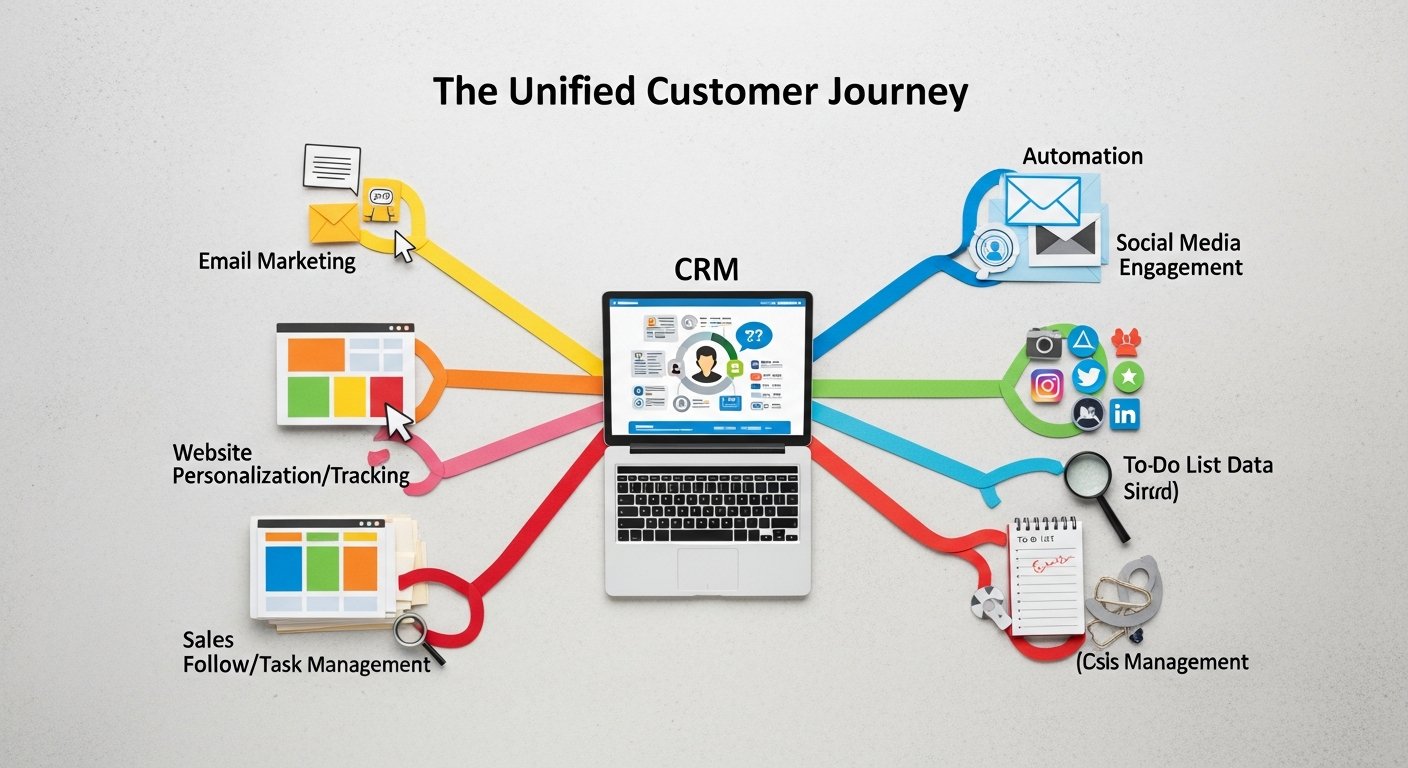
The “Aha!” moment comes when you realize these aren’t just parallel systems but two sides of the same coin. CRM holds the data on *who* your customers and leads are, their history, and their sales status. Marketing automation dictates *how* you engage with them, *what* content they receive, and *when* these interactions occur. Without integration, critical information gets lost in translation.
- Sales doesn’t know which marketing campaigns a prospect has engaged with, leading to irrelevant pitches.
- Marketing can’t leverage granular sales data to segment audiences and personalize campaigns, resulting in generic messaging.
- Customer service lacks context from prior marketing interactions or sales discussions, leading to repetitive questions and frustrated customers.
- The customer journey becomes disjointed, with users experiencing inconsistent messaging across different touchpoints.
When you successfully integrate CRM marketing automation, you bridge these gaps, creating a fluid and informed ecosystem that benefits every stage of the customer lifecycle.
Why Tech Startups Must Integrate CRM and Marketing Automation
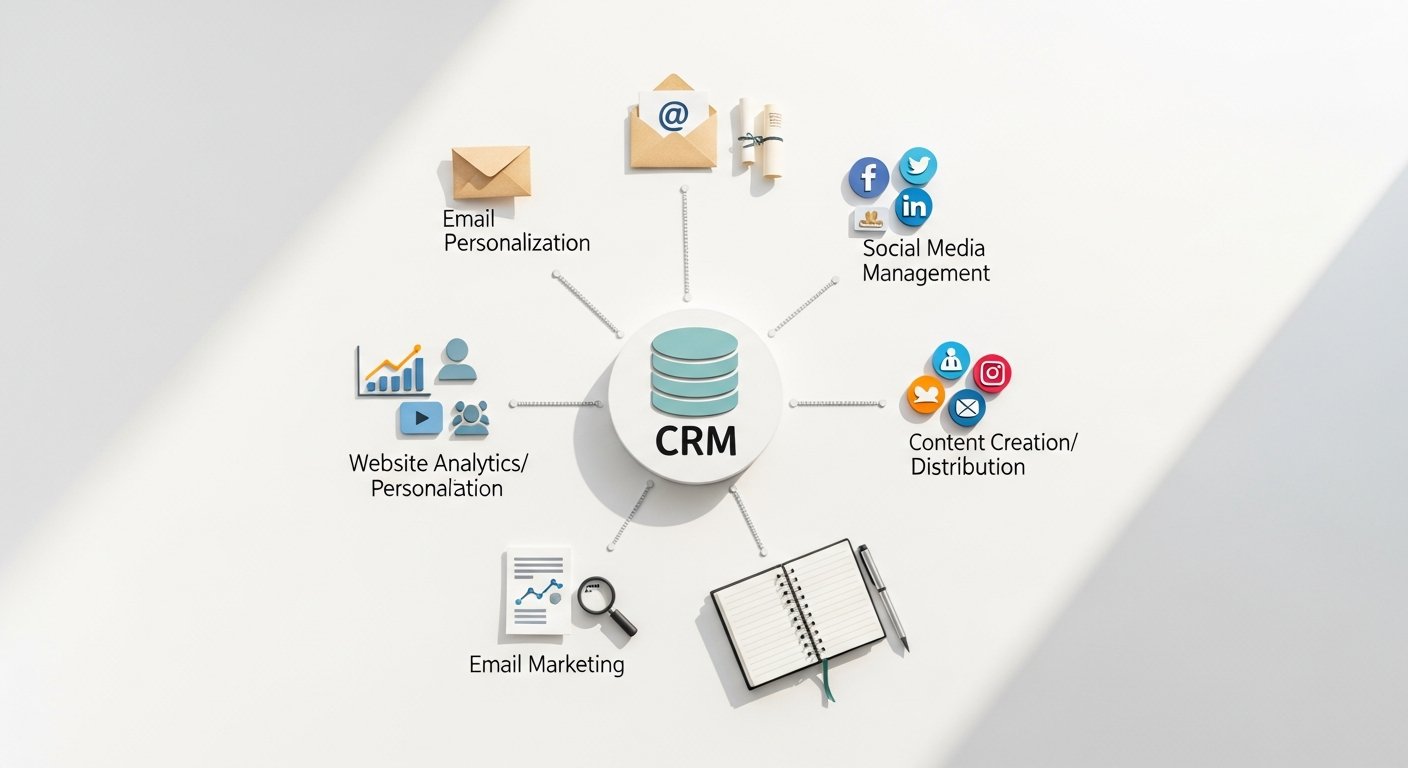
For tech startups operating with lean teams and aggressive growth targets, the argument for integrating CRM and marketing automation isn’t just about efficiency; it’s about competitive advantage and survival. The agility and insights gained from a unified platform can be the difference between scaling rapidly and struggling to gain traction.
Break Down Silos Between Sales and Marketing
One of the most persistent challenges in any organization, especially rapidly growing startups, is the operational silo between sales and marketing teams. Marketing often hands off leads to sales with insufficient context, and sales, in turn, may not provide feedback on lead quality that marketing needs to optimize campaigns. Integration shatters these barriers.
- Shared Data: Both teams access the same, up-to-date customer and lead data. Sales knows what marketing messages a lead has received, and marketing knows a lead’s sales stage.
- Aligned Goals: With shared metrics and a holistic view of the customer journey, sales and marketing can align their strategies to focus on common goals, such as MQL to SQL conversion rates and overall revenue.
- Improved Handoffs: Marketing can qualify leads more accurately using sales feedback, and sales can pick up conversations precisely where marketing left off, without asking redundant questions.
Enhance Lead Nurturing and Qualification
Effective lead nurturing is critical for converting prospects into paying customers. Many leads aren’t sales-ready upon initial contact and require sustained, personalized engagement. Integrated systems make this process significantly more potent.
- Automated, Personalized Nurturing: Marketing automation can trigger specific campaigns based on CRM data, such as industry, company size, or previous interactions logged by sales.
- Dynamic Lead Scoring: Engagement data from marketing automation (email opens, website visits, content downloads) can enrich lead scores in the CRM, helping sales prioritize truly hot leads.
- Timely Sales Engagement: When a lead reaches a certain score or exhibits specific high-intent behaviors (e.g., visiting a pricing page multiple times), the integrated system can automatically alert the sales team, often assigning the lead to the appropriate rep with a full activity history.
[INLINE IMAGE 1: place after second H2 | alt=”integrate crm marketing automation concept illustration”]
Optimize Customer Experience and Personalization
Today’s customers expect highly personalized experiences. Generic messaging is easily dismissed. An integrated platform allows you to create a seamless, consistent, and deeply personalized customer journey from the first touchpoint through post-purchase support.
- Consistent Messaging: Ensure that marketing communications align with sales discussions, avoiding conflicting information or repetitive pitches.
- Tailored Content: Leverage CRM data (e.g., past purchases, service inquiries, demographic information) to segment audiences precisely and deliver marketing content that resonates specifically with their needs and interests.
- Proactive Support: Identify at-risk customers through behavioral data from marketing automation (e.g., declining engagement, lack of product usage) and flag them in the CRM for proactive outreach from sales or customer success.
Improve Reporting, Analytics, and ROI Measurement
Measuring the effectiveness of marketing and sales efforts is paramount for startups needing to demonstrate ROI to investors and stakeholders. Fragmented data makes this challenging. Integration provides a holistic view of performance.
- Full-Funnel Visibility: Track a lead from initial marketing interaction, through conversion, sale, and even post-purchase engagement, all within a single reporting dashboard.
- Accurate Attribution: Understand which marketing campaigns are truly driving revenue by linking marketing touchpoints directly to closed deals in the CRM.
- Optimized Resource Allocation: With clearer insights into what’s working, startups can reallocate marketing spend and sales efforts to the most profitable channels and strategies, maximizing every dollar.
Boost Operational Efficiency and Productivity
Time is a startup’s most valuable asset. Manual data transfer, duplicate entry, and switching between multiple platforms are massive drains on productivity. Integration automates these mundane tasks, freeing up valuable human capital.
- Automated Data Sync: Information flows automatically between systems, eliminating manual updates and reducing errors.
- Streamlined Workflows: Automate triggers for sales tasks based on marketing actions (e.g., a meeting request automatically creates a CRM task for the sales rep).
- Reduced Administrative Overhead: Marketing teams spend less time exporting lists, and sales teams spend less time logging marketing interactions, allowing them to focus on high-value activities.
Discover more about cutting-edge marketing strategies for startups.
Unlocking Potential: Core Benefits of a Unified Platform
Beyond the fundamental reasons for integration, the practical benefits that stem from a unified CRM and marketing automation platform translate directly into competitive advantages and accelerated growth for tech startups. These benefits extend across various operational facets, touching every department that interacts with customers.
Enhanced Customer Lifecycle Management
A unified platform allows for a truly end-to-end view of the customer lifecycle. From initial awareness to advocacy, every interaction is tracked, analyzed, and leveraged to move the customer forward. This comprehensive view enables businesses to:
- Map the Customer Journey: Understand precisely how leads move from prospect to customer, identifying bottlenecks and opportunities for improvement.
- Deliver Timely Engagement: Automate personalized communications and offers at critical junctures, such as post-purchase follow-ups, upsell opportunities, or re-engagement campaigns for at-risk customers.
- Foster Loyalty and Advocacy: By understanding customer needs and behaviors, businesses can proactively address issues, offer relevant solutions, and incentivize positive reviews and referrals.
Increased Sales Velocity and Conversion Rates
Sales teams armed with rich customer data are significantly more effective. When marketing automation feeds directly into the CRM, sales reps gain a distinct advantage:
- Informed Sales Conversations: Sales reps can see which emails a prospect opened, which content they downloaded, and which pages they visited, enabling highly relevant and targeted pitches.
- Prioritized Leads: Robust lead scoring, driven by marketing engagement, ensures sales focuses their energy on the most promising prospects who are ready to buy.
- Faster Deal Closures: Reduced research time, immediate access to critical context, and the ability to leverage previous marketing touchpoints significantly shorten the sales cycle.
- Effective Re-engagement: For stalled deals, marketing can automatically trigger re-engagement campaigns based on CRM status, warming up prospects for a renewed sales approach.
Improved Marketing Effectiveness and Personalization at Scale
Marketing becomes smarter, more precise, and ultimately more impactful when integrated with CRM. This enables:
- Hyper-Segmentation: Go beyond basic demographics by combining marketing behavioral data with CRM’s rich customer profiles (e.g., purchase history, support tickets, product usage) to create incredibly granular segments.
- Dynamic Content Delivery: Automatically adjust website content, email offers, and ad creative based on a visitor’s known identity and preferences in the CRM.
- Cross-Channel Consistency: Ensure that the message a customer receives on email, social media, or your website is consistent with their current relationship status and past interactions, regardless of the channel.
Better Data Quality and Integrity
One of the silent killers of marketing and sales productivity is poor data quality. Duplicate records, outdated information, and incomplete profiles plague many organizations. Integration directly addresses this:
- Single Source of Truth: By synchronizing data between CRM and marketing automation, you establish a unified customer record, minimizing discrepancies.
- Automated Data Enrichment: Marketing automation can capture new behavioral data (e.g., new interests, recent downloads) and automatically update customer profiles in the CRM.
- Reduced Manual Errors: Eliminating manual data entry and transfer significantly decreases the likelihood of human error, ensuring more reliable data for decision-making.
Enhanced Customer Retention and Loyalty
Acquiring new customers is expensive; retaining existing ones is far more cost-effective. An integrated platform is invaluable for fostering long-term customer relationships:
- Proactive Support and Engagement: Identify churn risks early by monitoring product usage and engagement metrics from marketing automation, alerting customer success teams in the CRM.
- Personalized Post-Purchase Journeys: Automate onboarding sequences, product education, and feedback requests tailored to the specific product or service purchased, ensuring customers derive maximum value.
- Targeted Upselling and Cross-selling: Leverage customer purchase history and usage data from the CRM to identify relevant upsell or cross-sell opportunities, delivering these offers through automated marketing campaigns.
Key Features and Capabilities of Integrated CRM & Marketing Automation Systems
When you successfully integrate CRM marketing automation, you’re not just connecting two software packages; you’re creating a new, more powerful system with enhanced capabilities. Understanding these combined features is critical for leveraging the full potential of your unified platform.
Unified Customer Profiles and Data Sync
At the heart of any successful integration is the establishment of a single, comprehensive customer profile. This means:
- Bi-directional Data Flow: Information (contact details, lead status, activity history, purchase data, marketing engagement) seamlessly flows between CRM and marketing automation in both directions.
- Real-time Updates: Changes made in one system (e.g., a sales rep updates a lead’s status in CRM, a prospect opens an email in marketing automation) are immediately reflected in the other.
- Holistic View: Both sales and marketing teams have access to a complete 360-degree view of every lead and customer, encompassing their demographic data, interaction history, purchase records, and marketing engagement.
Advanced Lead Management and Scoring
Integrated systems elevate lead management from a basic contact list to a sophisticated, intelligent pipeline:
- Automated Lead Capture: Leads generated through marketing campaigns (website forms, landing pages, webinars) are automatically pushed into the CRM.
- Dynamic Lead Scoring: Combine demographic data (from CRM) with behavioral data (from marketing automation, e.g., email clicks, content downloads, website visits, video views) to generate highly accurate lead scores.
- Behavior-Triggered Alerts: Sales teams receive instant notifications when a lead exhibits high-intent behavior, enabling timely follow-up.
- Automatic Lead Routing: Based on predefined rules (e.g., geography, product interest, lead score), leads are automatically assigned to the most appropriate sales rep in the CRM.
Personalized Multi-Channel Campaign Execution
Marketing automation gains significant power when it can pull from the rich data stored in the CRM:
- Hyper-Segmented Audiences: Create highly specific audience segments using a combination of CRM data (e.g., customer type, industry, service plan) and marketing behavior (e.g., visited specific product pages, downloaded competitor comparison guides).
- Dynamic Content Personalization: Emails, landing pages, and even website experiences can be dynamically tailored using CRM fields, ensuring each message is highly relevant.
- Automated Journey Orchestration: Design complex customer journeys that adapt in real-time based on a customer’s actions or status updates in either system (e.g., if a lead becomes an opportunity in CRM, they are removed from lead nurturing campaigns and entered into a sales enablement sequence).
- Cross-Channel Consistency: Ensure that personalized messaging is consistent across email, social media, paid ads, and even direct mail, all coordinated through the integrated platform.
[INLINE IMAGE 2: place after fourth H2 | alt=”integrate crm marketing automation comparison illustration”]
Comprehensive Reporting and Analytics
One of the most valuable aspects of integration is the ability to generate unified reports that paint a complete picture of your marketing and sales performance:
- End-to-End Funnel Analytics: Track a prospect from first marketing touchpoint through to closed-won deal, identifying conversion rates at each stage.
- Attribution Modeling: Accurately attribute revenue to specific marketing campaigns, channels, or content pieces, allowing for data-driven budget allocation.
- Sales & Marketing Alignment Dashboards: Create shared dashboards that highlight key performance indicators (KPIs) relevant to both teams, fostering alignment and accountability.
- Customer Lifetime Value (CLV) Analysis: Understand the long-term value of customers by combining sales data with engagement and retention metrics from marketing, informing future strategies.
Learn how integrated platforms can revolutionize your SaaS go-to-market strategy.
Navigating the Integration Journey: Challenges and Solutions
While the benefits of integrating CRM and marketing automation are undeniable, the journey itself can present several challenges. Tech startups, in particular, need to be prepared for these hurdles to ensure a smooth and successful integration process. Proactive planning and a strategic approach can mitigate most risks.
Common Integration Challenges
Understanding potential pitfalls is the first step towards avoiding them:
- Data Silos and Inconsistencies: If data hygiene is poor in either system before integration, merging dirty data will only amplify the problems. Duplicate records, incomplete profiles, and inconsistent formatting can cripple integration efforts.
- Lack of Stakeholder Alignment: If sales and marketing teams don’t agree on goals, processes, or data definitions, the integration project can stall or result in a system that doesn’t meet either team’s needs.
- Technical Complexity and API Limitations: Not all CRMs and marketing automation platforms offer robust, native integrations. Custom integrations can be complex, costly, and require specialized development resources. API limitations might restrict the type or volume of data that can be synced.
- Cost and Resource Constraints: Integration projects can be expensive, involving licensing fees for connectors, development costs for custom solutions, and internal staff time for planning, implementation, and training—all significant considerations for lean startups.
- Resistance to Change: Employees may be comfortable with their existing workflows and tools. A new, integrated system requires adapting to new processes, which can be met with resistance without proper change management.
- Vendor Lock-in and Scalability Concerns: Choosing an integrated suite might offer simplicity but could lead to vendor lock-in. Separately integrating best-of-breed tools offers flexibility but might present scalability challenges down the line if not planned correctly.
Strategies for Overcoming Challenges
With careful planning and execution, these challenges can be effectively addressed:
1. Data Auditing and Cleanup
Before any integration, perform a thorough audit and cleanup of your existing CRM and marketing automation data. Identify and merge duplicate records, standardize data formats, and fill in missing information. Tools for data deduplication and enrichment can be invaluable here. Establish clear data entry rules for future consistency.
2. Foster Cross-Functional Collaboration
Bring sales, marketing, and IT (or whoever handles technical aspects) to the table from the very beginning. Define common goals, agree on lead definitions (MQL, SQL), establish clear handoff processes, and decide on critical data points to be synced. Regular communication and shared ownership are paramount. This involves:
- Joint workshops to map out current and desired workflows.
- Defining a common language for lead stages and customer statuses.
- Establishing feedback loops between teams.
3. Choose the Right Integration Approach
There are generally three paths to integration:
- Native Integrations: Many popular CRMs (e.g., Salesforce, HubSpot CRM) and marketing automation platforms (e.g., HubSpot Marketing Hub, Pardot, Marketo) offer built-in, out-of-the-box connectors. This is often the simplest and most cost-effective option.
- Third-Party Connectors/iPaaS: Integration Platform as a Service (iPaaS) solutions like Zapier, Workato, or Tray.io offer robust, no-code/low-code ways to connect disparate systems. These are flexible and can handle more complex workflows than native options.
- Custom API Integration: For highly specific needs or complex data structures, a custom integration built using APIs might be necessary. This requires developer resources but offers maximum control and flexibility. Often a last resort for startups due to cost and complexity.
4. Phased Implementation
Don’t try to integrate everything at once. Start with critical data points and workflows (e.g., lead capture, lead scoring, basic lead nurturing). Once these are stable, gradually add more complex integrations. This allows for testing, learning, and iterating without overwhelming teams.
5. Comprehensive Training and Change Management
Invest in thorough training for both sales and marketing teams on the new, integrated system and updated workflows. Highlight the benefits for each team and address concerns. Appoint internal champions who can advocate for the new system and support their colleagues. Clearly communicate the “why” behind the change.
6. Scalability and Future-Proofing
Consider your startup’s projected growth. Will your chosen integration solution scale with you? Can it handle increased data volumes and more complex workflows? While a simple solution might suffice now, ensure it has the flexibility to adapt to future needs or plan for a migration path if necessary.
Strategic Steps for Successful Integration: From Planning to Implementation
Successfully integrating CRM and marketing automation requires a structured approach. It’s not merely a technical task but a strategic business initiative that demands careful planning, execution, and ongoing optimization. Follow these steps to maximize your chances of success.
Step 1: Define Your Goals and Vision
Before touching any software, clarify what you want to achieve. What specific problems are you trying to solve? What does success look like?
- Business Objectives: Is it faster lead conversion, improved customer retention, better personalization, or enhanced reporting? Be specific.
- KPIs: Identify the key performance indicators that will measure your success (e.g., MQL to SQL conversion rate, sales cycle length, marketing-influenced revenue, customer lifetime value).
- Stakeholder Alignment: Involve sales, marketing, and executive leadership to ensure everyone is on the same page regarding the vision and expected outcomes.
Step 2: Audit Current Systems and Processes
Understand your existing CRM and marketing automation platforms, including their strengths, weaknesses, and how they currently interact (or don’t).
- Data Mapping: Document all current data fields in both systems. Identify what needs to be synced, where data resides, and any potential conflicts.
- Workflow Analysis: Map out current lead generation, nurturing, sales handoff, and customer service workflows. Pinpoint inefficiencies and areas where integration can add value.
- Data Hygiene Assessment: Conduct an audit of data quality in both systems. Plan for cleanup efforts before integration to avoid migrating bad data.
Step 3: Select the Right Integration Solution
This is a critical decision. Your choice will depend on your existing tools, budget, technical resources, and desired complexity.
| Integration Method | Pros | Cons | Best For |
|---|---|---|---|
| Native Integration (Built-in) |
|
|
Startups using well-known, complementary platforms (e.g., Salesforce + Pardot, HubSpot CRM + Marketing Hub) with standard needs. |
| Third-Party iPaaS (Zapier, Workato) |
|
|
Startups using a mix of best-of-breed tools, needing custom data flows without heavy development, or integrating niche applications. |
| Custom API Integration |
|
|
Larger, more established startups with unique, complex requirements that cannot be met by native or iPaaS solutions, and with significant development resources. |
| All-in-One Platform (e.g., HubSpot) |
|
|
Newer startups building their tech stack from scratch, prioritizing simplicity, ease of use, and a fully integrated experience from day one. |
Step 4: Plan the Integration Strategy
Detail how the integration will actually work. This involves technical and procedural considerations.
- Data Mapping & Synchronization Rules: Decide exactly which fields will sync, in which direction (one-way or bi-directional), and under what conditions. Define triggers for data updates.
- Lead Lifecycle Management: Establish clear definitions for lead stages (MQL, SQL, Opportunity, Customer) and design automated workflows for how leads progress through these stages between systems.
- Error Handling & Monitoring: Plan how to identify and resolve data synchronization errors. Set up monitoring dashboards to ensure data flows smoothly.
- Testing Strategy: Develop a comprehensive testing plan, including sandbox environments, to ensure all integrations work as expected before going live.
Step 5: Implement and Test
Execute the integration plan. This phase is highly technical but also involves close collaboration between teams.
- Configuration & Setup: Configure connectors, map fields, and set up triggers and automation rules.
- Migration (if applicable): If you’re moving to an entirely new system, plan the data migration carefully.
- Thorough Testing: Conduct extensive testing of all data flows, lead routing, automation triggers, and reporting. Involve both sales and marketing end-users in user acceptance testing (UAT).
Step 6: Launch and Train
Once testing is complete and successful, it’s time to roll out the integrated system.
- Go-Live: Deploy the integrated solution. Monitor closely for any unexpected issues.
- User Training: Provide comprehensive training sessions for all affected sales and marketing personnel. Focus on how their day-to-day tasks will change and the benefits of the new system.
- Documentation: Create clear documentation for new processes, data definitions, and troubleshooting steps.
Step 7: Monitor, Optimize, and Iterate
Integration is not a one-time project; it’s an ongoing process of refinement.
- Continuous Monitoring: Regularly check data synchronization, system performance, and error logs.
- Gather Feedback: Solicit feedback from sales and marketing teams on what’s working well and what needs improvement.
- Analyze KPIs: Track your predefined KPIs to assess the impact of the integration on lead quality, conversion rates, and revenue.
- Iterate: Based on feedback and performance data, make adjustments, refine workflows, and explore new automation opportunities.
Explore the full benefits of marketing automation for your business.
Optimizing for ROI: Best Practices After Integration
Successfully integrating CRM and marketing automation is a significant achievement, but the work doesn’t stop there. To truly maximize your return on investment (ROI) and unlock explosive growth for your tech startup, ongoing optimization and strategic utilization are crucial. These best practices ensure your integrated system continues to deliver value.
Maintain Data Hygiene Continuously
Even after initial cleanup, data quality can degrade over time. Implement ongoing processes to keep your data clean and accurate.
- Regular Audits: Schedule periodic data audits to identify and rectify duplicates, incomplete records, and outdated information.
- Standardized Entry: Enforce strict data entry standards and validation rules for all users in both CRM and marketing automation systems.
- Automated Data Enrichment: Utilize tools that can automatically enrich contact records with publicly available information, ensuring profiles are always up-to-date and comprehensive.
- Lifecycle Management: Implement processes to archive or remove inactive leads and customers, ensuring your databases are lean and relevant.
Foster Ongoing Sales and Marketing Alignment (Smarketing)
Integration provides the technical foundation for alignment, but true “smarketing” requires continuous human collaboration and shared understanding.
- Shared Metrics: Maintain common KPIs that both sales and marketing are measured against (e.g., marketing-influenced pipeline, conversion rates from MQL to SQL).
- Regular Joint Meetings: Schedule frequent meetings where sales and marketing discuss lead quality, campaign performance, sales pipeline status, and customer feedback.
- Feedback Loops: Establish formal channels for sales to provide feedback on lead quality and for marketing to understand the sales team’s needs for content and messaging.
- Joint Training: Ensure both teams understand how their actions impact the other within the integrated system.
Continuously Optimize Lead Scoring and Nurturing
Your lead scoring model isn’t static. It needs to evolve with your business, product, and market.
- Analyze Performance: Regularly review which lead scores convert best into customers. Adjust scoring criteria based on actual sales outcomes.
- Refine Behavioral Triggers: Update your automation rules and nurturing sequences based on how leads are engaging. Are there new high-intent actions? Are certain content types performing better?
- A/B Test Everything: Experiment with different email subject lines, content offers, call-to-actions, and nurturing paths to continuously improve engagement and conversion rates.
- Personalization Layers: Leverage the rich, integrated data to create increasingly personalized experiences. Think beyond basic merge tags to dynamic content and adaptive journeys.
Leverage Advanced Analytics and Reporting
Don’t just collect data; use it to drive strategic decisions. The integrated platform provides a wealth of insights.
- Custom Dashboards: Create tailored dashboards for different stakeholders (executives, sales managers, marketing managers) that highlight the most relevant KPIs.
- Attribution Modeling: Move beyond last-touch attribution to understand the full customer journey and the influence of various marketing touchpoints and sales interactions.
- Customer Segmentation: Use integrated data to identify your most valuable customer segments and tailor your acquisition and retention strategies accordingly.
- Predictive Analytics: Explore how integrated data can power predictive models for churn risk, future sales, and optimal content recommendations.
Automate Beyond the Basics
Once core integration is stable, look for opportunities to automate more complex processes that free up human resources.
- Event-Triggered Communications: Automate personalized communications based on specific customer events (e.g., product usage milestones, subscription renewals, webinar attendance).
- Internal Alerts and Workflows: Automate internal notifications for sales (e.g., high-scoring lead alert), customer success (e.g., low product engagement), or marketing (e.g., campaign underperforming).
- Customer Feedback Loops: Automate surveys and feedback requests at key points in the customer journey, with responses flowing back into the CRM for action.
- Content Personalization: Implement dynamic content on your website or in emails that changes based on a known visitor’s CRM data.
Regularly Review and Adapt Your Tech Stack
The tech landscape evolves rapidly. Periodically review your CRM and marketing automation tools, as well as your integration strategy, to ensure they still meet your needs.
- Feature Updates: Stay informed about new features and updates from your vendors that could enhance your integrated workflows.
- Market Trends: Evaluate new tools or approaches that emerge in the market.
- Scalability Check: As your startup grows, ensure your current setup can handle increased data volume, user count, and complexity. Don’t be afraid to re-evaluate if a better-fit solution emerges.
The Future Landscape: Emerging Trends in Integrated Platforms
The pace of innovation in CRM and marketing automation is relentless. As technologies advance and customer expectations evolve, the integration of these critical systems will continue to deepen and become more sophisticated. Tech startups need to keep an eye on these emerging trends to stay ahead of the curve.
Artificial Intelligence (AI) and Machine Learning (ML) Integration
AI and ML are already transforming how businesses interact with customers, and their impact on integrated CRM and marketing automation platforms will only grow.
- Predictive Analytics: AI will further enhance lead scoring by predicting which leads are most likely to convert, which customers are at risk of churning, and which products are most likely to be upsold.
- Hyper-Personalization at Scale: ML algorithms will analyze vast amounts of integrated data to deliver truly individualized content, product recommendations, and messaging across all channels, far beyond current segmentation capabilities.
- Automated Content Generation: AI could assist in generating personalized email copy, ad creative, or even landing page content based on specific customer profiles and real-time behavioral data.
- Conversational AI: Chatbots and virtual assistants, integrated with CRM, will provide more intelligent and personalized customer support and lead qualification, escalating to human agents with full context when needed.
Customer Data Platforms (CDPs) as the Integration Hub
While CRM focuses on managing customer relationships and marketing automation on executing campaigns, Customer Data Platforms (CDPs) are emerging as a vital layer for unifying disparate customer data sources into a single, comprehensive, and persistent profile.
- True 360-Degree View: CDPs ingest data from CRM, marketing automation, websites, apps, loyalty programs, and more, creating an unparalleled holistic view of each customer.
- Enhanced Segmentation: With richer data, CDPs empower even more precise segmentation, which can then feed into both CRM (for sales insights) and marketing automation (for targeted campaigns).
- Orchestration Across Systems: CDPs can act as the central brain for orchestrating customer journeys across various touchpoints, ensuring consistency and relevance regardless of the system handling the interaction.
For startups with complex data landscapes, a CDP could become the ultimate integration layer to unite CRM marketing automation and beyond.
Voice and Visual Search Optimization
As voice assistants and visual search technologies become mainstream, marketing automation will need to adapt. Integrated platforms will assist in:
- Optimizing Content for Voice: Leveraging CRM data about customer queries to create content that answers natural language questions, then using marketing automation to distribute it.
- Personalized Voice Experiences: Delivering tailored responses or offers through voice assistants based on known customer preferences and history in the CRM.
Blockchain for Data Privacy and Security
With increasing concerns about data privacy (e.g., GDPR, CCPA) and the need for secure data sharing, blockchain technology might play a role in future integrations.
- Enhanced Data Security: Blockchain’s distributed ledger technology could provide a more secure and transparent way to manage and share customer data between integrated systems.
- User Consent Management: Empowering customers with greater control over their data, with consent managed and recorded on a blockchain, ensuring compliance across CRM and marketing automation.
Increased Emphasis on Experience-Driven Commerce
The future of customer engagement is less
Supercharge Your Startup: How to Seamlessly Integrate CRM and Marketing Automation for Explosive Growth
Affiliate disclosure: This article may contain affiliate links. Recommendations are independent and editorially driven.
In the fiercely competitive landscape of tech startups and digital marketing, the ability to acquire, engage, and retain customers isn’t just a goal—it’s the bedrock of survival and scaling. Many startups invest heavily in Customer Relationship Management (CRM) systems to manage customer interactions and sales pipelines, and separately in marketing automation platforms to execute campaigns and nurture leads. However, the true game-changer isn’t using these tools in isolation, but understanding how to seamlessly integrate CRM marketing automation for a unified, powerhouse strategy.
The siloed approach, where sales teams operate with one set of data and marketing teams with another, inevitably leads to inefficiencies, missed opportunities, and a fragmented customer experience. Imagine a scenario where a lead interacts with a marketing campaign, but the sales team has no immediate visibility into that engagement. Or a sales-qualified lead languishes because marketing outreach isn’t tailored to their known preferences. These are common pitfalls that integrating these critical systems can eliminate, paving the way for hyper-growth and sustained success.
This comprehensive guide from eamped is designed for tech startup founders, marketing leaders, and sales professionals who are ready to elevate their customer engagement strategies. We’ll dive deep into the ‘why’ and ‘how’ of integrating CRM and marketing automation, exploring the profound benefits, the strategic steps involved, potential challenges, and best practices to ensure your integration efforts translate into tangible, measurable growth.
The Synergy of CRM and Marketing Automation: A Foundation for Growth
Before we delve into the intricate details of integration, it’s crucial to understand what CRM and marketing automation are individually and how their combined forces create a synergistic effect far greater than their sum. Both are indispensable tools in the modern digital marketing arsenal, but their distinct functions beautifully complement each other when harmonized.
What is CRM? The Core of Customer Relationships
Customer Relationship Management (CRM) is a technology system designed to manage all your company’s relationships and interactions with customers and potential customers. The goal of a CRM system is simple: improve business relationships to grow your business. A CRM system helps companies stay connected to customers, streamline processes, and improve profitability.
- Sales Management: Tracking leads, opportunities, contacts, and accounts through the sales pipeline.
- Customer Service: Managing support tickets, customer inquiries, and service interactions.
- Data Management: Centralizing customer data, purchase history, communication records, and preferences.
- Relationship Building: Providing a 360-degree view of the customer, enabling personalized interactions.
For tech startups, a CRM is often the first critical investment after initial product-market fit, serving as the single source of truth for all sales and customer data.
What is Marketing Automation? The Engine of Engagement
Marketing automation refers to software platforms and technologies designed for marketing departments and organizations to more effectively market on multiple channels online (such as email, social media, websites, etc.) and automate repetitive tasks. It allows businesses to nurture leads with personalized, timely, and relevant content without constant manual intervention.
- Lead Nurturing: Automatically sending a series of emails or messages to leads based on their behavior and journey stage.
- Campaign Management: Planning, executing, and tracking multi-channel marketing campaigns.
- Lead Scoring: Assigning points to leads based on their engagement and demographic data to identify sales-ready prospects.
- Personalization: Delivering tailored content and experiences based on user data and preferences.
- Analytics & Reporting: Providing insights into campaign performance and ROI.
Marketing automation amplifies marketing efforts, allowing smaller teams in startups to achieve broad reach and deep personalization, crucial for competing with larger players.
The Power of “And”: Why Integration Matters
The “Aha!” moment comes when you realize these aren’t just parallel systems but two sides of the same coin. CRM holds the data on *who* your customers and leads are, their history, and their sales status. Marketing automation dictates *how* you engage with them, *what* content they receive, and *when* these interactions occur. Without integration, critical information gets lost in translation.
- Sales doesn’t know which marketing campaigns a prospect has engaged with, leading to irrelevant pitches.
- Marketing can’t leverage granular sales data to segment audiences and personalize campaigns, resulting in generic messaging.
- Customer service lacks context from prior marketing interactions or sales discussions, leading to repetitive questions and frustrated customers.
- The customer journey becomes disjointed, with users experiencing inconsistent messaging across different touchpoints.
When you successfully integrate CRM marketing automation, you bridge these gaps, creating a fluid and informed ecosystem that benefits every stage of the customer lifecycle.
Why Tech Startups Must Integrate CRM and Marketing Automation
For tech startups operating with lean teams and aggressive growth targets, the argument for integrating CRM and marketing automation isn’t just about efficiency; it’s about competitive advantage and survival. The agility and insights gained from a unified platform can be the difference between scaling rapidly and struggling to gain traction.
Break Down Silos Between Sales and Marketing
One of the most persistent challenges in any organization, especially rapidly growing startups, is the operational silo between sales and marketing teams. Marketing often hands off leads to sales with insufficient context, and sales, in turn, may not provide feedback on lead quality that marketing needs to optimize campaigns. Integration shatters these barriers.
- Shared Data: Both teams access the same, up-to-date customer and lead data. Sales knows what marketing messages a lead has received, and marketing knows a lead’s sales stage.
- Aligned Goals: With shared metrics and a holistic view of the customer journey, sales and marketing can align their strategies to focus on common goals, such as MQL to SQL conversion rates and overall revenue.
- Improved Handoffs: Marketing can qualify leads more accurately using sales feedback, and sales can pick up conversations precisely where marketing left off, without asking redundant questions.
Enhance Lead Nurturing and Qualification
Effective lead nurturing is critical for converting prospects into paying customers. Many leads aren’t sales-ready upon initial contact and require sustained, personalized engagement. Integrated systems make this process significantly more potent.
- Automated, Personalized Nurturing: Marketing automation can trigger specific campaigns based on CRM data, such as industry, company size, or previous interactions logged by sales.
- Dynamic Lead Scoring: Engagement data from marketing automation (email opens, website visits, content downloads) can enrich lead scores in the CRM, helping sales prioritize truly hot leads.
- Timely Sales Engagement: When a lead reaches a certain score or exhibits specific high-intent behaviors (e.g., visiting a pricing page multiple times), the integrated system can automatically alert the sales team, often assigning the lead to the appropriate rep with a full activity history.
[INLINE IMAGE 1: place after second H2 | alt=”integrate crm marketing automation concept illustration”]
Optimize Customer Experience and Personalization
Today’s customers expect highly personalized experiences. Generic messaging is easily dismissed. An integrated platform allows you to create a seamless, consistent, and deeply personalized customer journey from the first touchpoint through post-purchase support.
- Consistent Messaging: Ensure that marketing communications align with sales discussions, avoiding conflicting information or repetitive pitches.
- Tailored Content: Leverage CRM data (e.g., past purchases, service inquiries, demographic information) to segment audiences precisely and deliver marketing content that resonates specifically with their needs and interests.
- Proactive Support: Identify at-risk customers through behavioral data from marketing automation (e.g., declining engagement, lack of product usage) and flag them in the CRM for proactive outreach from sales or customer success.
Improve Reporting, Analytics, and ROI Measurement
Measuring the effectiveness of marketing and sales efforts is paramount for startups needing to demonstrate ROI to investors and stakeholders. Fragmented data makes this challenging. Integration provides a holistic view of performance.
- Full-Funnel Visibility: Track a lead from initial marketing interaction, through conversion, sale, and even post-purchase engagement, all within a single reporting dashboard.
- Accurate Attribution: Understand which marketing campaigns are truly driving revenue by linking marketing touchpoints directly to closed deals in the CRM.
- Optimized Resource Allocation: With clearer insights into what’s working, startups can reallocate marketing spend and sales efforts to the most profitable channels and strategies, maximizing every dollar.
Boost Operational Efficiency and Productivity
Time is a startup’s most valuable asset. Manual data transfer, duplicate entry, and switching between multiple platforms are massive drains on productivity. Integration automates these mundane tasks, freeing up valuable human capital.
- Automated Data Sync: Information flows automatically between systems, eliminating manual updates and reducing errors.
- Streamlined Workflows: Automate triggers for sales tasks based on marketing actions (e.g., a meeting request automatically creates a CRM task for the sales rep).
- Reduced Administrative Overhead: Marketing teams spend less time exporting lists, and sales teams spend less time logging marketing interactions, allowing them to focus on high-value activities.
Discover more about cutting-edge marketing strategies for startups.
Unlocking Potential: Core Benefits of a Unified Platform
Beyond the fundamental reasons for integration, the practical benefits that stem from a unified CRM and marketing automation platform translate directly into competitive advantages and accelerated growth for tech startups. These benefits extend across various operational facets, touching every department that interacts with customers.
Enhanced Customer Lifecycle Management
A unified platform allows for a truly end-to-end view of the customer lifecycle. From initial awareness to advocacy, every interaction is tracked, analyzed, and leveraged to move the customer forward. This comprehensive view enables businesses to:
- Map the Customer Journey: Understand precisely how leads move from prospect to customer, identifying bottlenecks and opportunities for improvement.
- Deliver Timely Engagement: Automate personalized communications and offers at critical junctures, such as post-purchase follow-ups, upsell opportunities, or re-engagement campaigns for at-risk customers.
- Foster Loyalty and Advocacy: By understanding customer needs and behaviors, businesses can proactively address issues, offer relevant solutions, and incentivize positive reviews and referrals.
Increased Sales Velocity and Conversion Rates
Sales teams armed with rich customer data are significantly more effective. When marketing automation feeds directly into the CRM, sales reps gain a distinct advantage:
- Informed Sales Conversations: Sales reps can see which emails a prospect opened, which content they downloaded, and which pages they visited, enabling highly relevant and targeted pitches.
- Prioritized Leads: Robust lead scoring, driven by marketing engagement, ensures sales focuses their energy on the most promising prospects who are ready to buy.
- Faster Deal Closures: Reduced research time, immediate access to critical context, and the ability to leverage previous marketing touchpoints significantly shorten the sales cycle.
- Effective Re-engagement: For stalled deals, marketing can automatically trigger re-engagement campaigns based on CRM status, warming up prospects for a renewed sales approach.
Improved Marketing Effectiveness and Personalization at Scale
Marketing becomes smarter, more precise, and ultimately more impactful when integrated with CRM. This enables:
- Hyper-Segmentation: Go beyond basic demographics by combining marketing behavioral data with CRM’s rich customer profiles (e.g., purchase history, support tickets, product usage) to create incredibly granular segments.
- Dynamic Content Delivery: Automatically adjust website content, email offers, and ad creative based on a visitor’s known identity and preferences in the CRM.
- Cross-Channel Consistency: Ensure that the message a customer receives on email, social media, or your website is consistent with their current relationship status and past interactions, regardless of the channel.
Better Data Quality and Integrity
One of the silent killers of marketing and sales productivity is poor data quality. Duplicate records, outdated information, and incomplete profiles plague many organizations. Integration directly addresses this:
- Single Source of Truth: By synchronizing data between CRM and marketing automation, you establish a unified customer record, minimizing discrepancies.
- Automated Data Enrichment: Marketing automation can capture new behavioral data (e.g., new interests, recent downloads) and automatically update customer profiles in the CRM.
- Reduced Manual Errors: Eliminating manual data entry and transfer significantly decreases the likelihood of human error, ensuring more reliable data for decision-making.
Enhanced Customer Retention and Loyalty
Acquiring new customers is expensive; retaining existing ones is far more cost-effective. An integrated platform is invaluable for fostering long-term customer relationships:
- Proactive Support and Engagement: Identify churn risks early by monitoring product usage and engagement metrics from marketing automation, alerting customer success teams in the CRM.
- Personalized Post-Purchase Journeys: Automate onboarding sequences, product education, and feedback requests tailored to the specific product or service purchased, ensuring customers derive maximum value.
- Targeted Upselling and Cross-selling: Leverage customer purchase history and usage data from the CRM to identify relevant upsell or cross-sell opportunities, delivering these offers through automated marketing campaigns.
Key Features and Capabilities of Integrated CRM & Marketing Automation Systems
When you successfully integrate CRM marketing automation, you’re not just connecting two software packages; you’re creating a new, more powerful system with enhanced capabilities. Understanding these combined features is critical for leveraging the full potential of your unified platform.
Unified Customer Profiles and Data Sync
At the heart of any successful integration is the establishment of a single, comprehensive customer profile. This means:
- Bi-directional Data Flow: Information (contact details, lead status, activity history, purchase data, marketing engagement) seamlessly flows between CRM and marketing automation in both directions.
- Real-time Updates: Changes made in one system (e.g., a sales rep updates a lead’s status in CRM, a prospect opens an email in marketing automation) are immediately reflected in the other.
- Holistic View: Both sales and marketing teams have access to a complete 360-degree view of every lead and customer, encompassing their demographic data, interaction history, purchase records, and marketing engagement.
Advanced Lead Management and Scoring
Integrated systems elevate lead management from a basic contact list to a sophisticated, intelligent pipeline:
- Automated Lead Capture: Leads generated through marketing campaigns (website forms, landing pages, webinars) are automatically pushed into the CRM.
- Dynamic Lead Scoring: Combine demographic data (from CRM) with behavioral data (from marketing automation, e.g., email clicks, content downloads, website visits, video views) to generate highly accurate lead scores.
- Behavior-Triggered Alerts: Sales teams receive instant notifications when a lead exhibits high-intent behavior, enabling timely follow-up.
- Automatic Lead Routing: Based on predefined rules (e.g., geography, product interest, lead score), leads are automatically assigned to the most appropriate sales rep in the CRM.
Personalized Multi-Channel Campaign Execution
Marketing automation gains significant power when it can pull from the rich data stored in the CRM:
- Hyper-Segmented Audiences: Create highly specific audience segments using a combination of CRM data (e.g., customer type, industry, service plan) and marketing behavior (e.g., visited specific product pages, downloaded competitor comparison guides).
- Dynamic Content Personalization: Emails, landing pages, and even website experiences can be dynamically tailored using CRM fields, ensuring each message is highly relevant.
- Automated Journey Orchestration: Design complex customer journeys that adapt in real-time based on a customer’s actions or status updates in either system (e.g., if a lead becomes an opportunity in CRM, they are removed from lead nurturing campaigns and entered into a sales enablement sequence).
- Cross-Channel Consistency: Ensure that personalized messaging is consistent across email, social media, paid ads, and even direct mail, all coordinated through the integrated platform.
[INLINE IMAGE 2: place after fourth H2 | alt=”integrate crm marketing automation comparison illustration”]
Comprehensive Reporting and Analytics
One of the most valuable aspects of integration is the ability to generate unified reports that paint a complete picture of your marketing and sales performance:
- End-to-End Funnel Analytics: Track a prospect from first marketing touchpoint through to closed-won deal, identifying conversion rates at each stage.
- Attribution Modeling: Accurately attribute revenue to specific marketing campaigns, channels, or content pieces, allowing for data-driven budget allocation.
- Sales & Marketing Alignment Dashboards: Create shared dashboards that highlight key performance indicators (KPIs) relevant to both teams, fostering alignment and accountability.
- Customer Lifetime Value (CLV) Analysis: Understand the long-term value of customers by combining sales data with engagement and retention metrics from marketing, informing future strategies.
Learn how integrated platforms can revolutionize your SaaS go-to-market strategy.
Navigating the Integration Journey: Challenges and Solutions
While the benefits of integrating CRM and marketing automation are undeniable, the journey itself can present several challenges. Tech startups, in particular, need to be prepared for these hurdles to ensure a smooth and successful integration process. Proactive planning and a strategic approach can mitigate most risks.
Common Integration Challenges
Understanding potential pitfalls is the first step towards avoiding them:
- Data Silos and Inconsistencies: If data hygiene is poor in either system before integration, merging dirty data will only amplify the problems. Duplicate records, incomplete profiles, and inconsistent formatting can cripple integration efforts.
- Lack of Stakeholder Alignment: If sales and marketing teams don’t agree on goals, processes, or data definitions, the integration project can stall or result in a system that doesn’t meet either team’s needs.
- Technical Complexity and API Limitations: Not all CRMs and marketing automation platforms offer robust, native integrations. Custom integrations can be complex, costly, and require specialized development resources. API limitations might restrict the type or volume of data that can be synced.
- Cost and Resource Constraints: Integration projects can be expensive, involving licensing fees for connectors, development costs for custom solutions, and internal staff time for planning, implementation, and training—all significant considerations for lean startups.
- Resistance to Change: Employees may be comfortable with their existing workflows and tools. A new, integrated system requires adapting to new processes, which can be met with resistance without proper change management.
- Vendor Lock-in and Scalability Concerns: Choosing an integrated suite might offer simplicity but could lead to vendor lock-in. Separately integrating best-of-breed tools offers flexibility but might present scalability challenges down the line if not planned correctly.
Strategies for Overcoming Challenges
With careful planning and execution, these challenges can be effectively addressed:
1. Data Auditing and Cleanup
Before any integration, perform a thorough audit and cleanup of your existing CRM and marketing automation data. Identify and merge duplicate records, standardize data formats, and fill in missing information. Tools for data deduplication and enrichment can be invaluable here. Establish clear data entry rules for future consistency.
2. Foster Cross-Functional Collaboration
Bring sales, marketing, and IT (or whoever handles technical aspects) to the table from the very beginning. Define common goals, agree on lead definitions (MQL, SQL), establish clear handoff processes, and decide on critical data points to be synced. Regular communication and shared ownership are paramount. This involves:
- Joint workshops to map out current and desired workflows.
- Defining a common language for lead stages and customer statuses.
- Establishing feedback loops between teams.
3. Choose the Right Integration Approach
There are generally three paths to integration:
- Native Integrations: Many popular CRMs (e.g., Salesforce, HubSpot CRM) and marketing automation platforms (e.g., HubSpot Marketing Hub, Pardot, Marketo) offer built-in, out-of-the-box connectors. This is often the simplest and most cost-effective option.
- Third-Party Connectors/iPaaS: Integration Platform as a Service (iPaaS) solutions like Zapier, Workato, or Tray.io offer robust, no-code/low-code ways to connect disparate systems. These are flexible and can handle more complex workflows than native options.
- Custom API Integration: For highly specific needs or complex data structures, a custom integration built using APIs might be necessary. This requires developer resources but offers maximum control and flexibility. Often a last resort for startups due to cost and complexity.
4. Phased Implementation
Don’t try to integrate everything at once. Start with critical data points and workflows (e.g., lead capture, lead scoring, basic lead nurturing). Once these are stable, gradually add more complex integrations. This allows for testing, learning, and iterating without overwhelming teams.
5. Comprehensive Training and Change Management
Invest in thorough training for both sales and marketing teams on the new, integrated system and updated workflows. Highlight the benefits for each team and address concerns. Appoint internal champions who can advocate for the new system and support their colleagues. Clearly communicate the “why” behind the change.
6. Scalability and Future-Proofing
Consider your startup’s projected growth. Will your chosen integration solution scale with you? Can it handle increased data volumes and more complex workflows? While a simple solution might suffice now, ensure it has the flexibility to adapt to future needs or plan for a migration path if necessary.
Strategic Steps for Successful Integration: From Planning to Implementation
Successfully integrating CRM and marketing automation requires a structured approach. It’s not merely a technical task but a strategic business initiative that demands careful planning, execution, and ongoing optimization. Follow these steps to maximize your chances of success.
Step 1: Define Your Goals and Vision
Before touching any software, clarify what you want to achieve. What specific problems are you trying to solve? What does success look like?
- Business Objectives: Is it faster lead conversion, improved customer retention, better personalization, or enhanced reporting? Be specific.
- KPIs: Identify the key performance indicators that will measure your success (e.g., MQL to SQL conversion rate, sales cycle length, marketing-influenced revenue, customer lifetime value).
- Stakeholder Alignment: Involve sales, marketing, and executive leadership to ensure everyone is on the same page regarding the vision and expected outcomes.
Step 2: Audit Current Systems and Processes
Understand your existing CRM and marketing automation platforms, including their strengths, weaknesses, and how they currently interact (or don’t).
- Data Mapping: Document all current data fields in both systems. Identify what needs to be synced, where data resides, and any potential conflicts.
- Workflow Analysis: Map out current lead generation, nurturing, sales handoff, and customer service workflows. Pinpoint inefficiencies and areas where integration can add value.
- Data Hygiene Assessment: Conduct an audit of data quality in both systems. Plan for cleanup efforts before integration to avoid migrating bad data.
Step 3: Select the Right Integration Solution
This is a critical decision. Your choice will depend on your existing tools, budget, technical resources, and desired complexity.
| Integration Method | Pros | Cons | Best For |
|---|---|---|---|
| Native Integration (Built-in) |
|
|
Startups using well-known, complementary platforms (e.g., Salesforce + Pardot, HubSpot CRM + Marketing Hub) with standard needs. |
| Third-Party iPaaS (Zapier, Workato) |
|
|
Startups using a mix of best-of-breed tools, needing custom data flows without heavy development, or integrating niche applications. |
| Custom API Integration |
|
|
Larger, more established startups with unique, complex requirements that cannot be met by native or iPaaS solutions, and with significant development resources. |
| All-in-One Platform (e.g., HubSpot) |
|
|
Newer startups building their tech stack from scratch, prioritizing simplicity, ease of use, and a fully integrated experience from day one. |
Step 4: Plan the Integration Strategy
Detail how the integration will actually work. This involves technical and procedural considerations.
- Data Mapping & Synchronization Rules: Decide exactly which fields will sync, in which direction (one-way or bi-directional), and under what conditions. Define triggers for data updates.
- Lead Lifecycle Management: Establish clear definitions for lead stages (MQL, SQL, Opportunity, Customer) and design automated workflows for how leads progress through these stages between systems.
- Error Handling & Monitoring: Plan how to identify and resolve data synchronization errors. Set up monitoring dashboards to ensure data flows smoothly.
- Testing Strategy: Develop a comprehensive testing plan, including sandbox environments, to ensure all integrations work as expected before going live.
Step 5: Implement and Test
Execute the integration plan. This phase is highly technical but also involves close collaboration between teams.
- Configuration & Setup: Configure connectors, map fields, and set up triggers and automation rules.
- Migration (if applicable): If you’re moving to an entirely new system, plan the data migration carefully.
- Thorough Testing: Conduct extensive testing of all data flows, lead routing, automation triggers, and reporting. Involve both sales and marketing end-users in user acceptance testing (UAT).
Step 6: Launch and Train
Once testing is complete and successful, it’s time to roll out the integrated system.
- Go-Live: Deploy the integrated solution. Monitor closely for any unexpected issues.
- User Training: Provide comprehensive training sessions for all affected sales and marketing personnel. Focus on how their day-to-day tasks will change and the benefits of the new system.
- Documentation: Create clear documentation for new processes, data definitions, and troubleshooting steps.
Step 7: Monitor, Optimize, and Iterate
Integration is not a one-time project; it’s an ongoing process of refinement.
- Continuous Monitoring: Regularly check data synchronization, system performance, and error logs.
- Gather Feedback: Solicit feedback from sales and marketing teams on what’s working well and what needs improvement.
- Analyze KPIs: Track your predefined KPIs to assess the impact of the integration on lead quality, conversion rates, and revenue.
- Iterate: Based on feedback and performance data, make adjustments, refine workflows, and explore new automation opportunities.
Explore the full benefits of marketing automation for your business.
Optimizing for ROI: Best Practices After Integration
Successfully integrating CRM and marketing automation is a significant achievement, but the work doesn’t stop there. To truly maximize your return on investment (ROI) and unlock explosive growth for your tech startup, ongoing optimization and strategic utilization are crucial. These best practices ensure your integrated system continues to deliver value.
Maintain Data Hygiene Continuously
Even after initial cleanup, data quality can degrade over time. Implement ongoing processes to keep your data clean and accurate.
- Regular Audits: Schedule periodic data audits to identify and rectify duplicates, incomplete records, and outdated information.
- Standardized Entry: Enforce strict data entry standards and validation rules for all users in both CRM and marketing automation systems.
- Automated Data Enrichment: Utilize tools that can automatically enrich contact records with publicly available information, ensuring profiles are always up-to-date and comprehensive.
- Lifecycle Management: Implement processes to archive or remove inactive leads and customers, ensuring your databases are lean and relevant.
Foster Ongoing Sales and Marketing Alignment (Smarketing)
Integration provides the technical foundation for alignment, but true “smarketing” requires continuous human collaboration and shared understanding.
- Shared Metrics: Maintain common KPIs that both sales and marketing are measured against (e.g., marketing-influenced pipeline, conversion rates from MQL to SQL).
- Regular Joint Meetings: Schedule frequent meetings where sales and marketing discuss lead quality, campaign performance, sales pipeline status, and customer feedback.
- Feedback Loops: Establish formal channels for sales to provide feedback on lead quality and for marketing to understand the sales team’s needs for content and messaging.
- Joint Training: Ensure both teams understand how their actions impact the other within the integrated system.
Continuously Optimize Lead Scoring and Nurturing
Your lead scoring model isn’t static. It needs to evolve with your business, product, and market.
- Analyze Performance: Regularly review which lead scores convert best into customers. Adjust scoring criteria based on actual sales outcomes.
- Refine Behavioral Triggers: Update your automation rules and nurturing sequences based on how leads are engaging. Are there new high-intent actions? Are certain content types performing better?
- A/B Test Everything: Experiment with different email subject lines, content offers, call-to-actions, and nurturing paths to continuously improve engagement and conversion rates.
- Personalization Layers: Leverage the rich, integrated data to create increasingly personalized experiences. Think beyond basic merge tags to dynamic content and adaptive journeys.
Leverage Advanced Analytics and Reporting
Don’t just collect data; use it to drive strategic decisions. The integrated platform provides a wealth of insights.
- Custom Dashboards: Create tailored dashboards for different stakeholders (executives, sales managers, marketing managers) that highlight the most relevant KPIs.
- Attribution Modeling: Move beyond last-touch attribution to understand the full customer journey and the influence of various marketing touchpoints and sales interactions.
- Customer Segmentation: Use integrated data to identify your most valuable customer segments and tailor your acquisition and retention strategies accordingly.
- Predictive Analytics: Explore how integrated data can power predictive models for churn risk, future sales, and optimal content recommendations.
Automate Beyond the Basics
Once core integration is stable, look for opportunities to automate more complex processes that free up human resources.
- Event-Triggered Communications: Automate personalized communications based on specific customer events (e.g., product usage milestones, subscription renewals, webinar attendance).
- Internal Alerts and Workflows: Automate internal notifications for sales (e.g., high-scoring lead alert), customer success (e.g., low product engagement), or marketing (e.g., campaign underperforming).
- Customer Feedback Loops: Automate surveys and feedback requests at key points in the customer journey, with responses flowing back into the CRM for action.
- Content Personalization: Implement dynamic content on your website or in emails that changes based on a known visitor’s CRM data.
Regularly Review and Adapt Your Tech Stack
The tech landscape evolves rapidly. Periodically review your CRM and marketing automation tools, as well as your integration strategy, to ensure they still meet your needs.
- Feature Updates: Stay informed about new features and updates from your vendors that could enhance your integrated workflows.
- Market Trends: Evaluate new tools or approaches that emerge in the market.
- Scalability Check: As your startup grows, ensure your current setup can handle increased data volume, user count, and complexity. Don’t be afraid to re-evaluate if a better-fit solution emerges.
The Future Landscape: Emerging Trends in Integrated Platforms
The pace of innovation in CRM and marketing automation is relentless. As technologies advance and customer expectations evolve, the integration of these critical systems will continue to deepen and become more sophisticated. Tech startups need to keep an eye on these emerging trends to stay ahead of the curve.
Artificial Intelligence (AI) and Machine Learning (ML) Integration
AI and ML are already transforming how businesses interact with customers, and their impact on integrated CRM and marketing automation platforms will only grow.
- Predictive Analytics: AI will further enhance lead scoring by predicting which leads are most likely to convert, which customers are at risk of churning, and which products are most likely to be upsold.
- Hyper-Personalization at Scale: ML algorithms will analyze vast amounts of integrated data to deliver truly individualized content, product recommendations, and messaging across all channels, far beyond current segmentation capabilities.
- Automated Content Generation: AI could assist in generating personalized email copy, ad creative, or even landing page content based on specific customer profiles and real-time behavioral data.
- Conversational AI: Chatbots and virtual assistants, integrated with CRM, will provide more intelligent and personalized customer support and lead qualification, escalating to human agents with full context when needed.
Customer Data Platforms (CDPs) as the Integration Hub
While CRM focuses on managing customer relationships and marketing automation on executing campaigns, Customer Data Platforms (CDPs) are emerging as a vital layer for unifying disparate customer data sources into a single, comprehensive, and persistent profile.
- True 360-Degree View: CDPs ingest data from CRM, marketing automation, websites, apps, loyalty programs, and more, creating an unparalleled holistic view of each customer.
- Enhanced Segmentation: With richer data, CDPs empower even more precise segmentation, which can then feed into both CRM (for sales insights) and marketing automation (for targeted campaigns).
- Orchestration Across Systems: CDPs can act as the central brain for orchestrating customer journeys across various touchpoints, ensuring consistency and relevance regardless of the system handling the interaction.
For startups with complex data landscapes, a CDP could become the ultimate integration layer to unite CRM marketing automation and beyond.
Voice and Visual Search Optimization
As voice assistants and visual search technologies become mainstream, marketing automation will need to adapt. Integrated platforms will assist in:
- Optimizing Content for Voice: Leveraging CRM data about customer queries to create content that answers natural language questions, then using marketing automation to distribute it.
- Personalized Voice Experiences: Delivering tailored responses or offers through voice assistants based on known customer preferences and history in the CRM.
Blockchain for Data Privacy and Security
With increasing concerns about data privacy (e.g., GDPR, CCPA) and the need for secure data sharing, blockchain technology might play a role in future integrations.
- Enhanced Data Security: Blockchain’s distributed ledger technology could provide a more secure and transparent way to manage and share customer data between integrated systems.
- User Consent Management: Empowering customers with greater control over their data, with consent managed and recorded on a blockchain, ensuring compliance across CRM and marketing automation.
Increased Emphasis on Experience-Driven Commerce
The future of customer engagement is less