What Exactly is No-Code Development? Unpacking the Revolution
No-code development refers to a software development approach that allows users to create applications and websites using graphical user interfaces (GUIs) and configuration instead of traditional computer programming. Essentially, it replaces complex coding languages with intuitive drag-and-drop editors, visual flowcharts, and pre-built components. Think of it like building with highly specialized digital LEGO blocks: you snap together pre-designed functions and features to construct a complete application, rather than meticulously crafting each brick from scratch.
The core philosophy behind no-code is abstraction. It abstracts away the underlying code, presenting users with a user-friendly layer where they can define logic, design interfaces, and manage data visually. This means that individuals who are not professional developers – such as marketers, product managers, business analysts, and even entrepreneurs – can now become creators of digital products.
Distinguishing No-Code from Low-Code
While often mentioned in the same breath, it’s crucial to understand the subtle yet significant difference between no-code and low-code platforms. Both aim to accelerate development and reduce the reliance on traditional coding, but they cater to slightly different user bases and project needs.
- No-Code Platforms: These are designed for citizen developers – individuals with little to no coding experience. They offer a completely visual interface, providing pre-built modules and connectors that can be configured through drag-and-drop functionality and intuitive settings. The goal is to enable anyone to build functional applications without ever seeing or writing code.
- Low-Code Platforms: These platforms are geared towards professional developers and those with some coding proficiency. While they also feature visual interfaces and pre-built components to speed up development, they allow developers to inject custom code where needed. This flexibility is ideal for more complex applications requiring unique functionalities, integrations, or specific performance optimizations that might not be achievable with a purely no-code approach. Low-code bridges the gap between traditional coding and no-code, offering speed alongside extensibility.
In essence, no-code is about empowering everyone to build, while low-code is about empowering developers to build faster and more efficiently. Both are critical components of the broader “citizen development” movement, which aims to decentralize and accelerate software creation across organizations.
The Driving Force Behind No-Code’s Ascent: Why Now?
The rise of no-code is not merely a fleeting trend; it’s a response to pressing demands in the modern business environment. Several factors have converged to make no-code an indispensable tool for startups, SMEs, and large enterprises alike, especially looking ahead to 2026 and beyond.
Accelerated Speed and Agility
In today’s competitive landscape, time-to-market is a critical differentiator. Traditional software development cycles can be lengthy, involving extensive planning, coding, testing, and deployment phases. No-code platforms drastically cut down this time. Ideas can go from concept to functional prototype – or even a fully launched product – in days or weeks, rather than months. This agility allows businesses to iterate rapidly, test market assumptions quickly, and respond to changing customer needs with unprecedented speed. For startups, this means being able to validate business models and acquire early users before competitors can even finish their initial development.
Cost-Effectiveness and Resource Optimization
Hiring and retaining skilled software developers is expensive and challenging. The global shortage of developers means high salaries and intense competition for talent. No-code reduces the reliance on a large, specialized development team, thereby significantly lowering development costs. Businesses can build internal tools, customer-facing applications, or marketing assets without the overhead of extensive coding resources. This cost-effectiveness makes innovation accessible to businesses with smaller budgets, leveling the playing field.
Democratization of Technology
No-code empowers individuals from non-technical backgrounds to become creators. This democratization means that brilliant ideas are no longer limited by coding proficiency. A marketing manager can build a custom CRM, a sales team can automate lead generation workflows, or an HR department can create an employee onboarding portal – all without needing to learn Python, JavaScript, or C#. This fosters a culture of innovation across entire organizations, enabling every department to build solutions tailored to their unique needs.
Bridging the IT Gap
Many organizations face a significant backlog of IT projects. Business units often have urgent needs that IT departments struggle to address due to limited resources and competing priorities. No-code platforms allow business users to develop their own solutions, reducing the strain on central IT and freeing up developers to focus on more complex, core strategic initiatives. It fosters better collaboration between business and IT, with IT often playing a governance and oversight role rather than being the sole builder.
Enhanced Focus on Business Logic
By abstracting away the technical complexities of coding, no-code platforms allow users to concentrate purely on business logic, user experience, and problem-solving. This shift in focus ensures that the resulting applications are highly aligned with business objectives and user needs, leading to more effective and impactful solutions. Instead of worrying about syntax errors or obscure libraries, creators can focus on features, workflows, and user journeys.
How No-Code Platforms Empower Users: The Mechanics
Visual Development Environments
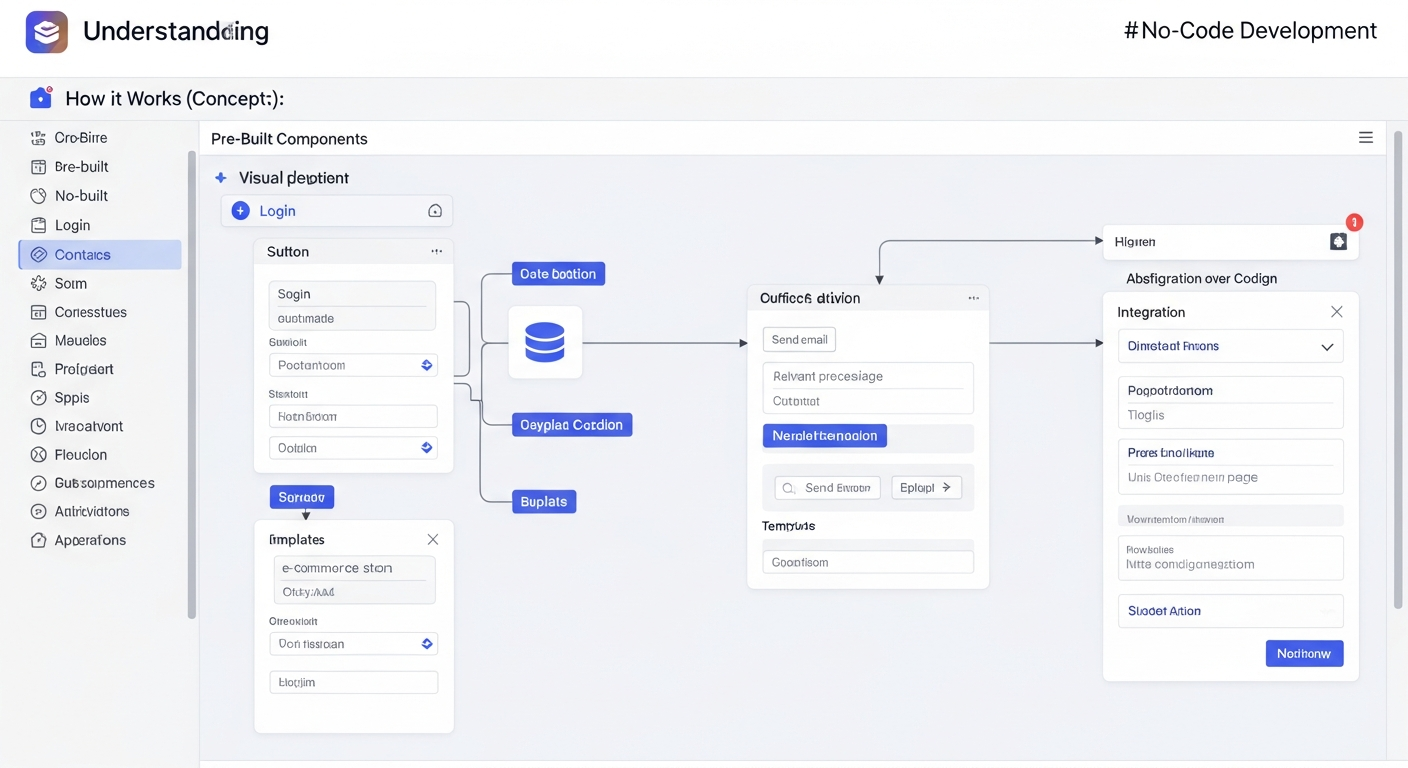
At the heart of every no-code platform is a visual development environment. This is typically a web-based interface that allows users to design and build applications by dragging and dropping elements onto a canvas. These elements can include:
- UI Components: Buttons, text fields, images, forms, navigation menus, and other visual elements that make up the user interface.
- Layout Containers: Grids, columns, and sections that help organize content and ensure responsive design across different screen sizes.
- Pre-built Modules: Functionality blocks for common tasks, such as user authentication, payment processing, database interaction, and sending emails.
Users can customize the appearance of these elements – colors, fonts, spacing, sizing – through property panels, all without touching CSS or HTML.
Declarative Logic and Workflow Automation
Instead of writing conditional statements (if/else) or loops, no-code platforms allow users to define application logic through visual workflows. This often involves connecting different actions and triggers in a flowchart-like interface. For example, a workflow might look like this:
- Trigger: User submits a form.
- Action 1: Save data to a database.
- Action 2: Send a confirmation email to the user.
- Action 3: Notify a team member in Slack.
Users simply select the desired actions from a list and configure their parameters, such as which email template to use or which Slack channel to post to. This declarative approach means you describe what you want to happen, and the platform handles how it happens.
Integrated Database Management
Most no-code platforms come with built-in database functionalities or seamless integrations with popular database services. Users can visually define data models, create tables, add fields (e.g., text, numbers, dates, images, references to other tables), and manage records directly within the platform. This abstracts away the complexities of SQL queries and database administration, making data storage and retrieval accessible to non-technical users. For instance, you might create a “Customers” table with fields for “Name,” “Email,” “Phone,” and “Last Purchase Date.”
API Integrations and Connectors
While no-code aims to keep users away from code, it doesn’t mean isolation. A crucial aspect of modern no-code platforms is their ability to integrate with a vast ecosystem of third-party services via APIs (Application Programming Interfaces). These integrations allow no-code applications to communicate with and leverage existing tools like:
- Payment gateways (Stripe, PayPal)
- CRM systems (Salesforce, HubSpot)
- Marketing automation tools (Mailchimp, ActiveCampaign)
- Communication platforms (Slack, Twilio)
- Cloud storage (Google Drive, Dropbox)
Many platforms offer pre-built connectors for popular services, making integration a simple point-and-click process. This extensibility ensures that no-code applications can be powerful and connected to the broader digital ecosystem.
Templates and Boilerplates
To further accelerate development, many no-code platforms offer a rich library of templates and boilerplate applications. These pre-designed starting points can range from simple landing pages and portfolios to complex marketplaces and social networks. Users can select a template that closely matches their project’s requirements and then customize it to their specific needs, saving significant time on initial setup and design.
Real-World Applications: Where No-Code Shines
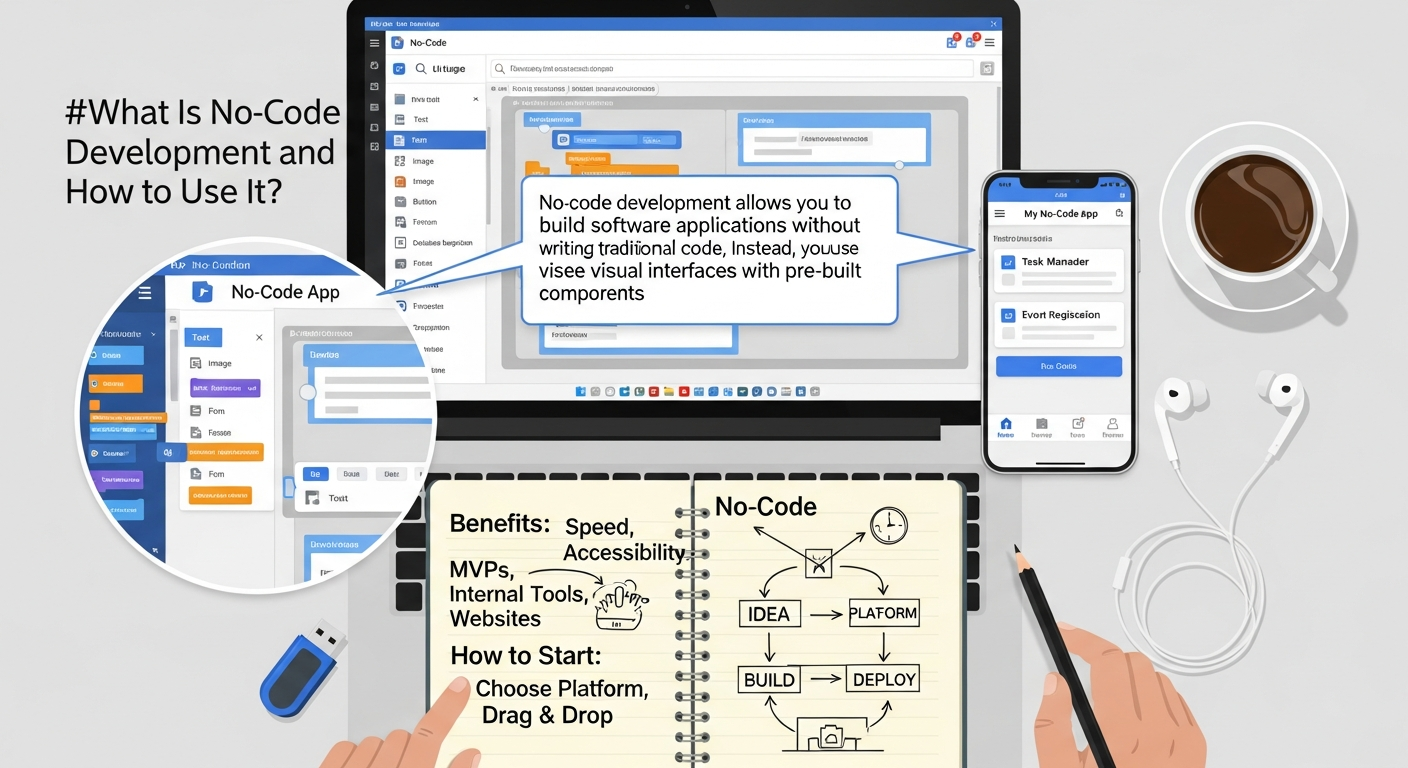
The versatility of no-code development means it can be applied to an incredibly diverse range of projects. From simple internal tools to complex customer-facing applications, no-code is proving its worth across industries.
Building Websites and Landing Pages
Perhaps one of the most common and accessible applications of no-code is the creation of websites and landing pages. Platforms like Webflow, Squarespace, and Editor X allow users to design stunning, responsive websites without writing HTML, CSS, or JavaScript. This is particularly valuable for:
- Startups: Quickly launching an MVP website to test product ideas and gather feedback.
- Small Businesses: Establishing an online presence, showcasing products/services, and building e-commerce stores.
- Marketers: Rapidly deploying custom landing pages for specific campaigns. This capability is especially beneficial when running “What Is Pay Per Click Advertising” campaigns, as marketers can quickly A/B test different page layouts and content to optimize conversion rates without relying on developers for every minor change.
Developing Mobile Applications
While native mobile app development traditionally requires specialized skills in Swift/Kotlin, no-code platforms like Adalo, Glide, and AppGyver enable the creation of functional mobile applications for both iOS and Android. These are often ideal for:
- Internal Tools: Building employee directories, field service apps, event registration apps, or simple asset trackers.
- Simple Customer Apps: Creating loyalty programs, basic informational apps, or community platforms.
- Prototypes: Quickly demonstrating an app idea to investors or stakeholders.
Crafting Custom Internal Tools and Dashboards
One of the most impactful uses of no-code within organizations is the development of custom internal tools. These tools address specific operational inefficiencies that off-the-shelf software might not perfectly cover. Examples include:
- Custom CRMs or lead trackers
- Project management dashboards tailored to specific workflows
- Inventory management systems
- Employee onboarding portals
- Automated reporting tools
For instance, a sales team could build a simple no-code tool to track specific customer interactions or manage their pipeline in a way that perfectly aligns with their unique sales process. When considering how to leverage data for decision-making, while no-code tools might not replace enterprise-grade solutions, they can certainly help build custom dashboards or data entry interfaces that feed into broader systems. This capability can complement the insights gained from understanding “How To Choose Business Intelligence Tool” for more sophisticated data analysis, by providing the initial data collection or visualization layer quickly and cost-effectively.
Automating Workflows and Integrations
No-code platforms excel at connecting disparate services and automating routine tasks. Tools like Zapier, Make (formerly Integromat), and even capabilities within broader no-code platforms allow users to create sophisticated automations without writing API code. Examples include:
- Automatically adding new form submissions to a CRM and sending a welcome email.
- Syncing data between a spreadsheet and a project management tool.
- Notifying team members in Slack when a specific event occurs in another application.
- Creating dynamic reports by pulling data from multiple sources.
Building Marketplaces and Directories
More advanced no-code platforms, such as Bubble, allow for the creation of complex web applications, including marketplaces (like Airbnb or Etsy clones), social networks, and online directories. These platforms provide the flexibility to handle user accounts, payment processing, complex data relationships, and custom logic needed for multi-sided platforms.
Navigating the No-Code Landscape: Choosing the Right Platform
With an ever-growing number of no-code platforms available, selecting the right one for your project can feel daunting. A careful evaluation based on your specific needs, budget, and technical comfort level is crucial. Here are key factors to consider:
1. Project Scope and Complexity
Begin by clearly defining what you want to build. Is it a simple landing page, a static website, an internal dashboard, a mobile app, or a complex web application with user authentication and payment processing? Different no-code platforms specialize in different areas:
- Website builders: Webflow, Squarespace, Editor X (for visually rich, responsive websites).
- Mobile app builders: Adalo, Glide, AppGyver (for native or progressive web apps).
- Web app builders: Bubble, Softr, AppGyver (for custom web applications, portals, and marketplaces).
- Automation tools: Zapier, Make (for connecting apps and automating workflows).
A platform suitable for a simple blog might not be robust enough for a multi-vendor e-commerce site.
2. Scalability Requirements
Consider the future. How many users do you anticipate? How much data will your application handle? Some platforms are better suited for small-scale projects, while others offer enterprise-grade scalability and performance. If you envision rapid growth, ensure the platform can grow with you without requiring a complete rebuild later on.
3. Integration Capabilities
Your no-code application will likely need to interact with other tools in your tech stack. Evaluate the platform’s ability to integrate with essential third-party services like payment gateways, CRMs, marketing automation tools, and analytics platforms. Look for native integrations, a rich API connector library, or compatibility with integration platforms like Zapier or Make.
4. Cost and Pricing Models
No-code platforms typically operate on subscription models, often with tiered pricing based on features, user count, data storage, or application performance. Compare the costs across different platforms and understand what’s included in each tier. Factor in potential hidden costs like custom domain fees, premium integrations, or additional support plans. While initially cost-effective, complex projects on higher tiers can become substantial.
5. Learning Curve and Ease of Use
While all no-code platforms aim for ease of use, some are more intuitive for absolute beginners, while others require a steeper learning curve to unlock their full potential. Consider your team’s technical aptitude. Look for platforms with extensive documentation, tutorials, active community forums, and responsive customer support. A platform that’s too complex for your team to master will negate the speed benefits.
6. Customization and Flexibility
How much control do you need over the design and functionality? Some platforms offer immense design freedom, while others are more template-driven. If your brand has very specific design guidelines or you require highly unique functionality, ensure the platform provides the necessary flexibility. Understand its limitations; while no-code is powerful, it may not be able to achieve every niche feature imaginable without custom code (at which point, a low-code solution might be more appropriate).
7. Data Ownership and Export
It’s crucial to understand who owns your data and whether you can easily export it should you decide to migrate platforms in the future. Platform lock-in is a potential concern; ensure you have mechanisms to retrieve your data and potentially your application’s logic if you ever need to move away from a specific vendor.
8. Community and Support
A thriving community and robust support system can be invaluable, especially when encountering challenges. Check for active forums, online courses, official documentation, and the responsiveness of customer support. The “Best Project Management Software Startups” often leverage robust communities for their own product development, and the same principle applies to users of no-code tools – a strong community can provide solutions and best practices.
By carefully evaluating these factors, you can make an informed decision and select a no-code platform that perfectly aligns with your project goals and long-term vision, ensuring your efforts are sustainable and successful.
Best Practices for Successful No-Code Implementation
While no-code development simplifies the building process, successful implementation still requires strategic thinking and adherence to best practices. Simply dragging and dropping isn’t enough; thoughtful planning and execution are key to creating effective, scalable, and maintainable applications.
1. Define Clear Goals and Requirements
Before you even open a no-code editor, clearly articulate what problem your application aims to solve, who its users are, and what key functionalities it must possess. Develop a detailed plan, user stories, or even wireframes. This clarity will guide your platform selection and prevent scope creep, which can be just as detrimental in no-code as in traditional development.
2. Start Small and Iterate
Embrace the agile philosophy. Begin with a Minimum Viable Product (MVP) that addresses the core functionality. Get it into the hands of real users quickly to gather feedback. No-code’s speed makes rapid iteration incredibly efficient. Instead of trying to build a perfect, feature-rich application from day one, build, test, learn, and then expand.
3. Understand Platform Limitations
Every tool has its boundaries. While no-code platforms are powerful, they might not be suitable for every single complex, highly specialized, or performance-intensive application. Be realistic about what your chosen platform can (and cannot) do. Pushing a no-code tool beyond its intended capabilities can lead to clunky performance, security vulnerabilities, or an inability to scale. If you foresee a need for highly custom algorithms or extremely low-level system integrations, a low-code or traditional coding approach might eventually be necessary.
4. Prioritize User Experience (UX) and User Interface (UI)
Just because you’re not writing code doesn’t mean design principles go out the window. A well-designed, intuitive user interface and a smooth user experience are crucial for adoption and effectiveness. Pay attention to layout, navigation, visual hierarchy, and accessibility. Leverage the platform’s design capabilities and test with real users to ensure usability.
5. Plan Your Data Structure Carefully
Data is the backbone of most applications. Even in a visual environment, a poorly structured database can lead to inefficiencies, errors, and difficulties in scaling. Spend time planning your data models, defining relationships between different data types, and ensuring data integrity. A well-organized database will make future modifications and feature additions much simpler.
6. Ensure Security and Compliance
Don’t overlook security. Understand the security features offered by your chosen no-code platform, including user authentication, data encryption, and access controls. If your application handles sensitive information or requires compliance with regulations (like GDPR, HIPAA), ensure the platform meets those standards. Implement best practices like strong passwords, multi-factor authentication, and regular backups.
7. Document Your Workflows and Logic
Even though it’s visual, documenting how your application’s workflows and logic are configured is vital. This helps new team members understand the system, facilitates troubleshooting, and ensures continuity if the original builder moves on. Screenshots, flowcharts, and simple text descriptions can go a long way.
8. Test Thoroughly
No-code doesn’t eliminate the need for testing. Test every feature, every workflow, and every integration rigorously. Test on different devices and browsers. Solicit feedback from a diverse group of users. Comprehensive testing helps identify bugs, usability issues, and performance bottlenecks before your application goes live.
9. Stay Informed and Adapt
The no-code ecosystem is evolving rapidly. New platforms emerge, existing ones update features, and best practices shift. Stay engaged with the no-code community, follow industry news, and continuously learn. Be prepared to adapt your approach and leverage new tools as they become available.
By following these best practices, you can maximize the potential of no-code development, building robust, effective, and sustainable digital solutions that genuinely serve your business needs in 2026 and beyond.
The Future is No-Code (and Low-Code): Trends for 2026 and Beyond
The trajectory of no-code and low-code development points towards continued exponential growth and integration into mainstream business operations. As we look towards 2026 and beyond, several key trends are likely to shape the future of this transformative technology.
1. Widespread Enterprise Adoption
While startups and small businesses have been early adopters, large enterprises are increasingly recognizing the strategic value of no-code/low-code. They are using it to address IT backlogs, empower business units, and accelerate digital transformation initiatives. Expect more enterprise-grade no-code platforms with advanced security, governance, and integration capabilities designed for complex organizational structures.
2. Deeper AI and Machine Learning Integration
The synergy between no-code and artificial intelligence is potent. Future no-code platforms will likely incorporate more sophisticated AI capabilities, allowing users to easily add features like natural language processing, predictive analytics, image recognition, and intelligent automation to their applications without needing to understand the underlying algorithms. This will make applications smarter and more capable of handling complex tasks.
3. Hyper-automation and Intelligent Workflows
No-code is already a powerful tool for workflow automation, but this will intensify with the rise of hyper-automation. Expect platforms to offer more robust capabilities for orchestrating complex business processes, connecting even more disparate systems, and leveraging AI to make automated decisions, reducing manual intervention across entire organizations.
4. Specialized No-Code Platforms
While general-purpose no-code platforms will remain popular, there will likely be a proliferation of highly specialized no-code tools tailored for specific industries or use cases. Imagine no-code platforms built exclusively for healthcare, real estate, finance, or highly niche vertical markets, offering industry-specific components, compliance features, and integrations out-of-the-box.
5. No-Code as a Core Business Skill
The ability to build applications without code will no longer be a niche skill but a fundamental competency across various roles. Just as understanding spreadsheets became essential, proficiency in no-code platforms will become a standard expectation for product managers, marketers, sales professionals, and operations managers. Educational institutions and corporate training programs will increasingly incorporate no-code curricula.
6. Convergence with Low-Code and Traditional Development
The lines between no-code, low-code, and traditional development will continue to blur. Low-code platforms will offer more extensive no-code interfaces, while traditional development environments might integrate more visual builders. The future will see a harmonious ecosystem where developers can seamlessly transition between visual builders and custom code, choosing the right tool for the right part of a project, fostering greater collaboration between citizen developers and professional developers.
7. Enhanced Governance and Security
As no-code adoption grows within enterprises, the focus on governance, security, and compliance will become paramount. Platforms will offer more advanced features for IT oversight, access control, auditing, and adherence to regulatory standards, ensuring that citizen-developed applications are robust and secure.
In conclusion, no-code development is not just a trend; it’s a fundamental shift in how software is created. It empowers a new generation of builders, accelerates innovation, and reshapes the competitive landscape. By embracing no-code, businesses and individuals can unlock unprecedented agility, creativity, and efficiency, positioning themselves for success in the dynamic digital world of 2026 and beyond.
Frequently Asked Questions
Recommended Resources
Learn more about this topic in Motion Graphics Basics For Beginners at Layout Scene.
For more on what is no-code, see How To Organize Digital Files Effectively on Bookmark Sharer.