In the dynamic world of entrepreneurship, where every decision can profoundly impact a company’s trajectory, selecting the right accounting software is not merely a logistical chore—it’s a foundational strategic move. For startups and small to medium-sized businesses (SMBs), efficient financial management is the bedrock upon which sustainable growth is built. As we look towards 2026, the landscape of accounting solutions continues to evolve, offering an array of powerful tools designed to simplify complex financial tasks, ensure compliance, and provide invaluable insights. This comprehensive guide from Eamped delves into the top contenders, essential features, and critical considerations to help you choose the best accounting software for startups and SMBs, empowering your business to thrive financially.
The Indispensable Role of Accounting Software for Startup Success and SMB Stability
For any nascent venture or growing small business, financial health is paramount. Without a clear, real-time understanding of income, expenses, cash flow, and profitability, making informed decisions becomes a perilous gamble. This is where robust accounting software steps in, transforming what could be a chaotic mess of spreadsheets and receipts into an organized, insightful system.
Modern accounting software does far more than just record transactions. It acts as the central nervous system for your business’s financial operations, offering a panoramic view of your fiscal situation at any given moment. For startups, this means the ability to meticulously track initial investments, manage seed funding, monitor burn rate, and prepare for future funding rounds with accurate financial statements. For SMBs, it translates to streamlined invoice management, efficient expense categorization, precise payroll processing, and comprehensive tax preparation, all contributing to operational efficiency and compliance.
Beyond the practicalities, the right software provides strategic advantages. It frees up valuable time that would otherwise be spent on manual data entry, allowing founders and managers to focus on core business activities, innovation, and client relationships. Furthermore, automated reporting tools offer deep insights into spending patterns, revenue streams, and potential areas for cost-saving or growth. This data-driven approach is crucial for scaling effectively and responding swiftly to market changes. In essence, investing in the best accounting software for startups and SMBs is not an expenditure; it’s an investment in your business’s longevity, agility, and potential for exponential growth.
Key Features to Prioritize in Accounting Software for 2026
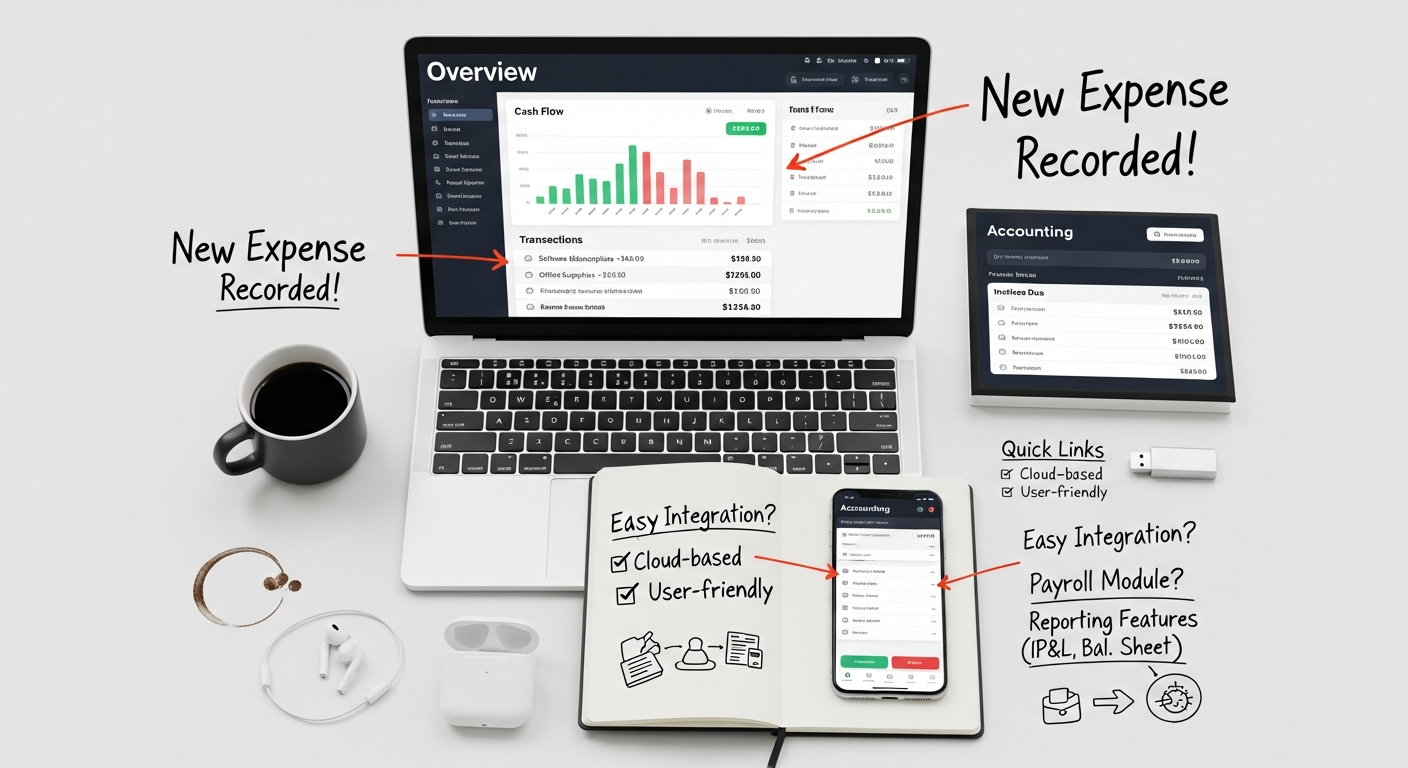
As the business world accelerates, the demands on accounting software grow more sophisticated. When evaluating options in 2026, startups and SMBs should look beyond basic bookkeeping and prioritize features that offer strategic value and future-proofing. Here are the critical functionalities to consider:
- Intuitive User Interface (UI) and User Experience (UX): Especially for startups where financial expertise might be limited, an easy-to-navigate interface reduces the learning curve and encourages consistent use. The software should be logical, with clear workflows for common tasks like invoicing and expense tracking.
- Invoicing and Billing: Essential for generating professional invoices, sending automated payment reminders, and tracking outstanding receivables. Customizable templates and recurring invoice options are highly beneficial.
- Expense Tracking and Categorization: The ability to easily record, categorize, and reconcile business expenses is crucial for budgeting, tax preparation, and understanding profitability. Mobile receipt scanning and automatic bank feed imports are game-changers.
- Bank and Credit Card Reconciliation: Seamlessly connecting to your bank accounts and credit cards to automatically import transactions significantly reduces manual data entry and helps ensure accuracy.
- Financial Reporting: Comprehensive, customizable reports (Profit & Loss, Balance Sheet, Cash Flow Statement, Accounts Receivable/Payable Aging) are vital for gaining insights into your business’s financial health and making data-driven decisions.
- Payroll Management: For businesses with employees, integrated payroll functionality simplifies salary processing, tax withholdings, and compliance. If not integrated, strong integration capabilities with a dedicated payroll service are a must.
- Inventory Management: If your business sells physical products, robust inventory tracking, including cost of goods sold (COGS) calculations, is indispensable.
- Time Tracking: Important for service-based businesses or those billing clients by the hour. Integration with invoicing helps accurately bill for services rendered.
- Multi-Currency Support: For businesses dealing with international clients or suppliers, this feature simplifies transactions in various currencies and manages exchange rate fluctuations.
- Integrations with Other Business Tools: Accounting software rarely operates in a vacuum. Look for strong integration capabilities with other essential platforms like CRM systems, e-commerce platforms (Shopify, WooCommerce), payment gateways (Stripe, PayPal), and even Best Project Management Software Startups use. This creates a cohesive business ecosystem, avoiding data silos and improving overall efficiency.
- Scalability: The software should be able to grow with your business. What works for a solo freelancer might not suffice for an SMB with 50 employees and multiple revenue streams. Look for tiered plans that offer increasing features as your business expands.
- Mobile Access: The ability to manage finances on the go via a dedicated mobile app is no longer a luxury but a necessity in today’s mobile-first business environment.
- Security and Data Backup: Financial data is sensitive. Ensure the software employs robust security measures, including encryption, multi-factor authentication, and regular data backups.
- Customer Support: Accessible and knowledgeable customer support can be invaluable, especially during setup or when troubleshooting issues.
By focusing on these features, startups and SMBs can select an accounting solution that not only handles current financial needs but also supports future growth and strategic decision-making.
Top Accounting Software Contenders for Startups & SMBs in 2026
The market for accounting software is rich with options, each offering a unique blend of features, pricing, and user experience. Based on extensive research, user reviews, and industry trends for 2026, here are some of the leading contenders perfectly suited for startups and SMBs:
1. QuickBooks Online (QBO)
QuickBooks Online, developed by Intuit, remains the undisputed market leader, offering a comprehensive suite of tools designed to cater to businesses of all sizes, from freelancers to growing SMBs. Its cloud-based nature makes it accessible from anywhere, at any time.
- Key Features: Robust invoicing, expense tracking, bank reconciliation, detailed financial reporting, inventory management (Plus and Advanced plans), payroll integration, time tracking, project profitability tracking, sales tax management, and over 650 app integrations. QuickBooks Online Advanced offers even more sophisticated reporting, dedicated account management, and enhanced user permissions for larger SMBs.
- Pros:
- Comprehensive Functionality: Covers almost every financial need a business could have.
- Extensive Integrations: Connects with a vast ecosystem of third-party apps, making it highly versatile.
- Scalability: Multiple pricing tiers (Simple Start, Essentials, Plus, Advanced) ensure it can grow with your business.
- Industry Standard: Widely recognized and understood by accountants, simplifying collaboration.
- Strong Reporting: Offers a wide array of customizable financial reports for deep insights.
- Cons:
- Cost: Can be more expensive than some competitors, especially for higher tiers.
- Learning Curve: While intuitive for basic tasks, its extensive features can be overwhelming for complete novices.
- Customer Support: Quality can be inconsistent, with some users reporting long wait times.
- Best For: Small businesses and growing SMBs that require a full-featured accounting solution, value extensive integrations, and plan for significant growth. Ideal for businesses needing robust inventory management or project tracking.
- Pricing: Subscription-based, with monthly plans ranging from approximately $30/month for Simple Start to $200+/month for Advanced, often with introductory discounts. Payroll is an add-on service.
2. Xero
Hailing from New Zealand, Xero has established itself as a strong challenger to QuickBooks, particularly popular among tech-savvy startups and SMBs who appreciate its modern interface and collaborative features.
- Key Features: Professional invoicing, bank reconciliation, expense claims, purchase orders, inventory tracking, project tracking, multi-currency support, fixed asset management, and a marketplace of over 1,000 integrations. Its “Beautiful Business” mantra emphasizes user experience.
- Pros:
- Modern User Interface: Highly intuitive, clean, and visually appealing, making it easy to learn and use.
- Excellent Bank Reconciliation: Known for its streamlined and efficient bank feed matching.
- Strong Collaboration: Easy to invite accountants and team members, with granular user permissions.
- Multi-Currency Functionality: A huge advantage for businesses with international dealings.
- Active Community & Support: Good online resources and responsive customer service.
- Cons:
- Limited Payroll in Some Regions: While it has its own payroll in some countries, in the US, it integrates with Gusto, which adds to the overall cost.
- Reporting Customization: While good, some users find QuickBooks’ reporting more robust for very specific needs.
- Pricing Structure: Lower tiers can have limits on invoices/bills, which can be restrictive for growing businesses.
- Best For: Startups and SMBs that value a modern, user-friendly interface, strong bank reconciliation, collaborative features, and have international transactions. Particularly good for service-based businesses and those looking for a clear, intuitive experience.
- Pricing: Subscription-based, with Starter, Standard, and Premium plans ranging from approximately $13/month to $78/month, with specific limits on transactions or multi-currency features tied to higher tiers.
3. FreshBooks
FreshBooks is primarily designed with freelancers, self-employed professionals, and service-based SMBs in mind. It excels at invoicing, time tracking, and project management, making it perfect for those who bill for their time and expertise.
- Key Features: Highly customizable invoicing, expense tracking, time tracking, project management, client management (CRM-lite), proposals and estimates, payment processing, and basic financial reports. Offers robust mobile apps.
- Pros:
- Exceptional Invoicing: Creates professional, customizable invoices with ease, including recurring invoices and late payment reminders.
- Superb Time Tracking: Integrated time tracking makes billing for hourly work seamless.
- User-Friendly: Very easy to set up and use, even for those with no accounting background.
- Project Management Focus: Strong tools for managing projects, collaborating with clients, and tracking profitability per project.
- Excellent Mobile App: Allows for on-the-go management of finances.
- Cons:
- Limited Inventory Management: Not suitable for businesses with complex inventory needs.
- Less Robust Reporting: While sufficient for service businesses, it lacks the depth of reporting found in QuickBooks or Xero for general ledger insights.
- Scalability Challenges: May become less ideal for product-based businesses or those with complex payroll/multi-entity needs as they grow significantly.
- Cost Per Active Client: Higher tiers price based on the number of active clients, which can become expensive.
- Best For: Freelancers, consultants, agencies, contractors, and service-based startups and SMBs that prioritize invoicing, time tracking, and project profitability. Businesses that don’t deal with physical inventory.
- Pricing: Subscription-based, with Lite, Plus, and Premium plans ranging from approximately $17/month to $55/month, with pricing often tied to the number of billable clients.
4. Wave Accounting
Wave stands out as a unique option for very small businesses and freelancers because it offers its core accounting, invoicing, and receipt scanning features for free. It monetizes through paid add-ons like payroll and payment processing.
- Key Features: Free accounting software (income and expense tracking, bank reconciliation, financial reports), free invoicing, free receipt scanning, and free budgeting. Paid add-ons include payroll, payment processing (credit card/bank payments), and bookkeeping services.
- Pros:
- Completely Free Core Features: An unbeatable value proposition for businesses with tight budgets.
- User-Friendly Interface: Easy to navigate for basic accounting tasks.
- Good for Solo Entrepreneurs: Ideal for freelancers, contractors, and very small businesses just starting out.
- Unlimited Invoicing and Transactions: No limits on core free features.
- Cons:
- Limited Integrations: Fewer third-party integrations compared to paid alternatives.
- Less Robust Reporting: Basic reports, might not provide the depth needed for complex analysis.
- No Inventory Management: Not suitable for businesses selling physical products.
- Customer Support: Primarily email-based for free users, with paid support for payroll/payment processing customers.
- Advertising: Free nature means occasional in-app ads.
- Best For: Freelancers, sole proprietors, very small service-based startups, and businesses with minimal financial complexity and a strict budget. It’s an excellent stepping stone before committing to a paid solution.
- Pricing: Core accounting, invoicing, and receipt scanning are free. Payroll services start at around $20/month + $6/employee. Payment processing fees apply (e.g., 2.9% + $0.60 per credit card transaction).
5. Zoho Books
Part of the extensive Zoho ecosystem, Zoho Books is a powerful, cloud-based accounting solution that offers a wealth of features at a competitive price, often appealing to startups and SMBs already using other Zoho products.
- Key Features: Invoicing, expense tracking, bank reconciliation, project time tracking, inventory management, sales orders, purchase orders, client portal, multi-currency support, and a wide array of integrations within the Zoho Suite (CRM, Projects, Inventory, etc.) and with third-party apps.
- Pros:
- Feature-Rich for the Price: Offers a comprehensive set of tools, including inventory and project management, often at a lower cost than competitors.
- Seamless Zoho Ecosystem Integration: Incredibly powerful for businesses already invested in Zoho CRM or other Zoho apps.
- Client Portal: Allows clients to view invoices, make payments, and communicate directly.
- Multi-Currency Support: Facilitates international business transactions.
- Automation Capabilities: Strong workflow automation for tasks like payment reminders.
- Cons:
- Learning Curve: The sheer number of features can make it slightly more complex to learn initially.
- Interface Can Be Busy: While functional, some users find the interface less streamlined than Xero or FreshBooks.
- Customer Support: Can be varied, though generally responsive.
- Best For: Startups and SMBs looking for a comprehensive, affordable accounting solution that includes inventory and project management. Ideal for businesses that use or plan to use other Zoho products for a unified business management experience.
- Pricing: Subscription-based, with Free, Standard, Professional, Premium, Elite, and Ultimate plans ranging from $0 to approximately $275/month, offering increasing features, users, and contacts.
6. Sage Business Cloud Accounting (formerly Sage One)
Sage has a long history in accounting software, with Sage Business Cloud Accounting (SBCA) being their modern, cloud-based offering tailored for small businesses and self-employed individuals, particularly popular in the UK and Europe.
- Key Features: Invoicing, expense tracking, bank reconciliation, cash flow management, inventory tracking, project accounting, financial reporting, and integrations with payment processors and other business apps. Offers payroll integration in specific regions.
- Pros:
- Strong Reputation: Backed by a long-standing, reputable company in the accounting software space.
- Scalable: Offers different plans (Start and Accounting) to suit growing needs.
- Good for Inventory: Includes robust inventory management even in its standard plan.
- User-Friendly: Generally considered easy to use for core accounting functions.
- Solid Reporting: Provides essential financial reports.
- Cons:
- Less Extensive Integrations: While growing, its marketplace isn’t as vast as QuickBooks or Xero.
- Payroll Limitations: Integrated payroll is region-specific; US users might need a separate service.
- Interface Can Feel Dated: While functional, some might find the UI less modern compared to Xero.
- Market Penetration: While strong globally, it has less market share in the US compared to QuickBooks.
- Best For: Small businesses, sole traders, and startups, particularly those in the UK or Europe, who need a reliable, comprehensive accounting solution with good inventory management and are looking for a trusted brand name.
- Pricing: Subscription-based, with Sage Accounting Start (basic) and Sage Accounting (more features) plans typically ranging from approximately $10/month to $25/month, often with introductory discounts.
Integrating Accounting with Your Business Ecosystem for Strategic Advantage
Choosing the best accounting software for startups and SMBs is just the first step. The true power lies in how seamlessly it integrates with your broader business ecosystem. In 2026, isolated tools are inefficient; interconnected systems are the key to unlocking maximum productivity and insight.
Consider how your accounting software can become the financial backbone that supports and informs other critical operations:
1. CRM and Sales: Integrating your accounting solution with your Customer Relationship Management (CRM) system allows for a holistic view of each customer. Sales teams can see payment histories, outstanding invoices, and profitability per client, leading to more informed sales strategies and better customer service. This synergy ensures that sales efforts are aligned with financial realities, preventing situations where valuable resources are spent on unprofitable clients.
2. E-commerce Platforms: For businesses selling online, integration with platforms like Shopify, WooCommerce, or Magento is non-negotiable. This automates the transfer of sales data, inventory updates, and customer information directly into your accounting software, eliminating manual data entry, reducing errors, and providing real-time sales reporting. This streamlined process is vital for managing cash flow and tracking the actual performance of online sales channels.
3. Project Management: Efficient project delivery is directly tied to financial viability. Integrating accounting software with your Best Project Management Software Startups use, such as Asana, Trello, or Monday.com, allows for accurate tracking of project costs, billable hours, and profitability. This integration ensures that project managers have a clear financial picture, enabling them to make timely adjustments to stay within budget and maximize returns. Understanding the financial impact of each project can inform future pricing strategies and resource allocation.
4. Business Intelligence (BI) and Analytics: Financial data is a goldmine for strategic decision-making. When integrated with a BI tool, your accounting software can feed crucial data points into dashboards and reports that offer deeper analytical insights. Understanding How To Choose Business Intelligence Tool is critical here, as the right BI solution can transform raw financial data into actionable intelligence about market trends, operational efficiencies, and growth opportunities. This empowers leadership to make proactive decisions based on comprehensive financial performance metrics, rather than relying on guesswork.
5. Marketing and Advertising: Even your marketing efforts, such as What Is Pay Per Click Advertising, benefit from robust accounting integration. By linking advertising spend to revenue generated within your accounting system, you can accurately calculate Return on Ad Spend (ROAS) and optimize your marketing budget. This allows you to identify which campaigns are truly profitable and allocate resources more effectively, ensuring that your marketing investments are yielding tangible financial returns.
By creating a connected ecosystem, startups and SMBs can move beyond basic bookkeeping to leverage their financial data as a strategic asset. This interconnectedness minimizes manual intervention, reduces errors, and provides the real-time insights necessary to navigate complex business challenges and capitalize on growth opportunities in 2026 and beyond.
Making the Right Choice: A Step-by-Step Selection Guide
With so many excellent options, choosing the best accounting software for startups and SMBs can seem daunting. Follow these steps to make an informed decision that aligns with your specific business needs and future goals:
Step 1: Assess Your Current and Future Needs
- Identify Your Core Requirements: What are your absolute must-have features? Do you need invoicing, expense tracking, payroll, inventory, time tracking, project management, or multi-currency support?
- Business Type: Are you a service-based business, e-commerce, retail, or a consultant? This will heavily influence feature priority (e.g., inventory for retail, time tracking for consultants).
- Number of Users: How many people will need access to the software (owners, employees, accountants)?
- Growth Projections: Consider where you expect your business to be in 1-3 years. Will the software scale with you, or will you outgrow it quickly?
- Existing Tools: List any other software you currently use (CRM, project management, e-commerce) and check for potential integrations.
Step 2: Define Your Budget
- Monthly/Annual Cost: How much can you realistically afford to spend on accounting software? Remember to factor in potential add-ons for payroll, payment processing, or additional users.
- Value vs. Cost: Don’t just look at the cheapest option. Consider the value it brings in terms of time saved, insights gained, and potential error reduction. A slightly more expensive solution that automates more tasks might save you more money in the long run.
Step 3: Evaluate User Experience and Ease of Use
- Trial Periods: Most reputable providers offer free trials. Take advantage of these to test out the software with your own data (or sample data).
- Intuition: Is the interface logical and easy to navigate? Can you quickly find the features you need?
- Learning Curve: How much training will be required for you and your team to become proficient?
- Mobile Accessibility: If you or your team need to manage finances on the go, test the mobile app.
Step 4: Scrutinize Integrations
- Essential Connections: Ensure the software integrates seamlessly with your critical business tools, like your CRM, e-commerce platform, or Best Project Management Software Startups. This prevents data silos and redundant data entry.
- Payment Gateways: Check compatibility with your preferred payment processors (Stripe, PayPal, etc.).
Step 5: Review Security and Support
- Data Security: Confirm that the provider employs robust security measures, including encryption, multi-factor authentication, and regular data backups. Understand their privacy policy.
- Customer Support: What kind of support is offered (phone, chat, email, knowledge base)? What are their hours? Test their responsiveness during your trial period if possible.
Step 6: Consider Accountant Collaboration
- Accountant Access: Will your accountant or bookkeeper be able to easily access and work with your data? Many solutions offer specific accountant portals or easy user invitations.
- Industry Standard: While not mandatory, using software familiar to most accountants (like QuickBooks or Xero) can simplify collaboration and reduce accountant fees.
By systematically working through these steps, you can confidently select the best accounting software for startups and SMBs that not only meets your present financial needs but also serves as a robust platform for future growth and success in 2026.
Conclusion
In the competitive landscape of 2026, efficient financial management is not merely an administrative task; it is a critical differentiator for startups and SMBs aiming for sustained growth and profitability. The right accounting software serves as the foundation for sound decision-making, ensuring compliance, optimizing cash flow, and providing invaluable insights into your business’s health.
Whether you opt for the comprehensive power of QuickBooks Online, the modern elegance of Xero, the service-focused precision of FreshBooks, the unbeatable value of Wave Accounting, the integrated ecosystem of Zoho Books, or the dependable heritage of Sage Business Cloud Accounting, the key lies in aligning the software’s capabilities with your unique business needs, growth trajectory, and budget. Remember to prioritize features like robust invoicing, expense tracking, comprehensive reporting, and seamless integrations with your existing business tools.
By making an informed choice and leveraging the full potential of your chosen solution, you empower your startup or SMB to navigate financial complexities with confidence, freeing up precious time and resources to focus on innovation, customer satisfaction, and strategic expansion. Invest wisely in your financial future; the returns will be immeasurable.
Frequently Asked Questions (FAQ)
What is the absolute best accounting software for a brand new startup with no budget in 2026?
For a brand new startup with virtually no budget, Wave Accounting is often the absolute best choice in 2026. It offers core accounting, invoicing, and receipt scanning features completely free, making it an excellent starting point for managing basic finances without any upfront cost. As your business grows, you can then consider its paid add-ons like payroll or payment processing, or transition to a more feature-rich paid solution like QuickBooks Online or Xero.
How important are integrations for accounting software for a growing SMB?
Integrations are critically important for a growing SMB. Seamless connections between your accounting software and other business tools—such as CRM, e-commerce platforms, project management software (Best Project Management Software Startups), and even business intelligence tools (How To Choose Business Intelligence Tool)—eliminate manual data entry, reduce errors, and provide a unified view of your business operations. This interconnectedness allows for better data flow, more accurate reporting, and ultimately, more informed strategic decision-making across all departments, including marketing efforts like What Is Pay Per Click Advertising.
Can I switch accounting software later if my business outgrows the initial choice?
Yes, you can absolutely switch accounting software later. While it requires some effort to migrate your financial data, most reputable accounting software providers offer tools or guidance to facilitate data export and import. It’s a common practice for businesses to start with a simpler, more affordable solution and then upgrade to a more robust system as their needs become more complex. Planning for this scalability during your initial selection process can make future transitions smoother.
Do I still need an accountant if I use accounting software?
Yes, even with the most advanced accounting software, an accountant or bookkeeper remains invaluable. While software automates data entry and basic reporting, a professional accountant provides expert advice on tax compliance, financial strategy, complex transactions, and ensures your books are accurate and optimized. They can interpret your reports, help with year-end closing, and offer strategic guidance that software cannot. Accounting software simply makes their job easier and more efficient, often saving you money on accounting fees.
What’s the difference between cloud-based and desktop accounting software? Which is better for startups in 2026?
Cloud-based accounting software (like QuickBooks Online, Xero) is hosted on the internet and accessed via a web browser, while desktop software (like older versions of QuickBooks Desktop, Sage 50cloud) is installed directly on your computer. For startups and SMBs in 2026, cloud-based software is overwhelmingly better. It offers real-time data access from anywhere, automatic backups, seamless collaboration with accountants, regular feature updates without manual installation, and typically lower upfront costs. Desktop software often requires manual updates, is tied to a specific computer, and can complicate remote access and collaboration.
How does accounting software help with tax preparation for startups and SMBs?
Accounting software significantly simplifies tax preparation by meticulously tracking all income and expenses throughout the year. It categorizes transactions, generates essential financial reports (like Profit & Loss and Balance Sheet), and can often integrate directly with tax preparation software or export data in a format easily digestible by your accountant. This organized record-keeping ensures that you have all the necessary documentation for tax filings, helps identify deductible expenses, and minimizes the time and stress associated with tax season, ensuring compliance with tax laws in 2026.
Recommended Resources
Learn more about this topic in Canva Pro Tips For Designers at Layout Scene.
Check out How To Set Up A Home Network on Bookmark Sharer for a deeper dive.